Airtel Bridge Static IP Frequent disconnection

  • Thread starter Thread starter flame
  • Start date Start date
  • Replies Replies 8
  • Views Views 127

flame

the geek
Messages
439
Location
New Delhi
ISP
ActFiberNet 300Mbps Airtel Xstream 300mbps
Problem Description:
I am experiencing frequent internet disconnections and "Ping Request Timed Out" errors on my current network setup. The connection remains stable for varied intervals—typically dropping after 20, 30, or 40 minutes, and occasionally lasting up to an hour—before losing connectivity.
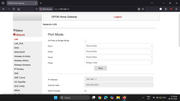
Network Configuration: Airtel --> Nokia ONT (Bridge Mode Port 4) --> Mikrotik Router
  • ISP: Airtel Xstream Fiber
  • ONT:
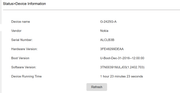
    Nokia G-2425G-A
    (configured in Bridge Mode on LAN Port 4)
  • Router: MikroTik (connected via WAN port to ONT Port 4)
  • WAN Configuration: Static IP assigned (IP: 223.239.xxx.xx / Gateway: 223.239.128.1)

Model : RB750Gr3
Firmware Type : mt7621L
Firmware : 6.47.8
 
In the Mikrotik Router, in the ip section see if 223.239.xxx.xx is /24 or /32. Set it to /32 and then try pinging to 223.239.128.1. Check if that works.
a
 
@ghostiin by default /24 and tried 32 same issue, ONT 3 light are ok Link, Auth. Is that some kinda Bridge mode issue for all because if Airtel NOC Team configure Static IP in Nokia ONT all works fine no problem just bridge mode issue.
 
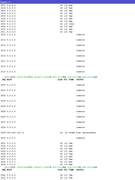
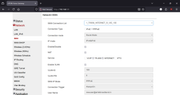
Screenshot Request Timed out

RTO Nokia ONT Bridge mode looks Flawed due to there hardcoded locked Nokia Firmware....

 
Airtel Noob Engineers assigned static ip in Nokia and enable bridge mode so when you try to use it in Mikrotik router it doesn't work for long.
As airtel ARP table sees 2 MAC and connection drop on your MikroTik router.
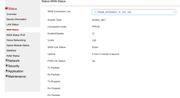
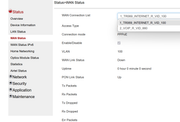
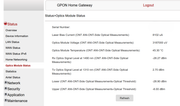
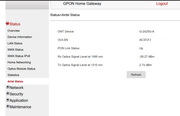
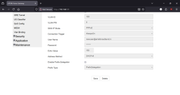
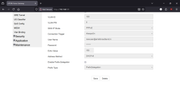
If you can please post the screenshot of Airtel WAN page.
 
@ShubuYeole check screenshot asked for, nothing configured static configured own Mikrotik router. Anyone else facing issue with static IP having static ip configured own router, can you share setting like ARP , ARP Timeout, MTU, Subnetmask. my default settings MTU = 1500, ARP = enabled, ARPTimeout = 30Sec and Subnetmask = 255.255.255.0,


The issue is related to ARP settings.
I had faced same issue earlier(using pfsense) but same setup of Nokia ONT in bridge mode and connecting using static IP from pfsense.
It would randomly start giving timeout error for ping checks.

To fix this had changed the ARP time from 1200 default to 60 and never again faced the same issue.
You can check and verify ARP values once for Mikrotik.
Pfsense forum topic related to this
 
Back