I have a TP-Link ER605 that I use for the dual WAN support. I have a local ISP internet connection that I have connected to the default WAN port of ER605, and it is configured using PPPoE, and it is working great.
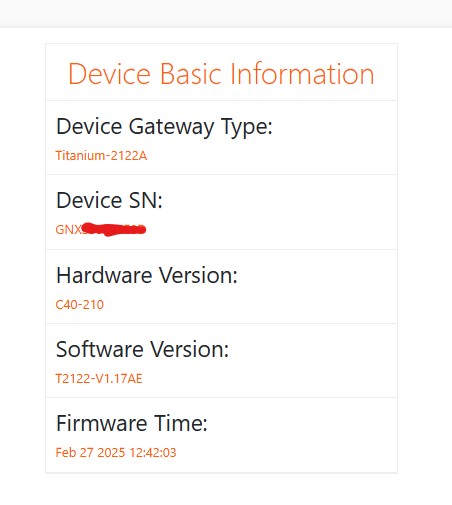
Now, last week I got an Airtel fiber connection, which came with a Titanum-2122A router. Below is the device information.
I called the Airtel support and asked them to enable bridge mode so that I can connect it to connect with ER605. The technician on the call said they enabled the bridge on all LAN ports (2 LAN ports) on the Airtel router. So I connected the Airtel router to my ER605 and entered the PPPoE credentials that I got from the Airtel router settings page by using the Inspect Element on the browser, but the connection could not happen. Then I checked the Airtel router, and I could not see any change where it would say that bridge mode is enabled. The service request got closed without any resolution. I will make another request and see what happens.
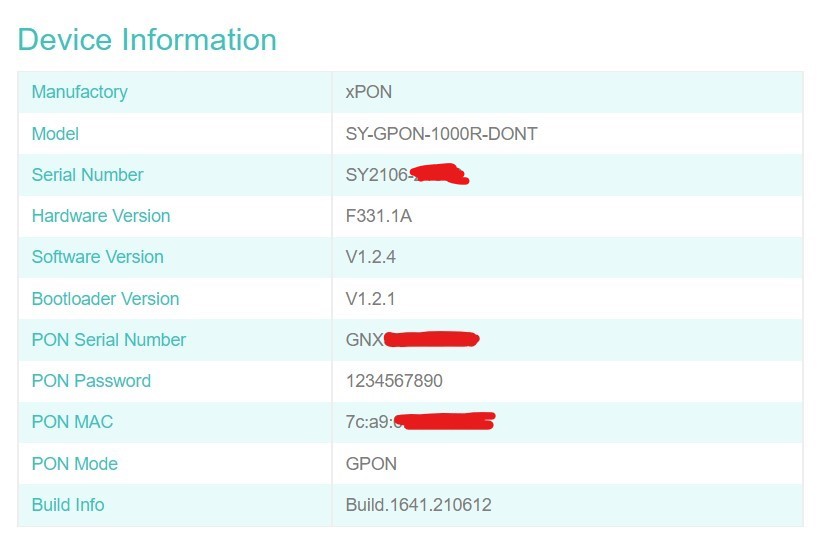
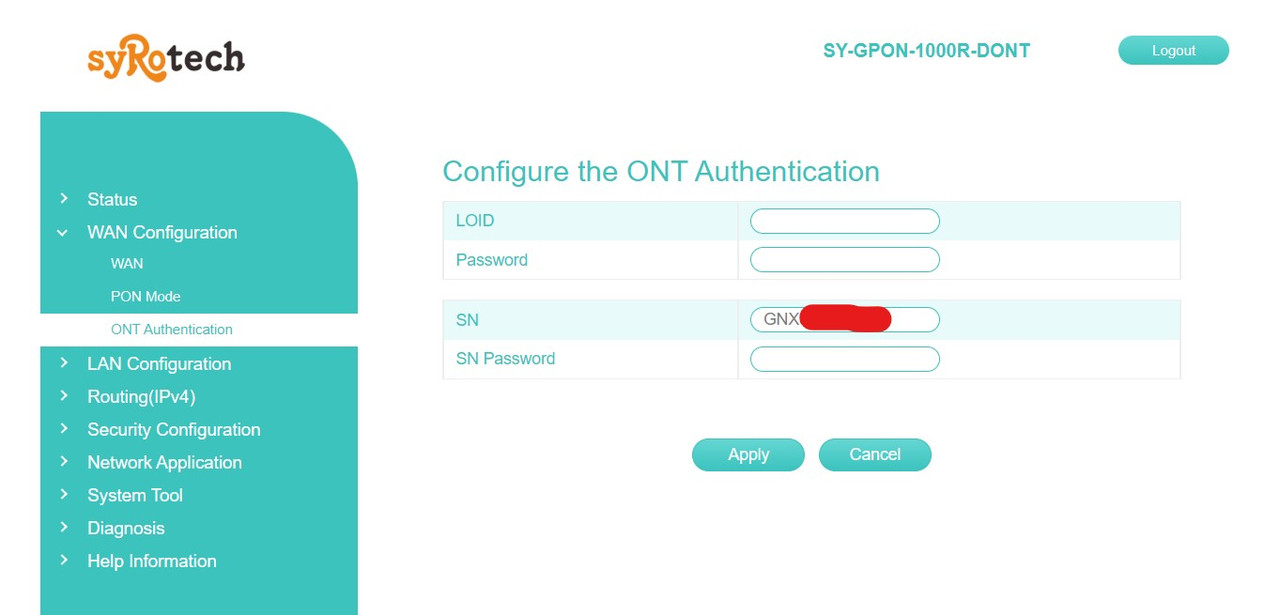
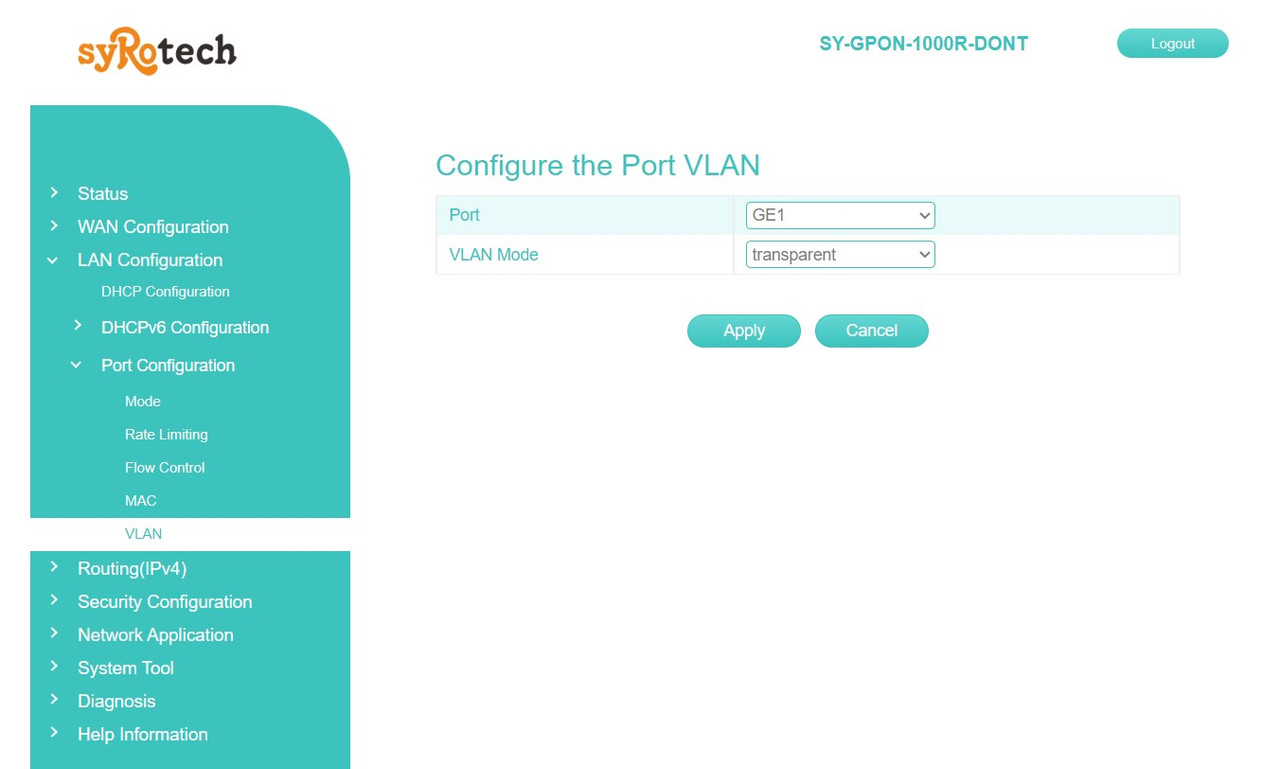
Meanwhile, I had Syrotech SY-GPON-1000R-DONT ONT lying around. Based on the info I found on this forum, I thought of bypassing the Airtel Router completely. So I logged into the Syrotech ONT and set the GPON serial number from the Airtel Router and kept the VLAN setting to transparent. Below are the snapshots of these settings.
On the ONT Status page, I could see Authentication Successful and see the signal strength. Then I connected Syrotech ONT to my ER605 on the WAN1 port and added the following details.
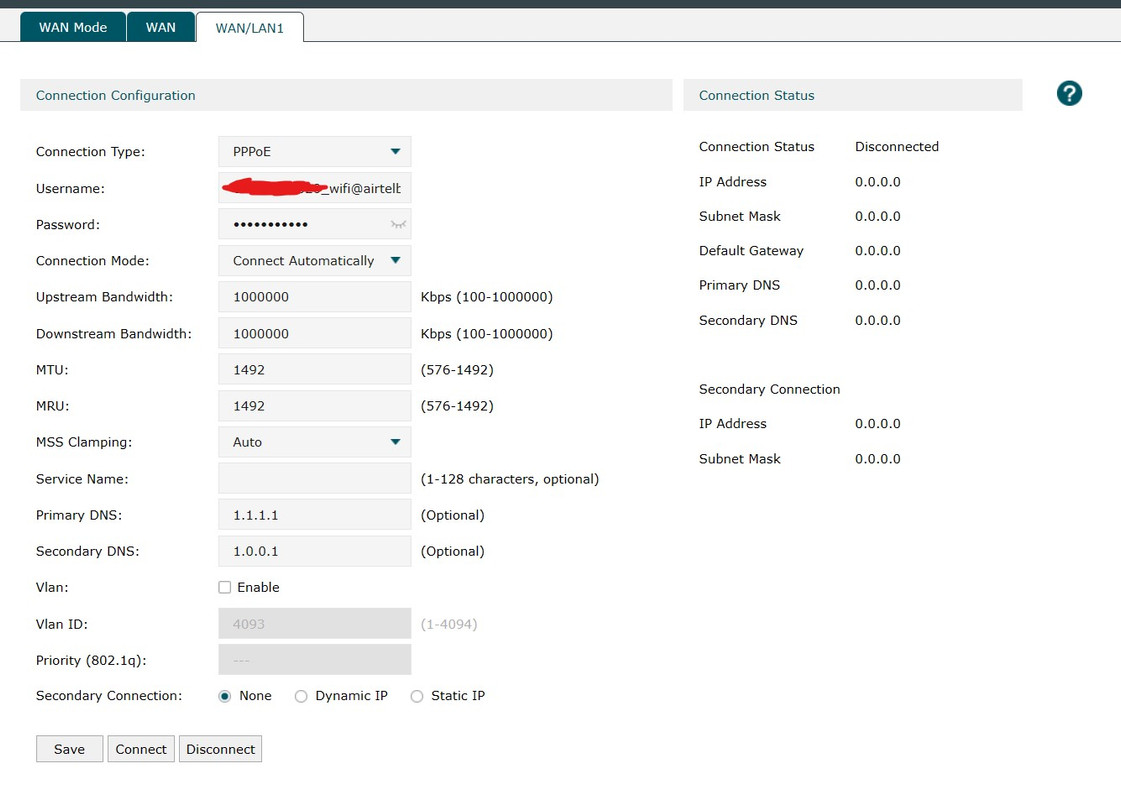
But I can not connect through ER605. I checked the ER605 logs, and it says PPPoE failed to connect to the server because sending PADI times out.
If I have missed some steps in between, then please let me know, as I would like to get this working without using the Airtel router.
Now, last week I got an Airtel fiber connection, which came with a Titanum-2122A router. Below is the device information.
I called the Airtel support and asked them to enable bridge mode so that I can connect it to connect with ER605. The technician on the call said they enabled the bridge on all LAN ports (2 LAN ports) on the Airtel router. So I connected the Airtel router to my ER605 and entered the PPPoE credentials that I got from the Airtel router settings page by using the Inspect Element on the browser, but the connection could not happen. Then I checked the Airtel router, and I could not see any change where it would say that bridge mode is enabled. The service request got closed without any resolution. I will make another request and see what happens.
Meanwhile, I had Syrotech SY-GPON-1000R-DONT ONT lying around. Based on the info I found on this forum, I thought of bypassing the Airtel Router completely. So I logged into the Syrotech ONT and set the GPON serial number from the Airtel Router and kept the VLAN setting to transparent. Below are the snapshots of these settings.
On the ONT Status page, I could see Authentication Successful and see the signal strength. Then I connected Syrotech ONT to my ER605 on the WAN1 port and added the following details.
But I can not connect through ER605. I checked the ER605 logs, and it says PPPoE failed to connect to the server because sending PADI times out.
If I have missed some steps in between, then please let me know, as I would like to get this working without using the Airtel router.