
This thread is related to Airtel Fiber Broadband experience in Pune/PCMC. I always try to update the thread with my personal experiences.
Airtel Black:
I was already using their 999 postpaid family plan, so opted for their 1799 airtel black plan which had 1+3 add on sim(999 family plan) and 200Mbps fiber broadband.The total bill comes out to be 2122(inc. gst). If i calculate the individual cost of the plans - 999+gst=1179 for postpaid and another 999+gst= 1179 for 200 Mbps broadband for both airtel and tata(varies if opting for long term plan), so total cost comes out to be around 2358 per month.Opting for airtel black 1799+gst saves me around 2358-2122=236 rupees a month, which is not a huge amount honestly.
I paid 4000 rupees as advanced rental which saved all the installation and hardware cost, and this would be adjusted in my future billing cycle. I paid for 2 months in advanced roughly which seems fair.
Booking and installation:
Headed to the airtel store which is just 1km away from my place, KYC and payment was done under 10 mins. They said that the installation might take time as there are a lot of new colonies and apartment buildings where airtel fiber is recently live, so they have a lot of pending installations. They promised me that installation will be done in maximum of 48 hours which is also mentioned on their website Airtel FAQ.I booked the connection on 21st june 2023 around 4:30 in the evening. The installation team contacted me the next day around 7pm and it was done by 22nd june 2023 around 8:30 pm.
Router:
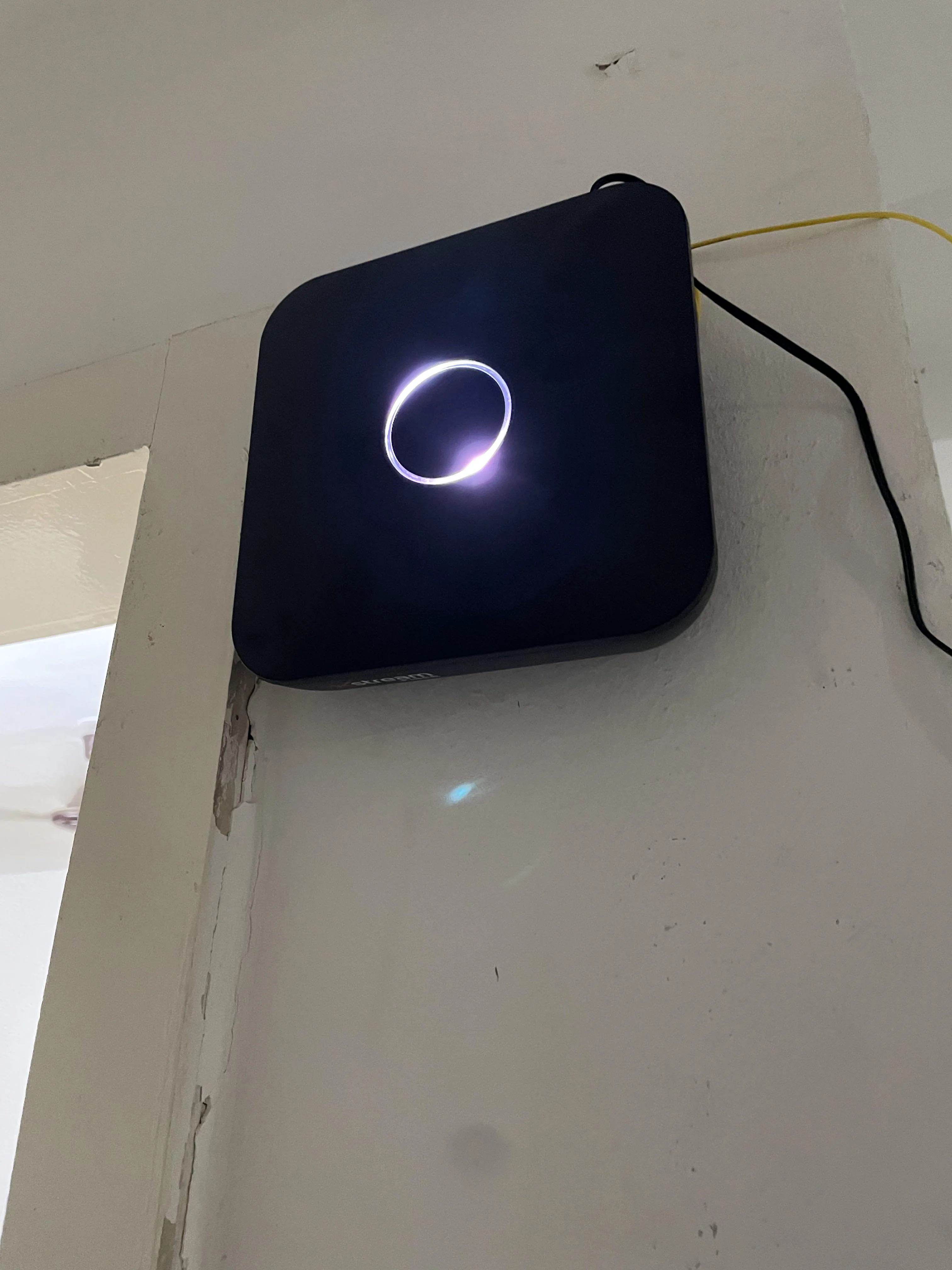
Got the Sercomm AOT - 42221SR. Sleek and modern looking router.Update on 20th July 2023: The ONT is sub par in terms of performance w.r.t multiple client handling and bandwidth distribution. Ended up putting this router in bridge mode and used TP-Link Archer AX10 instead.
Setting up this router in bridge mode doesn't require any assistance from airtel. I got it working by myself.

Speedtest:

Source
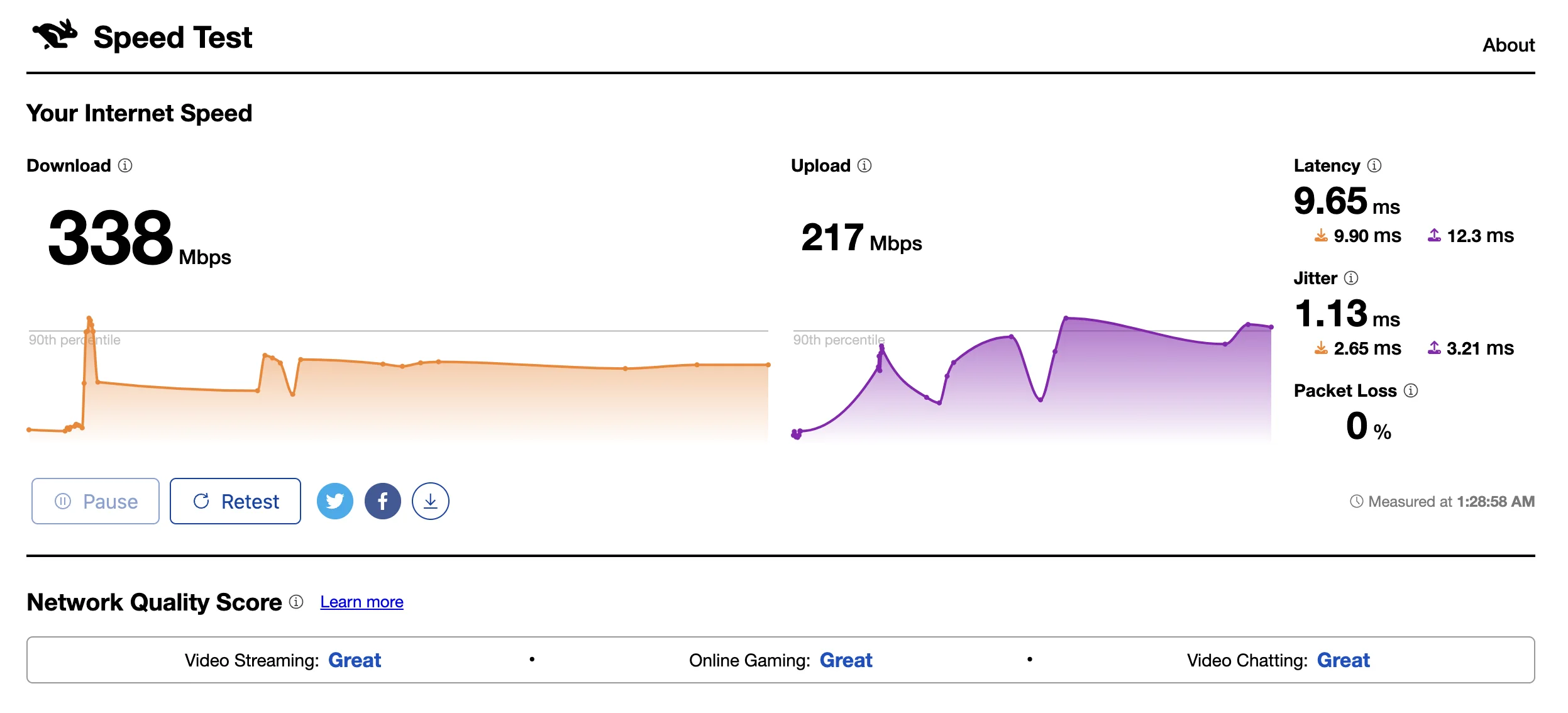
Download speed on some speedtest.net servers is over 450 most of the times. I don't know what is the reason. Didn't opt for static IP or anything. Upload speed is around 240-250 as per the plan which is acceptable.

Source

Source
Network Quality Test:
Bufferbloat:

NPerf:
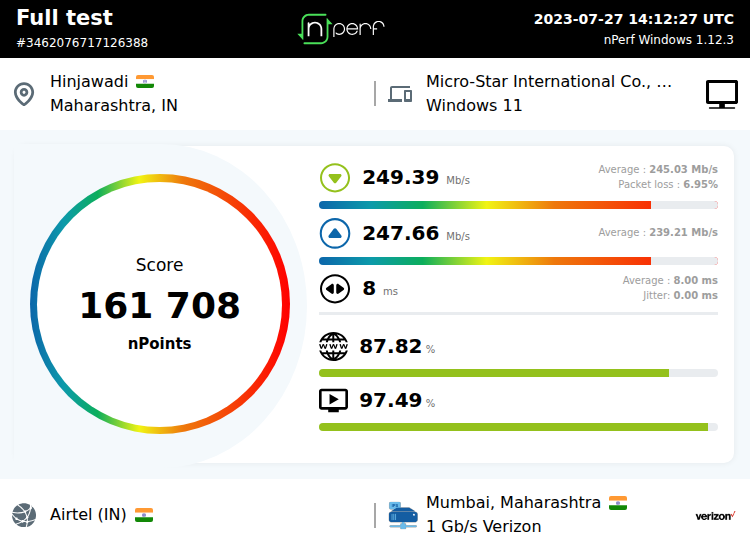
Latency:
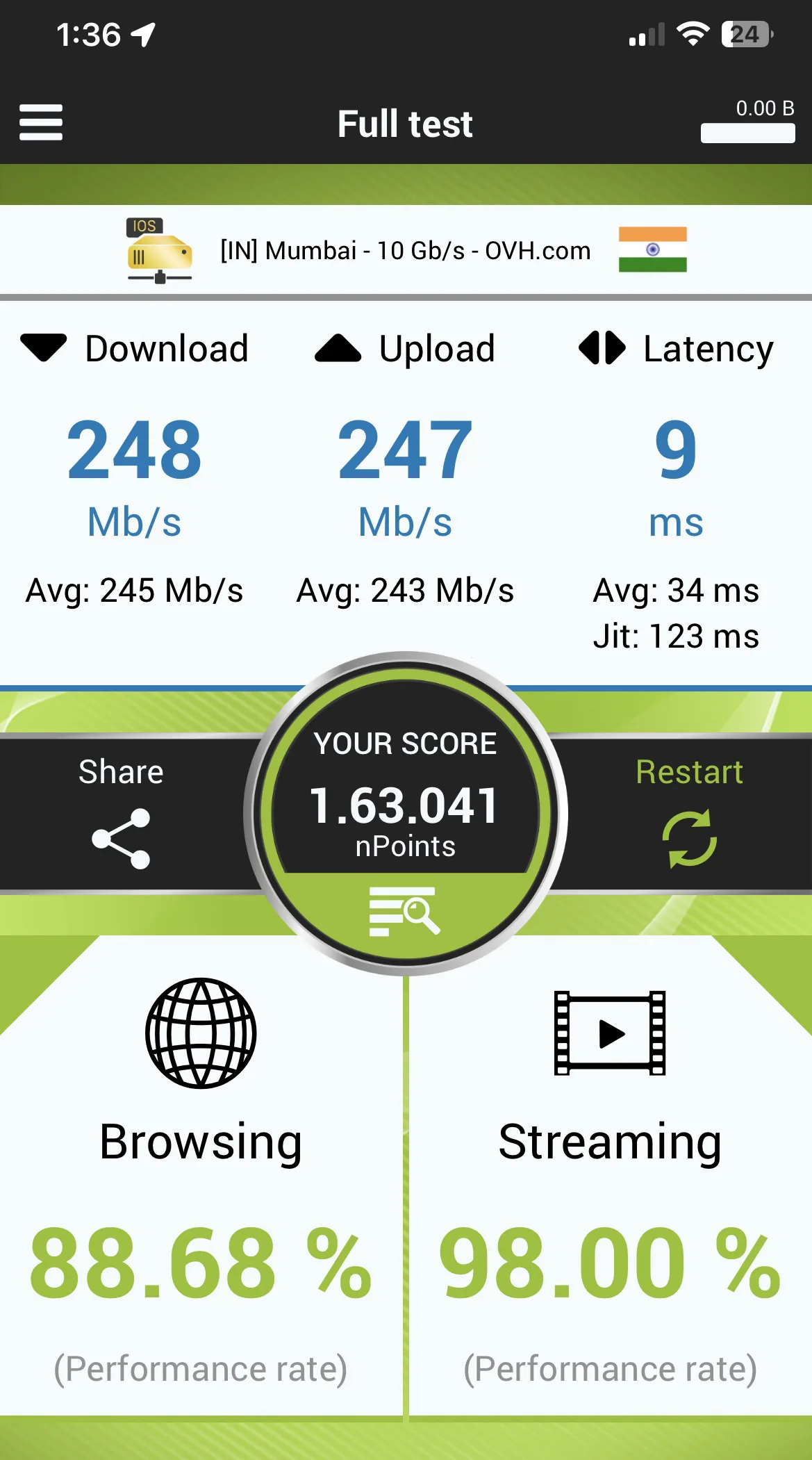
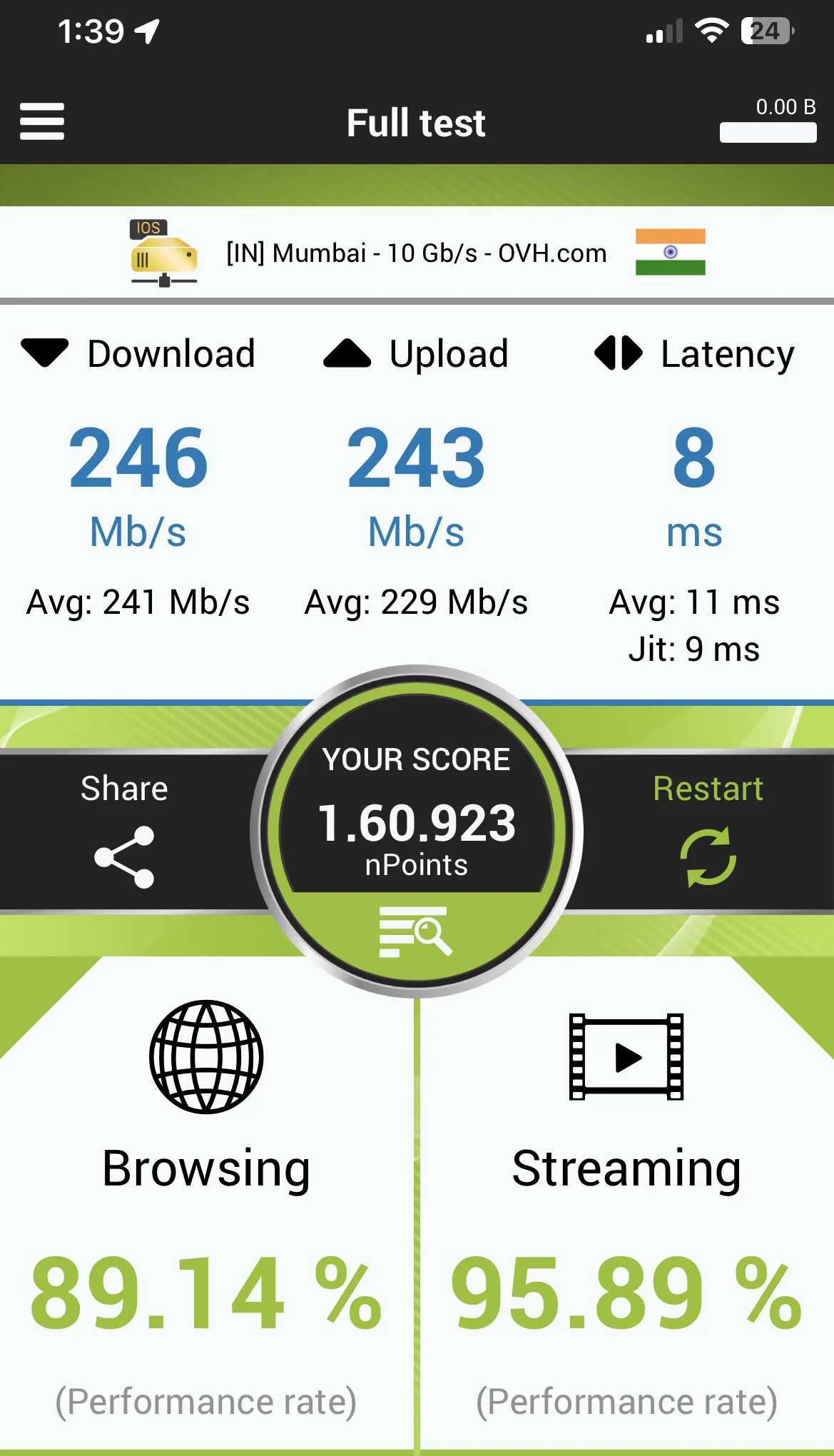
Getting good latency while playing valorant. 6-9ms to mumbai server.Connection remains stable when connected to my office VPN.
Overall i am very happy with airtel fiber connection. Browsing, surfing and streaming experience is slightly better than Tata. This is just initial impressions tho. Will update this thread in the future in case of any major update.
After one month of testing:
Definitely better than Tata Play Fiber in terms of raw performance.
Update on 11th August:
CC support and FR time has definitely improved atleast in Wakad/Pimple Saudagar area.Update on 27th October:
FR team now attends SRs in the given time slot.
Last edited by a moderator:


 not complaining though.
 .
.

