Going to keep this very short.
I recently moved to One Broadband after a troublesome affair with Airtel and 10 other ISP over the span of last 2 years.
The debacle started after a call a from a known colleague that he is partnering with them, and it is promising.
This connection is provided by him (known as, Speed Infosis) who take care or the end user to OLT fiber, while everything else is maintained by ONEB. Kind of, like what Excitel does.
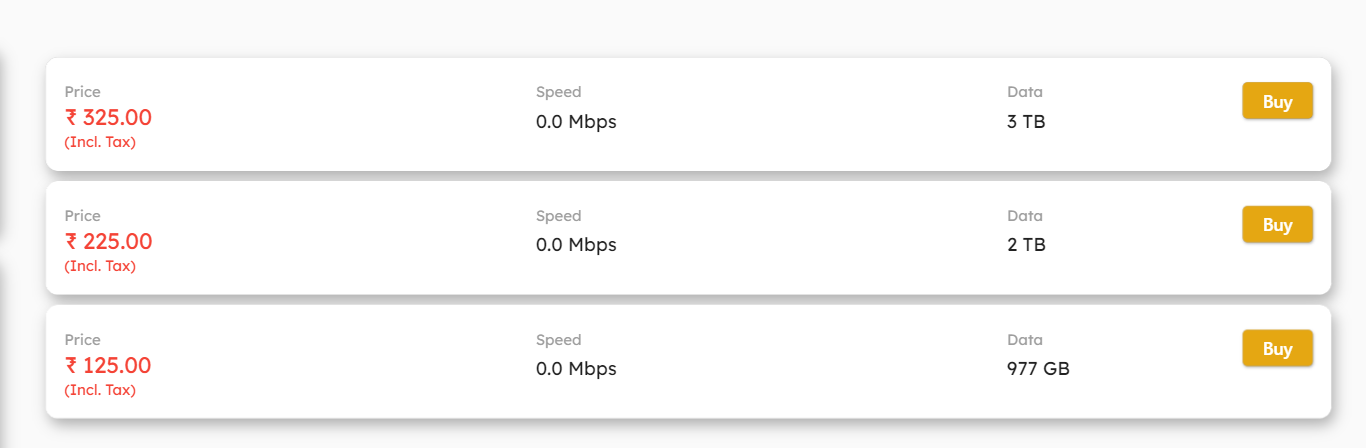
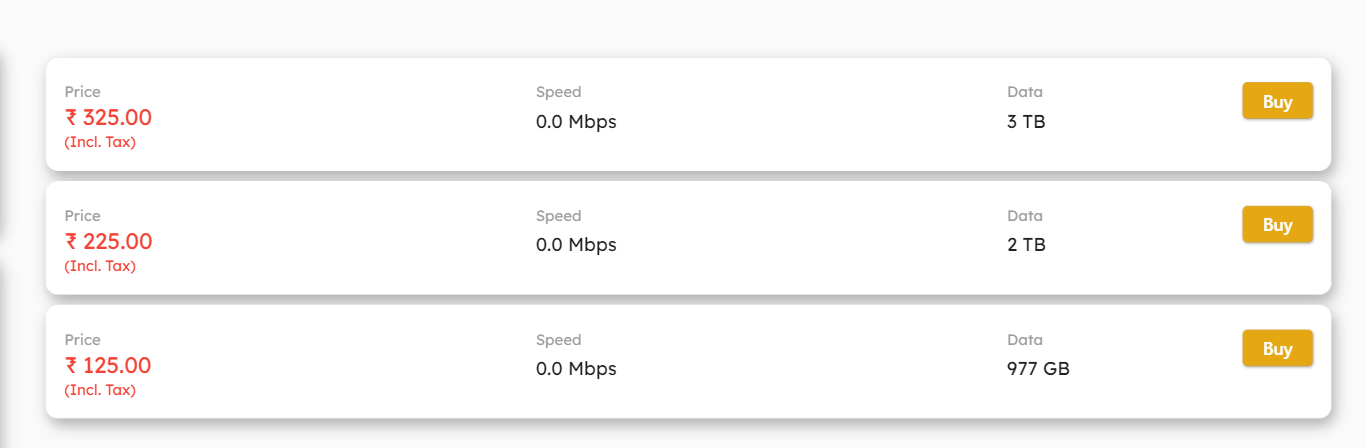
I paid INR 2700 for 200Mbps @90days(this was the highest plan they offered here) free installation and INR 500 refundable for the dumb Syrotech ONU (SY-GPON-1000R-DONT). It's 950 INR for 1 month, 4750 if you go for 6 months, saving over 600 INR.
The connection itself is GPON and the input power is -24dBm (stable) with the core being shared with 5 other parties.
My Connection IPV4 is in the 203.194.99.0/24 (CGNAT) range, and they are providing IPV6 which is a 2404:ba00:XXXX::/64.
Both are working with no issues, with most games via IPV4 show NAT as moderate or open. (tried, War zone, Wild lands and GTA5)
Important bits:
Installation Experience:
Since this bit is going to vary, I am going to summarize.
I accepted the call on 12th June for installation the next day. They arrived at 6PM, installation completed within 30 minutes.
ONU activation took 2 hours, as it can only be done by NOC, and they had left for the day. The guy activated from his home.
Cabling work and everything else was done well.
Traceroute:
Sometimes, it uses its Airtel backbone if there are no better options. I believe this option is kept for Enterprise.
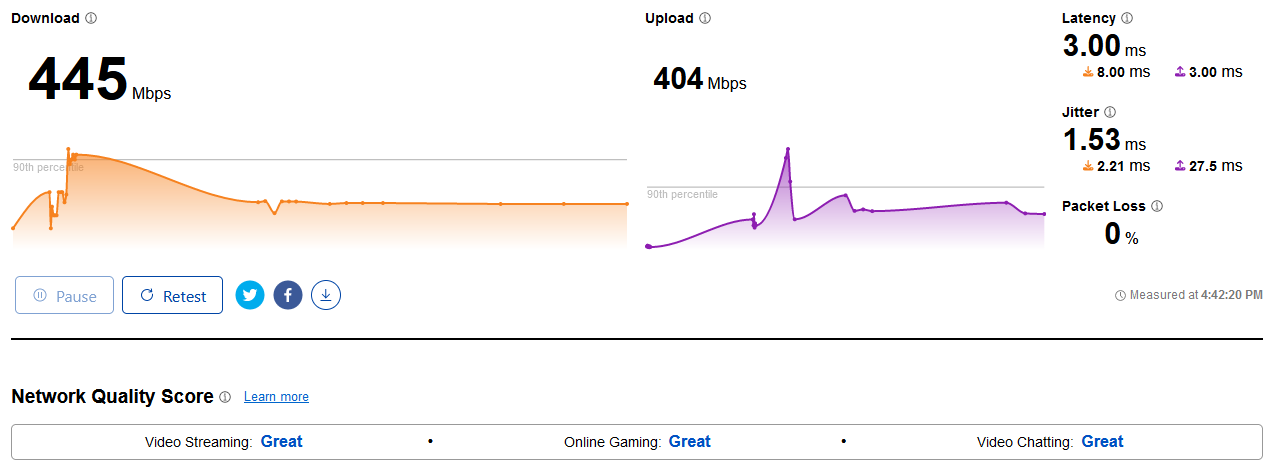
Speedtest: (I have like 5 other users, using the internet right now)


I cannot post, fast.com results as my Netflix is being routed via VPN.
Cloudflare:
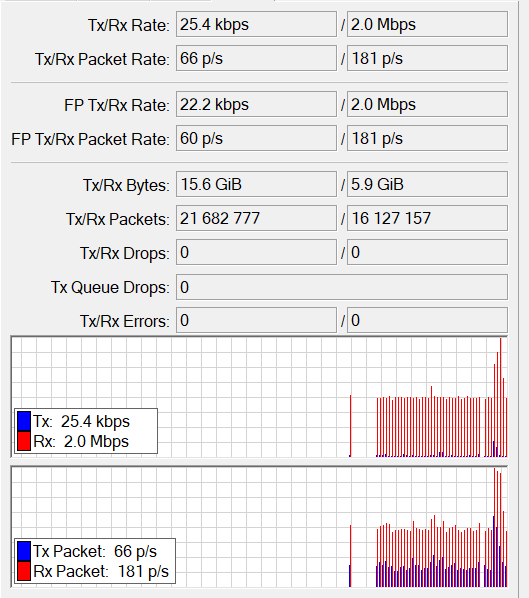
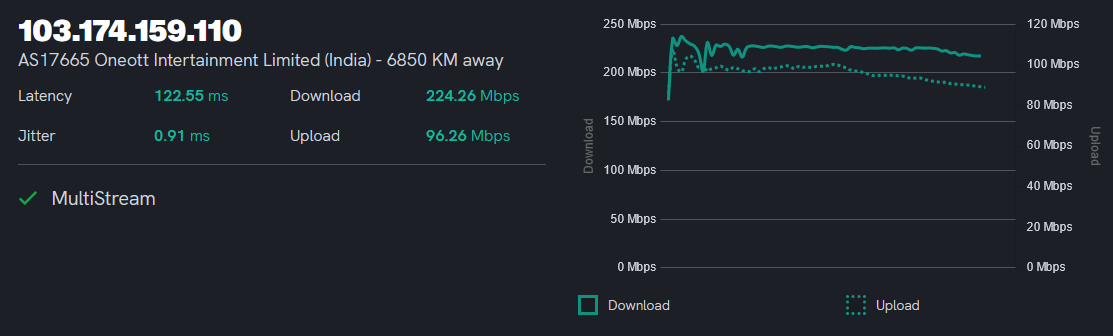
ultra.cc: (never, had such a consistent graph line)
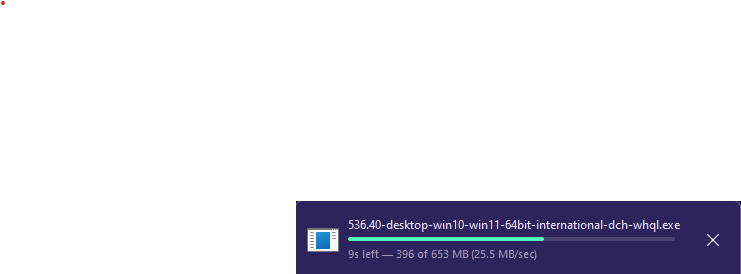
Downloading via Single-Thread Browser:
Not doing torrents nor any probe tests.
Website blocking should be the general, and since NAT type is moderate, torrent will work decent.
No blocking or tampering of FTP or any other kind, nor the ports are being aggressively reset. (I am looking at you Jio)
Steam-Downloads:
Getting full speeds, download uses their internal caching servers. (Traceroute above)
Verdict:
Recommended. Prices are up to the mark for the service provided.
Reliability is something, that would be known with the coming days, but with what I am seeing the NOC is knowledgeable, and the backbone is proven to done by someone who knows their stuff.
Only con, would be the lack of OTT, but I don't use/care for things like that.
Let me know what else, you'd like to know.
I recently moved to One Broadband after a troublesome affair with Airtel and 10 other ISP over the span of last 2 years.
The debacle started after a call a from a known colleague that he is partnering with them, and it is promising.
This connection is provided by him (known as, Speed Infosis) who take care or the end user to OLT fiber, while everything else is maintained by ONEB. Kind of, like what Excitel does.
I paid INR 2700 for 200Mbps @90days(this was the highest plan they offered here) free installation and INR 500 refundable for the dumb Syrotech ONU (SY-GPON-1000R-DONT). It's 950 INR for 1 month, 4750 if you go for 6 months, saving over 600 INR.
The connection itself is GPON and the input power is -24dBm (stable) with the core being shared with 5 other parties.
My Connection IPV4 is in the 203.194.99.0/24 (CGNAT) range, and they are providing IPV6 which is a 2404:ba00:XXXX::/64.
Both are working with no issues, with most games via IPV4 show NAT as moderate or open. (tried, War zone, Wild lands and GTA5)
Important bits:
Code:
Ping statistics for 8.8.8.8:
  Sent = 500, Received = 500, Lost = 0 (0% loss),
  Minimum = 2.48ms, Maximum = 4.87ms, Average = 3.45ms

Ping statistics for 76.76.2.0:
  Sent = 500, Received = 500, Lost = 0 (0% loss),
  Minimum = 2.20ms, Maximum = 4.21ms, Average = 3.13ms

Ping statistics for 46.232.210.29:
  Sent = 500, Received = 500, Lost = 0 (0% loss),
  Minimum = 120.18ms, Maximum = 144.25ms, Average = 121.33ms

Ping statistics for 162.159.192.5:
  Sent = 500, Received = 500, Lost = 0 (0% loss),
  Minimum = 67.61ms, Maximum = 69.60ms, Average = 68.49ms
Installation Experience:
Since this bit is going to vary, I am going to summarize.
I accepted the call on 12th June for installation the next day. They arrived at 6PM, installation completed within 30 minutes.
ONU activation took 2 hours, as it can only be done by NOC, and they had left for the day. The guy activated from his home.
Cabling work and everything else was done well.
Traceroute:
Code:
  1.|-- 172.20.16.1      0.0%     5    0.6   0.4   0.2   0.7   0.2
  2.|-- 172.21.255.62   60.0%     5    0.9   1.0   0.9   1.1   0.1
  3.|-- 172.21.255.6     0.0%     5    1.5   1.7   1.5   2.2   0.3 >>> No NAT up to this point.
  4.|-- 100.68.0.1       0.0%     5    3.2   3.2   2.9   3.7   0.4 >>> ISP starts from here
  5.|-- 203.192.217.37  40.0%     5    3.0   3.3   3.0   3.6   0.3
  6.|-- 115.117.107.141 80.0%     5    3.9   3.9   3.9   3.9   0.0
  7.|-- 172.28.177.206   0.0%     5    4.1   4.0   3.4   4.3   0.4
  8.|-- 180.87.39.25     0.0%     5   10.4   5.2   3.4  10.4   3.0
  9.|-- 180.87.38.1      0.0%     5  121.8 122.4 121.8 122.8   0.4
 10.|-- 195.219.174.16  60.0%     5  121.7 121.2 120.7 121.7   0.7
 11.|-- 195.219.174.70  60.0%     5  122.5 122.6 122.5 122.7   0.2
 12.|-- 195.219.87.214  80.0%     5  118.2 118.2 118.2 118.2   0.0
 13.|-- 195.219.156.150 80.0%     5  122.8 122.8 122.8 122.8   0.0
 14.|-- 195.219.194.149  0.0%     5  118.4 118.6 118.3 118.9   0.2
 15.|-- 46.232.210.29    0.0%     5  121.2 120.9 120.5 121.2   0.3
Code:
>>> steampipe.akamaized.net

  1.|-- 172.20.16.1      0.0%     5    0.5   0.5   0.2   0.7   0.2
  2.|-- 172.21.255.62   20.0%     5    1.4   1.1   0.8   1.4   0.4
  3.|-- 172.21.255.6     0.0%     5    1.5   1.7   1.2   1.9   0.3
  4.|-- 100.68.0.1       0.0%     5    2.6   3.3   2.6   3.9   0.5
  5.|-- 203.192.223.201  0.0%     5    3.1   3.0   2.5   3.3   0.3
Code:
  1.|-- 172.20.16.1     0.0%     5    0.8   0.5   0.1   0.8   0.3
  2.|-- 172.21.255.62   0.0%     5    1.5   1.2   0.9   1.5   0.2
  3.|-- 172.21.255.6    0.0%     5    1.4   1.9   1.4   2.4   0.3
  4.|-- 100.68.0.1      0.0%     5    2.4   2.8   2.4   3.6   0.5
  5.|-- 103.27.171.242  0.0%     5    4.3   7.1   3.8  12.6   4.1
  6.|-- 10.90.0.10      0.0%     5    5.3   5.0   4.1   6.7   1.0
  7.|-- 10.90.0.150     0.0%     5    4.3   3.7   3.2   4.3   0.5
  8.|-- 76.76.2.0       0.0%     5    3.5   3.4   3.0   4.0   0.4
Sometimes, it uses its Airtel backbone if there are no better options. I believe this option is kept for Enterprise.
Code:
  1.|-- 172.20.16.1     0.0%     5    0.9   0.5   0.2   0.9   0.3
  2.|-- 172.21.255.62   0.0%     5    1.1   1.1   0.9   1.4   0.2
  3.|-- 172.21.255.6    0.0%     5    2.0   1.9   1.2   2.4   0.4
  4.|-- 100.68.0.1      0.0%     5    3.1   3.1   2.9   3.6   0.3
  5.|-- ???            100.0     5    0.0   0.0   0.0   0.0   0.0
  6.|-- 59.145.216.49   0.0%     5   14.8  13.0   3.7  23.6   7.6
  7.|-- 116.119.50.254  0.0%     5    8.0   5.2   4.2   8.0   1.6
  8.|-- 59.144.137.26   0.0%     5    6.8  10.3   5.0  21.1   6.7
  9.|-- 100.64.217.139  0.0%     5    5.8   5.8   5.6   5.9   0.1
 10.|-- ???            100.0     5    0.0   0.0   0.0   0.0   0.0
 11.|-- 119.31.171.44   0.0%     5    6.0   5.9   5.4   6.5   0.5
Speedtest: (I have like 5 other users, using the internet right now)
I cannot post, fast.com results as my Netflix is being routed via VPN.
Cloudflare:
ultra.cc: (never, had such a consistent graph line)
Downloading via Single-Thread Browser:
Not doing torrents nor any probe tests.
Website blocking should be the general, and since NAT type is moderate, torrent will work decent.
No blocking or tampering of FTP or any other kind, nor the ports are being aggressively reset. (I am looking at you Jio)
Steam-Downloads:
Getting full speeds, download uses their internal caching servers. (Traceroute above)
Verdict:
Recommended. Prices are up to the mark for the service provided.
Reliability is something, that would be known with the coming days, but with what I am seeing the NOC is knowledgeable, and the backbone is proven to done by someone who knows their stuff.
Only con, would be the lack of OTT, but I don't use/care for things like that.
Let me know what else, you'd like to know.
Last edited: