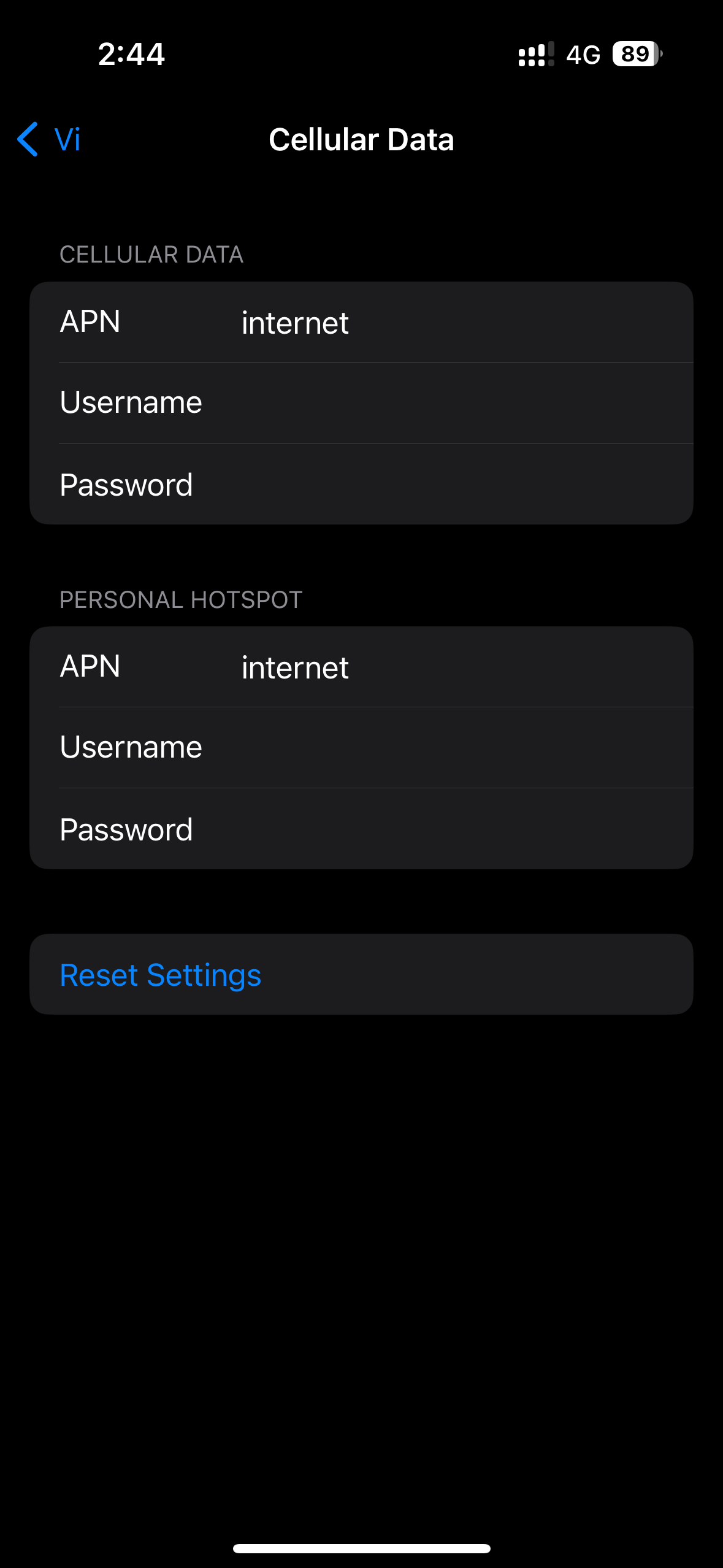
Vi APN settings?

Lolita_Magnum

ᓚᘏᗢ
Messages
2,554
Location
Cork
ISP
Virgin Media
I am unable to use the Internet at all, calls are working.

Does anybody know the settings for the APN?

It is currently set as “iPhone”. (Everything lower case and no quotes)
If I reset it, it stays the same.
 
Name : Idea_Internet
APN : internet
MCC : 404
MNC : 22
Auth type : None
APN type : default,xcap
ipv4,ipv6 both normal and roaming
 
IMG-3395.png


This is the only option, I have.
 
Code:
Facing an issue while browsing data on your mobile? Try these quick fixes!
Step 1: Turn on Mobile data and Data roaming settings.
Step 2: Go to phone settings, then to ""SIM and Network"" option, then to ""Access Point Names"". Select the Access Point as ""www/internet"" for Android and Windows phones and ""iPhone"" for iPhones.
Step 3: If you are using a dual SIM phone, ensure your Vi SIM is placed in slot 1, and is set as default for Data browsing.
Step 4: Check if ""Data usage limit"" on your mobile is set as per your plan benefit.
Step 5: Reset your network connectivity by switching the Airplane mode on and off once. We hope these steps will help you to get back to enjoying high speed Vi GIGAnet! For further troubleshooting, you can go to Vi App: https://vi.app.link/ntts1

This is the message, I received from Vodafone and it says that it’s iPhone.
 
On my iPhone everything is blank, except APN: iPhone for cellular data and APN iPhone for personal hotspot. iPhone is in small caps. As per your screenshot, just replace internet by iphone
 
Thanks everyone. The correct configuration was “”iPhone”” in all small caps.
Not sure why, but the Internet did not work at all even with that the whole day and started working around 10pm the same day.

I had reached out to support for the issue, and even they were unsure about what was wrong.
As an apology, they have given 5 GB data free to use for 7 days.
 
Small caps? No offense, but this sounds like an oxymoron to me, pals!
Am I missing something?😹
 
  • LOL
Reactions: SVK
Back