IPv6 being issued by BSNL Broadband!

  • Thread starter Thread starter Ameen
  • Start date Start date
  • Replies Replies 346
  • Views Views 63,489
Always leaving on the bleeding edge while on bsnl. 😅😅😅😂
LWcAEUU.jpg


LWcAEUU.jpg


Mine is 50mbps and this is over wifi with Netlink (bakwas modem)
 
Last edited:
Well i do get download speeds of 6MB/s
So yeah 50mbps practically, speaking.
I'm sorry dont have a 4k device to test it out while streaming.
While streaming it goes around 2MB max for 1080p so I can't recreate your scenario if that's what you are asking.
 
I am with 849 plan. For a past few weeks i am getting high pings of 50 to 60 ms to even google ,youtube sites. But the speeds are good. Does anyone here with BSNL fibre can post me their ping results to google, youtube etc. I am having a bad browsing experience for instance if i try to seek a video in youtube it takes some time to load from there altough speeds are good. Even jio 4g has better latency than BSNL in my area. Can anyone help me out?
 
I'm getting 4ms ping to google and youtube on my BSNL FTTH 100 mbps 1277 plan in Pune.

Code:
PS C:\WINDOWS\system32> ping google.com

Pinging google.com [172.217.160.174] with 32 bytes of data:
Reply from 172.217.160.174: bytes=32 time=4ms TTL=54
Reply from 172.217.160.174: bytes=32 time=5ms TTL=54
Reply from 172.217.160.174: bytes=32 time=4ms TTL=54

Ping statistics for 172.217.160.174:
    Packets: Sent = 4, Received = 4, Lost = 0 (0% loss),
Approximate round trip times in milli-seconds:
    Minimum = 4ms, Maximum = 5ms, Average = 4ms
PS C:\WINDOWS\system32> ping youtube.com

Pinging youtube.com [172.217.166.46] with 32 bytes of data:
Reply from 172.217.166.46: bytes=32 time=4ms TTL=54
Reply from 172.217.166.46: bytes=32 time=5ms TTL=54
Reply from 172.217.166.46: bytes=32 time=4ms TTL=54

Ping statistics for 172.217.166.46:
    Packets: Sent = 4, Received = 4, Lost = 0 (0% loss),
Approximate round trip times in milli-seconds:
    Minimum = 4ms, Maximum = 5ms, Average = 4ms
PS C:\WINDOWS\system32>
 
@philip ensure you are looking at the "time=Xms" part and not the "TTL=X" part of your ping output :D
 
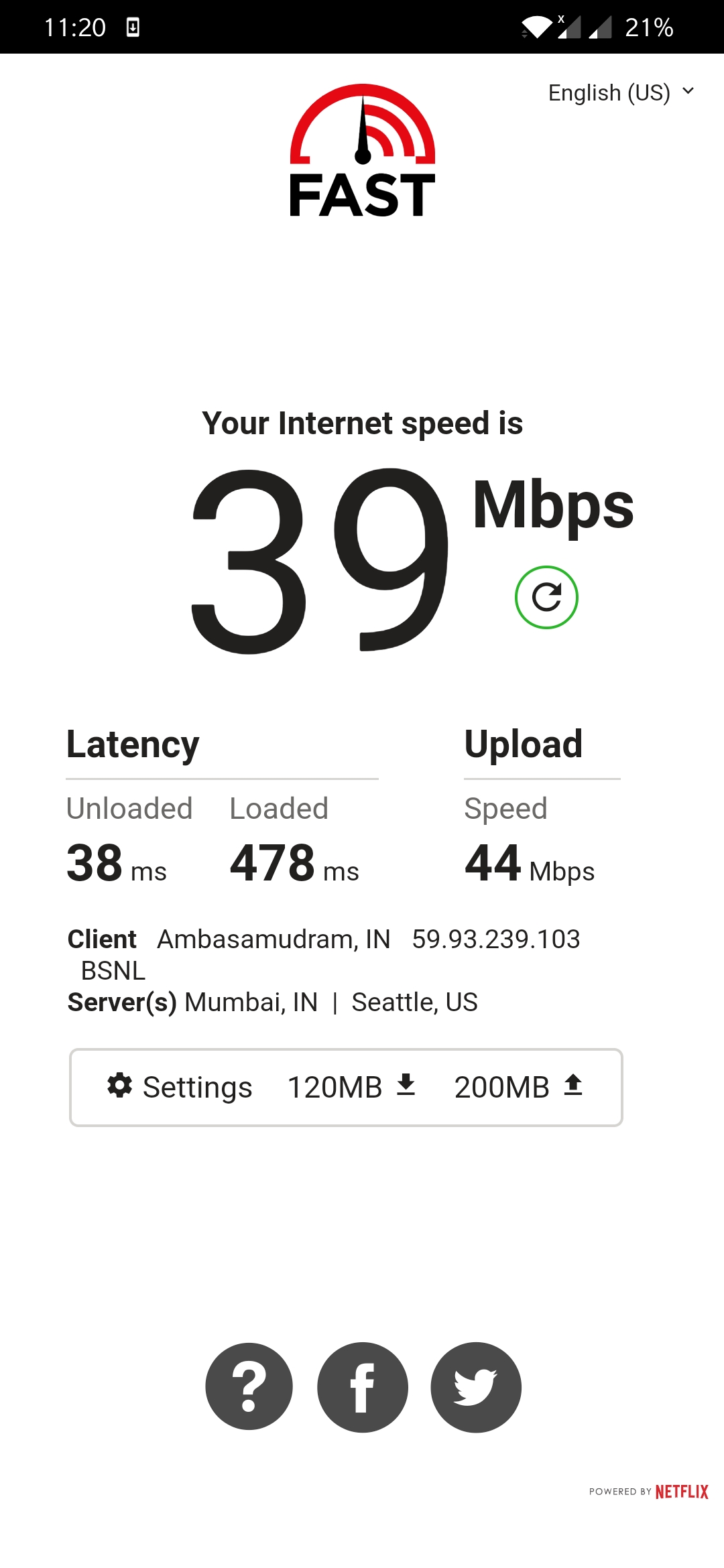
@Ameen , the speed using Netflix app...

I'm getting max speed to fast.com, even with a browser app from streaming device. It's the N app which shows only 30 mbps speed nowerdays...
Streaming seemed to be good, 1-3 sec delay when I forward then buttery smooth..
No issues with mi box or any other devices or Netflix. So far
 
@philip I had the same issue you just stated at the start. Called bsnl guys and tried to fix it.
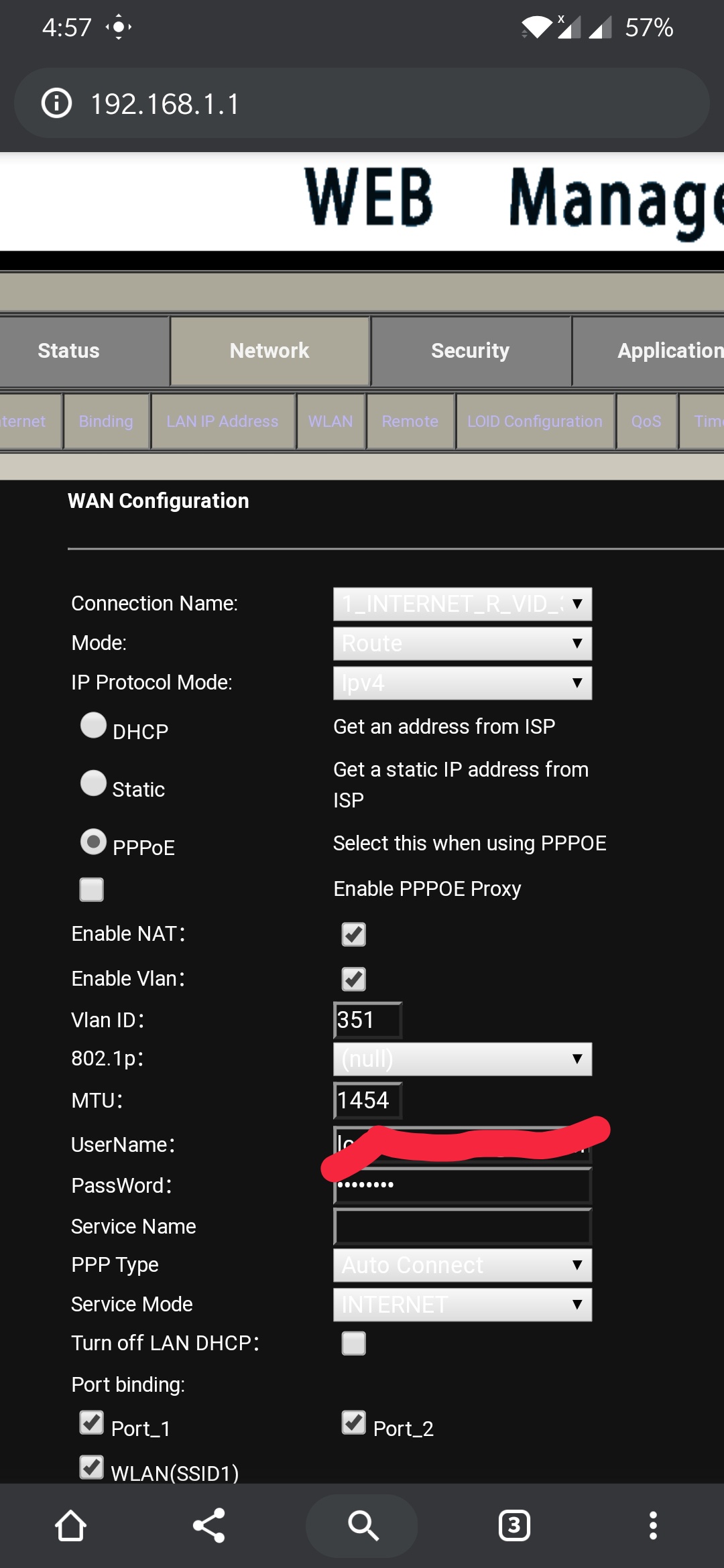
They switched of ipv6 manually. And lowered the mtu value to 1450.
I keep it around 1454.
And the start while configuring it was around 1490.
During that time I had issues for downloading episodes. I had issues while speed testing etc etc..
So lower your mtu value if it's higher than 1450.
I have checked this situation on my neighbours connection who had same issue. By lowering mtu value, It was fixed.


QuSKIPj.jpg
 
Back