Airtel Fiber Port Forwarding not working, even on Public IP

  • Thread starter Thread starter vpsj
  • Start date Start date
  • Replies Replies 9
  • Views Views 308
Messages
53
Location
Bhopal
ISP
Airtel Fiber 200 Mbps
A while ago Airtel put my connection behind a CGNAT, with the IP address starting from 100.xx something. All my ports stopped working and I had to contact them multiple times to get a resolution. They even offered to just open one or two specific ports from their end, but even that didn't work and I didn't want to pay 300 Rs extra for a static IP.

However, recently I noticed that my connection is back on a dynamic Public IP address as you can see here:
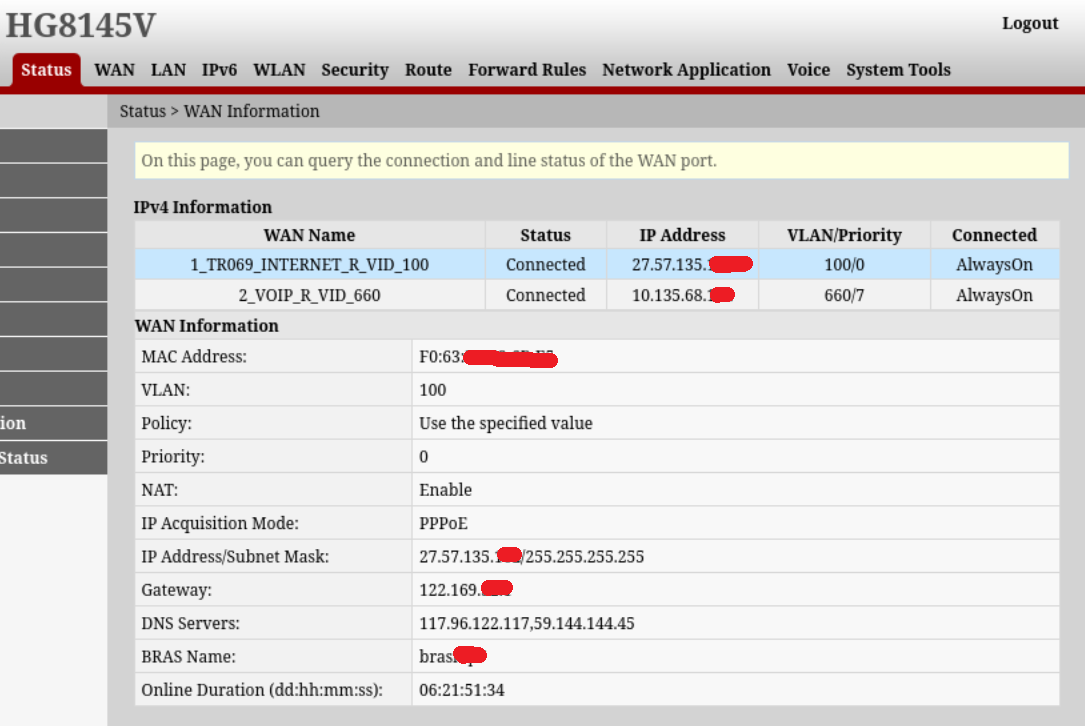
nKhOYOl.png


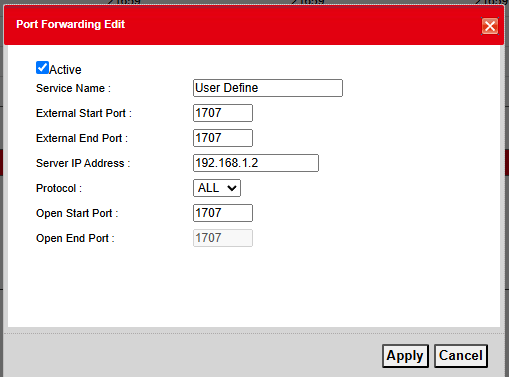
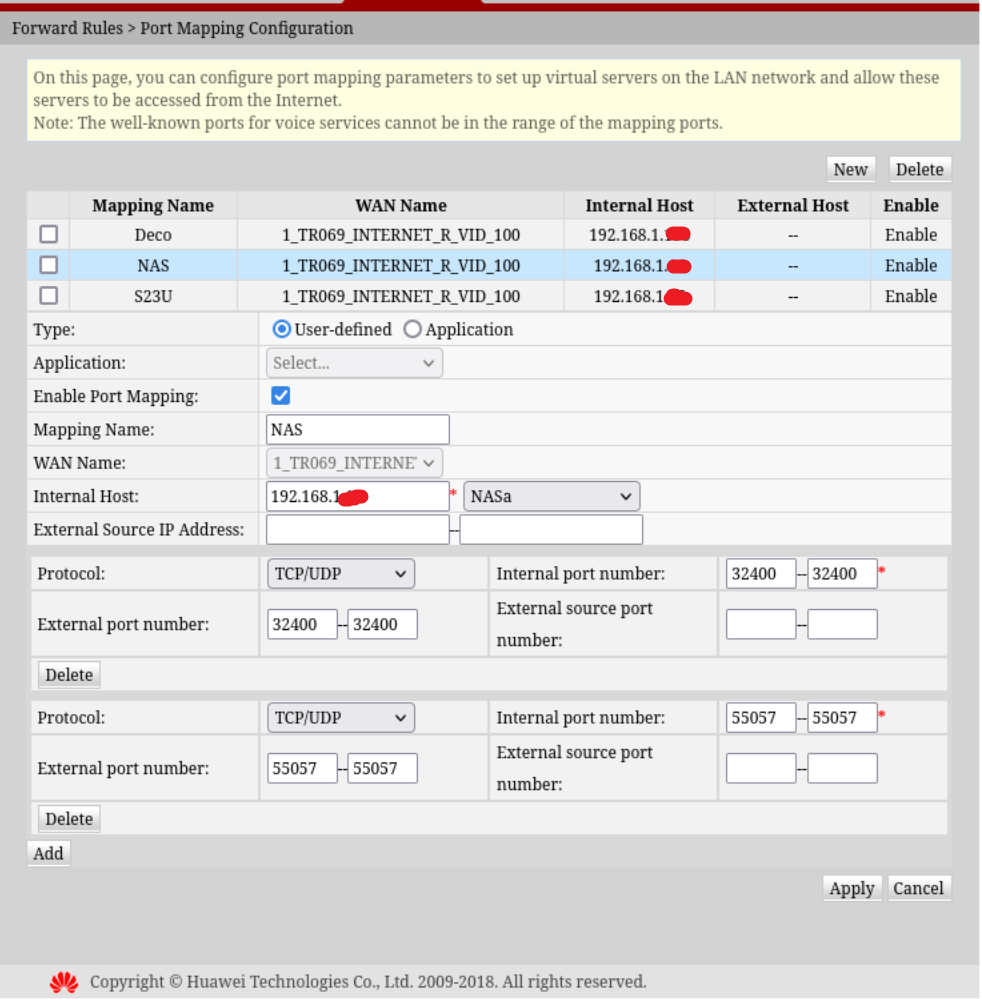
I checked port forwarding and that showed the same IP address and yet none of the ports I wanted to be open were working:
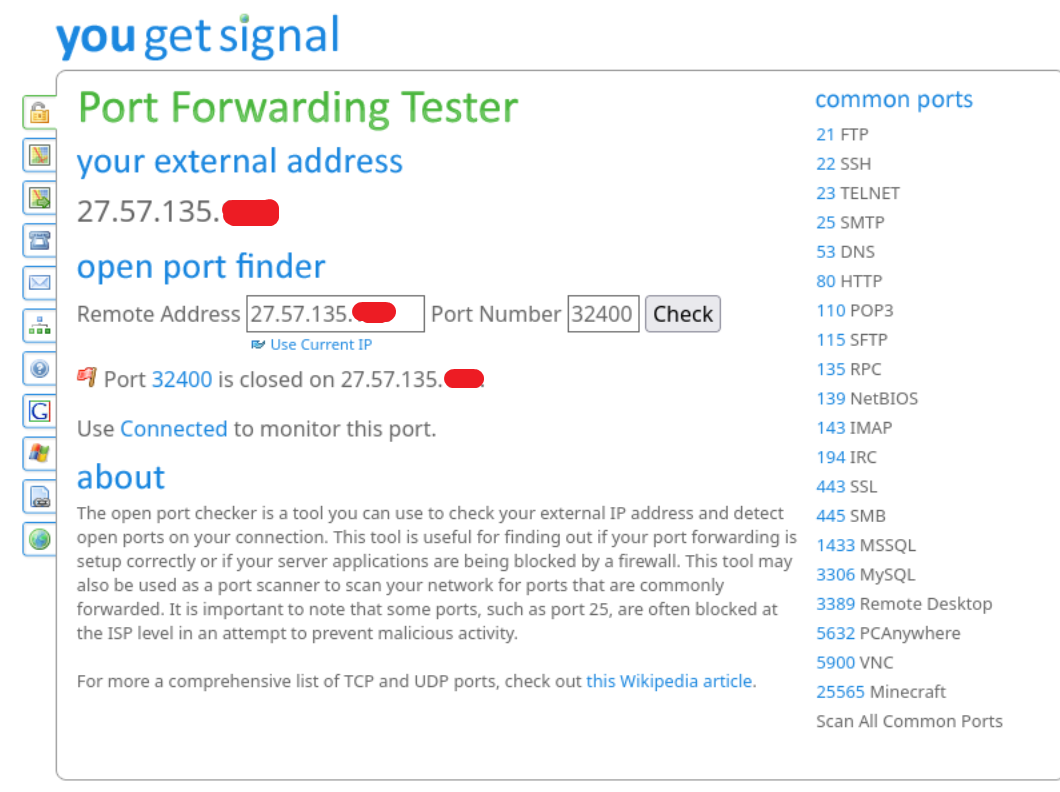
Qqzr3pa.png


V5ZY3WD.png


Does anyone have any idea what can I do? Maybe some setting that needs to be changed on my end for the ports to work? I just need these 2 ports to be opened for my Plex server and my Qbittorrent, but no matter what port I try to test turns out to be closed.

If anyone faced the same issue, please let me know. Port forwarding ALWAYS worked without any issues in the past when my connection was on Public IP, so I don't know what changed now.

Any and all suggestions are welcome. Thank you :)
 
@Vickey007 What about things like DMZ, UPNP and any other settings? I can't even remember what settings they originally had, as I tinkered a lot during CGNAT days. Although I've tried to toggle them and it still hasn't opened up my ports so I doubt they would make any difference
 
Whatever is in DMZ will get all incoming connections. Ideally, only another router/firewall should be in DMZ. If you can't get port forwarding to work, try removing any DMZ clients, existing port forwarding/triggering rules and try. If it's not too much effort, a simple reset of router might also work.
I didn't have this particular device, but on an Airtel GX router, that rules would've probably worked as is, if no other rules were interfering. I am assuming you already checked basic stuff like internal static IP etc.

Edit: 1 time it so happened that my ufw firewall on my homeserver was rejecting the port forwarded connections.
 
How did you manage to get out the CGNAT hell? They recently put me in there and now I have to use tailscale
 
@wapenshaw Kept pestering them again and again about Ports not getting forwarded. Complained everywhere that I could think of. The local guy even talked to the backend and asked for the 2 ports I wanted to open specifically for me but that didn't work either. He told me that the only option I have was to get a static IP.

I was thinking about doing that but one fine day I just saw my IP address back on the public pool. I am not sure how/why did that happen, but it did. Ports are still not getting forwarded though, I am using UPNP now to run my Plex server which is fortunately working for now (touch wood)
 
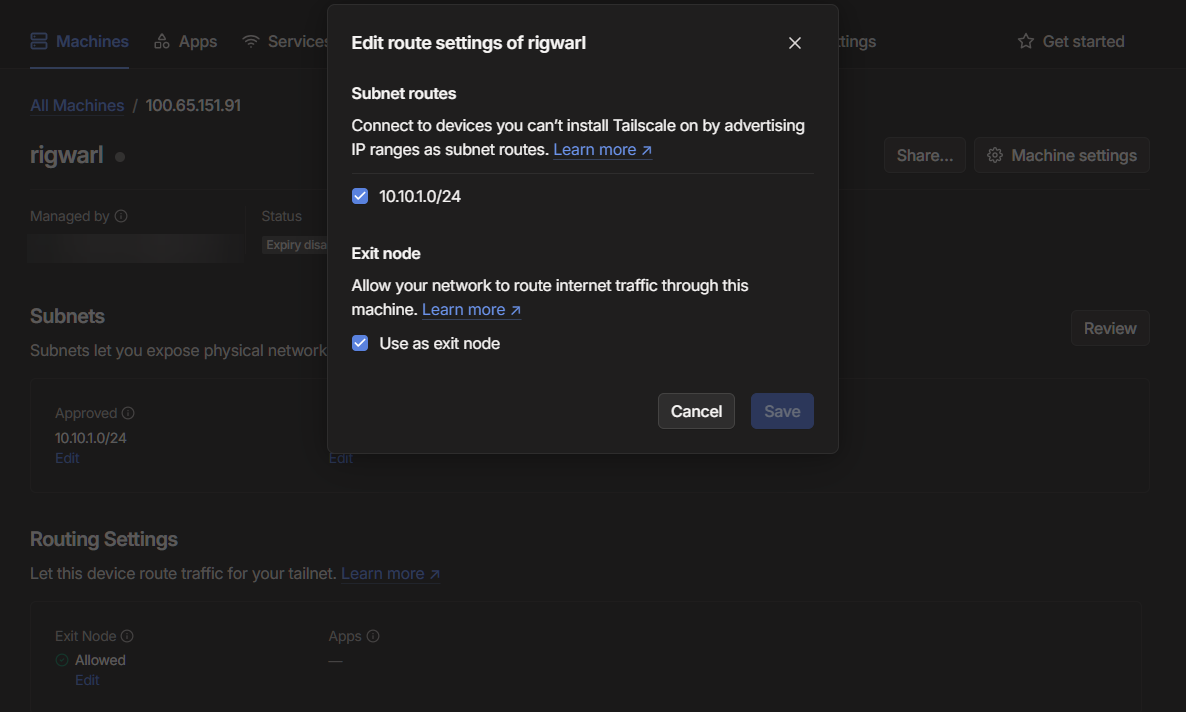
I see, I guess it luck and a not a reliable solution, but anyway I setup tailscale on my Openwrt router and set it up as an exit node with the subnet exposed to I can connect to any system via tailscale while I'm travelling. Working suprsingly well, I connected to my home lan when I was in Finland and I was able to stream 4k without issues from my laptop
kWjijbB.png
 
@vpsj I have noticed it as well. When i didn't opt static IP, i was getting public IP for few days and then CGNat IP for few days, just keep rebooting ONT every 2nd day. But most of time I was on Public IP and when i was on Public IP, port forwarding was working as long as CGNAT ip does not release for me.

I wish to learn this Openwrt and tailscale process one day. Since I never used it. Maybe comes handy one day.
 
Back