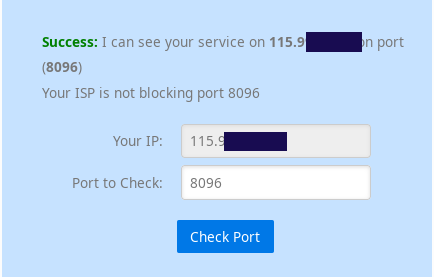
Hathway has given us a ZTE F602W modem-router hybrid and a TP-Link Archer C5 v4 router as part of our plan. ZTE F602W seems to recieve green fibre connection, and is connected to WAN port of TP Link router via yellow LAN cable. Seems like a PPPoE set up to me.
The ZTE Modem has the ability to broadcast an SSID though it is disabled by default. So all user's devices connect to the TP Link router's SSIDs. Upon connecting to the TP Link SSID some users want to be able to port forward for minecraft/games server, https server, etc.
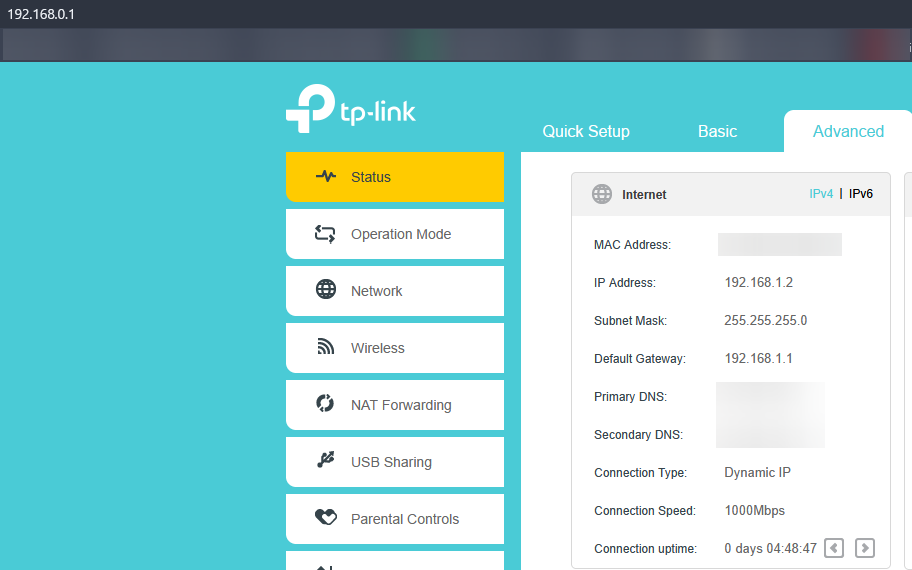
TP Link default gateway is 192.168.0.1. Going to that page and clicking Advanced > Status shows that the router's WAN IP Address is 192.168.1.2, and it's own default gateway is 192.168.1.1.
However.
But then, upon logging into my Hathway ZTE Modem's web console at 192.168.1.1, it says that it's own public IP is 60.239.xxx.xxx, i.e the public IP.
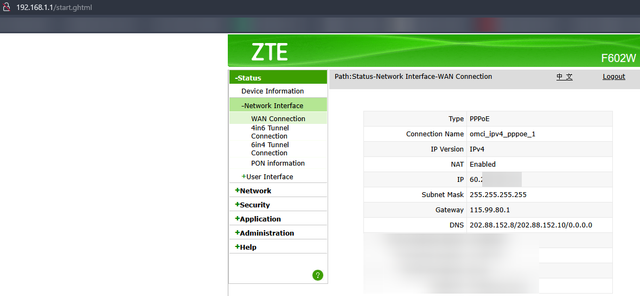
I thought that this means I am not under CGNAT, and port forwarding should work. However I've tried to the best of my ability to set up port forwarding rules on both the ZTE and TP Link modem and router respectively, but no luck. When I test canyouseeme.org on a port I've not opened on my public IP, it says Connection Refused. However, when I try to access a port I did try to forward, i.e 25565, it says Connection timed out. This leads me to believe I'm on the right path but still no luck.
Further, trying to access 192.168.1.2, seen in the TP Link status page just puts me back on the TP Link admin login page.
Running the following command also makes me feel that I'm not on CGNAT, as I'm only connecting to the local router and then to the public IP apparently.
There is an option to disable NAT for IPv4 on the modem but trying that option seems to disable internet connection entirely.
I am out of ideas. Is this a double NAT? A CGNAT? is it solvable at all? I'd appreciate your help guys thanks.
The ZTE Modem has the ability to broadcast an SSID though it is disabled by default. So all user's devices connect to the TP Link router's SSIDs. Upon connecting to the TP Link SSID some users want to be able to port forward for minecraft/games server, https server, etc.
TP Link default gateway is 192.168.0.1. Going to that page and clicking Advanced > Status shows that the router's WAN IP Address is 192.168.1.2, and it's own default gateway is 192.168.1.1.
However.
wget -q -O- http://ipecho.net/plain says the public IP is in the form 60.239.xxx.xxx. At first I thought this was due to CGNAT.But then, upon logging into my Hathway ZTE Modem's web console at 192.168.1.1, it says that it's own public IP is 60.239.xxx.xxx, i.e the public IP.
I thought that this means I am not under CGNAT, and port forwarding should work. However I've tried to the best of my ability to set up port forwarding rules on both the ZTE and TP Link modem and router respectively, but no luck. When I test canyouseeme.org on a port I've not opened on my public IP, it says Connection Refused. However, when I try to access a port I did try to forward, i.e 25565, it says Connection timed out. This leads me to believe I'm on the right path but still no luck.
Further, trying to access 192.168.1.2, seen in the TP Link status page just puts me back on the TP Link admin login page.
Running the following command also makes me feel that I'm not on CGNAT, as I'm only connecting to the local router and then to the public IP apparently.
Code:
$ tracert 60.239.xxx.xxx

Tracing route to 60.239.xxx.xxx over a maximum of 30 hops

  1     1 ms    <1 ms    <1 ms  ARCHER_C5 [192.168.0.1]
  2     1 ms     1 ms     1 ms  60.239.xxx.xxx

Trace complete.
There is an option to disable NAT for IPv4 on the modem but trying that option seems to disable internet connection entirely.
I am out of ideas. Is this a double NAT? A CGNAT? is it solvable at all? I'd appreciate your help guys thanks.

 )
)