
A PostPaid BSNL Connection was purchased about 20 years ago. The Connection is still active and bills are paid regularly (No Outstanding Payments).
The SIM Card was purchased during a Promotional Offer from BSNL, which stated that all government employees could opt for an Rs. 100/month subscription plan (All Calls and SMS were charged extra.).
The subscriber, only needed to present an ID Card issued by the Indian Government to purchase the PostPaid connection and activate the plan. There was no approval process from the concerned Government Department or any authorization/approval letter involved.
The Connection worked well as a secondary/backup primarily because calling from a BSNL number isn't always reliable.
BSNL shut down the Rs. 100/month plan about five years ago and has been charging Rs. 199 + Taxes, which comes to around Rs. 240 / month.
This is expensive for a backup connection. Hence, the subscriber decided to PORT out from BSNL and switch to another operator.
The Situation:
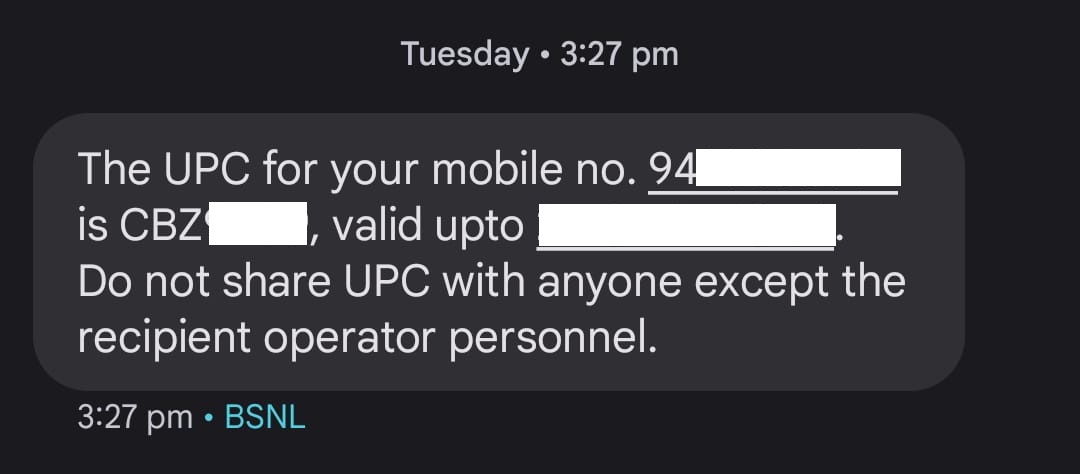
The PORTING CODE (UPC) is being generated successfully. However, the UPC has the following format:
CBZXXXXX (CBZ followed by Five Numbers).
The Problem:
The Porting Code needed, must have the following Format:
BZXXXXXX (BZ followed by Six Numbers)
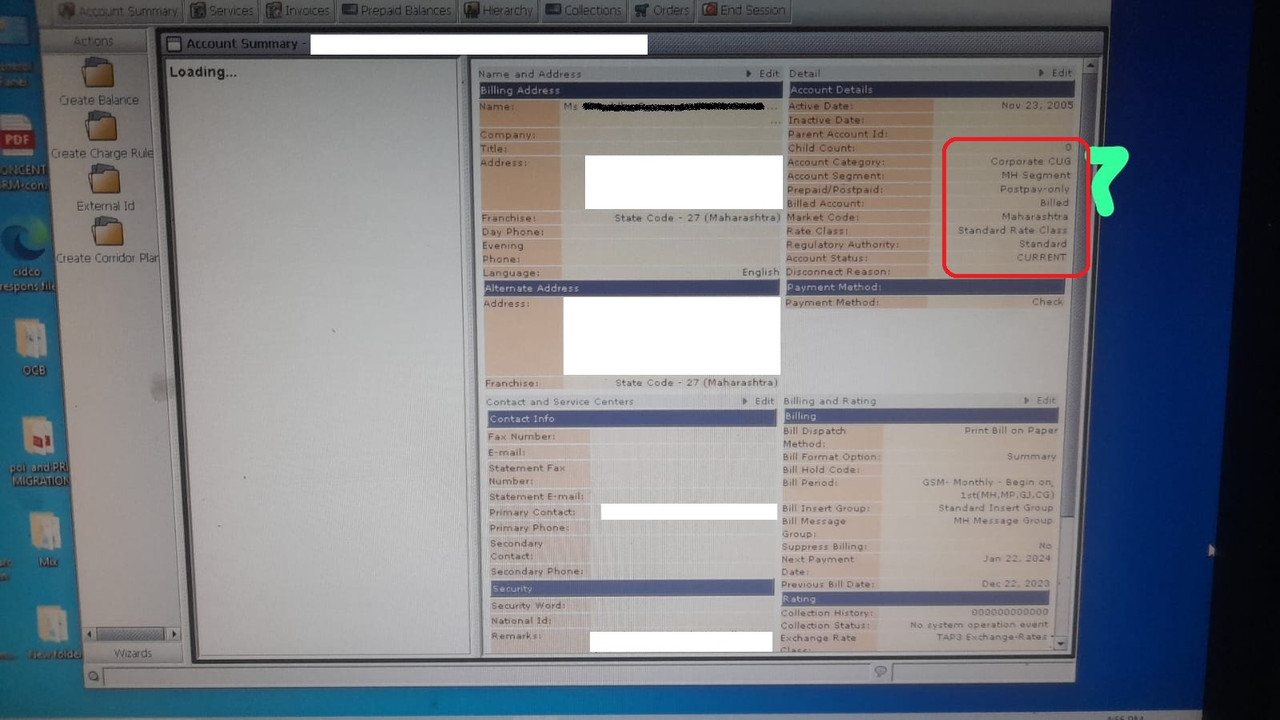
The "C" indicates this is a Corporate Number. Hence, the Reciepent Telecom Service Operator is unable to accept/process the Porting Code/Request. The representatives claim this UPC has "C" and hence it is a Corporate number. They want a No-Objection Certification (NoC) Letter from the Corporate.
As there's NO Corporate from which the BSNL Postpaid Connection was obtained, it is not clear from whom the NOC should be obtained.
BSNL admitted that the Number is Personal and NOT Corporate. They amended their Backend to reflect the same:
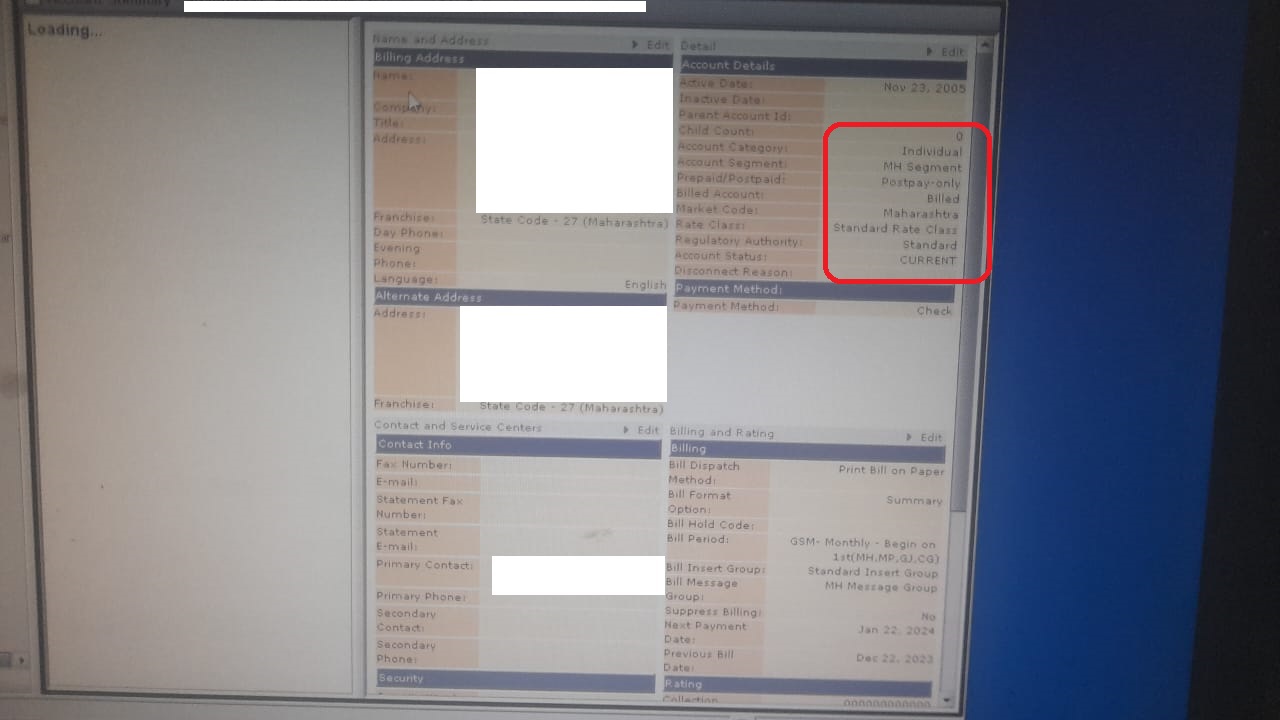
However, the PORTING CODE still starts with CBZ, indicating NOTHING has changed.
Please advise HOW to go through the Porting Process successfully.
The SIM Card was purchased during a Promotional Offer from BSNL, which stated that all government employees could opt for an Rs. 100/month subscription plan (All Calls and SMS were charged extra.).
The subscriber, only needed to present an ID Card issued by the Indian Government to purchase the PostPaid connection and activate the plan. There was no approval process from the concerned Government Department or any authorization/approval letter involved.
The Connection worked well as a secondary/backup primarily because calling from a BSNL number isn't always reliable.
BSNL shut down the Rs. 100/month plan about five years ago and has been charging Rs. 199 + Taxes, which comes to around Rs. 240 / month.
This is expensive for a backup connection. Hence, the subscriber decided to PORT out from BSNL and switch to another operator.
The Situation:
The PORTING CODE (UPC) is being generated successfully. However, the UPC has the following format:
CBZXXXXX (CBZ followed by Five Numbers).
The Problem:
The Porting Code needed, must have the following Format:
BZXXXXXX (BZ followed by Six Numbers)
The "C" indicates this is a Corporate Number. Hence, the Reciepent Telecom Service Operator is unable to accept/process the Porting Code/Request. The representatives claim this UPC has "C" and hence it is a Corporate number. They want a No-Objection Certification (NoC) Letter from the Corporate.
As there's NO Corporate from which the BSNL Postpaid Connection was obtained, it is not clear from whom the NOC should be obtained.
BSNL admitted that the Number is Personal and NOT Corporate. They amended their Backend to reflect the same:
However, the PORTING CODE still starts with CBZ, indicating NOTHING has changed.
Please advise HOW to go through the Porting Process successfully.


