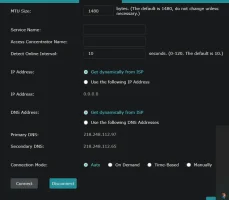
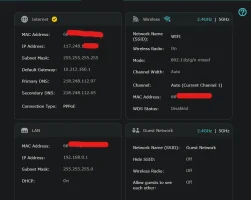
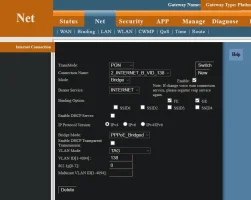
Double NAT with Archer C6 and Genexis 4110 in bridge mode.

  • Thread starter Thread starter daniel9895
  • Start date Start date
  • Replies Replies 13
  • Views Views 4,290
Messages
10
Location
Kerala
ISP
BSNL FTTH
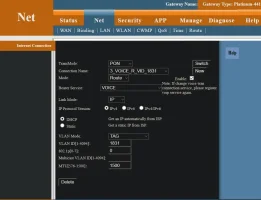
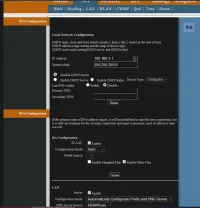
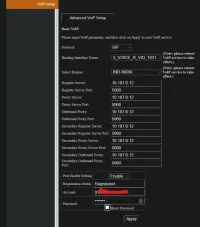
I enabled the bridge mode in Genexis 4110 platinum and got the archer c6 working. But I am facing constant network issues now, pages refusing to load until you refresh few times etc. Didn't have this issues when I was using the C6 in access point mode before.

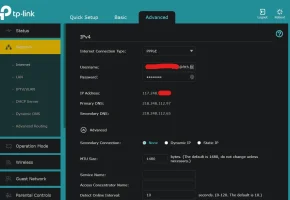
Tracret 8.8.8.8 shows a 192.x.x.x IP address and a 10.x.x.x So I believe I am facing a double NAT issue. Please check my attached images and see where the problem is.
 

Attachments

  • 1.webp
    1.webp
    46.1 KB · Views: 1,894
  • 2.webp
    2.webp
    43.3 KB · Views: 545
  • 3.webp
    3.webp
    59.8 KB · Views: 462
  • 4.webp
    4.webp
    48 KB · Views: 471
  • 5.webp
    5.webp
    47.5 KB · Views: 465
is the internet ip adress of your c6 the same as your public ip. search my ip address on google and see if it matches the one being displayed on the c6 ui.
 
I have no clue 😐. Gateway seems like something between the genexis and the exchange/OLT. Weird.
 
Your PPPoE settings seems fine, got a public ip, ont's in bridge mode. All seems well except that gateway ip.

Try a traceroute to that IP in default gateway, maybe it'll help to figure out what's wrong.

Also try going back to the ONT without bridging, see if you get the same 10.xx gateway.

Edit: Looks like this is at BSNL's side, has been discussed a year ago: Why is there private ip address in place of default gateway ip? | BSNL Bharat Fiber Broadband


BSNL sometimes uses private IPs for their gateways. You are still getting a public IP. There's no double nat, just bsnl being bsnl.

You are fine OP👍.
 
Last edited:
Back