Dear Subscriber,
Thank you for sharing your concern with us. we feel sorry for the inconvenience however, In case if the problem still persists, we would request you to please follow the below steps.
Please do the following steps to troubleshoot the speed issue:-
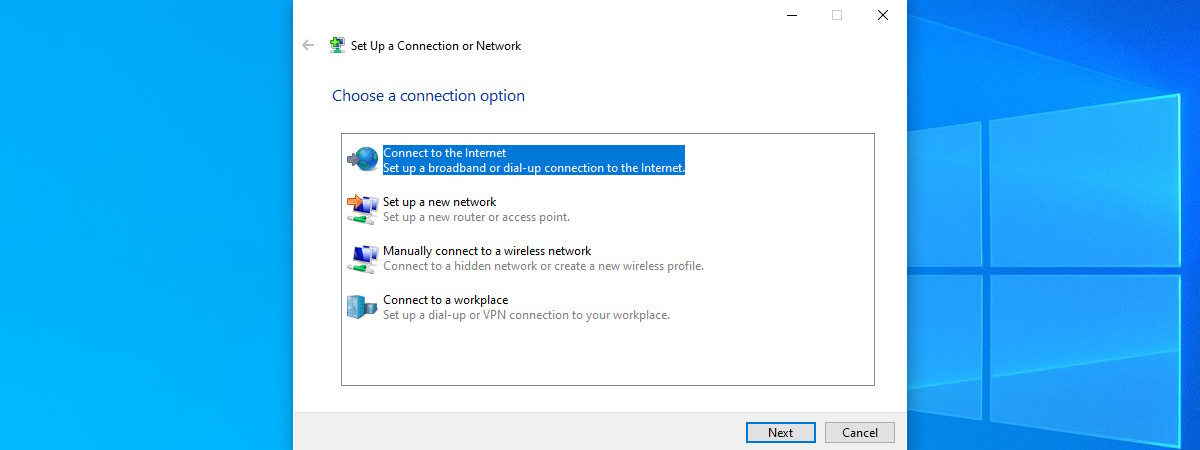
(1) Create a Dial-up connection on your pc/
laptop.
NOTE: Before anything else, I recommend reading this article: What is PPPoE and what does it do?. It serves as a good introduction or just as a refresher on what PPPoE is and why your internet connection may rely on it. How to set up a PPPoE internet connection in
Windows 10 The first step […]

www.digitalcitizen.life
Creating a PPPoE Dial Up Connection on Windows 7 | Answer | NETGEAR Support (OPEN THIS LINK IF YOU FACE ANY PROBLEM)
on
mac book
How to configure PPPoE connection on Mac pro | TP-Link United Arab Emirates
(2) Connect the internet cable provided by Excitel directly(without
router) to laptop/pc.
(3) Connect to internet using the dial-up created in step 1.
(4) after that go to the command prompt type the command ""tracert
google.com"" or if you utilizing mac book open terminal type there ""traceroute google.com"" you will see the 30 hops take proper screen-shot.
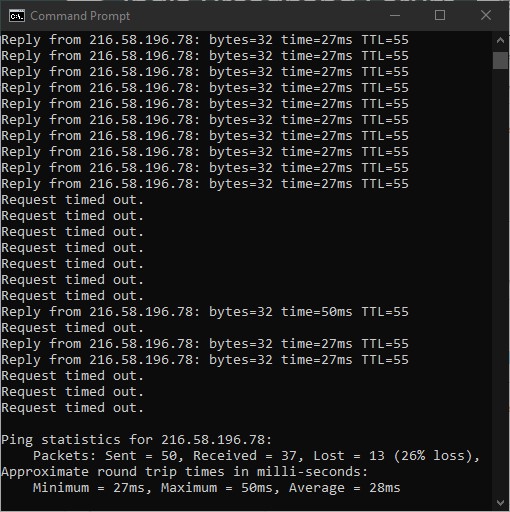
(5)On command prompt ping the first hope IP address take proper screen-short ""ping statics"", ping google
DNS take the proper screenshot. e.g ping 8.8.8.8 -t, on mac book open the terminal type ping the first hope IP address take screen-shot ping 8.8.8.8 to stop press key Crtl and C at the same time.
If the problem still continues, kindly revert us to 011-33447788 for further troubleshooting process.
Thanks for choosing Excitel.