Gmail Updates

Today, we’re rolling out a quality of life improvement to Gmail desktop users that makes previewing video attachments in Gmail much smoother and quicker. Previously, in order to view a video attachment in Gmail, you would have to download it to your computer and open it with a media player. Starting today, when opening an email with video attachments, you will see a thumbnail of the video and have the ability to stream it, right from inside Gmail.

G Suite Update Alerts: Improving video file attachments in Gmail with video streaming
 
Retiring several Gmail Labs: Gmail Labs serve as a great testing ground for experimental features. Successful labs graduate, and low usage labs often retire. With the announcement of Gmail Add-ons, enterprises will soon gain the ability to add modern integrations in Gmail, which in some cases will replace or improve the functionality provided by some labs. So in the coming weeks, we will retire the following Labs: Authentication Icon, Google Voice Player, Picasa previews, Pictures in chat, Quick Links, Quote Selected Text, Smartlabels, and Yelp previews. (Expected: No earlier than April 24, 2017)

G Suite Update Alerts: Updates in G Suite to streamline Hangouts and Gmail

Retiring Google+ functionality in Gmail: As part of our continued effort to focus Google+ around shared interests, we’re retiring two legacy Google+ features in Gmail: the ability to email Google+ profiles and the use of Google+ Circles. (Expected: No earlier than April 24, 2017)

G Suite Update Alerts: Updates in G Suite to streamline Hangouts and Gmail
 
As G Suite gains traction in the enterprise, G Suite’s Gmail and consumer Gmail to more closely align

G Suite’s Gmail is already not used as input for ads personalization, and Google has decided to follow suit later this year in our free consumer Gmail service. Consumer Gmail content will not be used or scanned for any ads personalization after this change. This decision brings Gmail ads in line with how we personalize ads for other Google products. Ads shown are based on users’ settings. Users can change those settings at any time, including disabling ads personalization. G Suite will continue to be ad free.
The value of Gmail is tremendous, both for G Suite users and for users of our free consumer Gmail service. Gmail is the world’s preeminent email provider with more than 1.2 billion users. No other email service protects its users from spam, hacking, and phishing as successfully as Gmail. By indicating possible email responses, Gmail features like Smart Reply make emailing easier, faster and more efficient. Gmail add-ons will enable features like payments and invoicing directly within Gmail, further revolutionizing what can be accomplished in email.
 
G Suite Updates Blog: Addresses, phone numbers, and contacts now converted to links in Gmail and Inbox to save users time

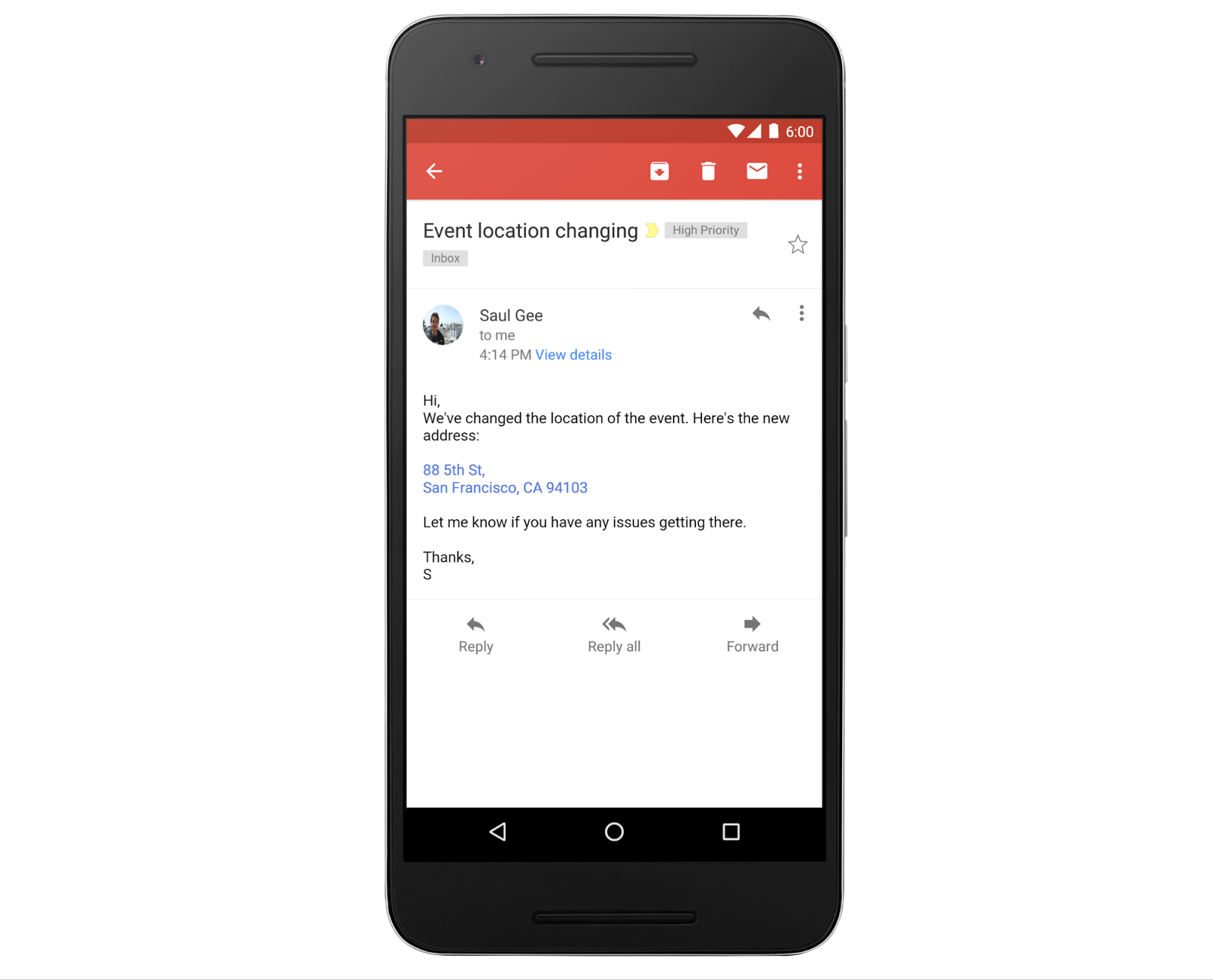
Gmail users often exchange information like addresses and phone numbers with each other to set up meetings, introduce colleagues, and plan events. Precious time can be lost by having to copy and paste this information from an email into other apps and websites, so we wanted to provide a better way to perform these tasks that also saves time. That’s why starting today, Gmail and Inbox by Gmail on Android, iOS, and the web will begin converting text to interactive hyperlinks whenever they detect phone numbers, addresses, and email addresses in emails.
Clicking an address link will take the user to Google Maps. Clicking an email address will compose a new email, using the user’s default email client. Finally, when using a mobile device, clicking a phone number will start a call request using the default phone app.

KKZkX1a.png
 
Back