Google Maps Updates

  • Thread starter Thread starter powdermonkey
  • Start date Start date
  • Replies Replies 1,206
  • Views Views 260,286
Google Maps v9.45 beta brings redesigned arrival cards and timeline emails, prepares for sharing user-created lists [APK Teardown + Download]
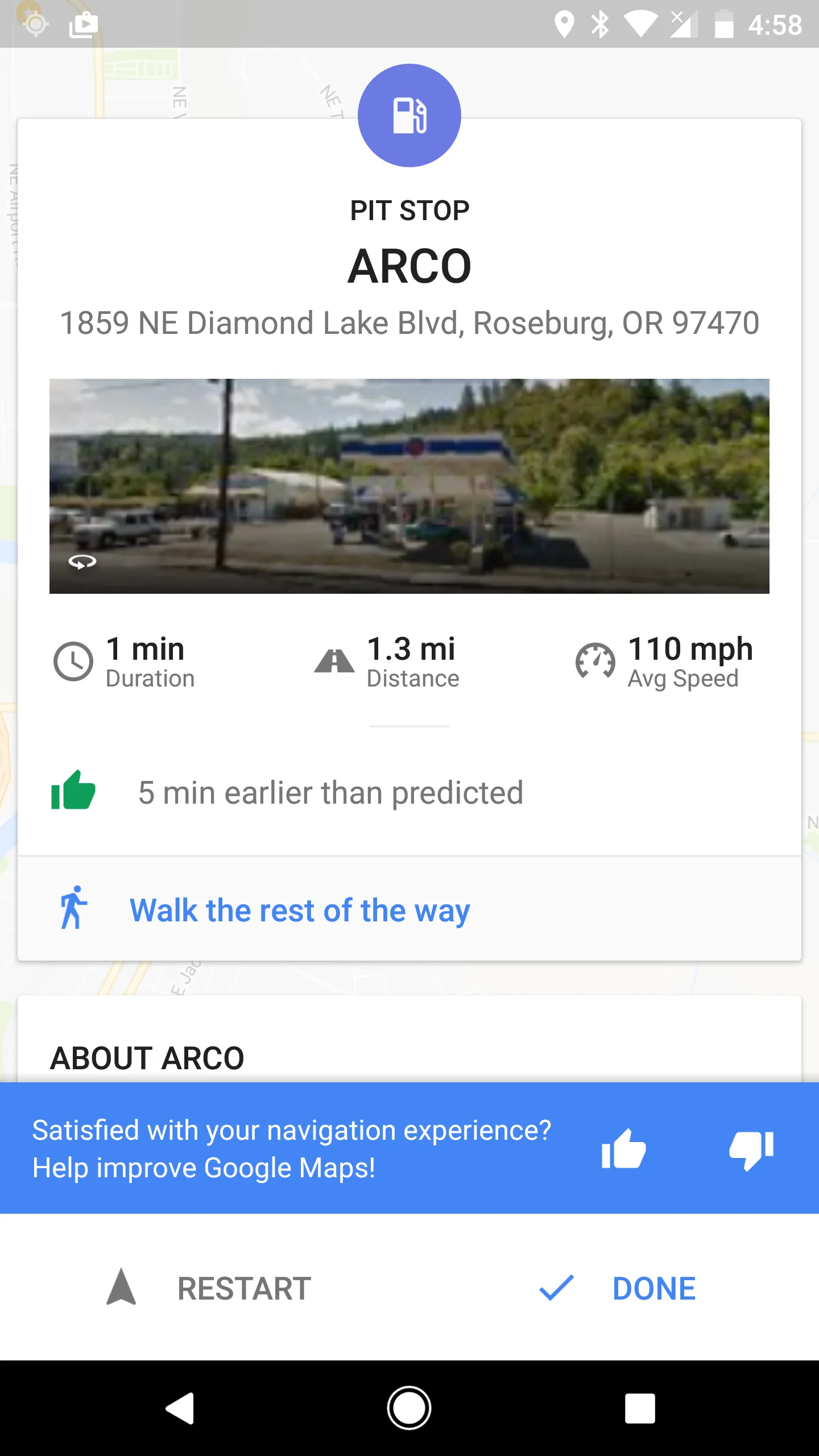
Redesigned arrival cards
Option to get timeline highlights sent to your email

dOQTasv.webp
 
Welcome home to the new Google Earth

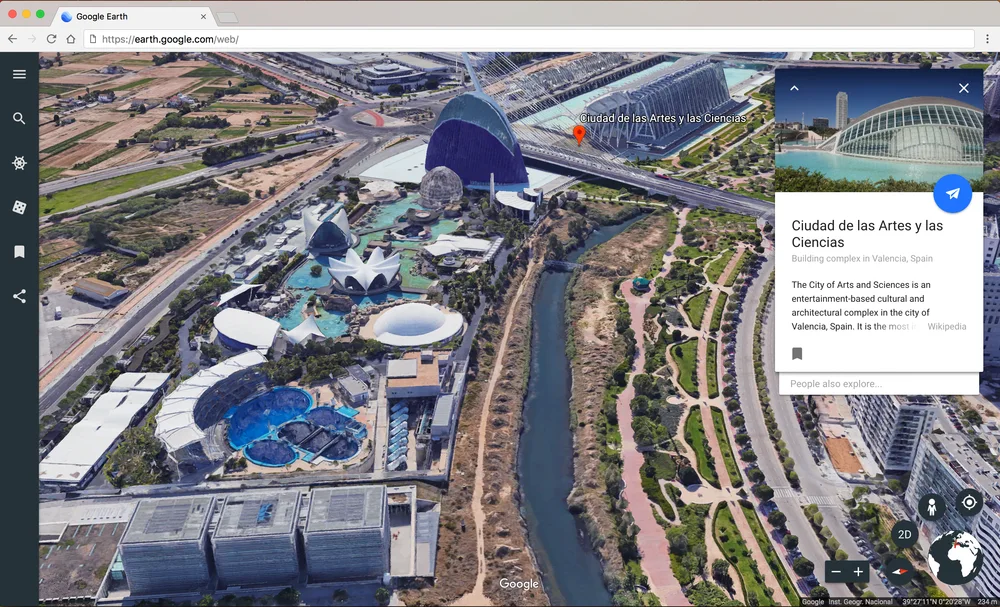
Today we’re introducing a brand-new version of Google Earth—on the web and Android—two years in the making. With the new Earth, we want to open up different lenses for you to see the world and learn a bit about how it all fits together; to open your mind with new stories while giving you a new perspective on the locations and experiences you cherish. It’s everything you love about Google Earth, plus new ways for you to explore, learn and share. Zoom in and see what adventures await you in the new Google Earth.
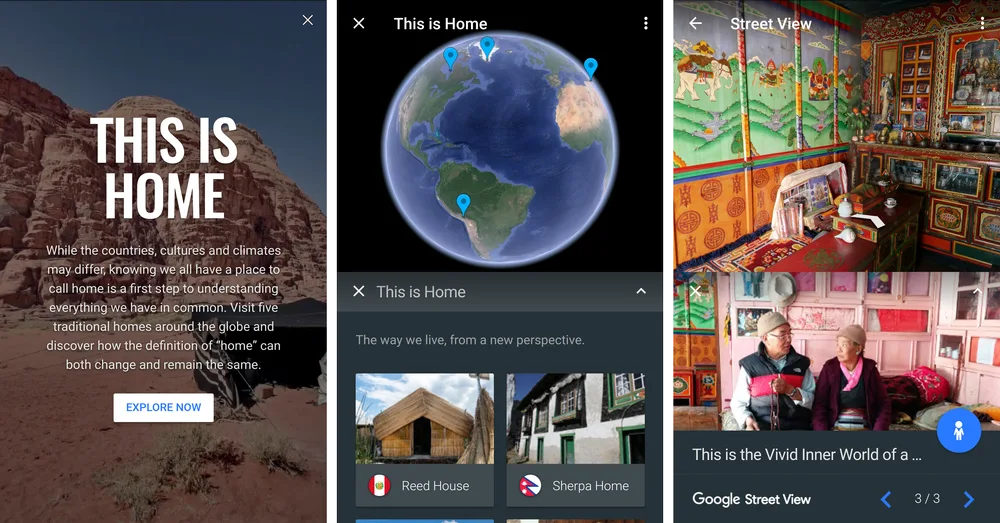
We've joined up with some of the world's leading storytellers, scientists and nonprofits to bring the planet to life with Voyager, a showcase of interactive guided tours.
Uncover hidden gems the world over with “I’m feeling lucky,” a new feature that takes you somewhere unexpected with the click of a button. You might discover the lush green Pemba Island off the Swahili coast, the historic La Scala opera house in Milan, Italy or the Zao Hot Spring in Yamagata, Japan. We’ve curated 20,000 different places, so roll the dice and see where the world takes you.
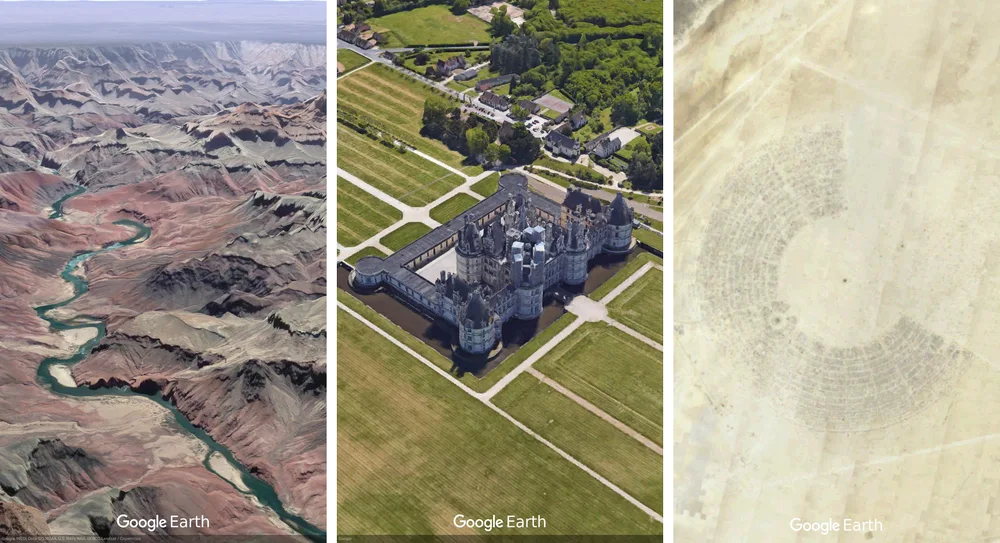
Click the new 3D button to see any place from any angle. Swoop around the Grand Canyon and see geological layers, or check out the majestic architecture and pristine grounds of the 500-year-old Château de Chambord in the Loire Valley in France.


Source

nfRvBqG.webp
ZPjhw2T.webp
39h9Ry0.webp


Google Earth
 
Remember where you parked with Google Maps

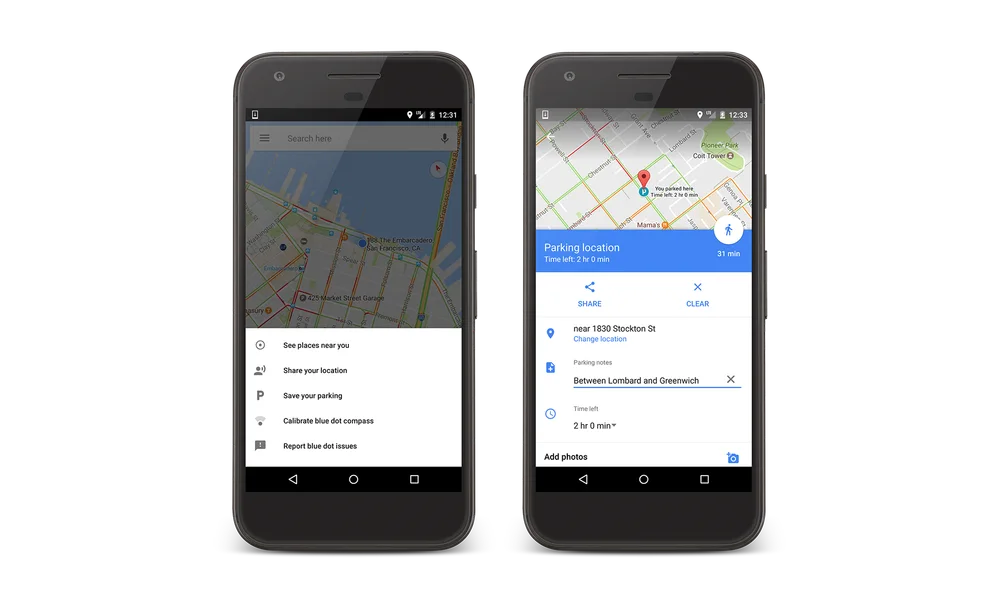
For Android users, tap the blue dot and then tap “Save your parking” to add your parking location to the map. You’ll see a label on the map itself identifying where you parked your car. Tap on that label to open up your parking card, where you can add additional details about your parking spot. You can add a note like “level 3, spot 35,” add the amount of time left before the meter expires (and even get a reminder alert 15 minutes before it does), save an image of your parking spot, and send your parking location to friends.
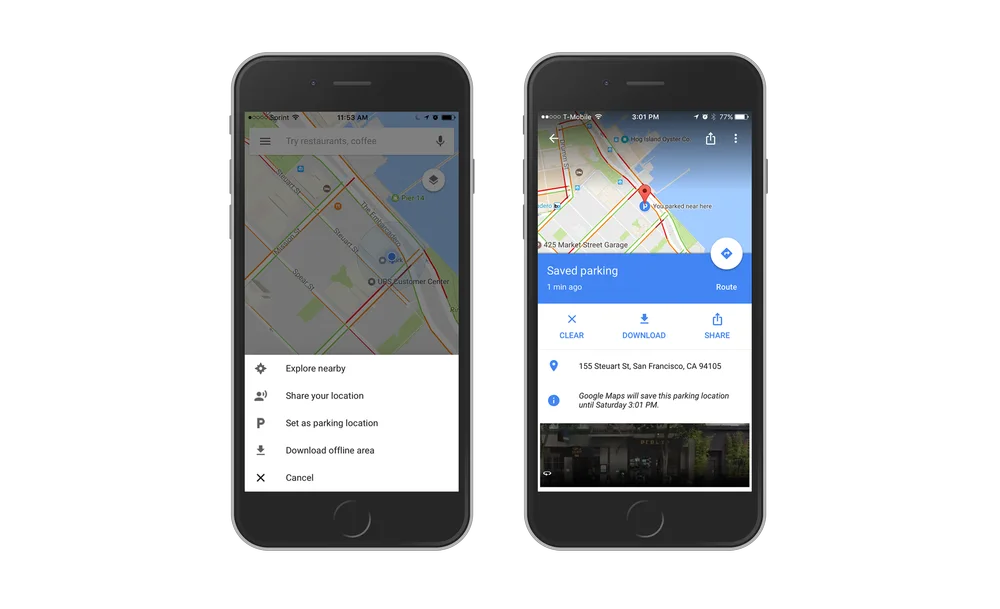
On iOS, the new experience is pretty similar. Tap on the blue dot and then tap on “Set as parking location” to add your parking spot to the map itself. Tap on the parking label on the map to open up your parking card and do things like share it with friends and view pictures of your parking area. This is in addition to the automatic parking detection you might have already noticed in Google Maps for iOS. If you connect to your car using USB audio or bluetooth, your parking spot will be automatically added to the map when you disconnect and exit the vehicle.

Dmwjt1h.webp
uzfFO72.webp
 
Back