Hi, I have been provided "Genexis Titanium-2122A" by excitel. I need some help to configure it in bridge mode so i can use my own router with it instead of double NAT.
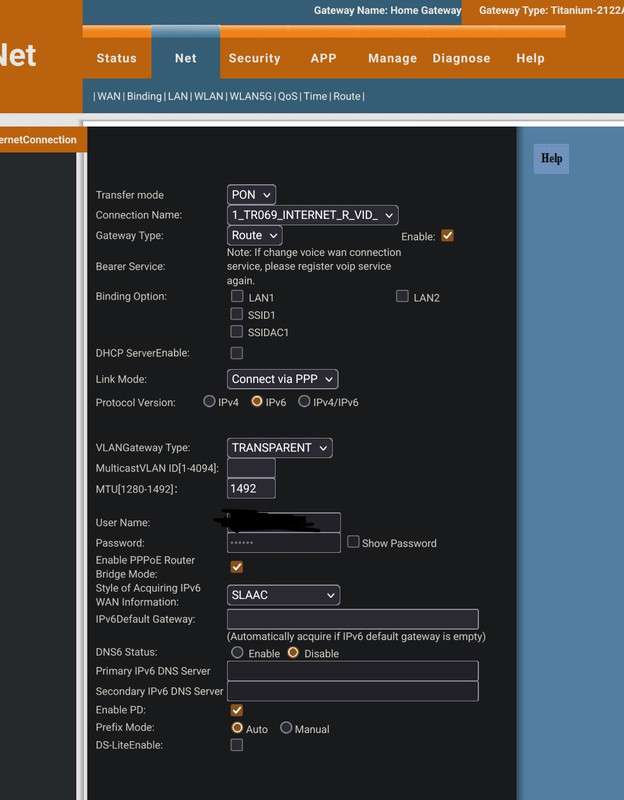
These are the wan settings page:
I remember previously a few years back, the username and password filed of pppoe was editable and we could basically reset the router and enter these pppoe details again and it would work. Back then bridge mode also worked.
But now excitel seems to have locked the router in some way. In case of reset, we have to contact excitel support to configure the router now.
To configure bridge mode, I have tried,
1. Turning ON "Enable PPPOE router bridge mode" toggle.
After which if i connect my own router to lan port, clone excitel router's MAC address on my own, then login via username and password in pppoe, i get IP address but only for like 1 min. The IP keeps getting changed every 1 min.
What i think is happening is, both excitel's router and my own is requesting IP at the same time and they are both getting assigned one by one.
I have to somehow stop excitel's router from obtaining IP address in bridge mode.
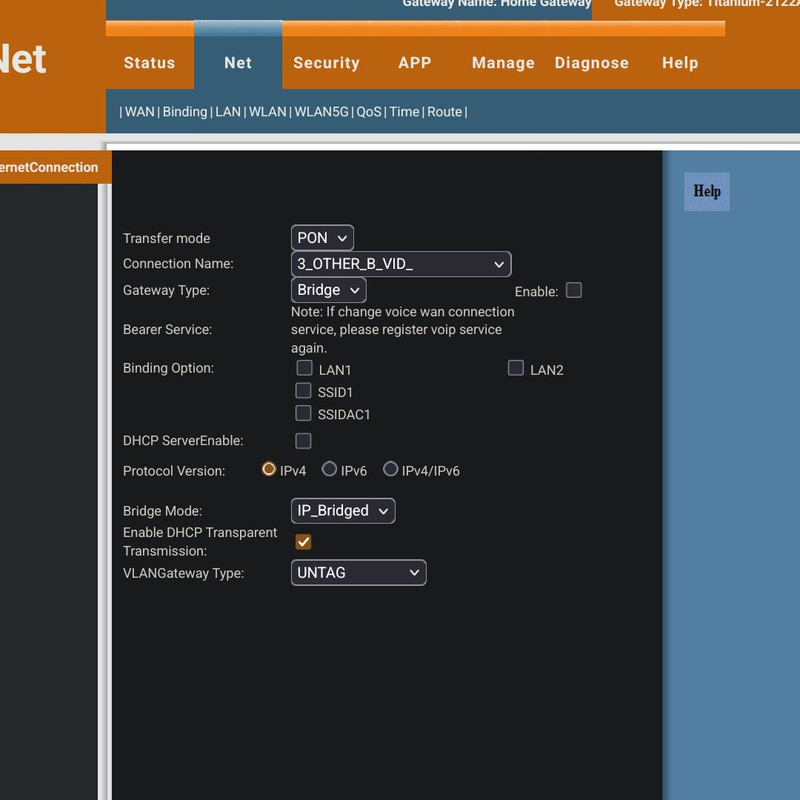
2. In the 2nd picture, there's a connection named "3_OTHER_B_VID_" specifically made for bridge gateway type.
If i enable the above, i see the same behavior and IP keeps getting renewed every 1 min approx.
If anyone knows correct steps to configure bridge mode on this router, kindly help,
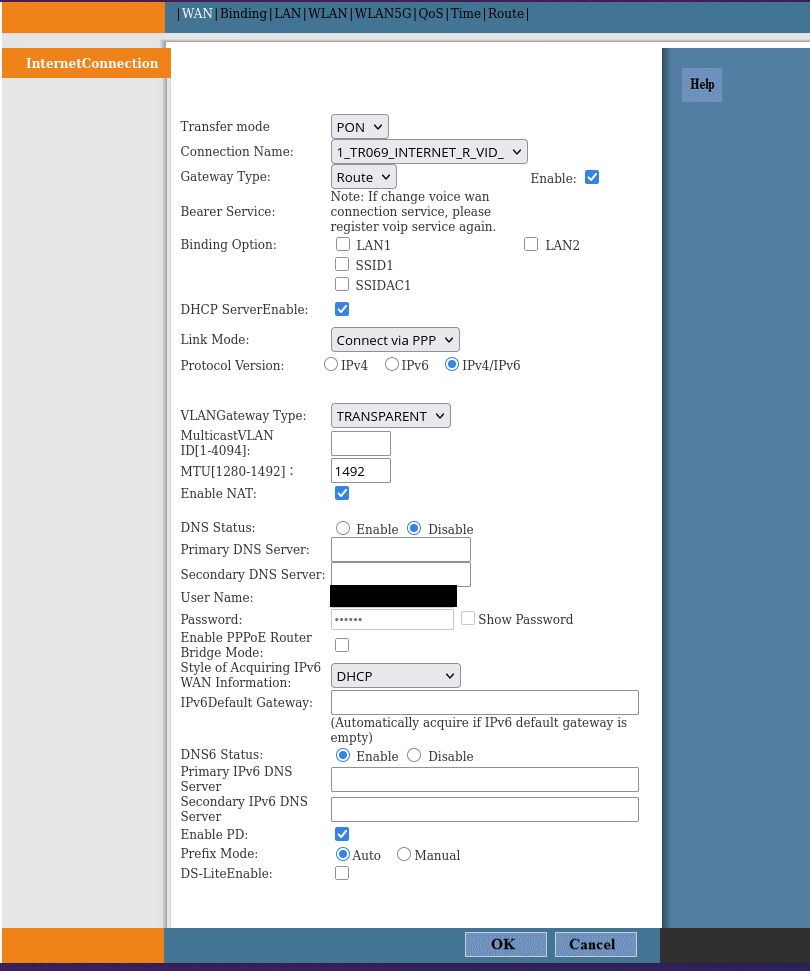
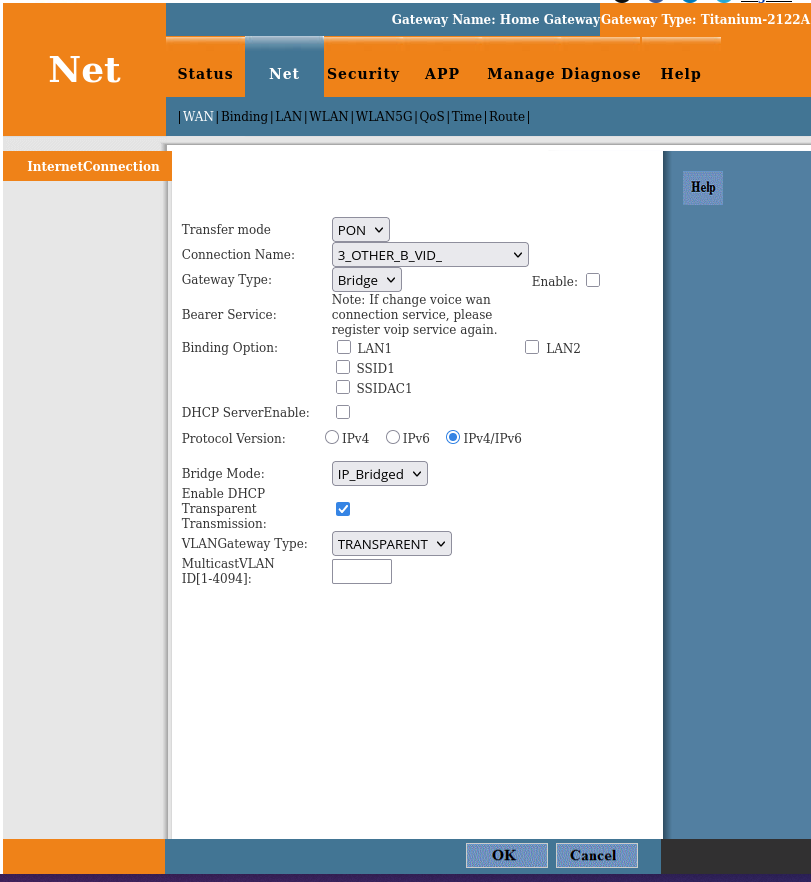
These are the wan settings page:
I remember previously a few years back, the username and password filed of pppoe was editable and we could basically reset the router and enter these pppoe details again and it would work. Back then bridge mode also worked.
But now excitel seems to have locked the router in some way. In case of reset, we have to contact excitel support to configure the router now.
To configure bridge mode, I have tried,
1. Turning ON "Enable PPPOE router bridge mode" toggle.
After which if i connect my own router to lan port, clone excitel router's MAC address on my own, then login via username and password in pppoe, i get IP address but only for like 1 min. The IP keeps getting changed every 1 min.
What i think is happening is, both excitel's router and my own is requesting IP at the same time and they are both getting assigned one by one.
I have to somehow stop excitel's router from obtaining IP address in bridge mode.
2. In the 2nd picture, there's a connection named "3_OTHER_B_VID_" specifically made for bridge gateway type.
If i enable the above, i see the same behavior and IP keeps getting renewed every 1 min approx.
If anyone knows correct steps to configure bridge mode on this router, kindly help,