
-
Amazon Deals - ToS - Like us?
You are using an out of date browser. It may not display this or other websites correctly.
You should upgrade or use an alternative browser.
You should upgrade or use an alternative browser.
ipv6 address allocated. But cant access ipv6
- Thread starter ifru
- Start date
- Replies 24
- Views 5,113


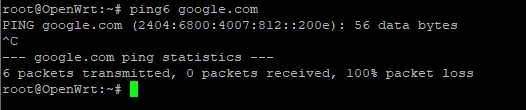

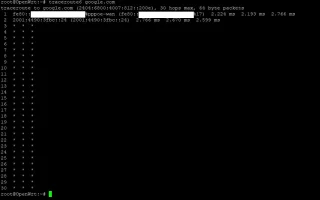
2001:4490:3fbc::24 looks like the ISP Gateway from the latency , so the packet is reaching from your router to BSNL's fine. It's likely an issue on BSNL side rather than yours especially considering it was working for you till recently.
I can't ping 2001:4490:3fbc::24 from my IPv6 server located outside BSNL Network (neither UDP,TCP nor ICMP work).
I can't ping 2001:4490:3fbc::24 from my IPv6 server located outside BSNL Network (neither UDP,TCP nor ICMP work).
Code:
 Host                                                                        Loss%   Snt   Last   Avg  Best  Wrst StDev
1. 2001:1af8:                                                                0.0%    22    0.7   0.7   0.5   0.9   0.1
2. 2001:1af8:4700                                                            0.0%    22    1.6   1.2   0.3   4.2   0.9
3. adm-b3-link.telia.net                                                     0.0%    22    0.4   1.4   0.4  12.9   2.9
4. adm-bb3-v6.telia.net                                                      0.0%    22    9.5   9.6   9.4   9.8   0.1
5. ldn-bb3-v6.telia.net                                                      0.0%    22    7.8   8.2   7.8  10.0   0.5
6. ldn-b7-v6.telia.net                                                       0.0%    22    8.3  10.3   7.8  34.0   6.6
7. bharti-ic-311640-ldn-b7.c.telia.net                                       0.0%    22  229.3 225.1 219.8 239.4   6.1
8. ???
2001:4490:3fbc::24 looks like the ISP Gateway from the latency , so the packet is reaching from your router to BSNL's fine. It's likely an issue on BSNL side rather than yours especially considering it was working for you till recently.
I can't ping 2001:4490:3fbc::24 from my IPv6 server located outside BSNL Network (neither UDP,TCP nor ICMP work).
Code:Host Loss% Snt Last Avg Best Wrst StDev 1. 2001:1af8: 0.0% 22 0.7 0.7 0.5 0.9 0.1 2. 2001:1af8:4700 0.0% 22 1.6 1.2 0.3 4.2 0.9 3. adm-b3-link.telia.net 0.0% 22 0.4 1.4 0.4 12.9 2.9 4. adm-bb3-v6.telia.net 0.0% 22 9.5 9.6 9.4 9.8 0.1 5. ldn-bb3-v6.telia.net 0.0% 22 7.8 8.2 7.8 10.0 0.5 6. ldn-b7-v6.telia.net 0.0% 22 8.3 10.3 7.8 34.0 6.6 7. bharti-ic-311640-ldn-b7.c.telia.net 0.0% 22 229.3 225.1 219.8 239.4 6.1 8. ???
That ip is not reachable from any network including bsnl
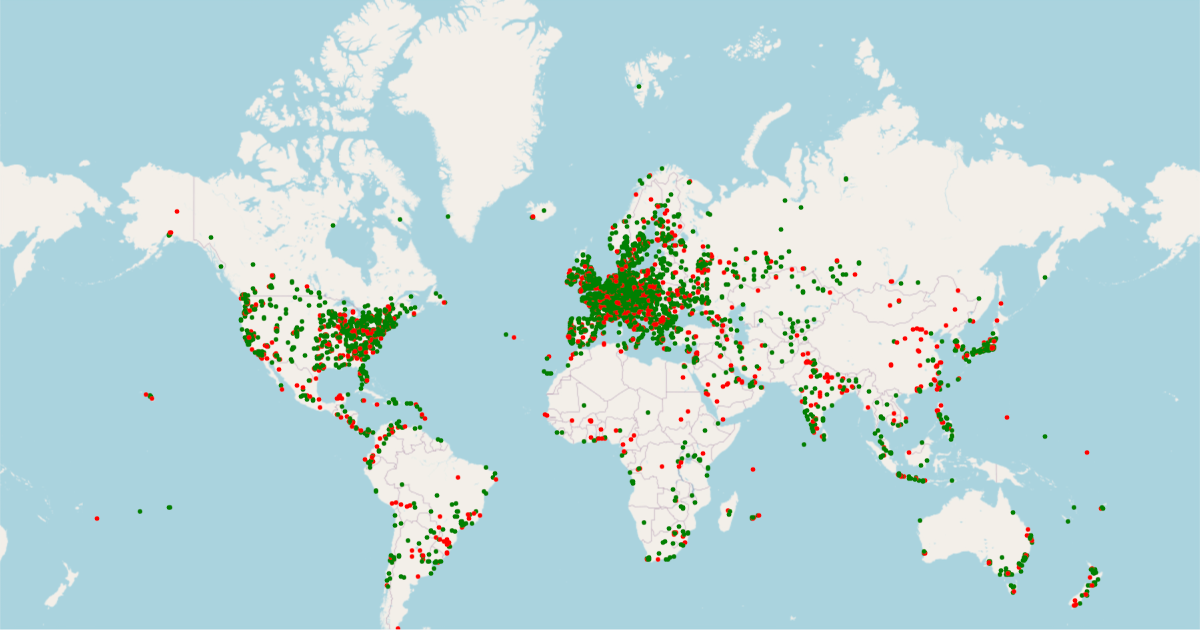
RIPE Atlas - RIPE Network Coordination Centre
RIPE Atlas is the RIPE NCC's main Internet data measurement system.
RIPE Atlas - RIPE Network Coordination Centre
RIPE Atlas is the RIPE NCC's main Internet data measurement system.
RIPE Atlas - RIPE Network Coordination Centre
RIPE Atlas is the RIPE NCC's main Internet data measurement system.
But one BSNL probe could ping ipv6 google.com its hosted in some education institute so - RIPE Atlas
Last edited:
varkey
I got banned!
IPv6 is dead for me as well since several hours, not sure when exactly it stopped working though, but sometime today.
Code:
➜ mtr -6 -w google.com
Start: 2020-07-18T23:32:01+0530
HOST: varkey                  Loss%   Snt   Last   Avg  Best  Wrst StDev
  1.|-- 2001:4490:4e4d:bc2e::1  0.0%    10    2.0   1.9   1.5   2.2   0.2
  2.|-- 2001:4490:4e4c::1       0.0%    10    4.2   4.6   2.8  10.8   2.3
  3.|-- 2001:4490:3dfc::82      0.0%    10    4.4   4.3   3.6   5.1   0.5
4.|-- ??? 100.0 10 0.0 0.0 0.0 0.0 0.0That ip is not reachable from any network including bsnl
RIPE Atlas - RIPE Network Coordination Centre
RIPE Atlas is the RIPE NCC's main Internet data measurement system.atlas.ripe.net
RIPE Atlas - RIPE Network Coordination Centre
RIPE Atlas is the RIPE NCC's main Internet data measurement system.RIPE Atlas - RIPE Network Coordination Centre
RIPE Atlas is the RIPE NCC's main Internet data measurement system.
But one BSNL probe could ping ipv6 google.com its hosted in some education institute so - RIPE Atlas
I keep forgetting to use Atlas for this stuff lol.
@varkey I'm curious why the fe80:: address is showing up on OP's traceroute but not yours.
varkey
I got banned!
