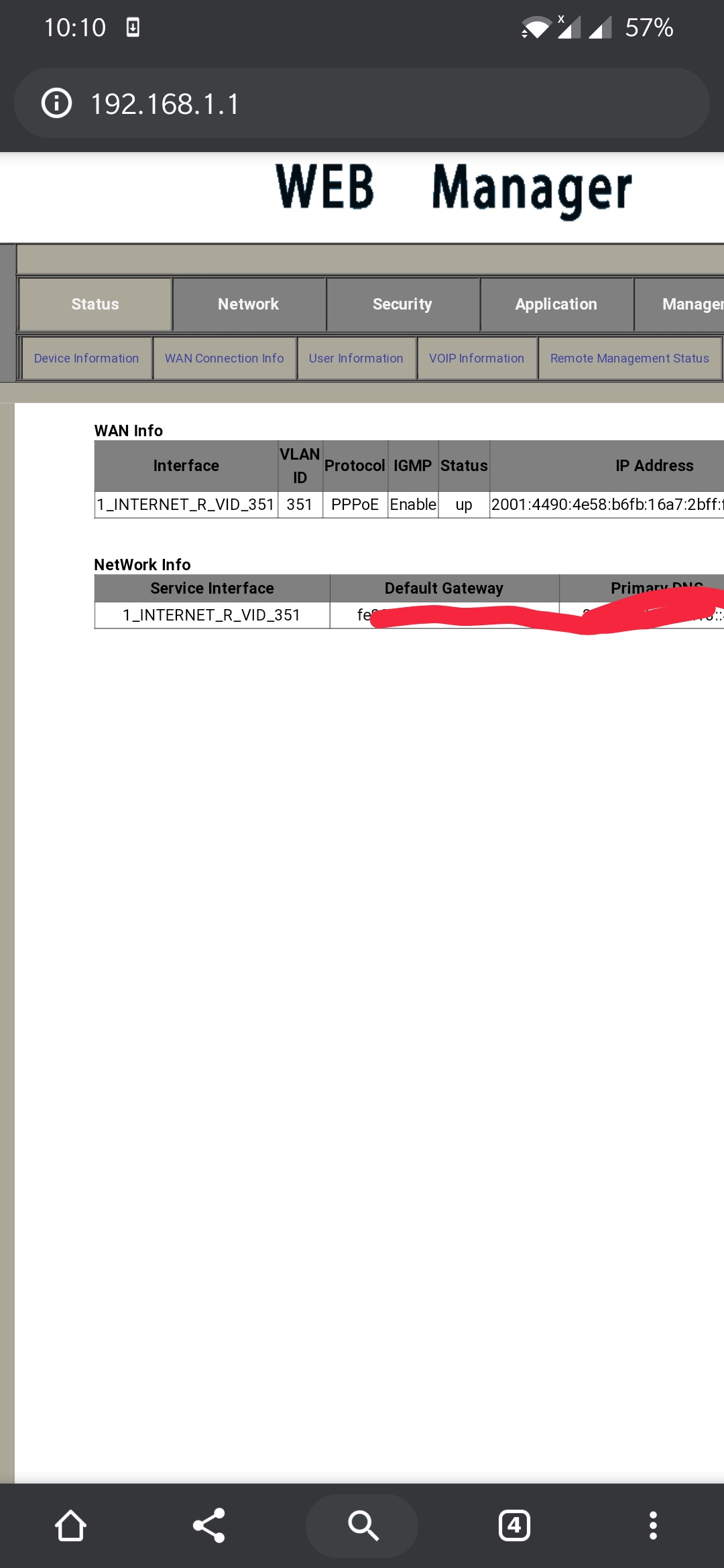
IPv6 being issued by BSNL Broadband!

  • Thread starter Thread starter Ameen
  • Start date Start date
  • Replies Replies 346
  • Views Views 63,489
The ICMPv6 based router devices which support pure ipv6 as primary connection are only available in very high end routers. Today also major routers around sub 4000 plus rupees still are skewed towards ipv4 where all major features are for ipv4 only.

Example firewall/ QOS/parental/VPN/ALG/repeaters/ subneting controls etc are only for ipv4 and it does not work for ipv6.
To overcome this router vendors need to give these advance features with the ipv6 also.
 
The ICMPv6 based router devices which support pure ipv6 as primary connection are only available in very high end routers. Today also major routers around sub 4000 plus rupees still are skewed towards ipv4 where all major features are for ipv4 only.

Example firewall/ QOS/parental/VPN/ALG/repeaters/ subneting controls etc are only for ipv4 and it does not work for ipv6.
To overcome this router vendors need to give these advance features with the ipv6 also.
Yeah, most consumer-grade routers do not have full IPv6 support. However, I'm running RouterOS level 5 on a RouterBoard. This is as advanced as it gets.
 
I figured out that I don't need ipv6 for my VPN to connect. I was totally wrong. When I did dial up connection from laptop it worked again without ipv6. I read that router's nat is dropping connection. I gotta set my pc as dmz in router settings. I have no idea. I have seen dmz option. Should I use my mac address to set dmz? Pls help
 
It was yesterday when connection dropped I asked for @abbyck help. That's when he told me there is ipv6 enabled on my connection. Do please and check and report from your routers.. 👍

Using bsnl ftth in kerala circle.

vqAZISM.jpg
Which location are you from ??
 
@Munir just enable UPnP, you should be fine.
I enabled upnp in router, VPN didn't work. Then I tried same in modem only setup also. VPN didn't work In both cases. After connecting to Vpn, no internet access. Bsnl nib suggested lowering firewall to low. That also didn't work. I tried almost all settings in modem and wifi. Nothing worked so far. I will buy that router and give a try one last time.
 
Enable Upnp has no relevance unless you are using peer to peer or gaming or behind there is an active NAT & have public ipv4 ip.
Enable upnp increases security risk and also increases ping/icmp lags if you are behind a CG NAT from ISP on ipv4.
 
I enabled upnp in router, VPN didn't work. Then I tried same in modem only setup also. VPN didn't work In both cases. After connecting to Vpn, no internet access. Bsnl nib suggested lowering firewall to low. That also didn't work. I tried almost all settings in modem and wifi. Nothing worked so far. I will buy that router and give a try one last time.
I have a feeling it's your router messing it up, those generic ONT/Router combos comes with half-baked firmwares.
 
Enable upnp increases security risk
What security risk if the user is advanced enough to protect client devices?

and also increases ping/icmp lags if you are behind a CG NAT from ISP on ipv4.
This is not true at all. UPnP operates locally, what does it have to with ping/ICMP packets on CGNAT based ISPs? Where's your source for this claim?
 
Back