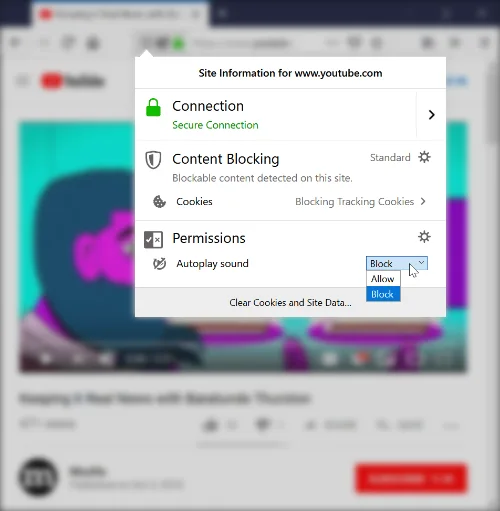
Starting with the release of Firefox 66 for desktop and Firefox for
Android, Firefox will block
audible audio and video by default. We only allow a site to play audio or video aloud via the HTMLMediaElement API once a web page has had user interaction to initiate the audio, such as the user clicking on a “play” button.
Any playback that happens before the user has interacted with a page via a mouse click, printable key press, or touch event, is deemed to be autoplay and will be blocked if it is potentially audible.
Muted autoplay is still allowed. So script can set the “muted” attribute on HTMLMediaElement to true, and autoplay will work.