Need Help Setting Reliance Jio Fiber Gateway to Bridge Mode

I do not no what Jio is doing
when I am using my router in AP mode i am getting high pings if I use Jio home gateway the pings are fine but the speed is inconsistent on wifi as it is A JCO110 ONT
they are refusing to upgrade my ONT because I am on 699 Bronze plan
if Jio stops bothering my router which is in AP mode I will be fine with out bridge mode
on top of all this blocking twitch streamswhich created more doubts in my mind
I reconnected my ACT connection du to all this
 
Last edited:
@Gaurav15
Ya I can do it
but that thing they did with twitch raised questions in my mind like
do I want to support this Company?
hence reconnect ACT
 
Last edited:
@Anil May i know why do you need bridge mode?. You already have act, which you can use for gaming, hosting and cctv. Afaik, you can enable bridge mode in act right?.
 
@Nitin at the time of posting this thread I was planning to keep JioFiber & disconnect ACT
so asked for bridge mode
now I am just continuing to experiment different ways to get bridge mode working on JioFiber
 
@varkey This is what i tried

  • Changed the GPON vlan id to 1. Ont rebooted and it didn't fetch wan information (no internet), though operation state was O5
  • I changed my own router's mac address to ont's wan mac address
  • Entered the gpon vlan id (it was 1015) in the bridge mode vlan id option and enabled it.

My router still didn't fetch wan details. What to do then?.
 
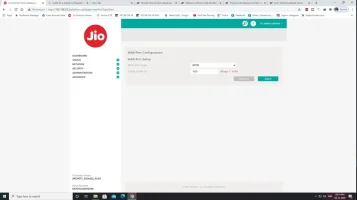
@Anil Check This Image
 

Attachments

  • Untitled.webp
    Untitled.webp
    27.3 KB · Views: 437
@varkey This is what i tried

  • Changed the GPON vlan id to 1. Ont rebooted and it didn't fetch wan information (no internet), though operation state was O5
  • I changed my own router's mac address to ont's wan mac address
  • Entered the gpon vlan id (it was 1015) in the bridge mode vlan id option and enabled it.

My router still didn't fetch wan details. What to do then?.
My Router Fatch Wan info But No Internet..
 
Back