Which NTP server used by Jio Set top Box?

  • Thread starter Thread starter iAmSaugata
  • Start date Start date
  • Replies Replies 10
  • Views Views 4,344
Messages
20
Location
Kolkata
ISP
JioFiber
Recently I took Rs. 999 plan from JioFiber, but to manage my exiting network seamlessly, I am still using my TP-Link Archer-C80 as primary router (I am okay with double NAT). I also use docker on Raspberry Pi for hosting multiple self-hosted publicly accessible website along with AdBlock Home to manage DHCP as well as blocking ads.

It took little time, but I am able to use all the services including JioJoin from Archer-C80 without using IPv6. My Jio Set-Top-Box also working perfectly fine in my TP-Link OneMesh network.

Only one minor issue I am having on Jio Set-Top-Box, it is not able to display information correctly on network configuration tab, it is showing red X in Internet available and on top right corner WiFi icon also showing incorrectly, beside that time is empty. If I connect to Jio Fiber router directly, it is getting fixed, but I don't what to connect directly to Jio Fiber router as it is not having good 5G signal and I want more control on my own network.
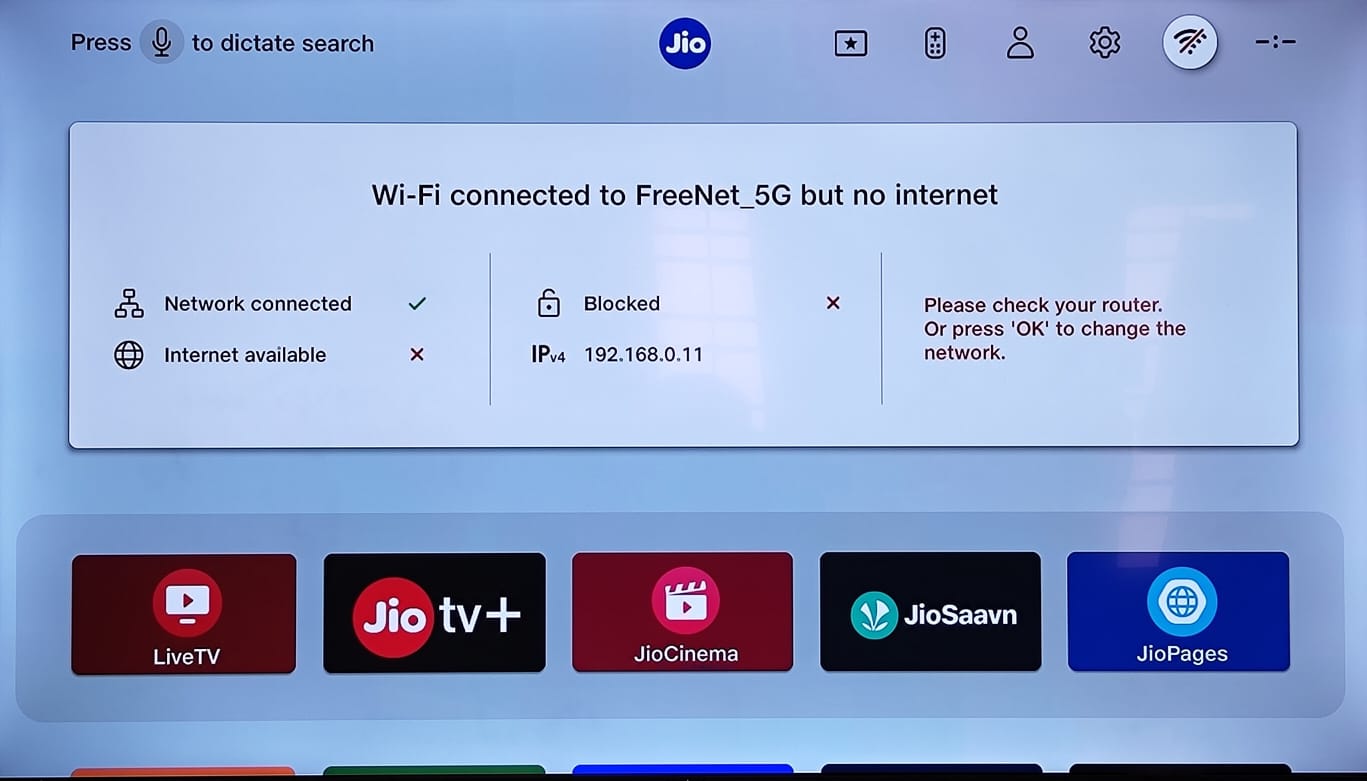
tv.jfif


I have checked the TCP dump from Jio Fiber router, I didn't find any DNS query for NTP server or anything unusual.
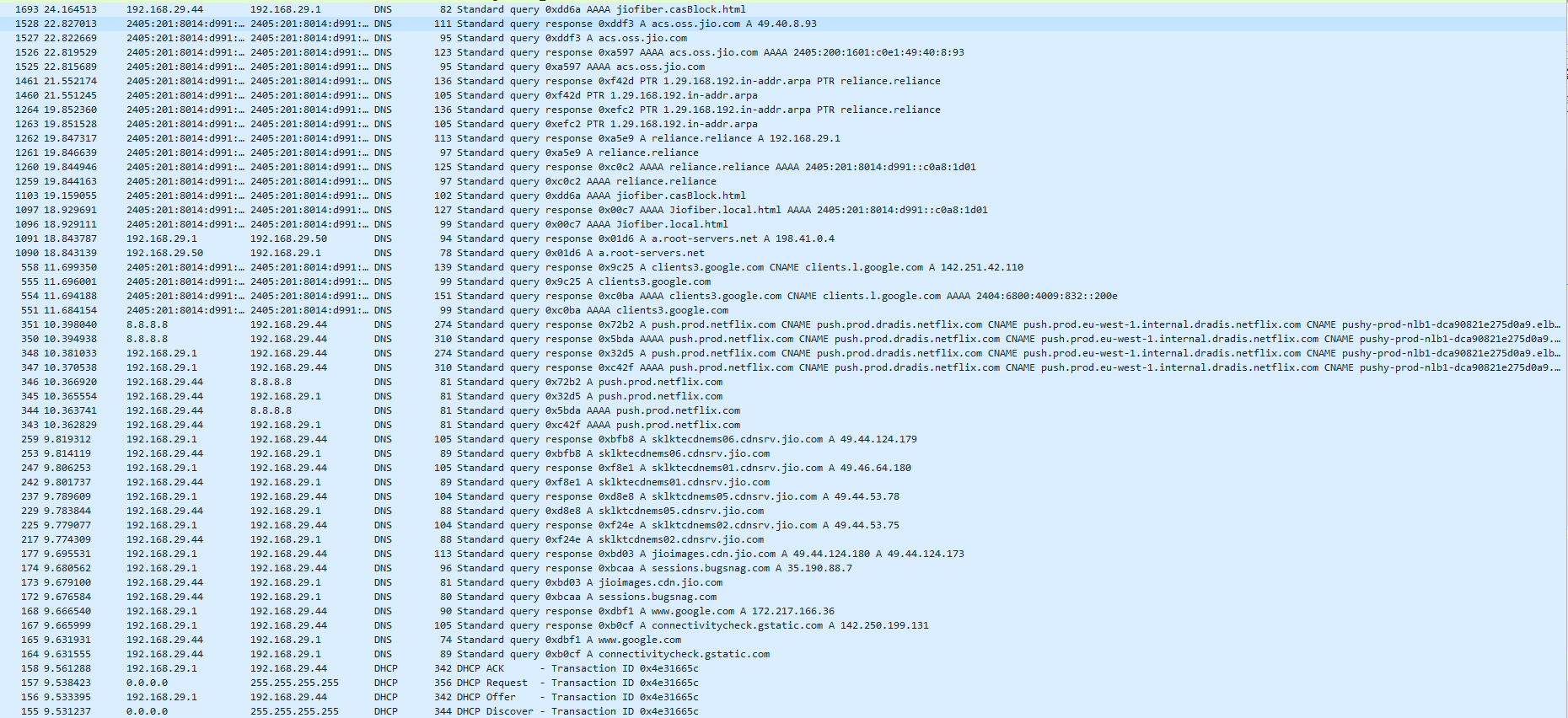
tcpd.png


Immediate DNS query just after connecting to router from Ste-Top-Box.
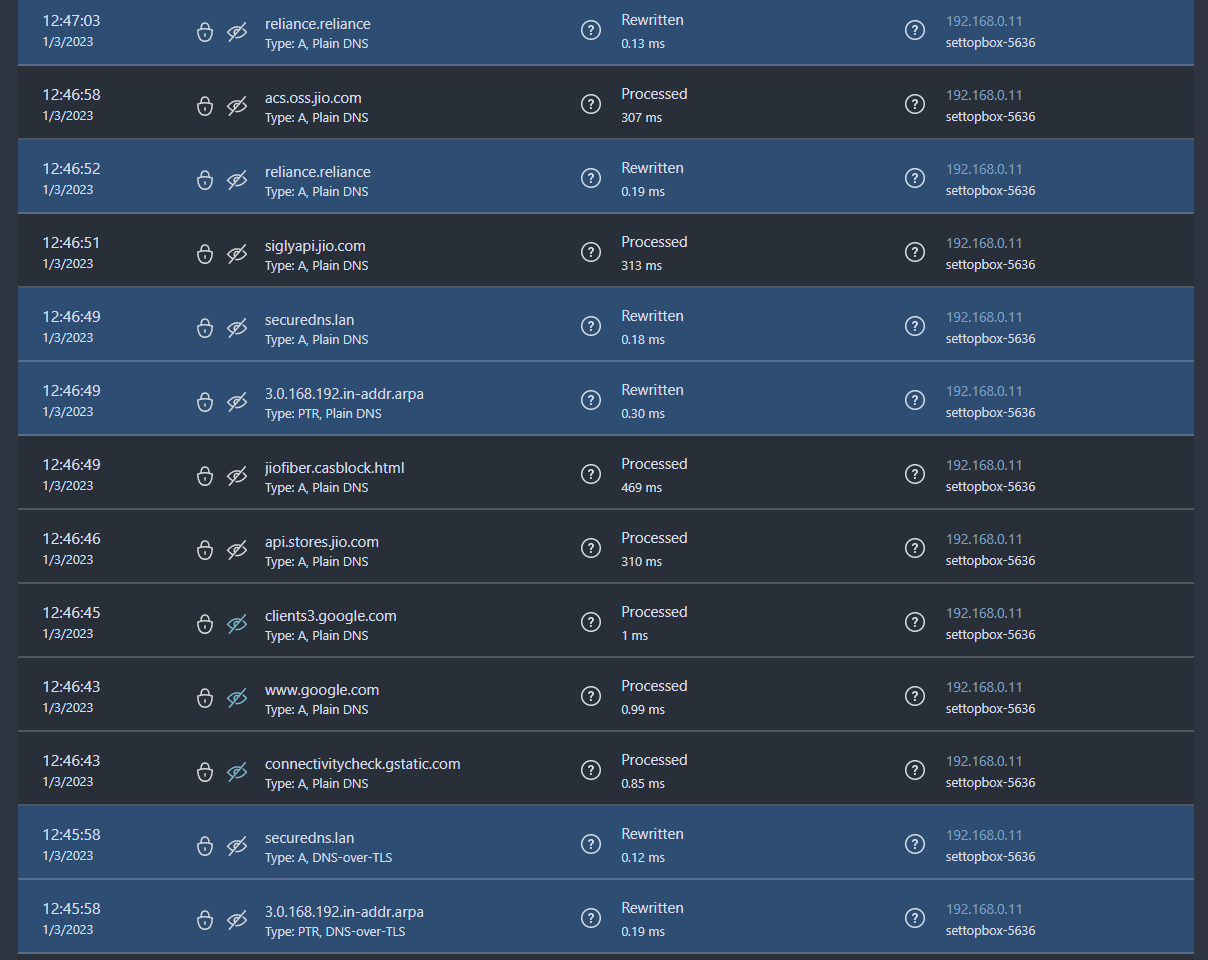
dnsq.png


Any help to fix this would be great.

Regards,
Saugata D.
 
Last edited:
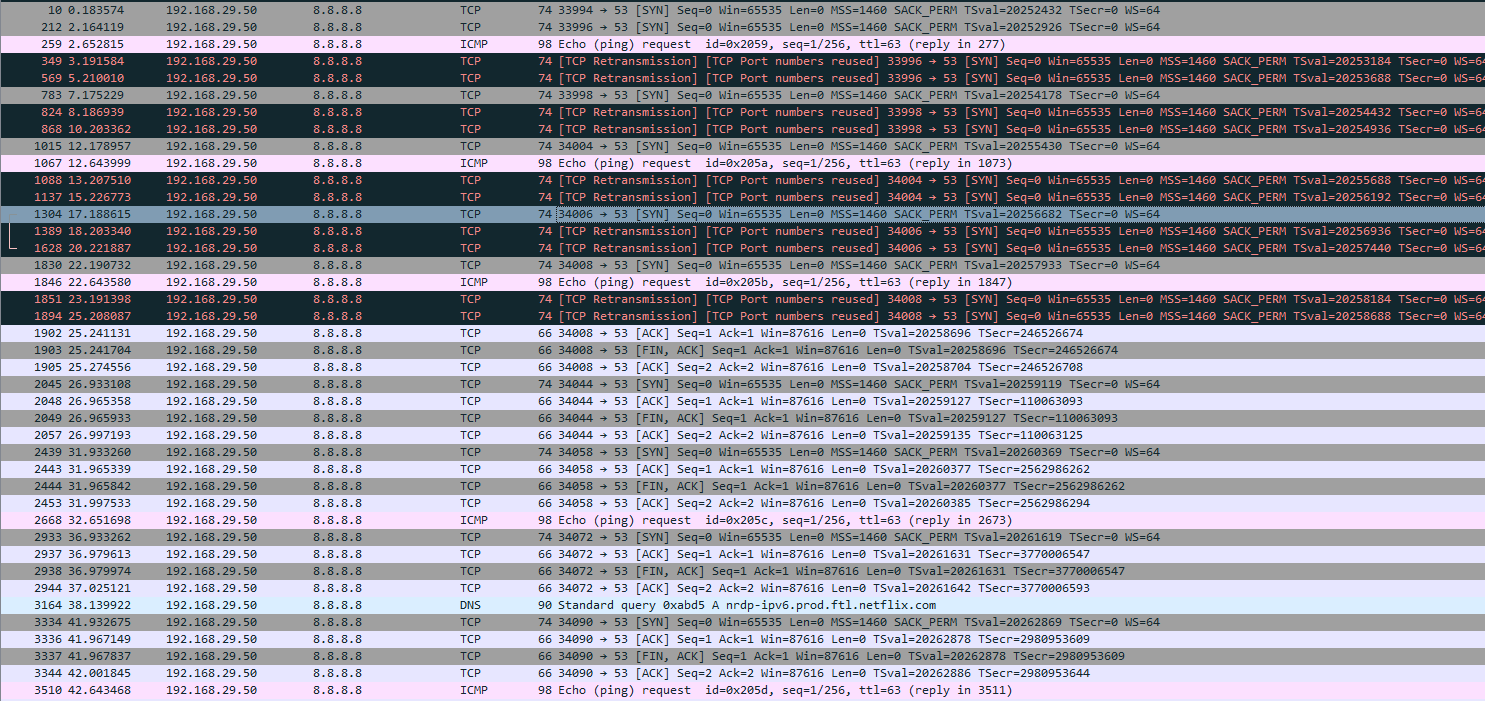
Jio Set-Top-Box not actually looking for NTP server to get time and connectivity check, after taking another look at fresh TCP dump from router, I finally figure it out.
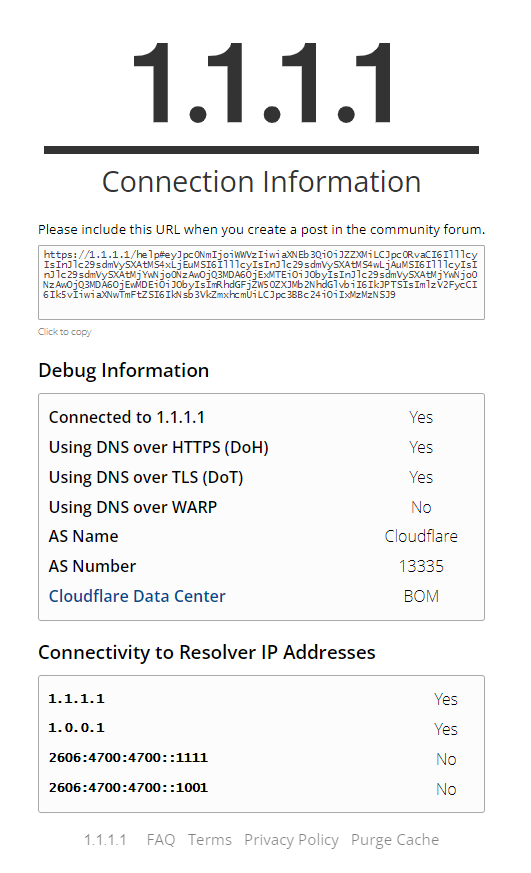
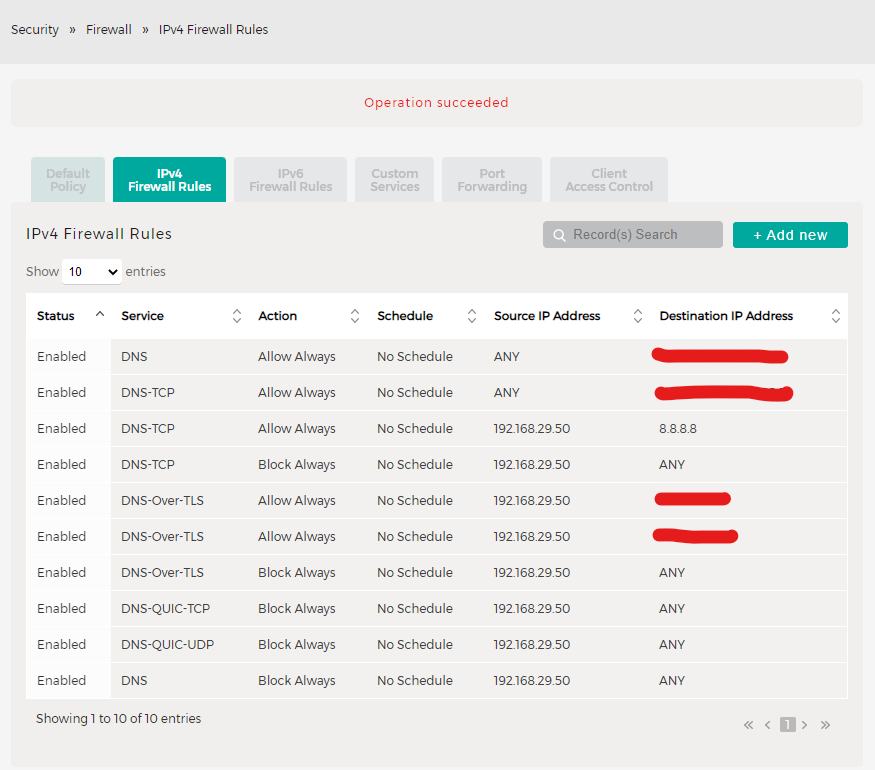
Ste-Top-Box actually trying to access DNS port 53 of 8.8.8.8 via TCP to verify its internet accessibility status, which is bit strange, but works for me, as I have blocked all the DNS connectivity in my Jio Router, all of my DNS requests across all the devices in my network are encrypted.
tcp-dns.png


My DNS status.
sec-dns.png

Router IPv4 Firewall to block all the DNS.
fw-dns.png


Regards,
Saugata D.
 
Hi Saugata,
Even i have got jiofiber with 999 plan and i have TP-Link archer A9 and want to use A9 as a primary router and wifi as well. Need to disable jio wifi and want to use my all connections including setup box from tplink. How to achieve that?
 
It is very simple. You need one extra ethernet cable, plug one end to your Jio Fiber Router and other end to the WAN port of TP-Link archer A9 router. Your TP Link router should be configured as Router Mode, and your router will get IP from Jio Fiber Router (192.168.29.x). Now try connecting your client to the wireless access point of TP Link router, you should be able to get internet connectivity.

Note: You have to add some DNS entry to your local DNS server to fix JioSTB / VoIP connectivity issue.

reliance.reliance
Your Local DNS Server IP

jiofiber.local.html
192.168.29.1

jiofi.local.html
192.168.29.1

jiofiber.casblock.html
192.168.29.1


Regards,
Saugata D.
 
Hi Saugata,

Thanks for your valuable response. I could able to disable the DHCP on my TP-Link router and I could plug the one end of the lan cable to tplink router wan port and other end on lan port of JIorouter. Now the internet is flowing when i connect the lan cable on my tplink. But if i try to connect wireless its getting auhenticated after that during obtaining ip is failing. Is it due to dhcp of jiorouter is not able to allocate ip to the wireless connection?

Another thing do i need to set the dns entries on the tplink router? Can you guide me where to set those dns values

Thanks
Venkat
 
Another thing do i need to set the dns entries on the TP-Link router? Can you guide me where to set those dns values

You can't do that in your router, you have to do it in your own DNS server hosted separately. If you don't have separate DNS server, then next best free option is to create account in NextDNS which is free DNS provider with DNS Rewriter support.

Create your account there and logon, then link your external IP here.

b5f0b27a-803b-4b52-975f-7862a2b7abd3.jpg


Now logon to your TP Link router, and update DHCP settings like following.

6714e98e-32dc-48e4-ae0d-d161915e73be.jpg


Now you have to add DNS Rewrite in NextDNS, go to settings.

825fe6a0-e47f-42d1-ad95-cd77bcbd5831.jpg


Scroll down and click on NEW REWRITE

f0b770ae-d997-4999-92e2-45a4d35eb824.jpg


Add previously mentioned DNS entry.

6038899e-1433-4ce9-8c40-2f1473c419ff.jpg


Once you add all, it will looks like this.

a9321d88-dde7-41a5-be39-7c8c7077d99c.jpg


Now time to test it from your network.
bc051bff-bd93-4857-86fa-ecc811a1e373.jpg


You will be able to resolve them like this.

I guess this will help you configuring DNS properly.

Regards,
Saugata D.
 
Back