Windows 10


The current Windows Subsystem for Linux uses a Microsoft-authored kernel component that provided the same kernel API as the Linux kernel but written from scratch by Microsoft. Essentially, it translated from Linux APIs to Windows NT kernel APIs. That worked pretty well, but the current subsystem had a few shortcomings: there was no ability to use Linux drivers, in particular file system drivers.

All is changing with Windows Subsystem for Linux 2. Instead of emulating the Linux kernel APIs on the NT kernel, WSL 2 is going to run a full Linux kernel in a lightweight virtual machine. This kernel will be trimmed down and tailored to this particular use case, with stripped-down hardware support (since it will defer to the host Windows OS for that) and faster booting.

By using the Linux kernel itself, Microsoft gets all of Linux's features for free. This is why WSL 2 will support Docker containers: all the underlying infrastructure, such as cgroups, is already in the Linux kernel, and Microsoft won't need to implement the features itself. The embedded kernel will be serviced and updated by Windows Update.
 

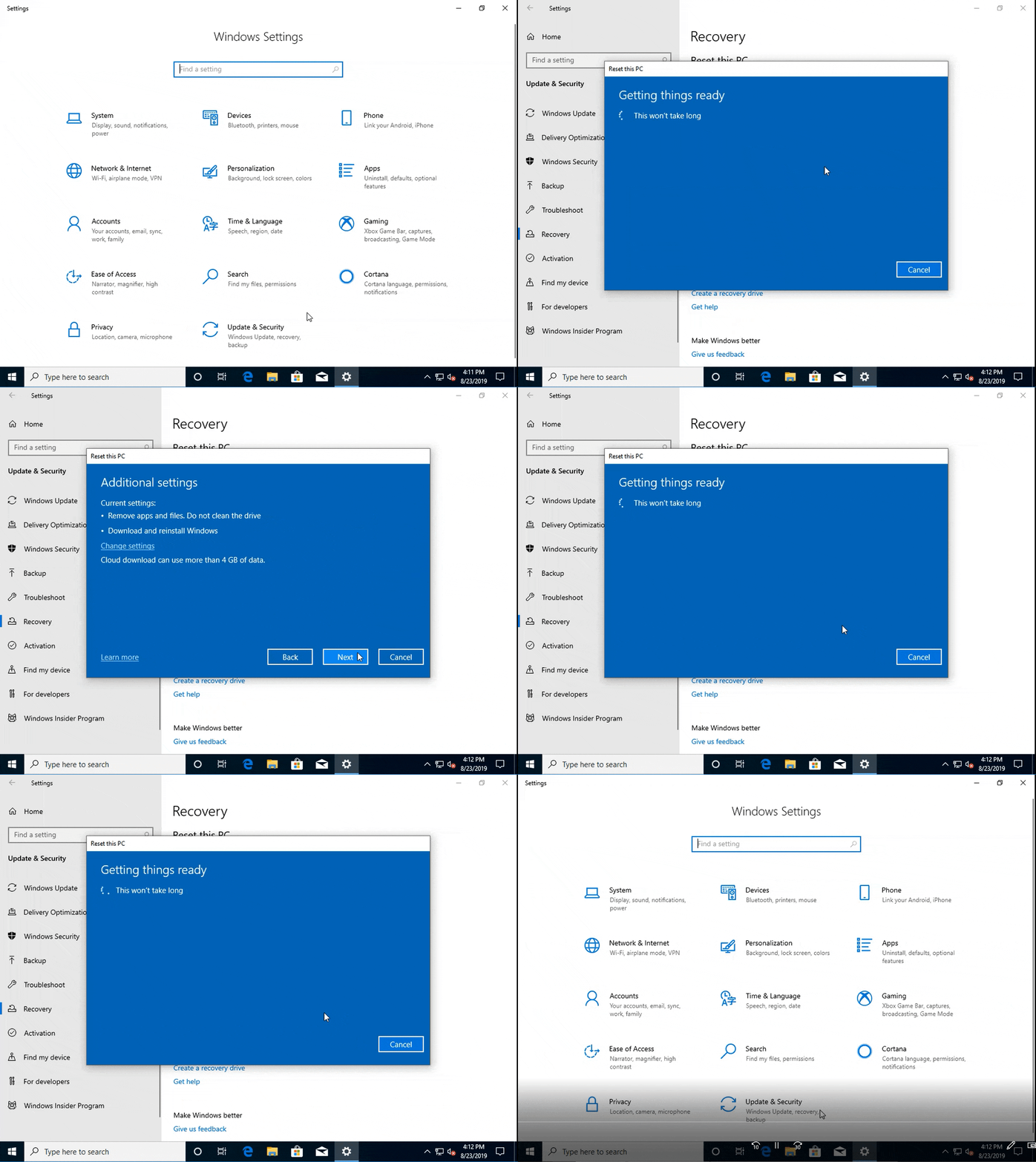
The latest Windows 10 Insider Preview Build on the Fast ring includes a "download Windows" option when you want to reset your PC. Much like the feature Macs have had for years, you can use your broadband connection to grab a fresh install from the cloud. You don't need a backup partition or a thumb drive to get back in business.

The company stressed that this will wipe your existing apps, and your data as well if you choose "remove everything."

1WPb0Q9.gif
 
Windows 10’s November 2019 update is now available to testers

Microsoft’s latest Windows 10 update will be called the November 2019 Update, and the final build is available now to Windows Insiders in the Release Preview Ring.

The November update’s major additions include the fact that the File Explorer’s search bar can now search within your OneDrive account online, and voice assistants other than Cortana being able to run on the Windows 10 lock screen. The update also adds the ability for new calendar entries to be created directly from the taskbar, and Microsoft is introducing new notification management options. A complete list of features can be found on Microsoft’s site.

Thankfully, the update should be fairly painless to install, because Microsoft says it’s using similar technology to what it normally uses to deliver its monthly service updates.
 
Since I am an insider, I never realised when this update was installed. There were no prompts or anything. It is kinda creepy but very cool.
 
Back