Windows 10

I just inserted a no brand cheapo 4.0 thingy i got through AliExpress years ago. it works on my current windows build. version:
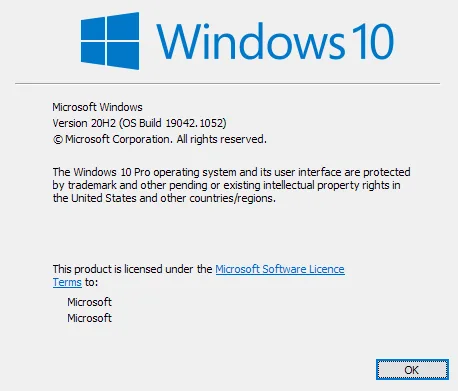
MNn3Naa.webp


looks like this model as mine also has csr 4.0 written on it.

range is pretty bad so i never really used it.
 
This is what I have.


Source


Source


if your requirements (range) are simple, i would suggest trying out with a cheapo dongle like the one i linked above.
 
hmm. you are on an older build than me? that's surprising. i suggest forcing windows update to get it to a more recent build (not insider) and see if that helps.
 
also try posting on that TP-Link listing mentioning your windows version and see if anyone responds. Amazon users are generally stupid so it would probably not help. but that's the best place to find a fellow user of the same model running a build same or newer than yours.

if you have access to another w10 pro machine. try on that.
 
I've a desktop, and two laptops at home. It's not working on any of them. All are running Win 10 Pro. I've just updated my desktop to the latest build. Will contact TP-Link support tomorrow.

So much for buying a branded product to avoid these hassles. Such a failure. Lol
 
Good point., but the problem is that it's not displayed in the device manager. When I plug it in, the device manager refreshes that's all.

I've even checked hidden devices.

That is the reason I thought the device has malfunctioned and I took it to the service center.

What do you suggest next? :p
 
Do you have any settings or anti virus that prevents the usb from connecting? Some usb devices come with automatic run storage with driver setup files that could be getting blocked.
 
Back