Windows 10

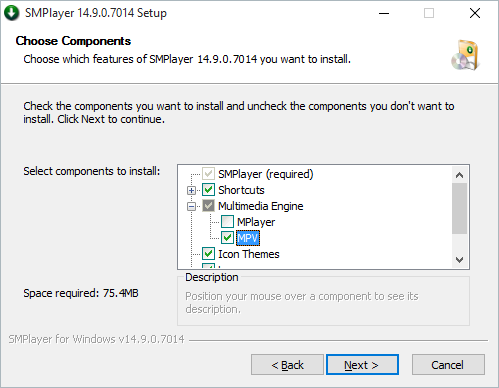
44H0D4R.png


the checkbox is a lie. you cannot have both. it should have been a radio box :D
 
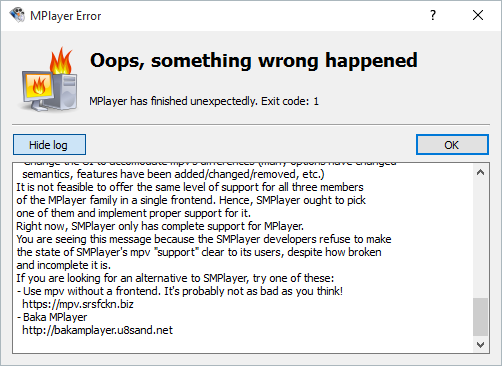
mpv does not support SMPlayer.
The mpv team strongly discourages the use of SMPlayer due to its half-baked
integration and the developers' continued ignorance and refusal to use the
proper, supported way to handle mpv integration:
- Use libmpv
- Stop treating it like MPlayer (mpv is fundamentally different now)
- Change the UI to accomodate mpv's differences (many options have changed
semantics, features have been added/changed/removed, etc.)
It is not feasible to offer the same level of support for all three members
of the MPlayer family in a single frontend. Hence, SMPlayer ought to pick
one of them and implement proper support for it.
Right now, SMPlayer only has complete support for MPlayer.
You are seeing this message because the SMPlayer developers refuse to make
the state of SMPlayer's mpv "support" clear to its users, despite how broken
and incomplete it is.
If you are looking for an alternative to SMPlayer, try one of these:
- Use mpv without a frontend. It's probably not as bad as you think!
mpv builds for Windows
- Baka MPlayer
Baka MPlayer
 
Win 7 - With what key? There is no Win 7 key. It was OEM version with restore option & once harddisk crashed I believe product key on the laptop did not work (and think normally wont work).. & I dont think the key is available (the sticker is half torn on the laptop)
 
Reinstalled it with MPlayer. OSD still not working. Subs work. I wonder what am I missing.
 
right. the key is embedded in the hardware. and probably needs a custom installer to work :|
 
They had upgraded to Win 8 & were using it - So, instead of figuring out if its possible to get that Win 7 key working - It was felt easier to simply upgrade again to Win 8 using the 8 key available.
 
Experts please suggest which version to install on my lappy.

I have purchased Lenovo laptop wth licensed Win 7 Basic with it.( I have license key stick to laptop's back side via sticker).
Then I upgraded to Windows 8 then Windows 8.1 Pro. And used it by dual OS installed in my laptop for some time.
Then I formatted my laptop and now using only Windows 7.
I reserved my Windows 10 from Windows 7 basic. SO I WILL GET Windows 10 Home.

But if I Installed Windows 8.1 pro again and then reserved from there then I will get Windows 10 pro.

is it advisable to go for Pro edition rather then home edition?? [ I want to use in double boot mode i.e. one is Windows 7 & Windows 10 ]
 
Back