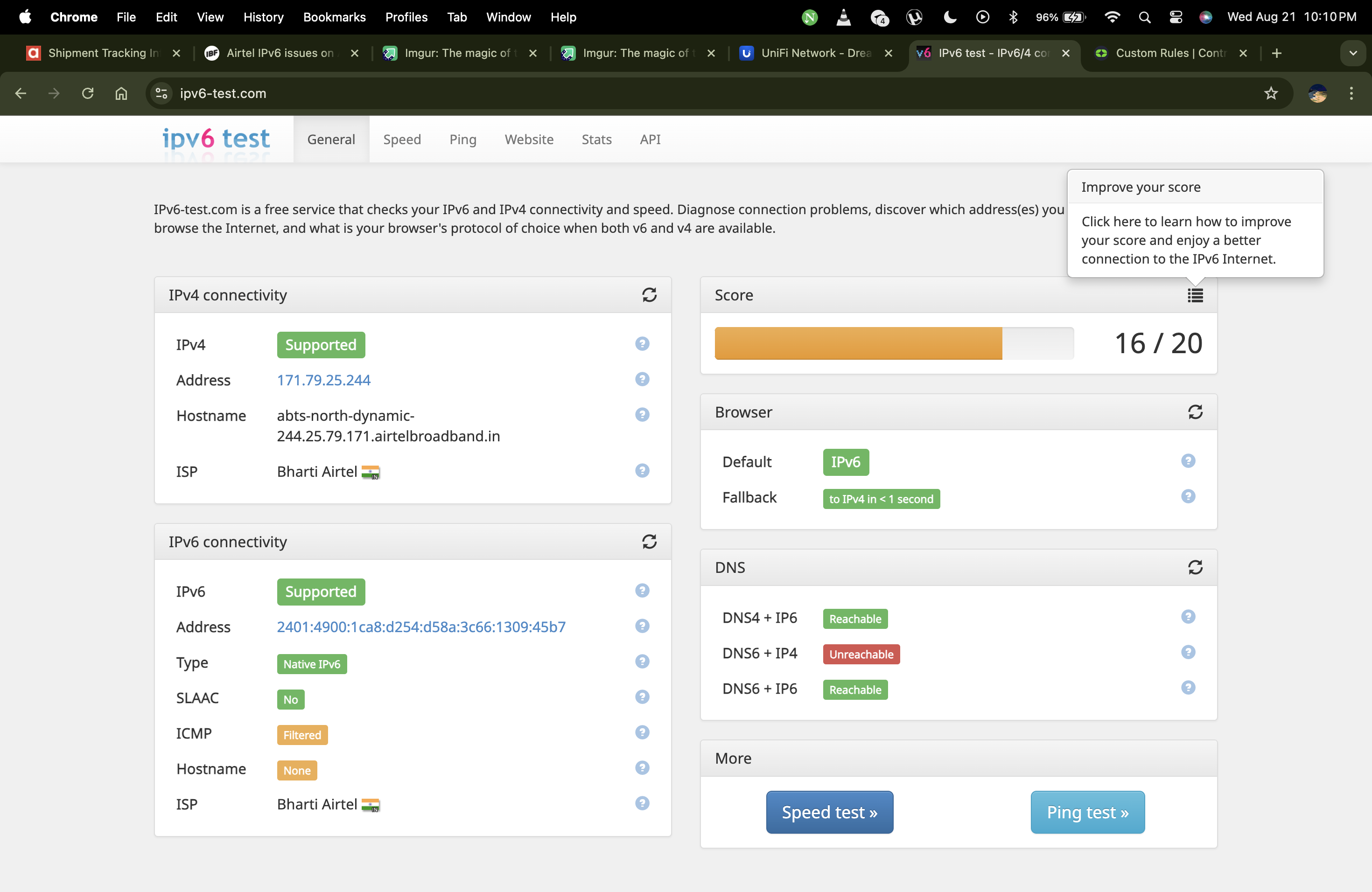
Airtel IPv6 issues on Asus router bridged mode

  • Thread starter Thread starter deepakdcg
  • Start date Start date
  • Replies Replies 17
  • Views Views 1,823
Messages
40
Location
Namma Bengaluru
ISP
Airtel
Hey All,

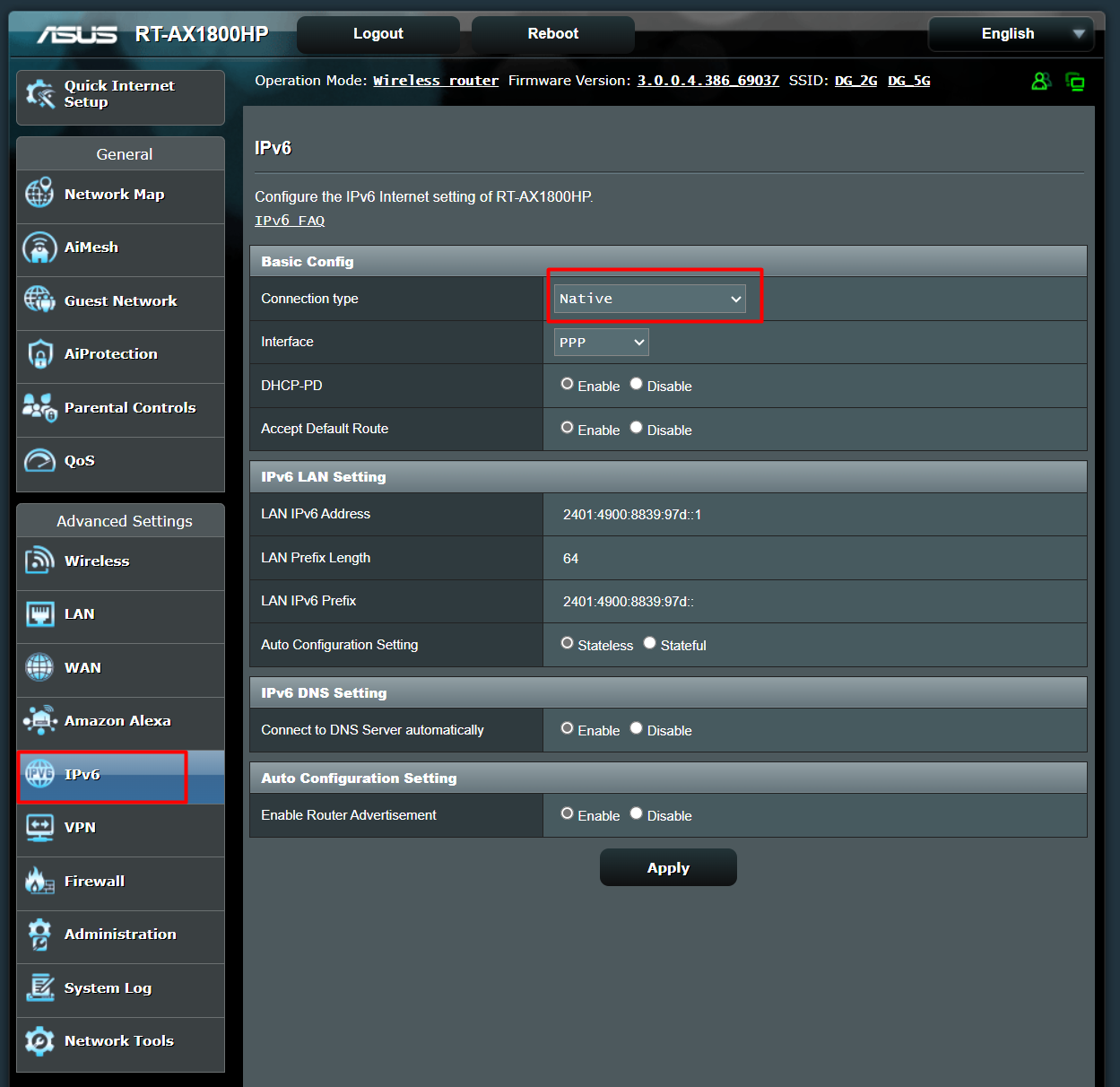
My Airtel broadband ONT is connected to Asus router via bridged mode (PPPoE dialing) IP is CGNAT.

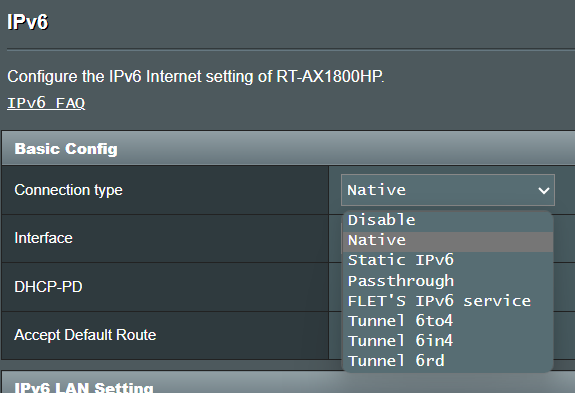
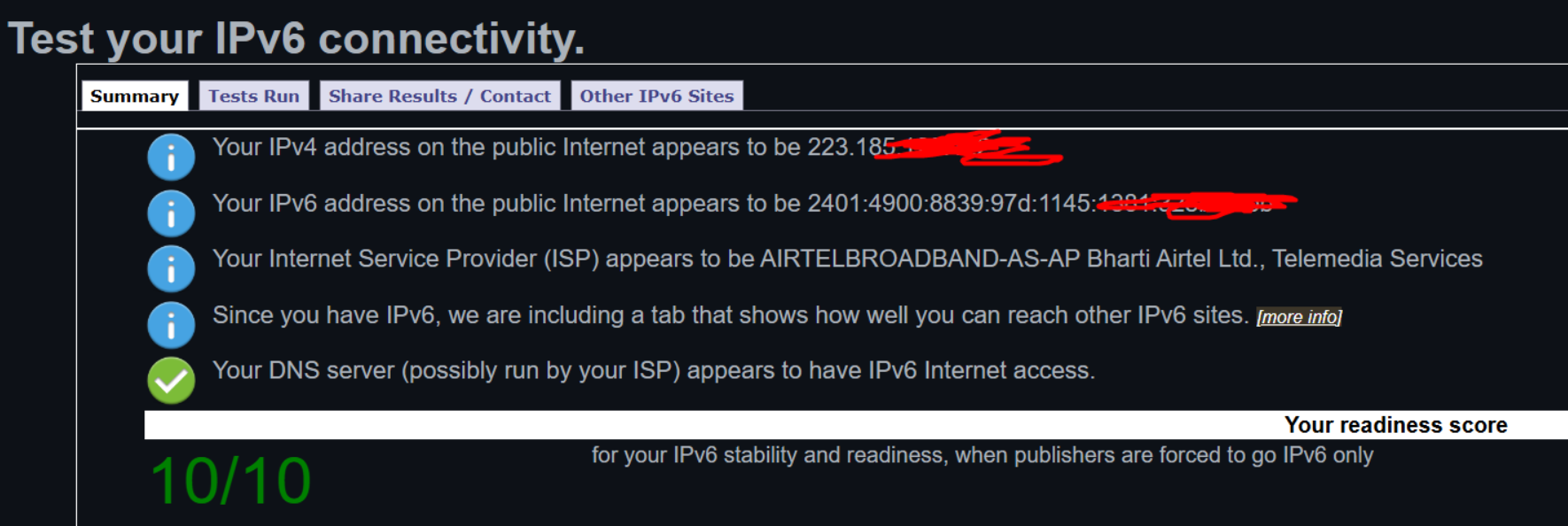
I tried enabling IPv6 via Asus router as seen in the below screenshot, from what I notice IPv6 gets activated, (even online IPv6 test shows it working) but the speed and connectivity is very inconsistent and slow, speed test shows just 10 mpbs once IPv6 is enabled and goes back to normal 200mbps once disabled.

what am I doing wrong ?
Screenshot-1.png


Screenshot-2024-08-15-153236.png


Screenshot-2.png
 
Few things you can try

1. Make sure NAT HW Acceleration is enabled.
2. Add IPv6 DNS from cloudflare or google
3. Check if there is any firmware update and then factory Reset your Asus Router and try setting it up as new.
 
yes NAT HW Acceleration is enabled

Added Google DNS and I could notice the speed was fine on few devices and other devices it was very slow and inconsistent; some devices report less than 5 mbps speed.
 
@TJ10 It seems the issue for IPV6 may be specific to the Asus router, as previously, when using the TP-Link AX12 router, IPV6 functioned without any problems. However, Wi-Fi calling was not operational for some reason. It appears that only the Airtel router operates flawlessly, while third-party routers encounter occasional issues or after a firmware upgrade.
 
I have been using a TP-Link Archer A6 running OpenWRT and IPv6 works as expected so far I would say.

Their supplied router does the work pretty well yes, but as an enthusiast I wanted to use my own router and wanted to change the settings to my liking, no DNS hijacking and everything works as expected, port forwarding etc.

Android Devices get addresses from SLAAC and DHCPv6 manages the windows devices.

Overall a pretty good experience with Airtel so far. Except the routing but I live in a village, so that is expected.
 
will agree with @HC1337
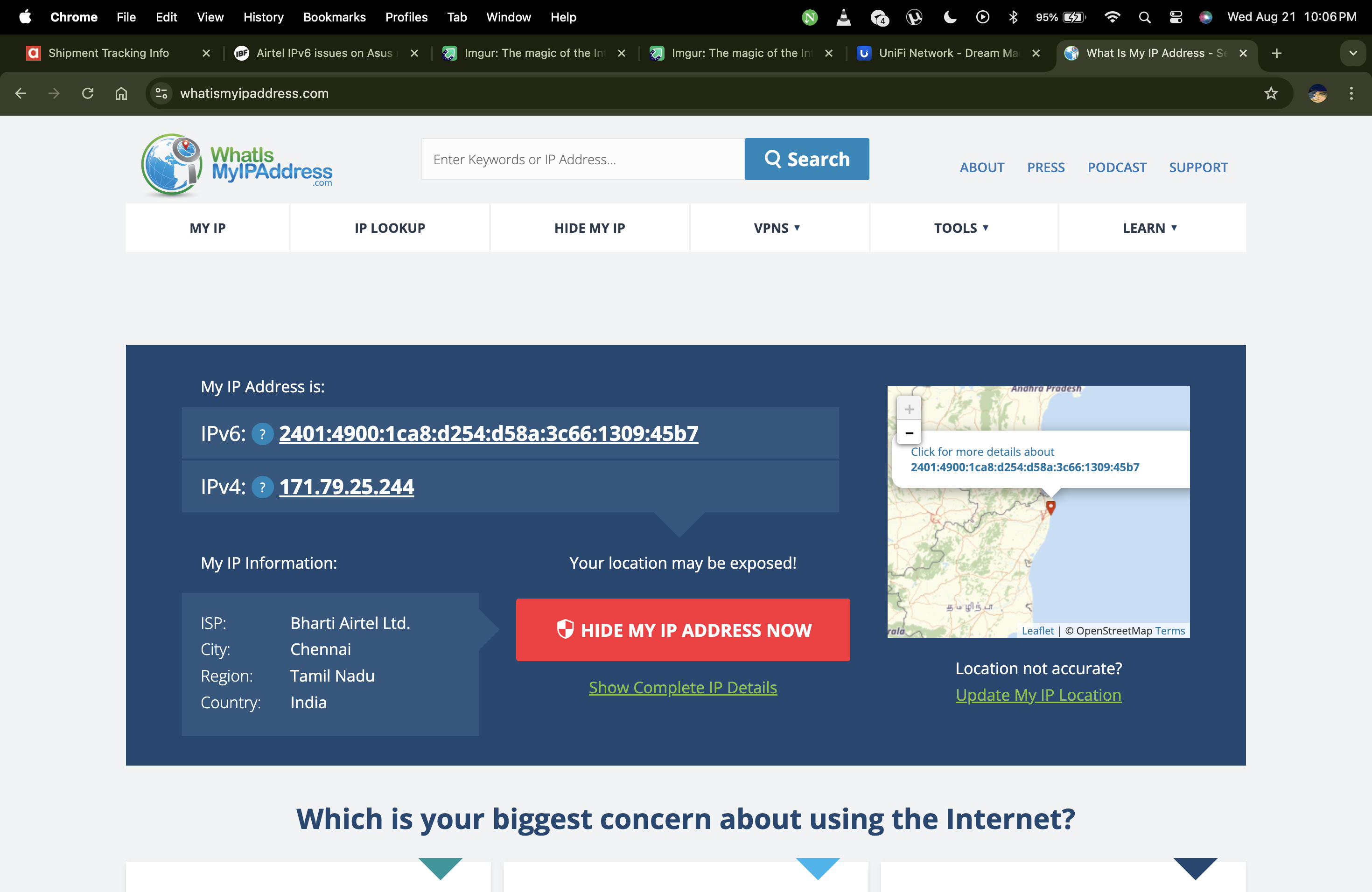
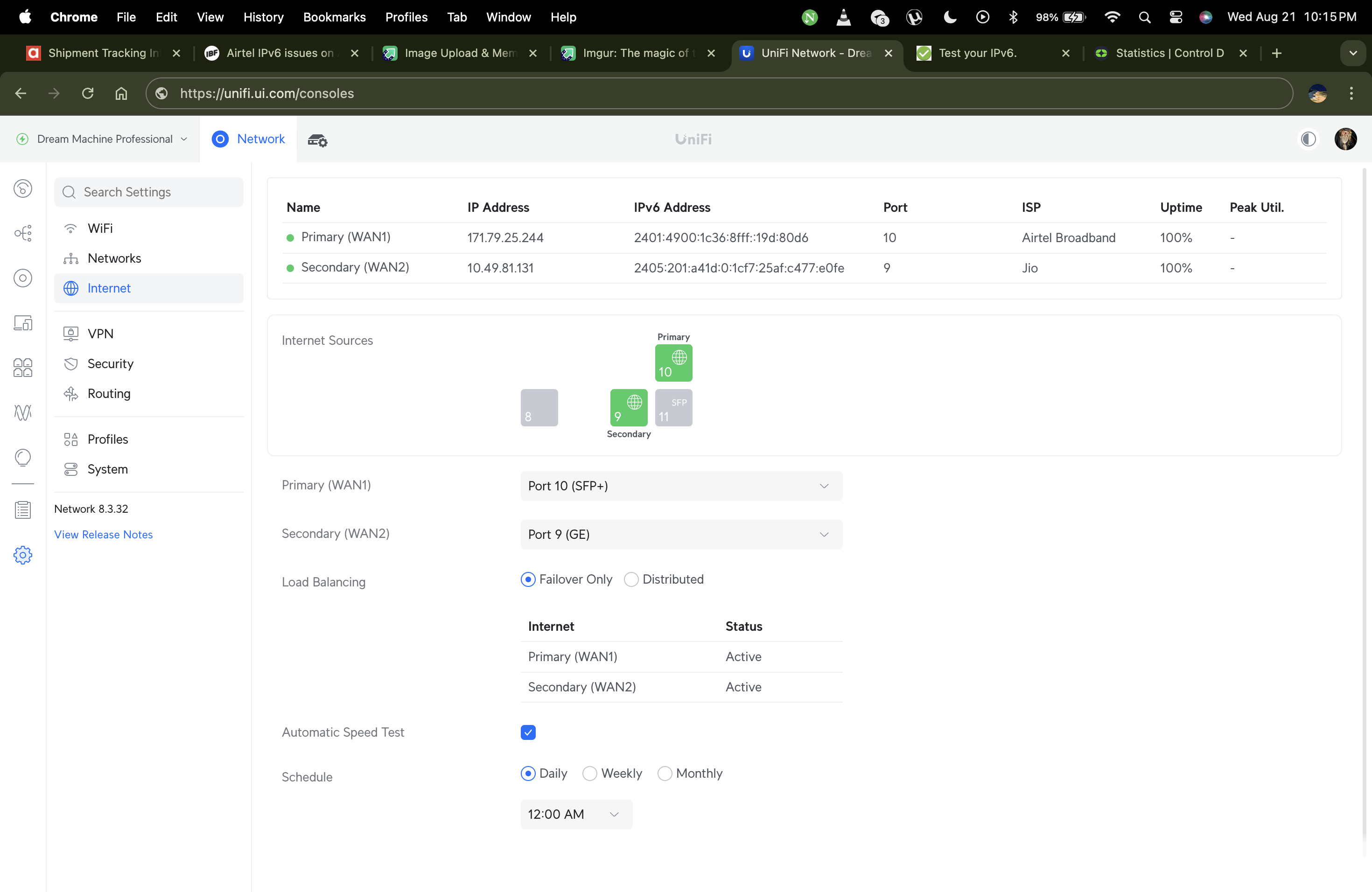
using ubiquiti udm pro with a GPON sfp and ipv6 works as expected no hiccups, no slow speeds or anything , been using third party onus and router with airtel from last 5 yrs and I have never ever faced these ipv6 issues.

I think @deepakdcg need to check once on a different router to confirm if its Asus that creating problems.

@TJ10 maybe its aissue with your area or circle here it works fine

@rohancyberdude yes I had to turn wifi calling off on my phone its a mess on airtel tbh, most of the times call will drop .


3SamoDz.png


qeE7ppO.png


k04UkRH.png
 
Last edited:
I agree with @Reference3307 Wi-Fi calling works pretty much all the time, sometimes it is a hit or miss but I have a Motorola Edge 30 and it has it's own Wi-Fi issues.

But tbh so far I have been really satisfied with quality of the connection I have got from Airtel.
 
Back