Anyone facing slow speed on International servers??

  • Thread starter Thread starter deltaechov
  • Start date Start date
  • Replies Replies 102
  • Views Views 10,738
Messages
73
Location
Jalgaon
ISP
Airtel, BSNL, Tata FIber
Currently on 100Mbps 750GB plan, for Mumbai Server I am getting around 90Mbps. However issue start when I want to download from the International server, for example, right now I am downloading PyTorch with a max speed of 2MegaBytes instead of ~9MegaBytes. If I do a speed test to Singapore server same thing Download speed is around 20-30Mbps while the upload is going till 86Mbps. Is it just I or everyone is facing this issue?

And can someone suggest good ONT (preferably non-Chinese)
Will BSNL change it for free without any reason(upgrade to gigabit ethernet, maybe)? (it's on rent)


 
@Adithya Earlier had sent an email to cmd, local nib people, still no resolution. and then issue started for National servers too. and yesterday it got out of control.

Source

you can check all the results from yesterday to today a few minutes ago.
Since yesterday I have posted multiple speed test on twitter, and today submitted the complaint on pg portal.
 
Upvote 0
That's good, I hope you get this fixed. Keep on spamming them at the exchange, see if you can get some higher official's email or number.
 
Upvote 0
@deltaechov Try upload tests on those sites too. Yes, I have the 50 Mbps plan. Singapore ping looks bad. Should be slightly above or under 100 ms. Looks like Jitter may be the issue for you then.

@Adithya

2 (1).webp

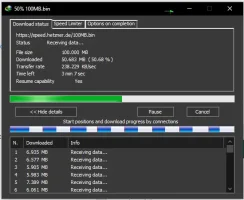
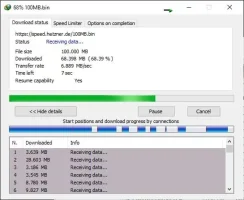
Wait till the download reaches at least 50% to check speed or try downloading a 1 GB file halfway to see if it stabilizes.
 
Upvote 0
@deltaechov Try upload tests on those sites too. Yes, I have the 50 Mbps plan. Singapore ping looks bad. Should be slightly above or under 100 ms. Looks like Jitter may be the issue for you then.

@Adithya

View attachment 4409

Wait till the download reaches at least 50% to check speed or try downloading a 1 GB file halfway to see if it stabilizes.
Tried upload on azure, it can't get any better than 9.96 MB/s so upload works as expected. However, Download sucks the same again 2-3MB/s

edit :

This is torture
1599929865344.webp
 
Last edited:
Upvote 0
@sloj The ONT is on rent. And I have no experience with the compatibility of ONT or What OLT exchange is using. Also, there is no LCO involved.

The connection is directly from the main 96 Pair fiber cable. A drop cable(has 4 fibers in it) from their underground duct till my house, then one of the fiber is for me and the other 2 for their BTS.

Edit:
Just checked ping to the gateway (i.e. first hope) it is 70ms constant. This is fiber we are talking about. 70ms was normal for adsl
 
Last edited:
Upvote 0
What does the PON info say on the device? If it's EPON then you will need a device that is EPON compatible. If it's GPON then you can buy the ONT that I linked. Or you can buy an XPON device compatible with both.
Now, some devices are locked to the network. If the connection status says Registered, not Authenticated then it may simply be replaced with another device.
Also, what kind of connector they used, APC or UPC?
 
Upvote 0
Also check how much rX power you are getting. That could indicate something wrong with the equipment/wiring.
 
Upvote 0
Back