DNSLeak to Airtel when using Quad9

Lolita_Magnum

ᓚᘏᗢ
Messages
2,673
Location
Cork
ISP
Virgin Media
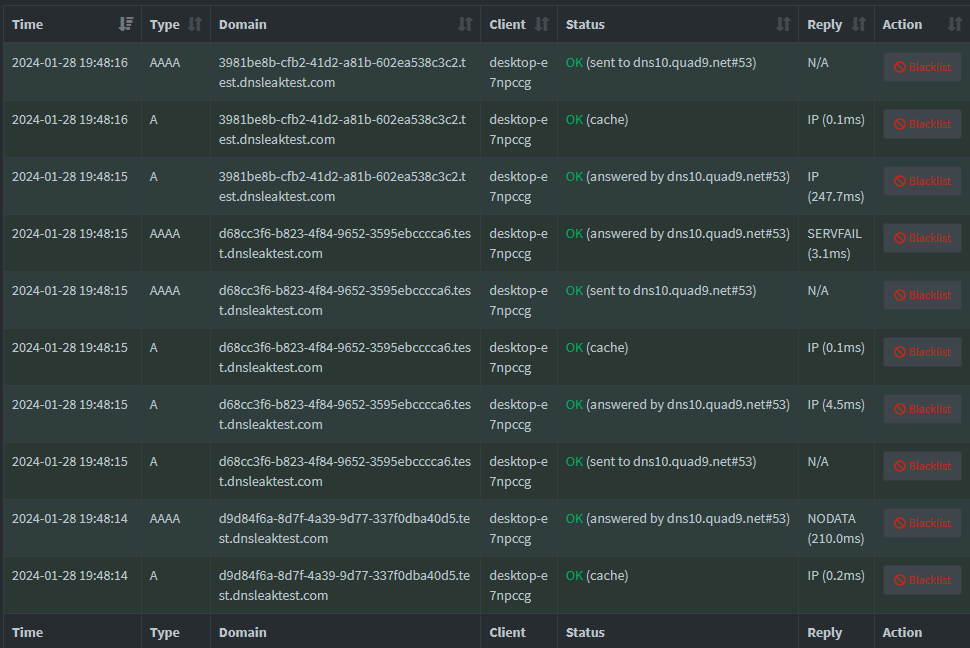
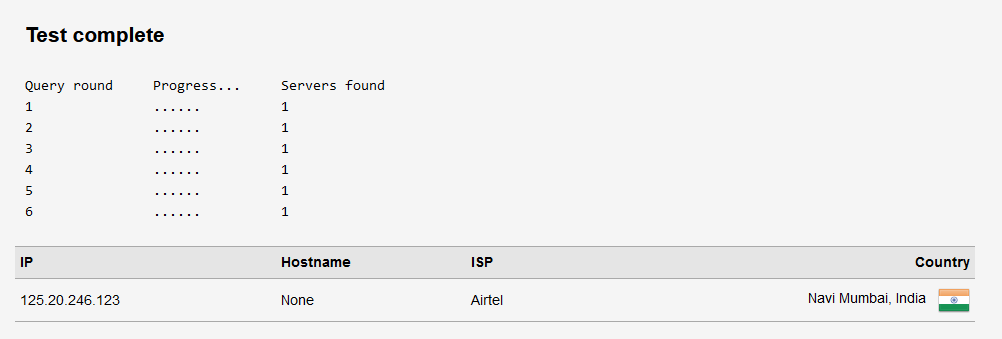
As the title says, can anyone check and confirm why is this going on?
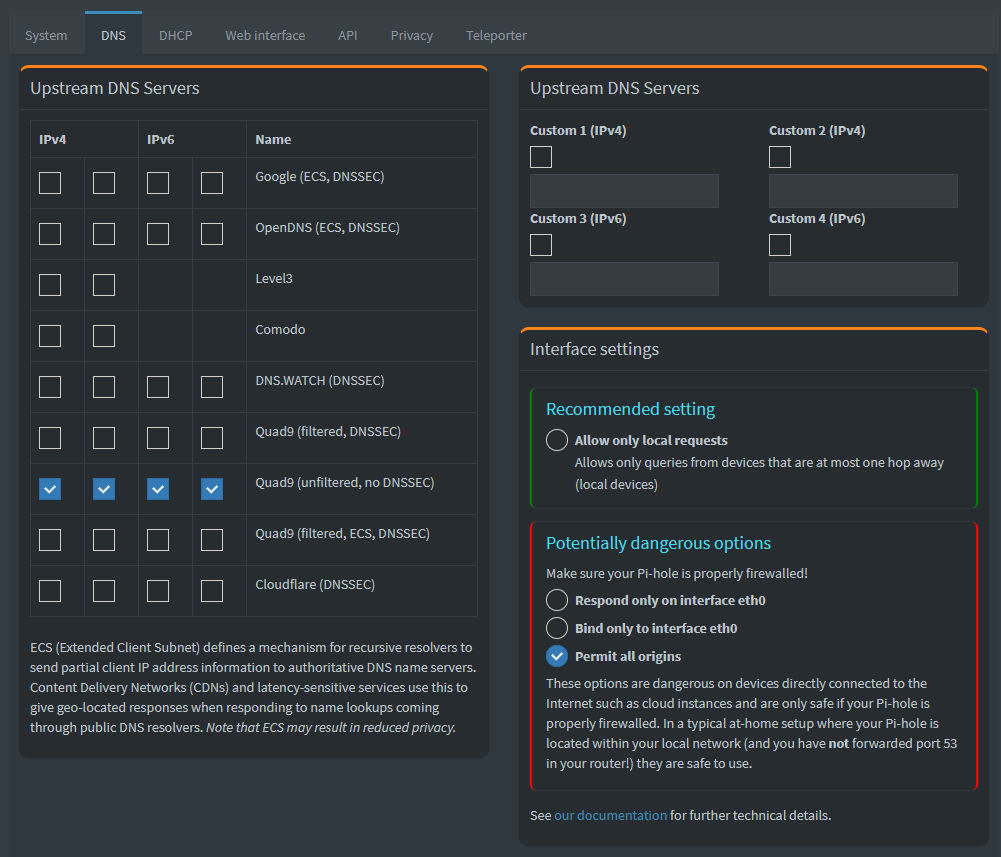
This has never happened before. I am using Pi Hole and the following DNS is selected. (Quad9 (unfiltered, no DNSSEC))
Code:
traceroute -n dns.quad9.net
traceroute to dns.quad9.net (9.9.9.9), 30 hops max, 60 byte packets
 1  192.168.248.254  0.153 ms  0.103 ms  0.099 ms
 2  * * *
 3  103.27.170.101  1.084 ms  2.039 ms  1.827 ms
 4  9.9.9.9  1.801 ms !X  1.700 ms !X  1.473 ms !X
 
traceroute -n6 dns.quad9.net
traceroute to dns.quad9.net (2620:fe::9), 30 hops max, 80 byte packets
 1  2000:1200::1  0.258 ms  0.148 ms  0.136 ms
 2  2404:ba00:3::128  1.841 ms  1.853 ms  2.065 ms
 3  2401:7500:fff6::123  2.066 ms  2.050 ms  2.208 ms
 4  2620:fe::9  2.407 ms !X  2.296 ms !X  2.283 ms !X

blk1.png

blk2.png
blk3.png
 
Maybe some kind of DNS load balancing on iXP.
Code:
traceroute -n dns.quad9.net
traceroute to dns.quad9.net (9.9.9.9), 30 hops max, 60 byte packets
 1  10.0.0.1  2.465 ms  2.386 ms  2.344 ms
 2  61.2.28.1  3.800 ms  3.879 ms  3.842 ms
 3  10.219.14.166  5.402 ms  5.169 ms  5.450 ms
 4  * * *
 5  * * *
 6  49.44.187.220  9.041 ms  7.660 ms  7.864 ms
 7  172.16.18.33  49.516 ms 172.26.14.75  51.631 ms 172.16.18.33  7.831 ms
 8  172.16.18.33  6.752 ms 172.26.14.75  9.071 ms 172.16.18.33  6.376 ms
 9  9.9.9.9  8.822 ms !X 103.218.244.96  10.476 ms  9.913 ms
 
@Rickysin I have never in my life used Airtel's DNS, nor do I have Airtel Internet for it to be hijacked.
But, to answer your question. Yes, I did it, and I also tried on a different machine on the same network.

For the time being, I am using a different DNS upstream and there is no leak. This is not worth my time, to go and report on their forums.

Code:
python3 ./dnsleak.py
Starting DNS leak test via system resolver...
Discovered DNS recursors are:
  172.70.217.130 (No PTR) hosted by Cloudflare in Mumbai, India
   172.71.201.49 (No PTR) hosted by Cloudflare in Mumbai, India

@Trex That is not how load balancers work. DNS servers and load balancers are completely different component and work independently.
Seems more like a config mishap on quad9 end, where they are either redirect requests to their Airtel BB or their root servers have stopped working.

I get the same output, if I use filtered DNS and enabling DNSSEC does nothing, so the queries are definitely not getting proxied.
Code:
python3 ./dnsleak.py
Starting DNS leak test via system resolver...
Discovered DNS recursors are:
  125.20.246.123 (No PTR) hosted by Airtel in Navi Mumbai, India
 
your trace is going to quad9 on DE-CiX Mumbai, but the leak test shows the airtel DNS server, right? If true then please try leak test in incognito mode.

edit: and one more thing. Can you please verify if the IP of the server shown in the DNS leak test is your WAN IP?
 
Incognito does the same. I don't have Airtel and my WAN IP is 203.192.206.0.
I have run dnsleaktest directly on a headless server and it has the same output.
 
I also have the same issue.
on.quad9.net shows that I am connected.
Traceroute shows that the nearest POP that I am connected to is KolkataIX POP with 2ms of latency.
But DNS leak test is showing IP from Balaji Teleworks Development Pvt [103.175.186.195] with latency of 42ms to Mumbai.
Thread on Twitter
 
Back