
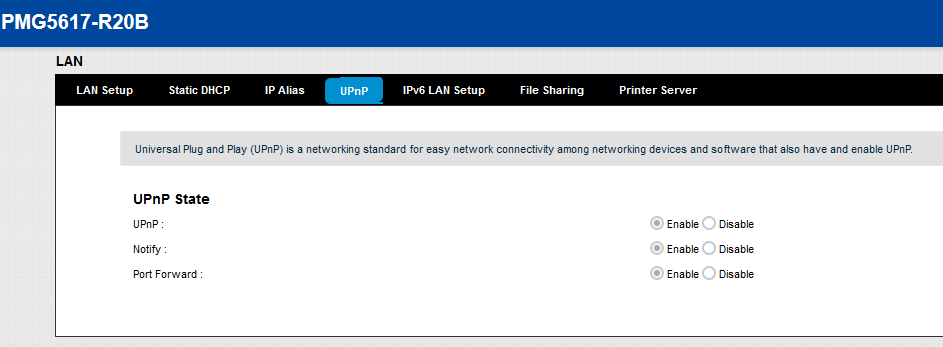
Here is how you can enable Upnp which is grayed out by default on Airtel's locked ZyXEL router
You will need Firefox (idk if it works on Chrome because you have to CSP to inject scripts)
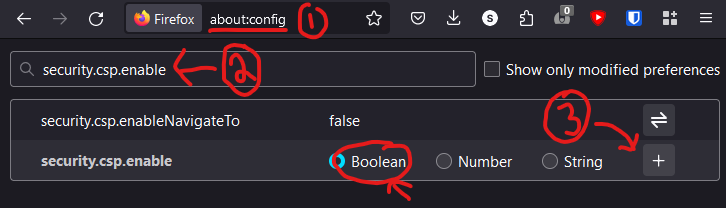
1. Turn off CSP in Firefox in about:config by setting "security.csp.enable" to false

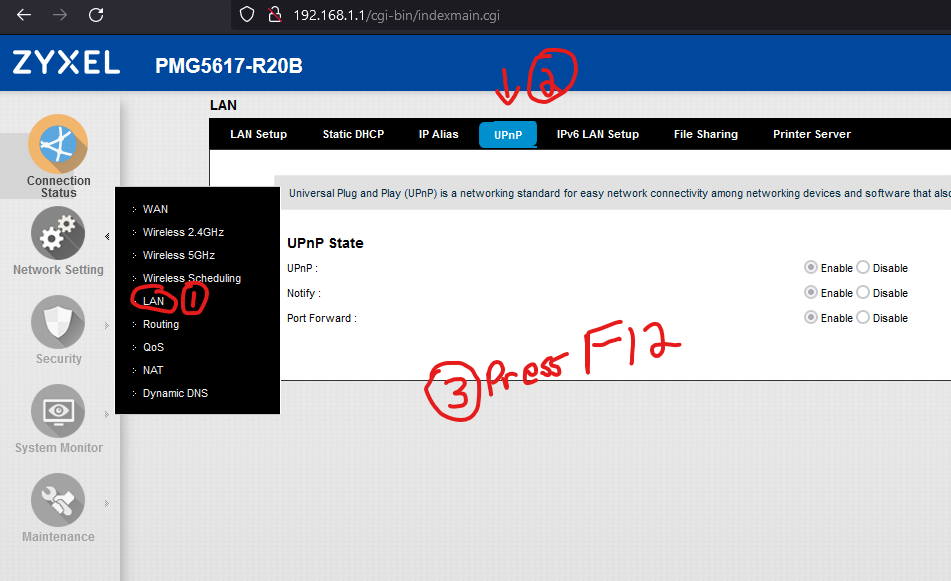
2. Go to your router page>LAN>Upnp (you should be able to do it from any page in router but still) and Press F12 to bring up console
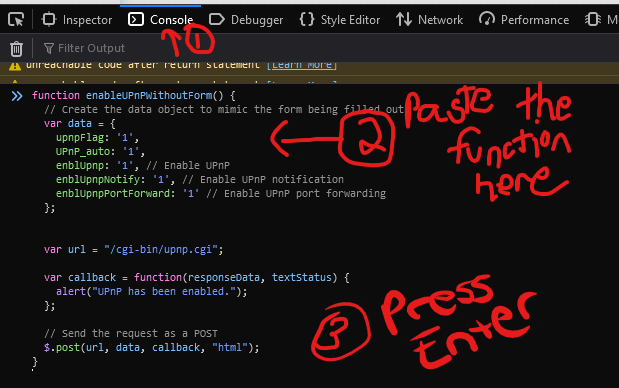
3. Paste the script to be injected
4. Call the function by typing in "enableUPnPWithoutForm()" without quotes and press enter
5. It will show the message
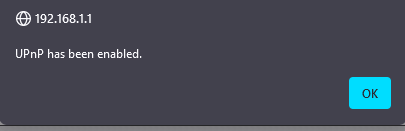
6. Refresh the page and you will see UPNP is enabled
7. Enable CSP by going to about:config and removing "security.csp.enable" flag by clicking the trash can icon next to it.
Thats it
You will need Firefox (idk if it works on Chrome because you have to CSP to inject scripts)
1. Turn off CSP in Firefox in about:config by setting "security.csp.enable" to false
2. Go to your router page>LAN>Upnp (you should be able to do it from any page in router but still) and Press F12 to bring up console
3. Paste the script to be injected
JavaScript:
function enableUPnPWithoutForm() {
  // Create the data object to mimic the form being filled out
  var data = {
    upnpFlag: '1',
    UPnP_auto: '1',
    enblUpnp: '1', // Enable UPnP
    enblUpnpNotify: '1', // Enable UPnP notification
    enblUpnpPortForward: '1' // Enable UPnP port forwarding
  };


  var url = "/cgi-bin/upnp.cgi";

  var callback = function(responseData, textStatus) {
    alert("UPnP has been enabled.");
  };

  // Send the request as a POST
  $.post(url, data, callback, "html");
}
4. Call the function by typing in "enableUPnPWithoutForm()" without quotes and press enter
5. It will show the message
6. Refresh the page and you will see UPNP is enabled
7. Enable CSP by going to about:config and removing "security.csp.enable" flag by clicking the trash can icon next to it.
Thats it


