Google Chrome Updates

RmLy6r9.gif


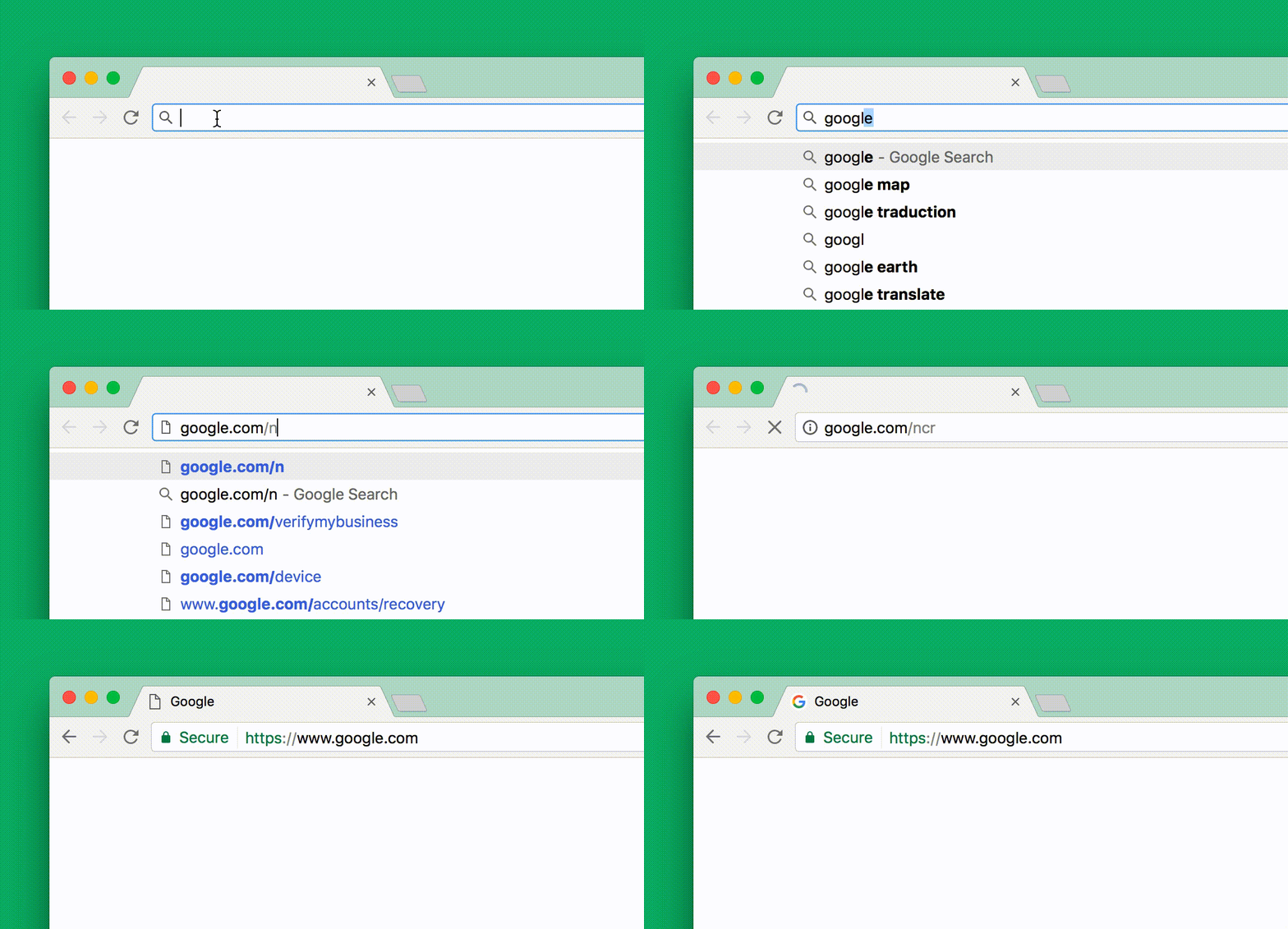
so i got this update today. and the animation is super annoying. address bar changing its position is a bad ui decision.
 
Chrome browser for PC has changed a lot of UI and also added animation. Now when we move mouse pointer to any bookmark button (or home/refresh), it gets highlighted in grey box. After clicking, it has animation of grey circle moving out.
Version 53.0.2785.116 m
 
Official Google India Blog: Google for India: Making our products work better for everyone

For certain countries like India where connectivity is a challenge, Chrome now offers an expanded Data Saver mode, which millions are already using to reduce the amount of data the browser uses on Android mobile devices, computers, and Chromebooks. This new update will support MP4 videos, saving up to 67% of video data. Also, Chrome on Android will automatically optimize pages to their essentials when 2G-like networks are detected. These simplified pages load up to 2X faster, saving more than 90% of user data. On top of that, Chrome for Android adds a new Download feature that lets users save web pages, videos, music, and pictures on their phone. All downloaded contents can be easily accessed in Chrome's new Downloads tab, even when the users are offline. And if they go offline before downloading is complete, the process will automatically resume the next time they’re connected.

bztchj.png
 
Google Chrome Blog: Chrome on Android: Do more on every phone and network

We launched Data Saver to help you enjoy more content on the web while using less data. With Data Saver enabled, Chrome compresses the images and text you load, saving up to 60% of your data without changing the content you enjoy.
Now, we have brought the same technology to videos, which allows you to save up to 67% of your data when viewing MP4 format videos through Chrome. In India alone, this new technology is already saving 138 TB of data on video in a single week — roughly 14 years of HD video!
Data Saver is also becoming smarter. When you are on a slow connection, Data Saver will automatically optimize HTTP websites to their essentials. These optimized pages save up to 90% of your data, loading 2 time faster!

With Chrome’s new download feature, when you come across a web page, music, picture, or video that you like, you can just tap the download button to save for later. You don’t need to worry about restarting your download if your connection is dropped, even for big video files. When Chrome goes back online, the downloads you’ve started will automatically resume.

To help you get back to all your content, we added a new home for all your downloads, right inside Chrome. Whether it’s the article you saved for later, or that movie trailer for the train ride home, you can access all the content while you are offline.

Now, when you open a new tab in Chrome, you will see suggestions for websites to visit. But starting in the next release, you will be able to easily discover fresh content just for you. Whether it is the latest buzz from the web or getting back to your most recently downloaded pages, you can simply scroll down on the new tab page to discover all your content in one place!
These suggestions are also smart — as you use Chrome more, Chrome will learn what type of content you are interested in and suggest fresh content from your favorite sports team or your most visited sites. You’ll always have something interesting ready!
 
Chromium Blog: Canary channel for Chrome on Android

Just like the Canary channel for other platforms, new versions are built from the most recent code available and often contain a variety of new features, enhancements, and bug fixes. These builds are shipped automatically with no manual testing, which means that the build can be unstable and may even stop working entirely for days at a time. However, the goal is for Canary to remain usable at all times, and the Chrome team prioritizes fixing major issues as quickly as possible.
Initially, builds will ship every weekday. In the future new builds may also be available on weekends. The frequency of builds means that keeping the app updated will consume a lot of data, typically more than 100MB per week. This is especially important for phones set to update native apps over cellular data.

Delta updates should have made it a non-issue but I have noticed that the updates are much larger for Chrome.

Chrome Canary (Unstable) - Android Apps on Google Play

0xDqD.png
tgbhc.png
z8fBC.png
IS8OO.png
Wr93Z.png
akOzh.png
 
Back