Google Chrome Updates

Android Chrome to send notifications asking to use Chrome - 9to5Google

Based on our reading of a series of code changes, we believe Google Chrome for Android will send you a notification if you haven’t used Chrome in a while.

Digging a bit deeper, we found what specifically would trigger Chrome to send one of these notifications. If you indirectly open Chrome by opening a “Chrome Custom Tab” in an app, Chrome will take that opportunity to check how long it’s been since you’ve used Chrome. Then, if you have more than one browser installed, you’ll receive a notification suggesting that you use Chrome.
 

I have my own issue. I am pretty sure one of the extensions I am using is redirecting my links to affiliate links. Have failed to locate the bastard app lol.
 
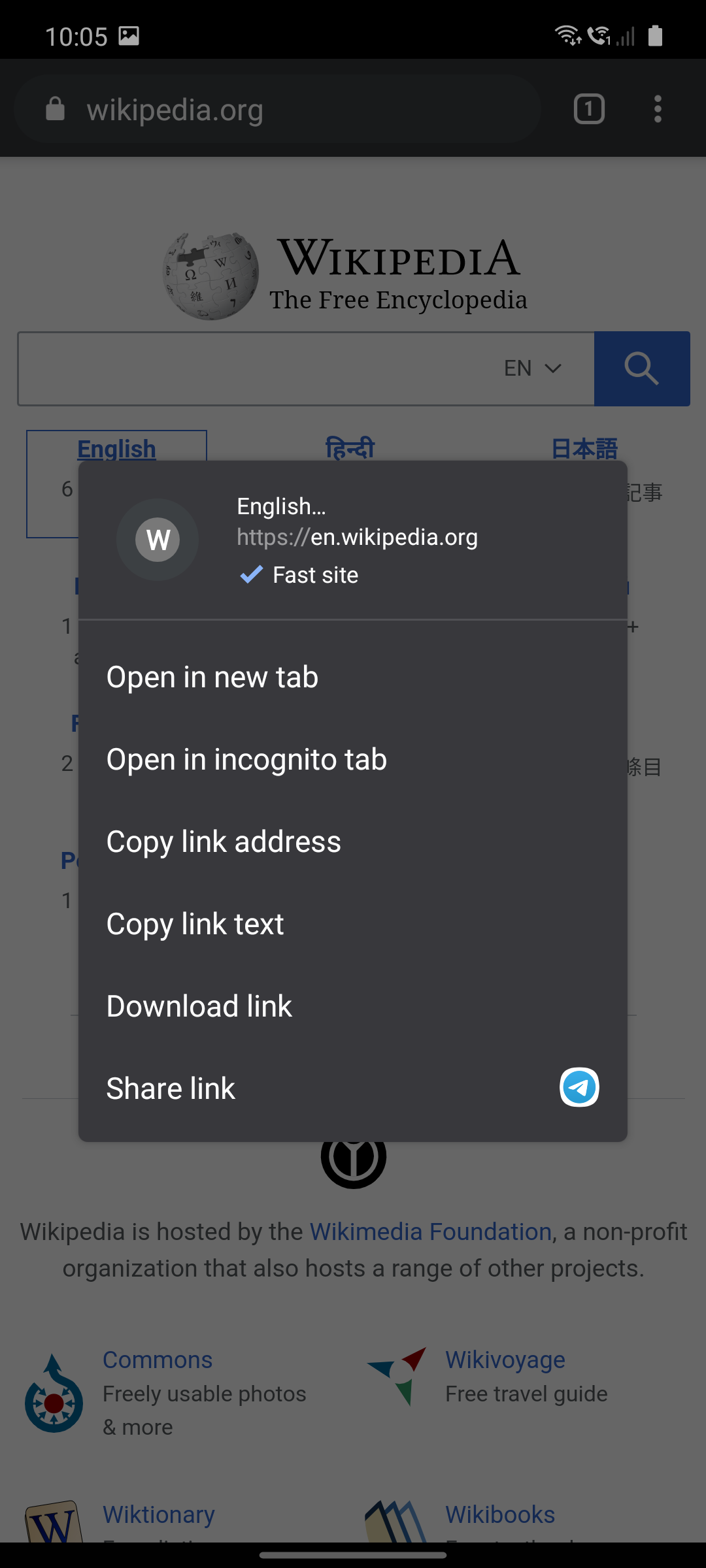
To help users identify great experiences as they browse, we are excited to announce that Chrome will begin to highlight high quality user experiences on the web, starting with the labelling of fast links via the link context menu on Chrome for Android. This change will be rolling out starting in Chrome 85 Beta.
Labelling is currently being rolled out to Chrome 85 beta, but if you would like to try labelling today, go to chrome://flags and enable “Context menu performance info and remote hint fetching”. Once fully rolled out, users will see labelling if they have Lite mode or “Make Searches and Browsing Better” turned on. Next, navigate to any qualifying page, such as the Wikipedia page for the Internet, and long-press on any link.

inneog1.png
 
freaks have removed the option for non-native notifications. so now i am getting notifications from windows which comes one at a time and do not stay for long. so if i am getting 10 notifications, i have to suffer through them one by one. and the useful ones disappear way too soon.
 
Download an edited PDF
You can edit a PDF online then save the edited version to your desktop.

Go to an online PDF form.
Type in the PDF form.
Select Download Download and then Edited.
Tip: You can open the edited PDF you saved and continue editing.

Source
 
Back