Google Drive

Google Apps update alerts: Respond quickly with Google Drive notifications in Google Chrome

WnSRRX.gif
 
Is there an easy way to know if I have one? I may have made one and forgotten.

I tried URL above with my Id but it showed error. So just wanted to make sure.
 
Google Apps update alerts: Improving the deduplication flow when uploading to Google Drive

A common use case for Google Drive users is to download a file from their Drive to modify it locally, and then to re-upload the new version. In the past, this would result in duplicate files (the original and the new one), and users would have trouble finding the latest version. That’s why we’re introducing a change in Drive to deduplicate files which were uploaded in this way.

Once launched, when users upload files that have the same filename as an existing file, they’ll be deduplicated, and the old file will be in revision history. This is so that if any mistakes are made, users can get back to the previous version. Similarly, uploaded folders will be merged with folders of the same name.

To prevent the files from being deduplicated, click on “Keep as separate file” once it’s been uploaded.

nnnkkg.png


j8P7y.gif
 
Last edited:
Google Drive Blog: What you love about Google Search — now for Drive

noticed the improved searching 2 days ago.

Natural Language Processing (NLP) is a fancy way of saying “search like you talk.” You can type things like “find my budget spreadsheet from last December” or “show me presentations from Anissa.” Drive will understand what you mean and give you the option to click for those specific search results. Drive NLP will get better with each query — so keep on searching. ;)

When you're trying to find a doc fast, it's easy for typos to slip into your search. Drive now has a new autocorrect feature that suggests corrections to misspelled search terms — which can really help when your brain is moving faster than your fingers.

You can now easily split your document into multiple columns in Docs. Just choose “Columns” in the “Format” drop-down menu when you need more formatting options to get your point across.
We know that work happens in all types of file formats. So, when you open, convert and edit non-Google files in Docs, Sheets and Slides, we’ll now save a copy for you. Just view or download the non-Google source file in its original format directly from Revision History in Docs, Sheets and Slides on the web.

Source


Source
 
Google Docs Blog: Explore in Docs, Sheets and Slides makes work a breeze — and makes you look good, too

We built Google Docs to help you create your best work — from work, school or home, and everywhere in between. We know crafting presentations, projects and reports takes time and energy. That’s why today we’re introducing Explore in Docs, Sheets and Slides to bring you insights, design tools and research recommendations so you can create better work, faster.
Explore uses Google smarts to help you create amazing presentations, spreadsheets and documents in a fraction of the time they used to take… so you can get on with what’s most important in your life. It’s like having a researcher, analyst and designer by your side.
 
Last edited:
Google Drive Blog: Save time with Quick Access in Drive

Today, we’re launching Quick Access, which shaves 50 percent off the average time it takes to get to the right file by eliminating the need to search for it. It uses machine learning to intelligently predict the files you need before you’ve even typed anything.

Quick Access predictions are based on an understanding of your Drive activity, as well as your interaction with colleagues and your workday patterns such as recurring team meetings or regular reviews of forecasting spreadsheets.

Starting today, Quick Access will be available globally for G Suite customers on Android. Give it a try, and file away the time you save for more productive activities.

Source
 
G Suite Update Alerts: Google Team Drives Early Adopter Program now accepting applications

Team Drives are shared spaces where teams can store their files and guarantee that every member has the most up-to-date information, no matter the time or place. Team Drives make onboarding easy, because every person and Google Group added to a Team Drive gets instant access to that team’s documents. Moreover, Team Drives are designed to store the team’s work collectively, so if a document’s creator moves off of the team that document doesn’t go with them. Advanced access controls make Team Drives even more robust, preventing team members from accidentally removing or deleting files that others need.

Vr8sX9.png
 
i8Duyyt.webp


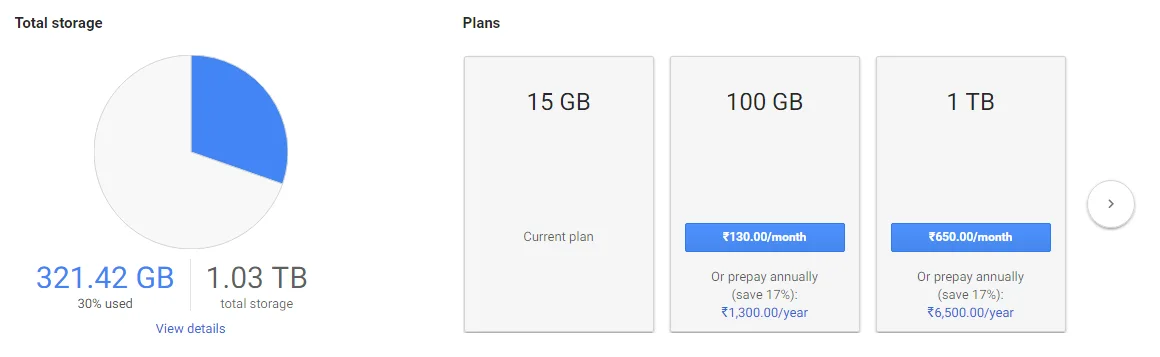
yearly plans now available with some discount. localized pricing also available but with no discount.
 
Back