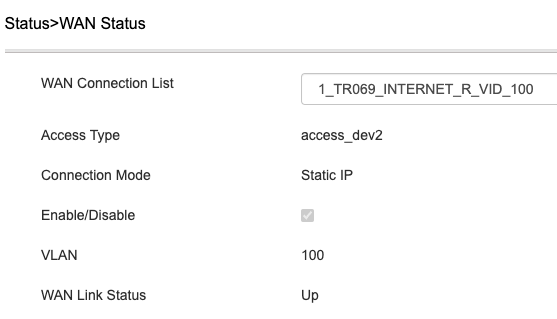
I had purchased xz000-g7 and tried using it with Airtel FTTH.
1. xz000-g7 shows O5 status once the serial number is added. Tested this in case of Airtel and BSNL. the registered status is shown once the serial number is added.
2. BUT, i am not able to dial connection using a windows machine or from Mikrotik router for Airtel with static IP, BSNL PPPoE
3. Have checked and added VLAN ID in the xz000-g7 and also used in transparent mode with VLAN ID added on machine/router
4. Also tried cloning the Airtel Nokia ONT MAC to windows machine and with Mikrotik router but still unable to get the connection UP.
Does anyone have any other suggestion to test this setup?
1. xz000-g7 shows O5 status once the serial number is added. Tested this in case of Airtel and BSNL. the registered status is shown once the serial number is added.
2. BUT, i am not able to dial connection using a windows machine or from Mikrotik router for Airtel with static IP, BSNL PPPoE
3. Have checked and added VLAN ID in the xz000-g7 and also used in transparent mode with VLAN ID added on machine/router
4. Also tried cloning the Airtel Nokia ONT MAC to windows machine and with Mikrotik router but still unable to get the connection UP.
Does anyone have any other suggestion to test this setup?