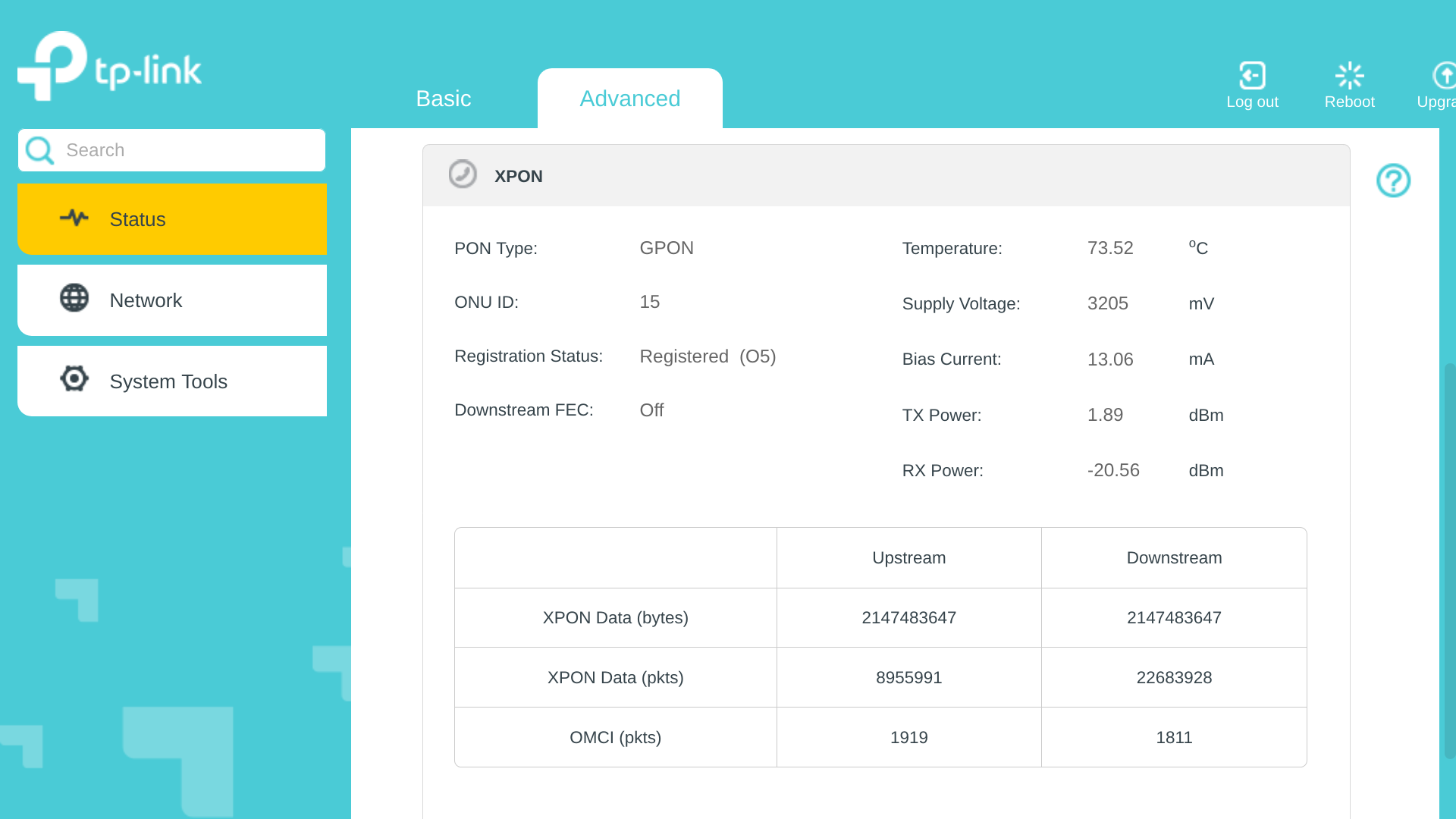
@IfranAli It's just sitting upon a flat (plastic) table. It doesn't seem that hot upon touching...
Although now that you mention it... it is in direct contact with my main router (the Mikrotik hEX S) which is hot to the touch... but the temperature reported by RouterOS is a mere 53°C ??!
Something's fishy here.... thanks for bringing this to my attention, @IfranAli.
EDIT: Upon looking closer, it seems that the temperature shown on the screenshot is under the XPON section, suggesting that this is the temperature of the XPON module itself, and not the CPU of the device. This would certainly explain why the device doesn't seem hot to the touch...
Is there any revelation why GPON crashes when connecting to a certain Airtel OLT?
Here is my Issue: "I enter the Correct GPON SN after 5- 10 seconds, being in O5 State, it gets crashed, I cant log into GPON UI. cant ping. Even removing the Optical cable does not fix it. The only way to fix it is to cut the power and reboot"
Some more info"
If I enter the wrong S/N, it gets stuck on O2 but does not crash (expected behaviour)
My G3v1 is ok, as I am using it with Jio.
Tried different firmware. BR and CZ
@lonlypotat and @user848654
Did you have any luck in finding why the LAN link goes down after O5 on G3/7.
Some more information it is not related to bridge mode being enabled or disabled.
I tried the same before the Airtel backend enabled bridge mode.
Need your inputs. Recently my Airtel speed is upto 66 mbps on a 100 mbps subscription. Nothing changed on the router or on xz000g7
Had engineer visit at the property and got the whole wiring changed and even the router.
I reconfigured the GPON with the later airtel router serial number and still it is being capped to 66. On airtel router the speed is as subscribed.
@hyde, as tr1k0N4 said, try with another router, if you don't have an extra router then directly connect to PC and use VLAN tagging in the Ethernet adapter if not set in G7.
Thank you @tr1k0N4 and @lordxavier78 for your replies. Had to redo my router config again multiple times. Hit and trial.
Seems the Routing/NAT offloading option was acting weird. At one time it was providing me the actual speed when turn off or through Hardware or software.
I may have to invest on some powerful router now. Any suggestions within 4K.
This website uses affiliate links. This means that if you click on a link and make a purchase, we may receive a commission. This does not affect the price you pay for the product.
This site uses cookies to help personalise content, tailor your experience and to keep you logged in if you register.
By continuing to use this site, you are consenting to our use of cookies.