- Messages
- 344
- Location
- Gurugram (Gurgaon)
- ISP
- Airtel FTTH (Business),
Airtel COIP Primary,
Jio Prepaid (Backup),
Vi Prepaid Secondary.
that is why i was not able to find anything on it.
now i got a issue.
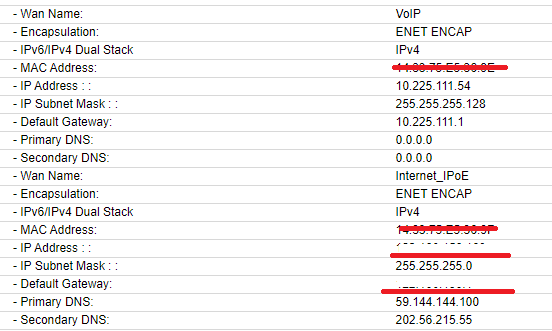
till 1 hour back my ip was 223.190.xx.xx and internet went down for 10-15 min and after that ip is 223.177.xxx.xxx
and while doing speedtest (over lan) it is selecting POWETNET Delhi server by default and either it stuck on upload test or gave max 90 mbps on upload. I changed manually to Airtel Gurgaon and result was perfect.
While previously, speedtest was selecting airtel gurgaon by default.
should i worry about it? does airtel usually change ip series completely just like that ?
By the way, I already have applied for the static IP.
EDIT: this new ip range does not have NAT, ports can be open and working fine.
now i got a issue.
till 1 hour back my ip was 223.190.xx.xx and internet went down for 10-15 min and after that ip is 223.177.xxx.xxx
and while doing speedtest (over lan) it is selecting POWETNET Delhi server by default and either it stuck on upload test or gave max 90 mbps on upload. I changed manually to Airtel Gurgaon and result was perfect.
While previously, speedtest was selecting airtel gurgaon by default.
should i worry about it? does airtel usually change ip series completely just like that ?
By the way, I already have applied for the static IP.
EDIT: this new ip range does not have NAT, ports can be open and working fine.