

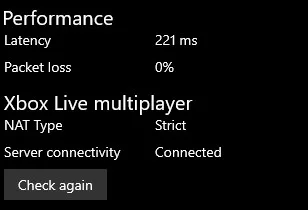
I'm getting Strict Nat Type even after enabling upnp and DMZ. Any fixes? I just Got fiber installed yesterday. i had open Nat type on Broadband.
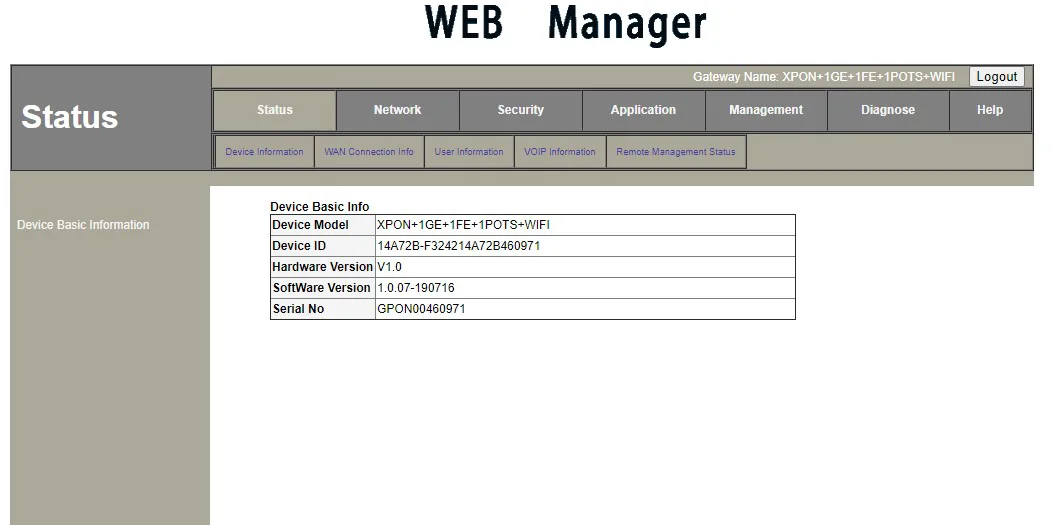
Router - HG323RGW
Valorant ping- 70ms, csgo Bom ping -80ms
today in morning, bsnl guys changed router's firmware, they told me that they forgot to change it yesterday and that caused problems to other fiber users(I don't know why my router would cause problems hmm. )
I checked nat type after the update just out of curiosity so I don't know about before the firmware change. yesterday, It asked for Captcha while logging into router and I didn't get captcha post firmware change..
Router - HG323RGW
Valorant ping- 70ms, csgo Bom ping -80ms
today in morning, bsnl guys changed router's firmware, they told me that they forgot to change it yesterday and that caused problems to other fiber users(I don't know why my router would cause problems hmm. )
I checked nat type after the update just out of curiosity so I don't know about before the firmware change. yesterday, It asked for Captcha while logging into router and I didn't get captcha post firmware change..
Last edited:


 clearly listed in image on thread.


