Nat Type Strict Issue - Need help

  • Thread starter Thread starter Ut M
  • Start date Start date
  • Replies Replies 40
  • Views Views 6,714
Messages
121
Location
Nipani, Karnataka
ISP
Bsnl FTTH
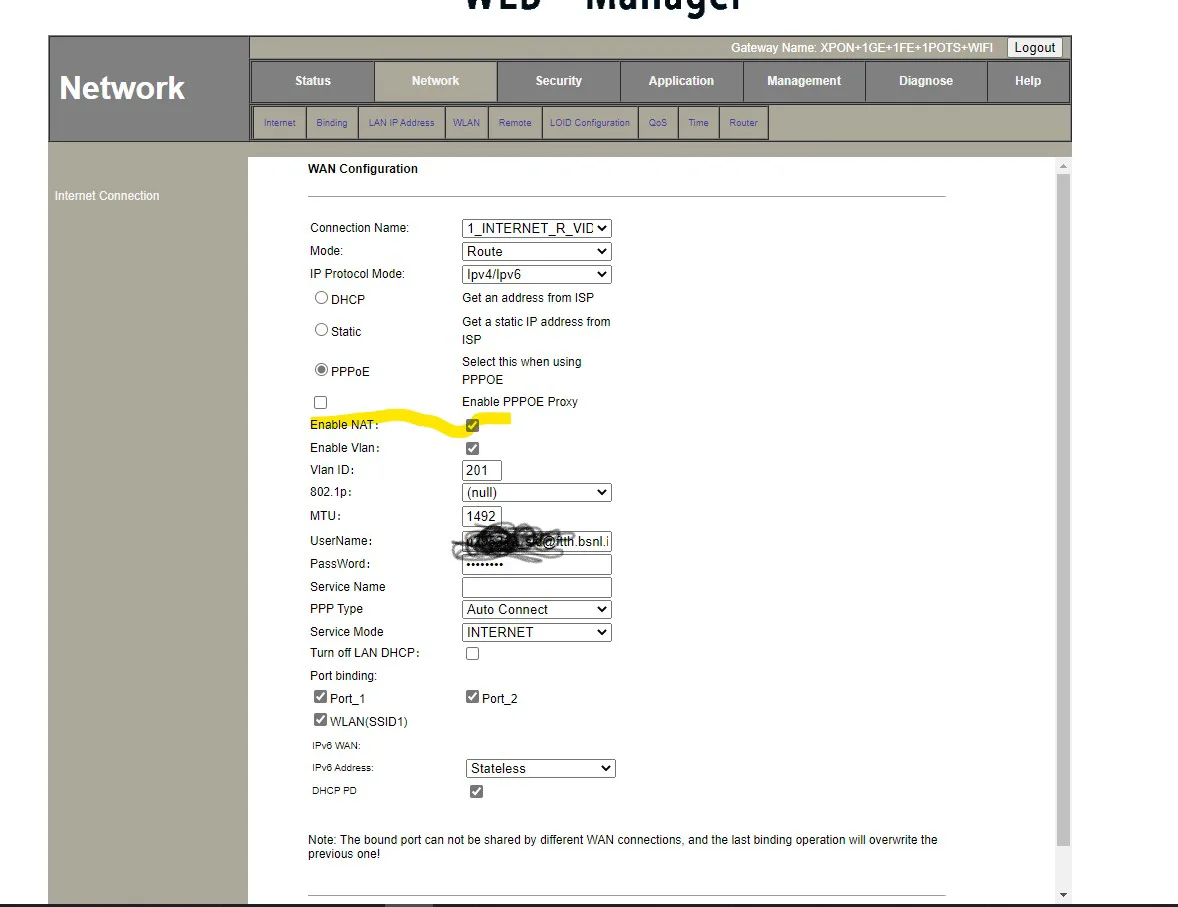
I'm getting Strict Nat Type even after enabling upnp and DMZ. Any fixes? I just Got fiber installed yesterday. i had open Nat type on Broadband.


Router - HG323RGW
Valorant ping- 70ms, csgo Bom ping -80ms

today in morning, bsnl guys changed router's firmware, they told me that they forgot to change it yesterday and that caused problems to other fiber users(I don't know why my router would cause problems hmm. )
I checked nat type after the update just out of curiosity so I don't know about before the firmware change. yesterday, It asked for Captcha while logging into router and I didn't get captcha post firmware change..
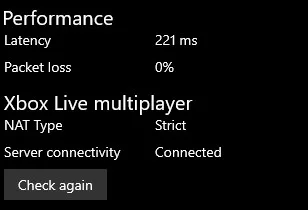
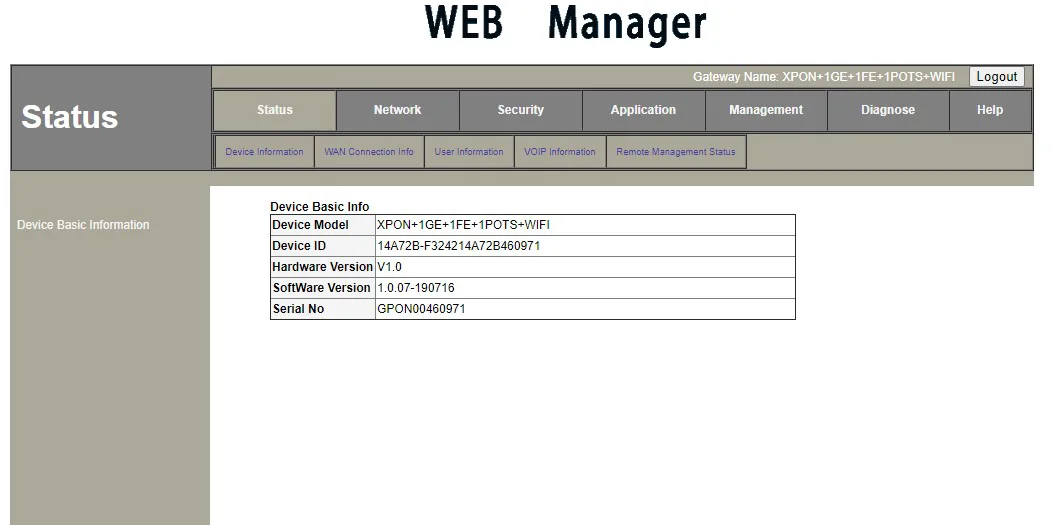

d1tcuzw.webp

50N0e70.webp
 
Last edited:
No, there is NAT type option under Internet Connection on the left side on some brands like Syrotech. There you can change the NAT type. But it looks like you don't have it. My Digisol ONU doesn't have that option too.
 
Upvote 0
yea, maybe an firmware upgrade my fix it. (i am waiting for vsol guys to respond.)

In btw, This D-Link DSL 2750u A1 Router isn't going into Crash recovery mode. I do get the red power light bright after pressign reset button(following all procedures) but while I am visiting the 192.168.1.1 or waiting few more seconds, it just keeps turning to green again and goes to normal login page. (I am going to risk flashing other firmware or its gonna be useless anyways.)
 
Upvote 0
Your choice. If you somehow manage to flash its (2750U) original firmware or a working one you can still use it as an access point.
 
Upvote 0
the bharatfiber site has only 1.0.35version firmware that too again for HG323RW. :| in btw this version seems to cause problem. I will flash one of this older version in a week(of hg323RW) if I don't get any.
 
Upvote 0
I tried flashing this both. after successful reboot, I was back onto my old firmware( weird as no error appeared.)

HG323RW_UPGRADE_NORMAL_1_BSNL_1_1.0.31-200413
HG323RW_Upgrade_Normal_SafeProtect_1_1.0.32-200424
 
Upvote 0
Best you can do right now is set a static IP for you PC and then port forward it.
Bsnl guys locked up firmware. The Vsol guy ran this test in network logger.

Code:
=> 2020-09-01   12:11:02.088 -- 192.168.1.1

=> 2020-09-01   12:11:14.575 -- connect server success!
netlog enable=1
kill=dnsmasq.pid spid=1530
kill=udhcpd.pid spid=1270
kill=igmp_pid spid=836
kill=linuxigd.pid spid=820
kill=cwmp.pid spid=1268
kill=wscd-wlan0.pid spid=1248
kill=mini_upnpd.pid spid=1257
kill=voip_gwdt.pid spid=587
kill=upnpmd_cp.pid spid=1269
kill=iwcontrol.pid spid=1256
kill=ecmh.pid spid=843
kill=loopback.pid spid=1485
kill=systemd.pid spid=558
kill=mainctrl.pid spid=819

process '/bin/systemd' (pid 558) exited. Scheduling for restart.

starting pid 1532, tty '': '/bin/systemd'
Error fscanf
xml_mib_update():...
------ [-u cs]Update cs setting ------
endPos=7936165 startPos=165
[xml_INFO]: Update cs configuration success.
Validatiing force passed
Create Upload thread
MemTotal:          34460 kB
MemFree:           11460 kB
Buffers:             344 kB
Cached:            10736 kB
SwapCached:            0 kB
Active:             9952 kB
Inactive:           5436 kB
Active(anon):        636 kB
Inactive(anon):     3936 kB
Active(file):       9316 kB
Inactive(file):     1500 kB
SwapTotal:             0 kB
SwapFree:              0 kB
Dirty:                 0 kB
Writeback:             0 kB
AnonPages:          4592 kB
Mapped:             2216 kB
Slab:               6124 kB
SReclaimable:        736 kB
SUnreclaim:         5388 kB
PageTables:          216 kB
NFS_Unstable:          0 kB
Bounce:                0 kB
WritebackTmp:          0 kB
CommitLimit:       17228 kB
Committed_AS:       6680 kB
VmallocTotal:    1032144 kB
VmallocUsed:         868 kB
VmallocChunk:    1031140 kB
pon locked cant't to unlock
 
Upvote 0
Back