Netlink Bridge Mode without port / mac reset

  • Thread starter Thread starter pothi
  • Start date Start date
  • Replies Replies 174
  • Views Views 48,322
Lazy me couldn't find some time to ask with BSNL officials since my attempts to bridge it went in vain.

Today I went to BSNL office for two things
1. Stop injecting ads.
2. Bridge mode

Finally, they acknowledged that they inject ads but had no clue to disable it. They forwarded my request to NIB because even the District head didn't know what to do.

for bridge mode, they said that it has to be done from LCO's OLT. Each vlan is tagged onto some MAC id or something like that. They will conduct a field survey tomorrow since my internet speed is 1/3rd of plan speed in this month. Via phone, we did some MTU changes and found no result in speed.

In conclusion, I think every LCO has implemented it very differently. In my understanding, for @pothi and @vishalrao there wasn't any mac binding. For me and @varkey there is.

I will try to update how it is done in my case.

 
^ I think the BSNL person maybe confused. From what I've seen, there can be binding at two levels

1. The ONT device's id / mac / serial can be whitelisted on the OLT of the LCO. This is to prevent people from attaching any random ONT to the network. So if it's not whitelisted, it will not register with the OLT. In my case, the they seem to have disabled this whitelisting mechanism. So you can plug in any ONT and it would register to the OLT. For some users, it might show up as Registered, Authenticated.

9RROI4N.png


2. The MAC address of the device making the PPP connection can be bound to your username. This is on BSNL's PPP authentication server and controlled by BSNL and has no connection to the LCO.

For #2, it is BSNL who needs to change or update it. For example in my case, I was able to successfully complete the PPP auth when using BSNL's test credentials while I was getting the mac binding changed. The LCO had no role in it. Just like it's BSNL who creates your user account on their end, this is also on their side.
 
I don't know what he meant. I explicitly asked whether they employ MAC binding at PPP level, they said 'no'.
Maybe he doesn't know...


aW06zRg.png

My connection status is also the same 😇

But the reply I got from him is almost the same that I received when I called up the Netlink customer care which is located at Ernakulam.
I will find out the truth tomorrow :)
 
My Netlink ONU has some problems with it. They said that's the reason why I'm not getting plan speeds. So they checked with another AONT GPON ONU. But they couldn't initiate the connection. They tried with some test account 'bbtest'. Still, the result was the same.
In the mean time, I asked with the BSNL person about bridging. He said, if it is EPON, we can directly put it into bridge. In case of some GPON OLTs they have to do some vendor specific things.
WQtJloD.jpg

IHwqAYv.jpg


It is showing EPON everywhere on my ONU. They said that's why AONT one is not working. So I've to wait till I get a replacement for my current ONU
 
I've ordered a Huawei HG8010H EPON ONT few days back from AliExpress just to have one as backup. 😅😅 Came to Rs 1000 or so incl shipping.

Most of the Huawei models doesn't support both EPON and GPON together so have to buy the appropriate model. If anyone's interested, the HG8310M is the GPON model.
 
Last edited:
@varkey yeah, speed-related.
I'm only able to get 1/3rd of the plan speed most of the time. Half for an instant at 12 🙃.
They checked their backend and all. Now their guess is some problem with ONT. Signal levels are perfect, -15dB.

My best bet is to believe what they are saying. How can I convince them that PPP is mac bound... My local exchange guy gave the number of some district head.
He plainly said all those above. Didn't gave an opportunity to ask about binding 😣.

I think it's best to have another ONT in hand as a backup. These Chinese rebrands may stop working unpredictably and are hard to obtain from the local market near me.
 
My best bet is to believe what they are saying. How can I convince them that PPP is mac bound... My local exchange guy gave the number of some district head.
He plainly said all those above. Didn't gave an opportunity to ask about binding 😣.

I would suggest just try configuring and just look at the logs. I think I have posted this earlier but this is the PPP authentication log when bridged and the MAC address as seen by the PPP authentication server is not whitelisted or allowed.

Code:
Tue Mar 26 08:24:06 2019 daemon.notice pppd[31302]: pppd 2.4.7 started by root, uid 0
Tue Mar 26 08:24:06 2019 daemon.info pppd[31302]: PPP session is 8420
Tue Mar 26 08:24:06 2019 daemon.warn pppd[31302]: Connected to 20:d8:0b:d4:8d:f4 via interface eth0.702
Tue Mar 26 08:24:06 2019 kern.info kernel: [134208.751099] pppoe-wan2_test: renamed from ppp0
Tue Mar 26 08:24:06 2019 daemon.info pppd[31302]: Using interface pppoe-wan2_test
Tue Mar 26 08:24:06 2019 daemon.notice pppd[31302]: Connect: pppoe-wan2_test <--> eth0.702
Tue Mar 26 08:24:06 2019 daemon.info odhcpd[1015]: Using a RA lifetime of 0 seconds on br-lan
Tue Mar 26 08:24:06 2019 daemon.info pppd[31302]: CHAP authentication failed: Policy Failed
Tue Mar 26 08:24:06 2019 daemon.err pppd[31302]: CHAP authentication failed
Tue Mar 26 08:24:06 2019 daemon.notice pppd[31302]: Modem hangup
Tue Mar 26 08:24:06 2019 daemon.notice pppd[31302]: Connection terminated.
Tue Mar 26 08:24:06 2019 daemon.info pppd[31302]: Sent PADT
Tue Mar 26 08:24:06 2019 daemon.info pppd[31302]: Exit.

As you can see, it was able to reach the PPP authentication server, initiates the CHAP authentication but it is rejected with the message CHAP authentication failed: Policy Failed which implies that the policy they have applied to this user denied the logon. Here the policy being that the authentication to this user can proceed only from the specific whitelisted MAC address and also this is not due to a credential mismatch in this case.

20:d8:0b:d4:8d:f4 is the remote PPP auth server on BSNLs side which if you go by the address prefix appears to belong to a Juniper device.


I'm only able to get 1/3rd of the plan speed most of the time. Half for an instant at 12 🙃.
They checked their backend and all. Now their guess is some problem with ONT. Signal levels are perfect, -15dB.

Yeah it's worth trying with another ONT so that it can be ruled out, although I suspect the issue to be on their (BSNL or LCO) side. Perhaps the specific fiber link is saturated, if yes it would be something the LCO can verify.
 
I would suggest just try configuring and just look at the logs.
I was getting PPPoE: timeout waiting for PADO packet
So I tried one more time with my current TP-Link Archer C1200.
Following Pothi's steps, checked the corresponding ports.

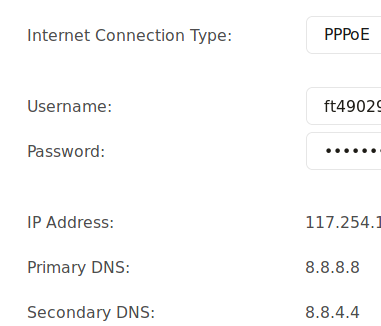
Inserted credentials to the router, and boom! It is connected.

Rl0MEUK.png

I don't know what I did differently. After a long thought what came to my mind is I usually check the Port1 to bind thinking it might be the gigabit port. Now I checked port2. And it is connected...o_O
Again proving my ignorance.
I guess I'm not MAC bound.

My LCO has started distributing Kerala Vision broadband very recently. They might be using the same fiber. Hence may be saturated.
I will check with my LCO tomorrow. Thanks @varkey

PS: I can not dial using PPP daemon, getting timeout. On windows error 651:unsure:
But like Pothi, I can't access my modem page anywhere, except connected to the non-bridged port.
 
That's wonderful 🚀🚀

Did you by chance clone the Mac address? I'm just asking cause in windows it errored out and would it be cause the Mac is different and on the router it was cloned? For me cloning doesn't work either due to my OpenWRT device or the specific ONT but that may not be the case for you.
However if there is no Mac binding, then it makes it easier for you (but doesn't explain why it fails in windows) However personally I prefer the Mac binding to be there cause BSNL by default sets the password as password and anyone can guess and login to your account.

Yeah, one EPON fiber link from an OLT port can support max 1.25 Gbps up and down separately. So if there are a lot of users (I think 32 or 64 or more users can be connected) things can get saturated.

Regarding access to the UI when bridged, you need to create a separate interface and assign an IP address in the same range as that of the ONT management UI. Default TP-Link firmware may not support it though.
 
Back