Reliance Jio Fiber upload speeds are 10% of your plan speed

  • Thread starter Thread starter undercover
  • Start date Start date
  • Replies Replies 244
  • Views Views 33,466

Amazing explainer on AC, and what real world speeds can be expected.

I also did a test with MU-MIMO off and beamforming off on my R7800. No change in speeds whatsoever.

LAN is around 470-480 Mbps, Wifi is around 300 Mbps (laptop supports 2*2 MIMO). This looks in line with a 55% MAC efficiency.
I have ordered a Netgear A7000 (supports 3*4 MIMO), should be delivered tomorrow. Let's see if it causes any change (doubt it).
 
On a side note, Can anyone recomend a good gigabit router under 5K? I am just confused seeing too many choices. I am using Archer C60 now and that router simply has an outstanding range.

I don't game and my main purpose of buying that would be to expect atleast 400mbps speeds on Wifi if i ever upgrade to a 500mbps plan.
400 mbps Wifi on 500 mbps connection is almost unachievable AFAIK. At max you will hit 65% of your promised speed if conditions are ideal.

Edit: At that price, get Asus 58U or 59U.
 
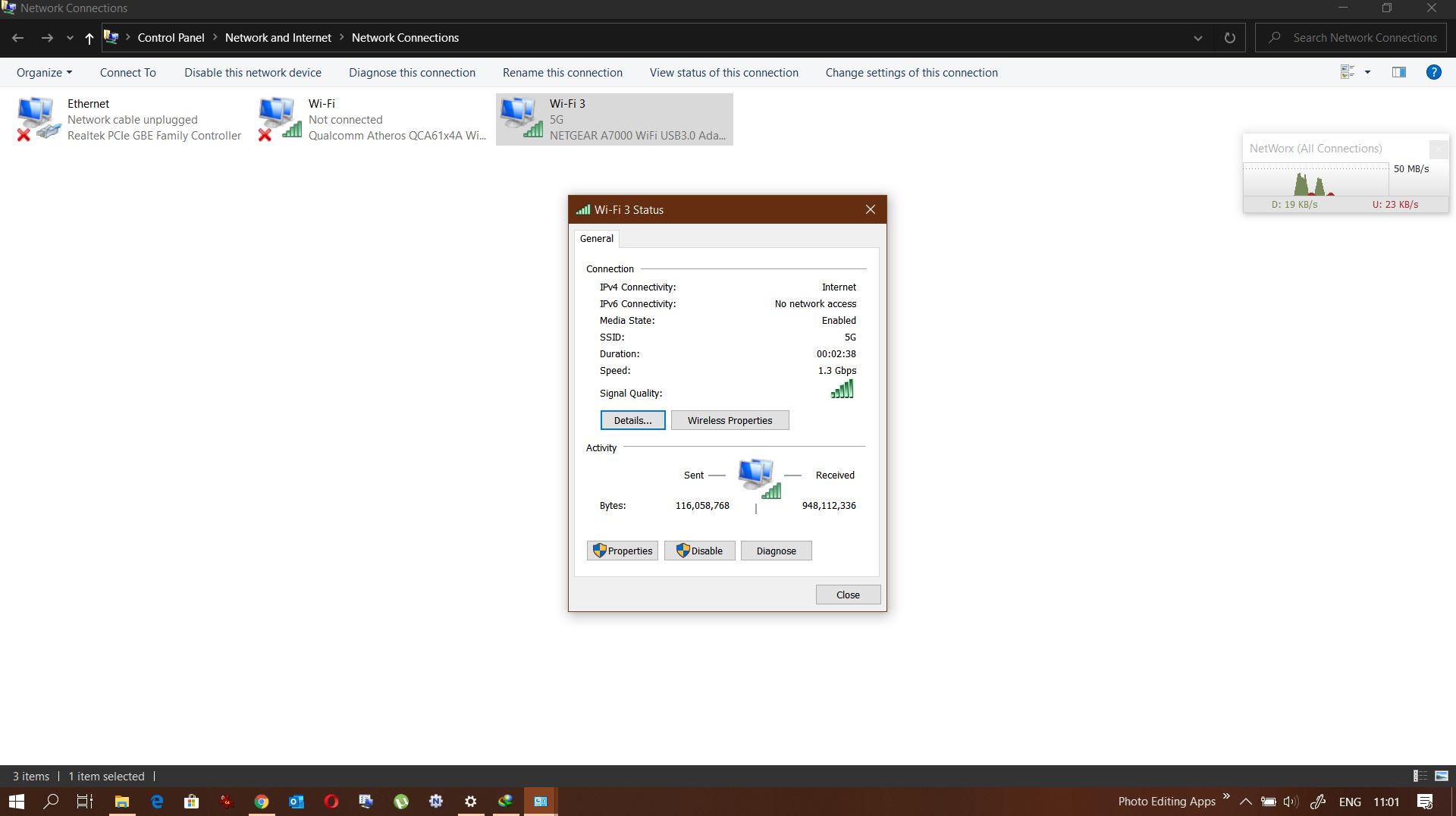
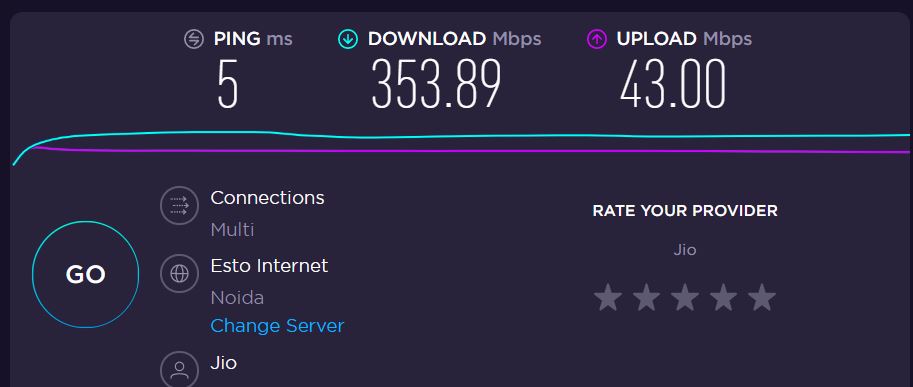
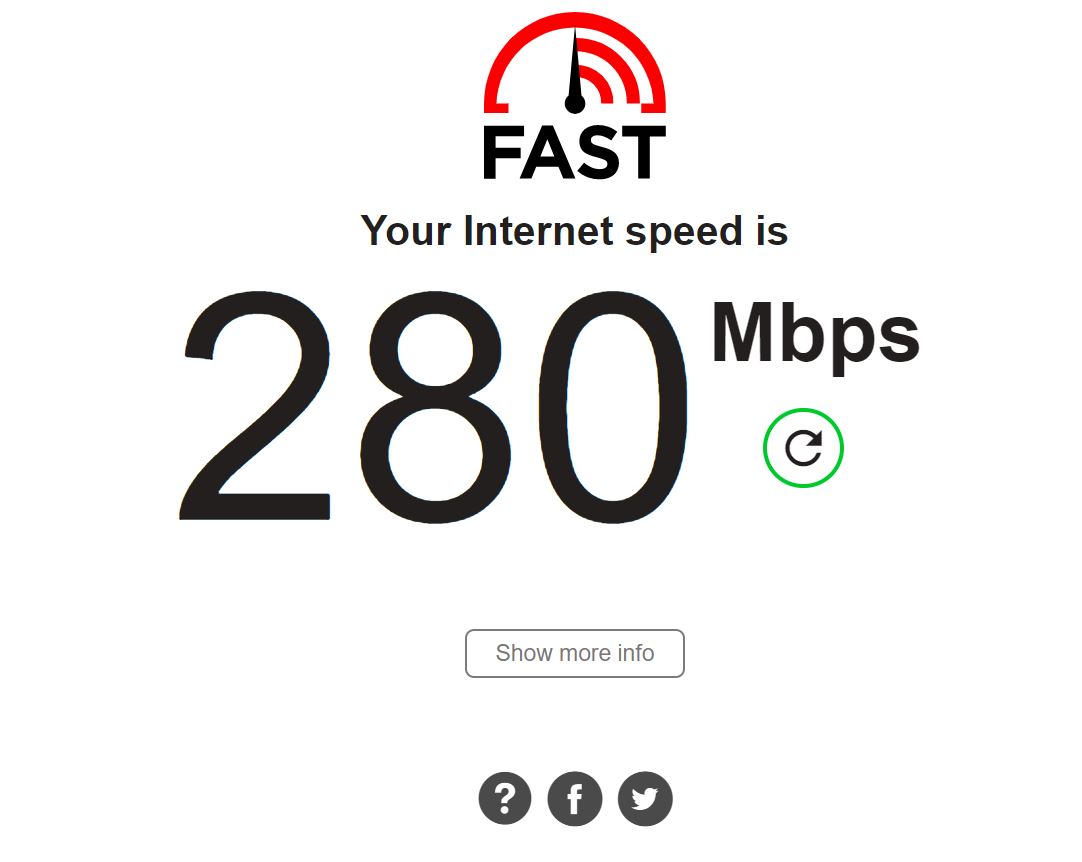
So I got the Netgear A7000 - works in a 4*3 MIMO config with a link speed of 1300 mbps.

AtDygkJ.jpg


wosiCJY.jpg


KwV3R2I.jpg


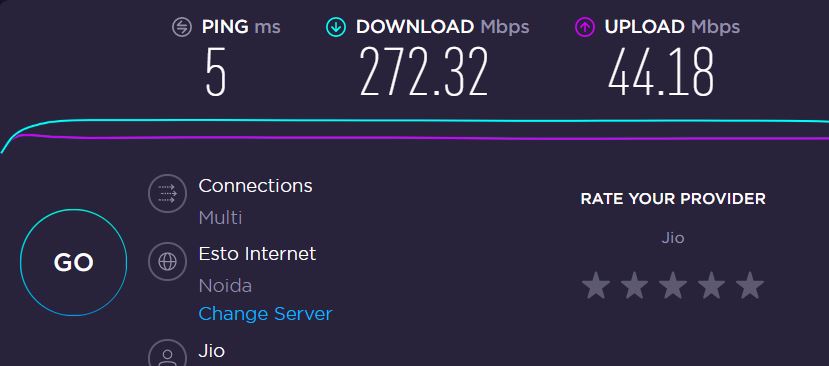
Not much better than my 2*2 MIMO inbuilt adapter:

YU3ZxoK.jpg


Practically, in downloads from MS servers, a difference of about 4-6 MBps. Not worth the extra 3k and the huge A7000 !

Returning it.
 
I don't game and my main purpose of buying that would be to expect atleast 400mbps speeds on Wifi if i ever upgrade to a 500mbps plan.

400 mbps Wifi on 500 mbps connection is almost unachievable AFAIK. At max you will hit 65% of your promised speed if conditions are ideal.

@yougotmehere ,It is possible to get 500mbps wifi speed for a 500 mbps internet connection. Wifi speeds are independent of internet connection speed.

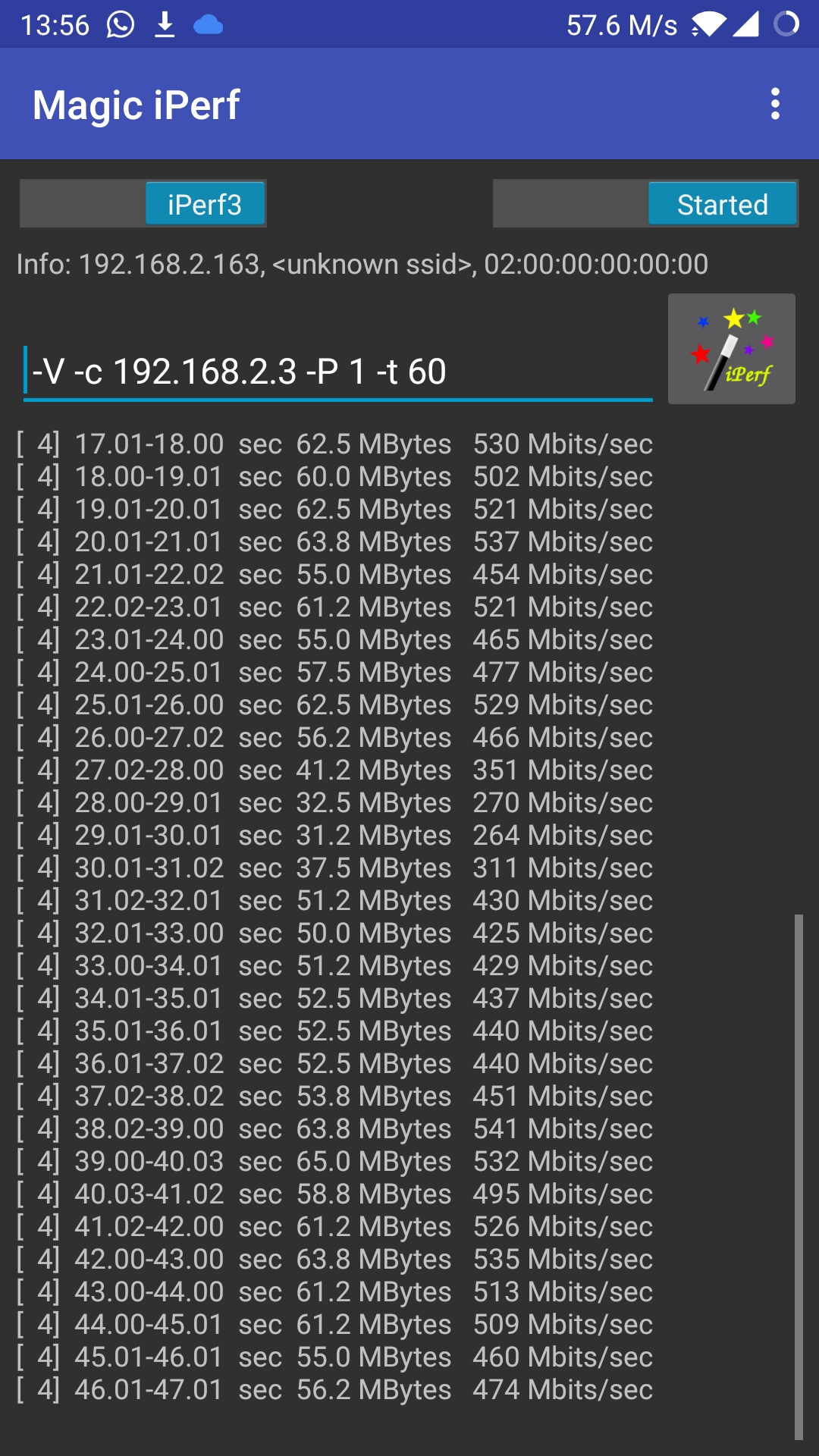
I'm attaching an image of iperf test on my mobile. It's a OnePlus 5 with 2x2 mimo. Connected to an archer c6 on 5ghz, 80hz band. Distance from router is less though, about 10 feet only. The iperf 'server' is running on a raspberry pi on my network itself.
kpTlXEb.jpg


On a side note, Can anyone recomend a good gigabit router under 5K? I am just confused seeing too many choices. I am using Archer C60 now and that router simply has an outstanding range.
Perhaps the below threads will be helpful in selecting a router. Choosing one with a gigabit port is ideal.
 
Last edited:
@eriek_halenx I actually meant net speed. So if you have a 500 mbps internet connection (say the diamond pack from Jio), you are saying at close range i can get 480-500 internet speeds on my 2*2 MIMO devices ? Because that's not the real world scenario. I've multiple 2*2 MIMO devices, just today tested a 4*3 MIMO. Never crossed 380 mbps. Less than 10 feet to R7800, 5ghz, DFS channels.

I of course did not mean link speed.
 
@alekhkhanna , I'm not commenting about why your speeds are less.

I'm only conveying to @yougotmehere, that if he has an internet connection that can provide a 500mbps speed on LAN, he will be able to achieve his desired wifi speeds of >= 400 mbps* I've only a 100 mbps connection. So I can test max wifi speeds locally only. So I shared my device / router / server details, and a screenshot of the result. From a standpoint of measuring wifi speeds, how is it different from a speedtest server? :)

This is a video found on youtube of someone testing the same archer c6 router on a speedtest server. Youtube - speedtest. (I've not gone into his wifi adapter specs.) But you can clearly see his wifi router speeds.
 
Last edited:
400 mbps Wifi on 500 mbps connection is almost unachievable AFAIK. At max you will hit 65% of your promised speed if conditions are ideal.

Edit: At that price, get Asus 58U or 59U.

The 65% is that of the PHY/Link speed of your wireless connection not the max WAN throughput. So yeah you can definitely achieve 500 Mbps on both LAN and wireless provided your client can handle it.
 
Also wanted to add that, the cheaper routers even though they might have a gigabit WAN port, may not be capable of doing NAT at gigabit speeds ie WAN --> LAN due to low CPU resources. But then that limitation you'd probably notice over both wired and wireless as well.

Some routers perform better at closer to gigabit speeds with the stock firmware as compared to a custom firmware due to driver optimisations and hardware NAT offloading.

The Archer C6 seems to be pretty good, especially at that price range @eriek_halenx 🎉
 
@alekhkhanna , I'm not commenting about why your speeds are less.

I'm only conveying to @yougotmehere, that if he has an internet connection that can provide a 500mbps speed on LAN, he will be able to achieve his desired wifi speeds of >= 400 mbps* I've only a 100 mbps connection. So I can test max wifi speeds locally only. So I shared my device / router / server details, and a screenshot of the result. From a standpoint of measuring wifi speeds, how is it different from a speedtest server? :)

This is a video found on youtube of someone testing the same archer c6 router on a speedtest server. Youtube - speedtest. (I've not gone into his wifi adapter specs.) But you can clearly see his wifi router speeds.
At 100 mbps, even i used to get 95-96 mbps. But not at 500 mbps.

And R7800 is no slouch either. With 4*3 MIMO, i was able to hit peak speeds of 380 mbps, but not sustained.

Just want to understand what kind of client is needed for this to utilize full speeds. 4*3 cannot hit 500, maybe 4*4 can ?
 
Back