

Vysor Is The Newest (Early Beta) Android Project From Koush, Allows You To Control Your Phone From Chrome
Vysor (Beta) - Chrome Web Store
Vysor (Beta) - Chrome Web Store
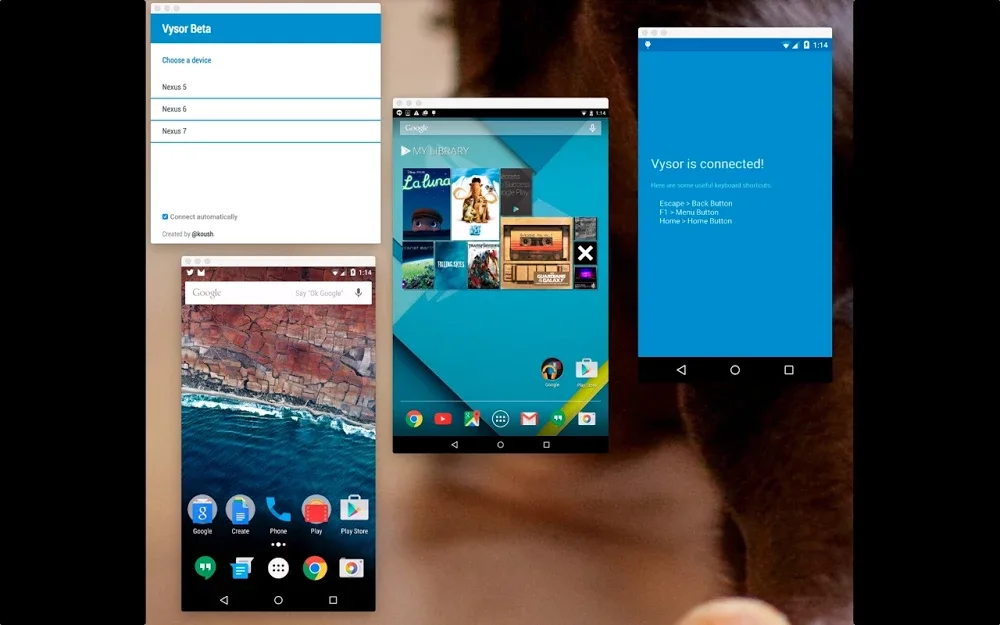
We were actually aware of Vysor on the down-low before, but were waiting to cover it until it was "done." However, those cantankerous Redditors found the extension URL. The cat is out of the bag, and here we are. Right now, all you've got is the Chrome extension, which is where all the magic happens anyway. Vysor operates over ADB, so you'll have to plug in via USB. I'm not sure if those fancy wireless ADB root things will work, but you can try.
When your device is detected by Vysor, it opens a floating resizable desktop window that mirrors the screen. You can click and drag in this window to control the phone, which is surprisingly responsive. You can even wake up the device by clicking in the window. If your phone or tablet has on-screen nav buttons, it should go pretty smoothly. If not, you'll have to use hotkeys for some functions. What are the hotkeys? Well, did I mention Vysor isn't finished and wasn't supposed to be revealed yet? Yeah, there's no documentation. Here's a crash course: home is home, right click is back, and F1 is menu.

