
varkey
I got banned!
@dhogaivannan BSNL does MAC address binding, so it will only work from the registered WAN side MAC address of the Netlink. Unfortunately you cannot clone the Netlink MAC to your TP-Link device as that stops the whole thing from working. You need to get the MAC binding reset from BSNL's side so that you can get it to work in bridge mode.
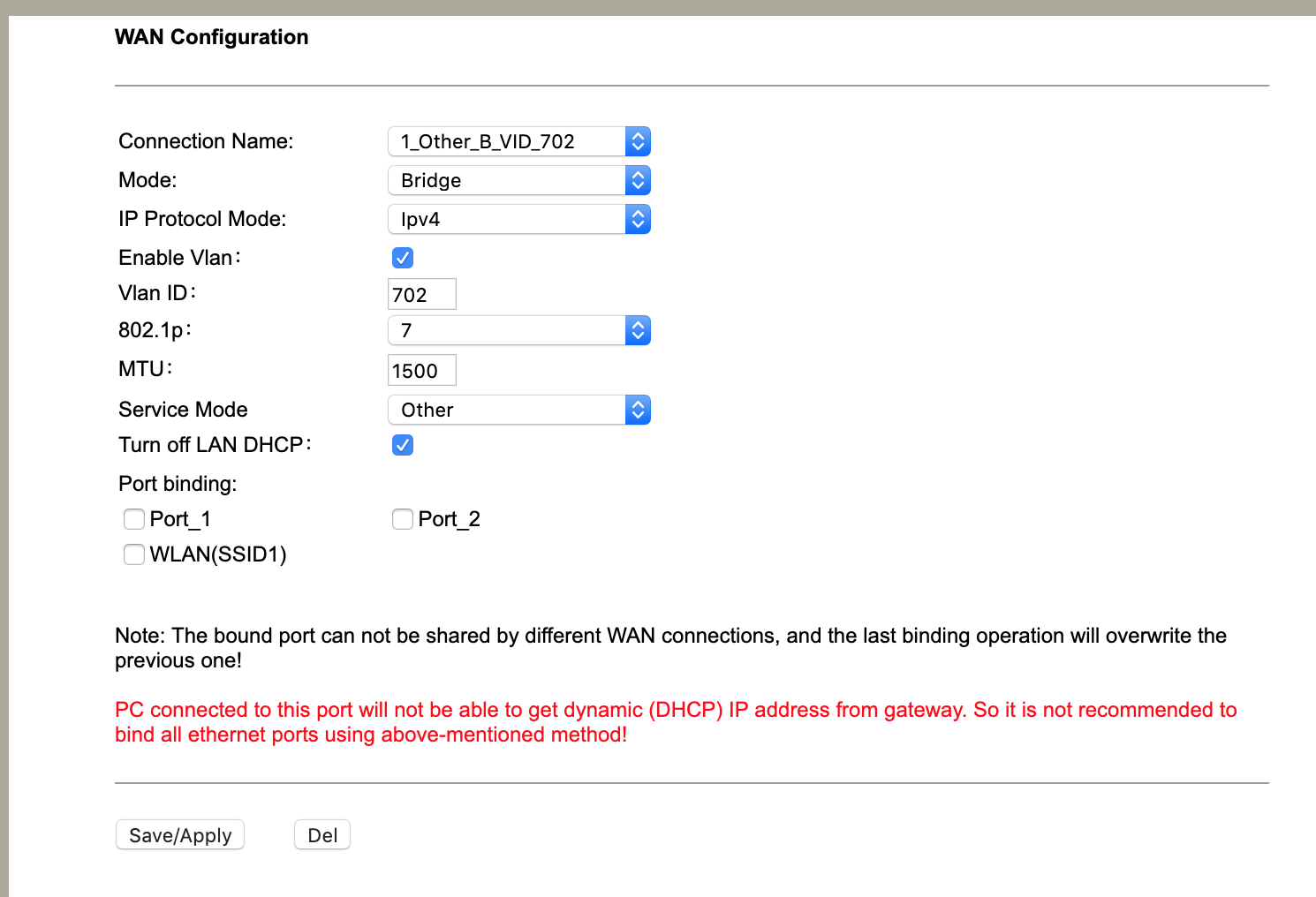
As far as configuring it in bridge mode is concerned, you just need to configure as below (use the appropriate VLAN ID and bind it to a port, I use VLAN based binding hence its not checked on this page)
You can read more about my experience in getting the MAC binding reset here -- Need some review of new BSNL Bharat Fiber FTTH Broadband Plans 777 / 1277 | Bharat Fiber Broadband (BSNL FTTH)
I hope you have a better experience!
As far as configuring it in bridge mode is concerned, you just need to configure as below (use the appropriate VLAN ID and bind it to a port, I use VLAN based binding hence its not checked on this page)
You can read more about my experience in getting the MAC binding reset here -- Need some review of new BSNL Bharat Fiber FTTH Broadband Plans 777 / 1277 | Bharat Fiber Broadband (BSNL FTTH)
I hope you have a better experience!

 . Was charged 2k for this and fiber install. One advantage of this is you yourself can then get / upgrade to a good quality dualband /


