Righto. Once you have installed... Configure the mouse shortcuts to your linking and read about the keyboard shortcuts. It's pretty cool.
W & E for resizing.
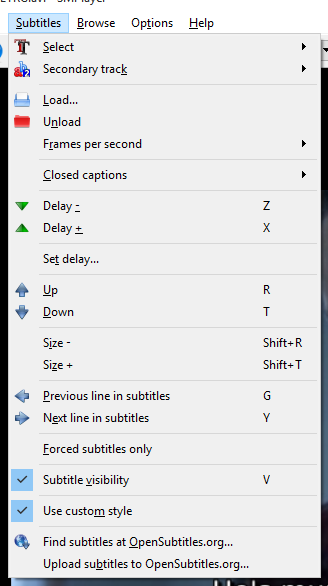
G & Y for fixing subtitles lag.
These are the ones I use frequently. And then there are others which can drag the video inside the player window in any direction. It's pretty powerful.
g and y basically take you one subtitle back and forward. so you press the button as soon as the character starts saying and bam, the next dialog appears in the subtitle. saves you a lot of time in manual syncing. which is still possible through another shortcut which does it by time...
This website uses affiliate links. This means that if you click on a link and make a purchase, we may receive a commission. This does not affect the price you pay for the product.
This site uses cookies to help personalise content, tailor your experience and to keep you logged in if you register.
By continuing to use this site, you are consenting to our use of cookies.




 it is so much better than vlc