How to Get Airtel's Backend to enable Bridge Mode

Messages
10
Location
Pune
ISP
Airtel
Folks,

I see a lot of you have been successful in getting Airtel's Backend to enable the bridge mode on your connections. I have been at it for the past 4 days and I am yet to encounter a knowledgable individual at Airtel's Call Center. I have escalated it to the Nodal email provided and I am hopeful they get this done.; however, I wanted to pick your brains on how you managed to enable the Bridge Mode.

Any advice / guidance is much appreciated.

Thanks

PS: Anyone tried re-flashing the Nokia G-2425G-A? If you have any advice / guidance please DM/PM. Cheers
 
@GR2 You might also want to tweet Airtel Cares on twitter. It take them a couple of days to respond; you need to keep pushing them using all possible means i.e. Calling their call centre, writing to your regional appellate (for West it is [email protected]; the [email protected] and twitter).

This multi-pronged approach yielded result for me in 4 days.

Cheers
 
Upvote 0
Hi all

I got AirTel fiber installed a few days ago and the modem provided was an AOT-4221SR

As per advice on this thread I have sent a mail today to net@airtel as per advice in this thread and waiting for reply

Can they enable bridge mode remotely? Or technician needs to visit?

Thanks
 
Upvote 0
Hi an update

Within 1 hour of sending mail, I got call from Airtel support and the support person confirmed my request for enabling bridge mode on my modem

He told me that he will be sending support person to my house directly for enabling the same and will make follow up call tomorrow

I'm impressed with the turnaround time

will update this thread on further developments

Best Regards
 
Upvote 0
Hi all - an update

So airtel did enable bridge mode on my router - what they did was they remotely unlocked the router - i.e. all settings are now able to be edited

After the modem was unlocked, I got a call from my local airtel engineer who confirmed that my modem has been enabled for bridging and I can try to enable bridge mode through config page (I followed the framework of this guide which I had been following for my VDSL - LINK )

So I went to config page and deleted already existing WAN profile and created new bridge mode profile - also disabled DHCP and WLAN on airtel modem

after this I connected the airtel modem to my Archer C6 - I was able to set up the connection and my Archer C6 connected to the internet, BUT - the download speeds are nearly half of what I had been getting through airtel modem

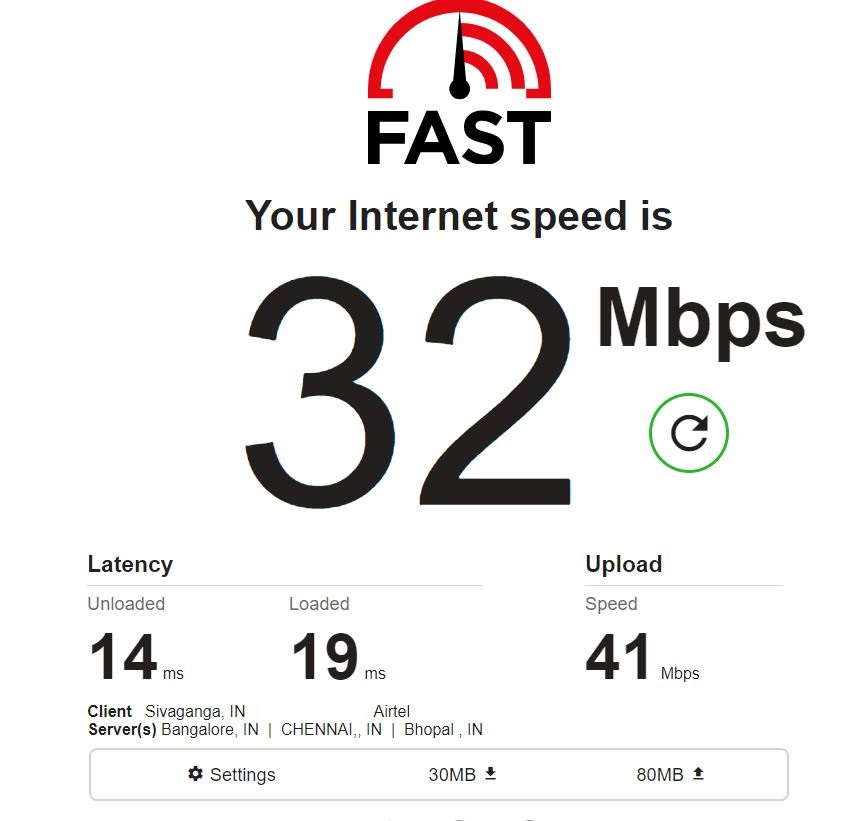
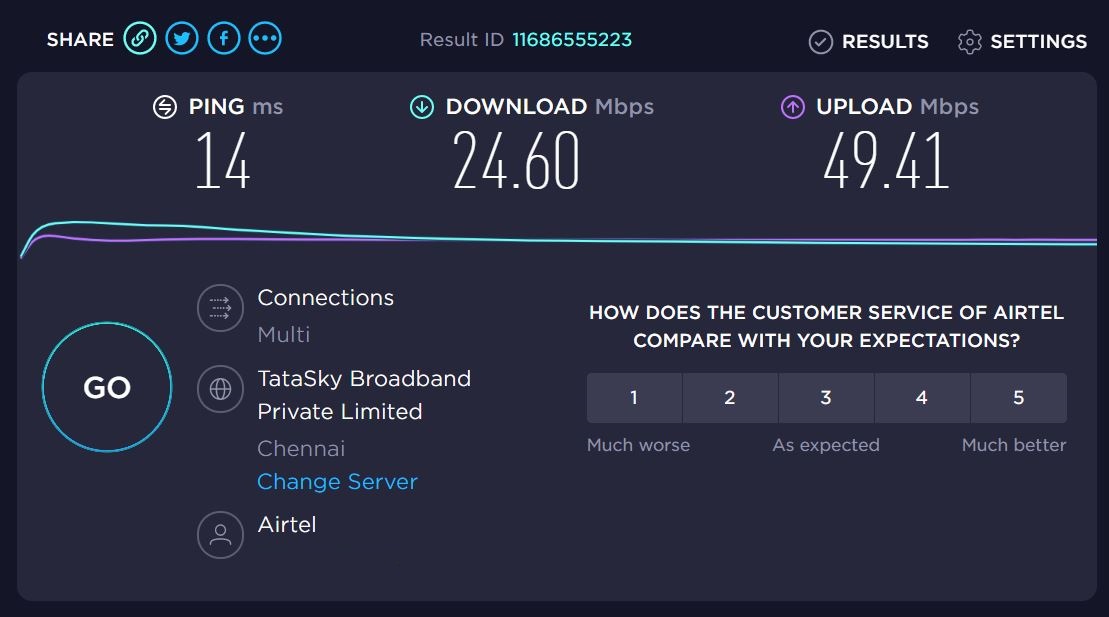
Here are screenshots of download speeds in bridged mode

bridge-2.jpg


bridge.jpg


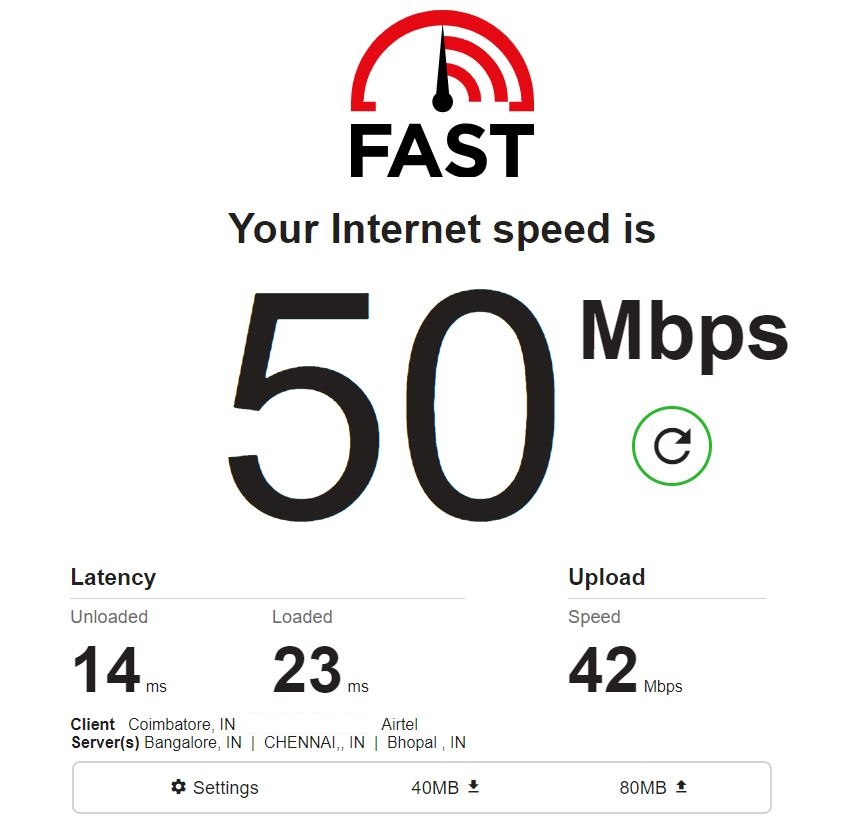
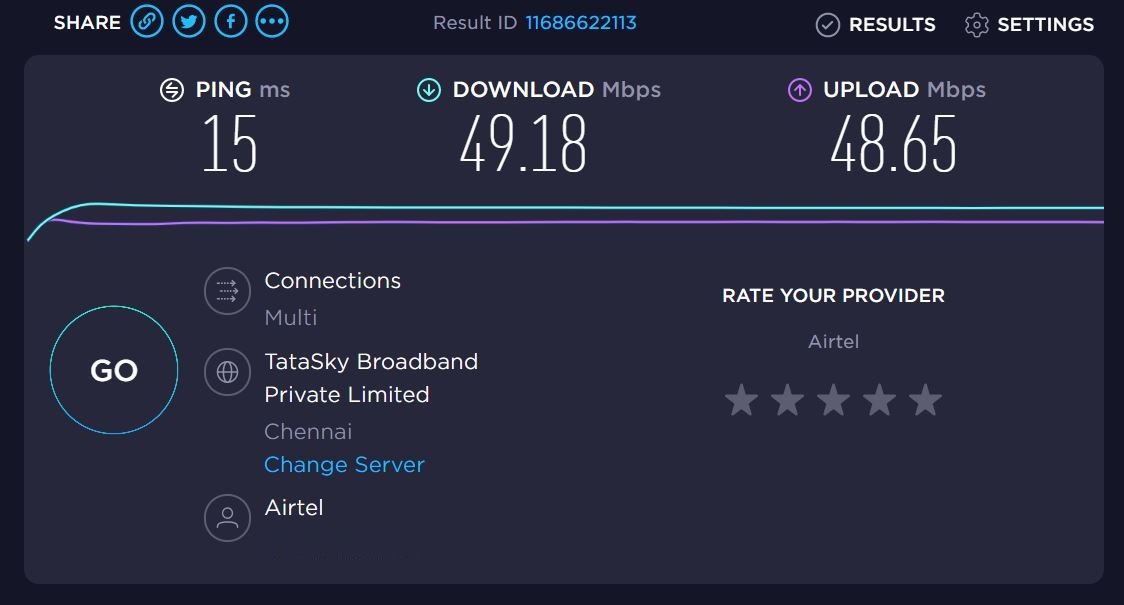
Now, here are the speeds through airtel modem (I used same server in speedtest.net and the test was conducted 10 minutes apart)

airtel.jpg


airtel-2.jpg


So, what could be the issue? Is it due to any incorrectly configured settings?

Since I had taken backup file of airtel modem config, I have restored it and using airtel modem for now till I figure out what the issue is

Thank you for your inputs

Best Regards
 
Upvote 0
Did you enable vlan on c6?

No, I did not - in the C6, I only entered the PPPoe id and password

I'll try to find vlan setting in C6 config page - any pointers where it might be located?

Thank you for your inputs

Edit : I also tried updating the C6 to latest firmware and also factory reset it - but to no avail
 
Upvote 0
Back