Airtel Vs Jio fiber router

  • Thread starter Thread starter Smh
  • Start date Start date
  • Replies Replies 31
  • Views Views 4,464
Airtel installation is complete.

1. weird issue is if I use ipv6 airtel app doesn't work.
2. If i manually rename the ssid from 192.168.1.1 portal, airtel app fails to recognize router. It only works if I use ssid Airtel_xx.

I wanted to keep old ssid and password so I don't have to reconfigure all devices again.
 
do you need the app to recognize router? i have a custom my choice ssid always on the airtel router and it has caused no problems at my end. i do not manage the router through airtel thanks app. i just use the webui.
 
Their Airtel thanks app is a mess, it didn't work for me from the beginning. just use 192.168.1.1 to change everything .
Also if you will use airtel thanks app to manage it will broadcast 2.4 ghz and 5 as same ssid.
 
192.168.1.1 doesn't allow to change 5ghz ssid. It only allows to change 2.4ghz ssid name but that same 2.4ssid starts broadcasting dual signal 2.4 & 5

I will have to check if restarting router is resetting ssid name. And would prefer to have different ssid for 2.4 &5

Connection was installed about an hour ago so will have to check what all settings are available. Currently using custom ssid. Also disabled ipv6 for now.


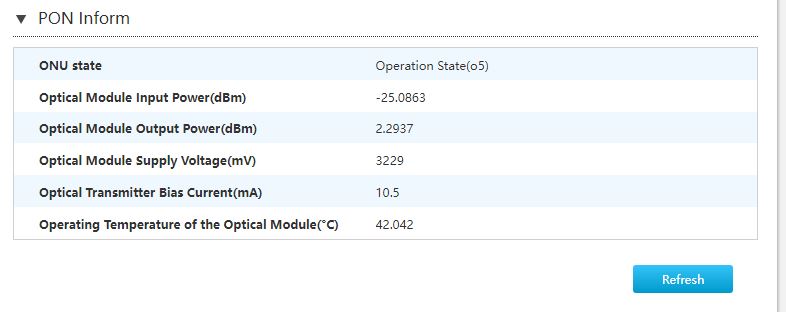
Do these stats look okay?

LuH4FnF.jpg
 
I opted for the 499 plan paid 3k for 6months to test and for my usage pattern 50mbps works fine most of the time.

Speedtest.net showed 100mbps once I think that was on ipv6.

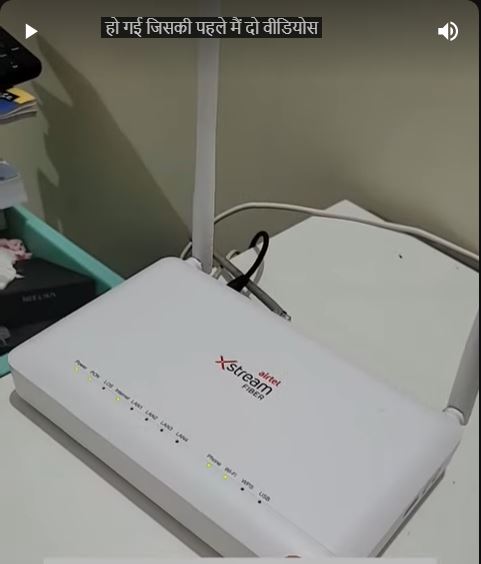
@anmolbhard004 it looks very basic with 2 antennas. I asked the installation guy if they give other ont for higher plans but he said ont/router is same for all plans.
will share pic later.
 
@Smh the optical input on your ONU is low, usually Jio ONU starts behaving strange one power cross -25dB. Idle operating power is around -20dB ~ -22dB.
I'm not sure for Airtel though.
Check with technician once about it..
This low power could be due to improper splicing and/or termination.
 
Back