Update :-
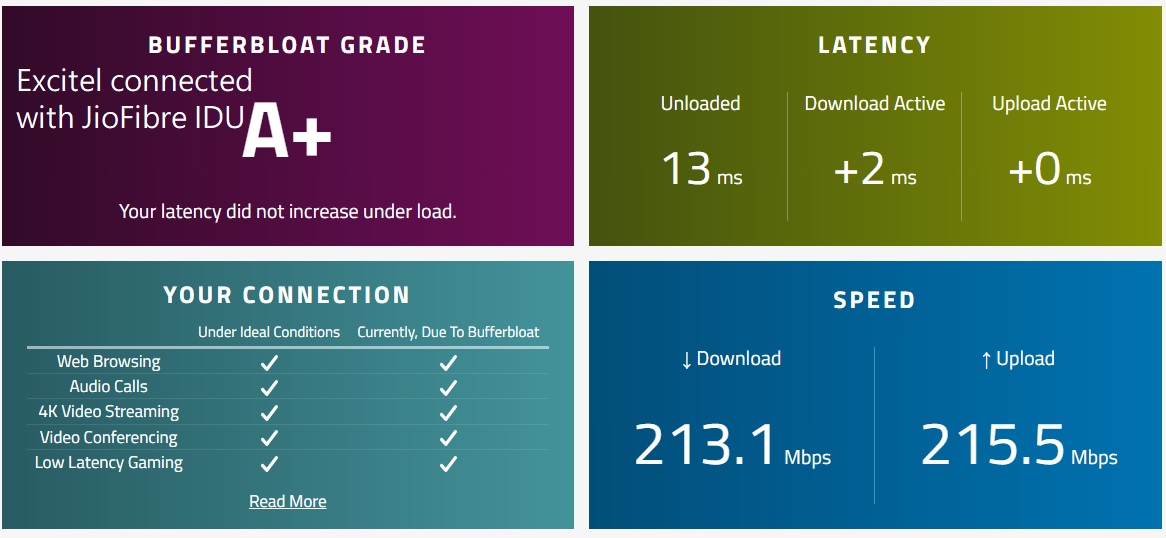
Connected my Excitel
router with JioAirfibre IDU
and here are the results -
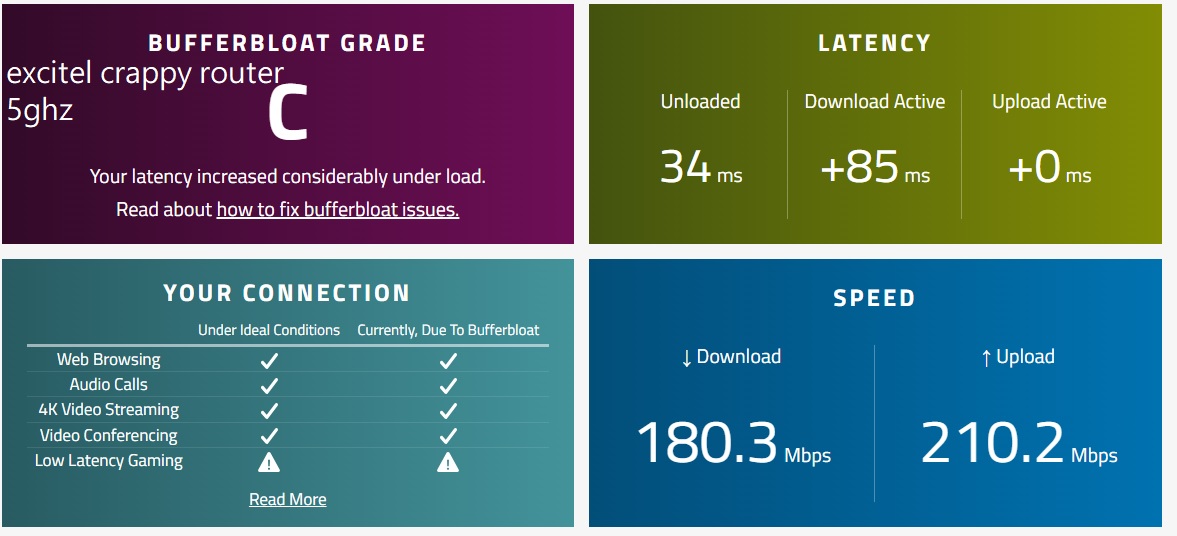
normal excitel router 5ghz mode -
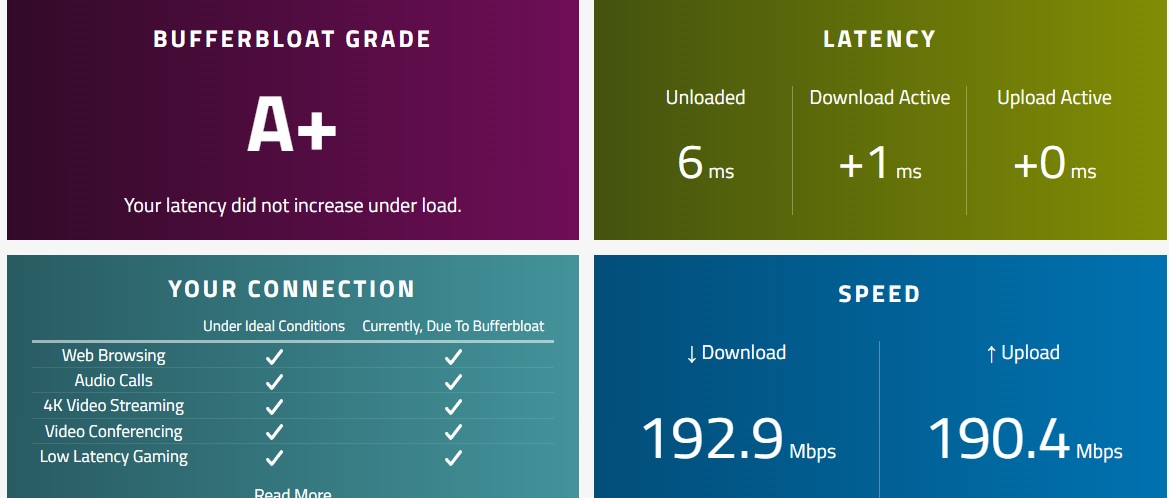
@raj17 @Skye Seems Excitel hardware is also shitty but i confirm that JioAirfibre IDU is pretty rocksolid. There hardware is capable of handling speeds .
@invisible007 Honestly this result surprised me too

In theory when an
ONT is running in
normal (router) mode(not AP MODE), you usually expect
bad bufferbloat, higher jitter, and latency spikes because everything is handled by ISP hardware(
Excitel ONT). But here the Jio AirFiber IDU is doing the opposite bufferbloat stays at
A+ and latency barely moves under load.
That clearly shows the issue isn’t the line or ONU itself. The real problem comes from
router side QOS management and Wi-Fi handling AND ALSO 6GHZ (JIO AIRFIBER ONT). With the Excitel router even though the ONU is fine the router struggles under load, causing high latency and jitter.
Also one important point
was this test done on Wi-Fi or LAN?
Because Wi-Fi tests can vary based on interference and client capability, while LAN usually gives the real picture of router performance. Still even on Wi-Fi, this kind of bufferbloat difference is hard to ignore. but it pretty much confirms that Jio’s IDU hardware and QoS implementation are solid, while the Excitel router is the bottleneck.
One more suggestion I’d give you try using
your own separate ONT instead of the Excitel crappy ONT because their ONT can also become a bottleneck.
Ask the technician or customer care for the
GPON ID / Serial Number and GPON password.
Apart from that also confirm the
VLAN ID used for the internet. In some areas you may also need
PPPoE username and password (if Excitel is not using DHCP/IPoE). Without the correct VLAN the ONT may sync but the internet won’t work.
GPON ID + GPON password + VLAN ID is enough but it’s better to confirm all details before switching.