NEW ONT RECOMMENDATION

  • Thread starter Thread starter harsha_8re
  • Start date Start date
  • Replies Replies 44
  • Views Views 9,576
Messages
118
Location
Andhra pradesh
ISP
ACT FIBERNET
I opted for bsnl fiber after i found no private isp other than act (worst in my area) is willing to give me connection.I asked airtel and jio fiber guys they said it may take 2-3 months time, so i thought i will temporarily take bsnl ftth for 2-3 months and then shift to private isp.But it has been 6 months and now i found that private isp's may take eternity to give me connection as my house is in outskirts.So at the time of installation i opted for rental modem and they provided me Huawei echolife hg850a.Bsnl service in my area is excellent.There is no lco between me and bsnl as i am staying in one of the biggest and first bsnl ftth city in andhra pradesh.Staff respond to complaints very swiftly.One day my modem went kaput and i raised a complaint in self care and within 8 hours they replaced it.Now i want to surrender rental modem because i was paying 100 every month for modem.From the past 6 months i paid 600 as rent and for 1300 i can get a basic modem.So can you guys please suggest me a good modem.I don't think they have mac binding here.When they changed damaged modem he just entered user id,password and some other things. He made a call to technical team and just told them serial number and within 30 minutes my internet is up.So i think there may not be any mac binding.Now i am using fiber basic and from next month i will shift to fiber basic plus.


Will this modem work?i don't know anything about olt.I don't know anyone who can tell me about that in my area.So please suggest me.
 
Solution
Hello @harsha_8re, I also had the same Huawei ONT(hg 850A) on rent from BSNL. This is a basic ONT because it does not even have a single GE LAN port instead it has 4 FE LAN ports due to which the maximum internet speed is capped at 100mbps per port, and also it does not support port forwarding, adding a static route, etc. So it is better to replace it with an ONT that has a GE Lan port.

Before replacing it with any ONT, I will advise you to visit the nearest BSNL office and ask them about the compatibility of this ONT(Netlink hg 323r) with the OLT. Because in my case, the SDO directly told me that they are using a Huawei OLT, and it is only compatible with Huawei ONT. The SDO also told me that other ONTs will face frequent pon...
@AARON NASH

if I directly connect to my ONT via my Desktop/Laptop I get full 200mbps

EDIT: I AM TESTING ALL THIS VIA WIRED CONNECTIONS, NOTHING THROUGH WIFI

Z20dzyw.webp


Can't show the screenshot but if I do it through the router it hangs around 80-90mbps

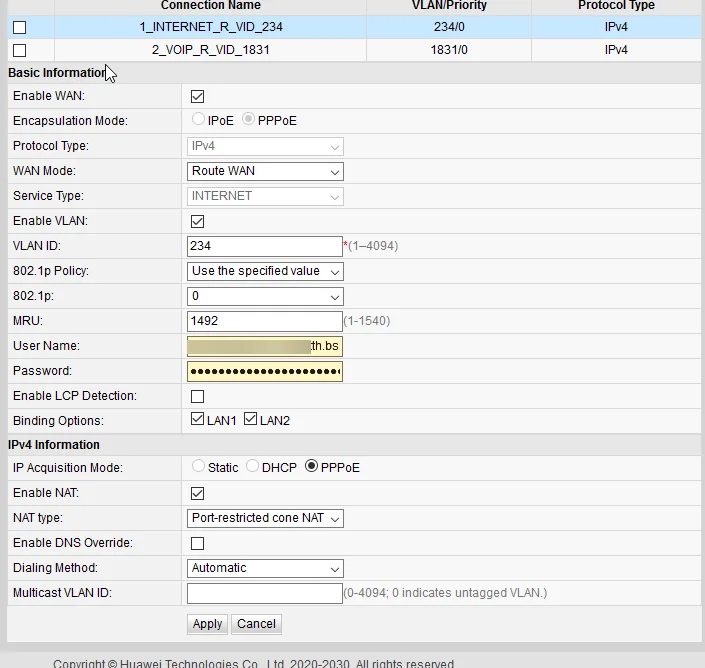
Here are the settings on the ONT

9p1TQOT.webp


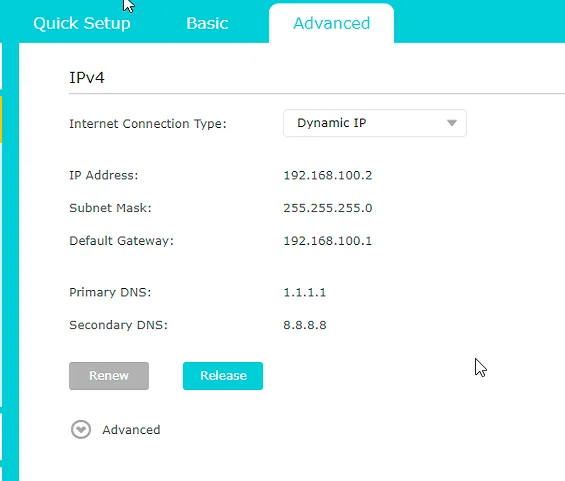
SETTINGS ON THE TP-Link ROUTER

H4QBoWC.webp


teDHjOh.webp


OTHER SETTINGS:

SECURITY :
ARP BINDING : OFF
ACCESS CONTROL : OFF
SPI FIREWALL : OFF
DDOS PROTECTION : OFF

IPV6 : OFF

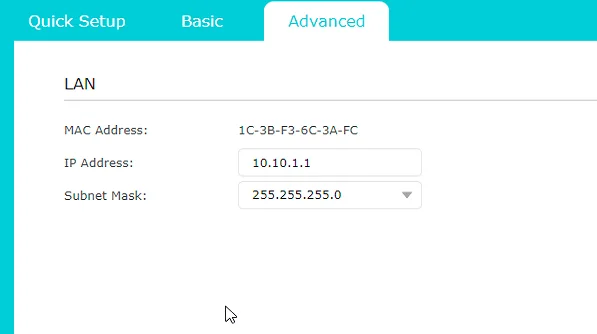
LAN:


TArcfSz.webp


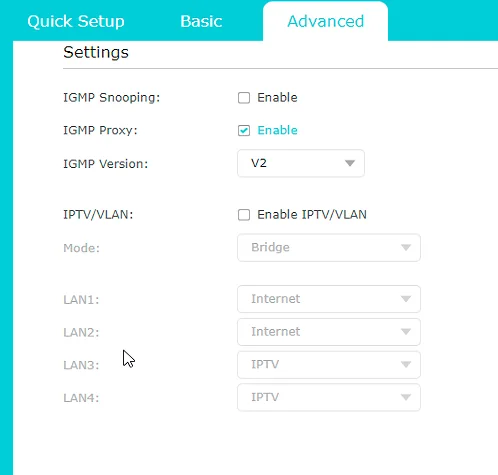
IPTV - VLAN

cZlOS6w.webp


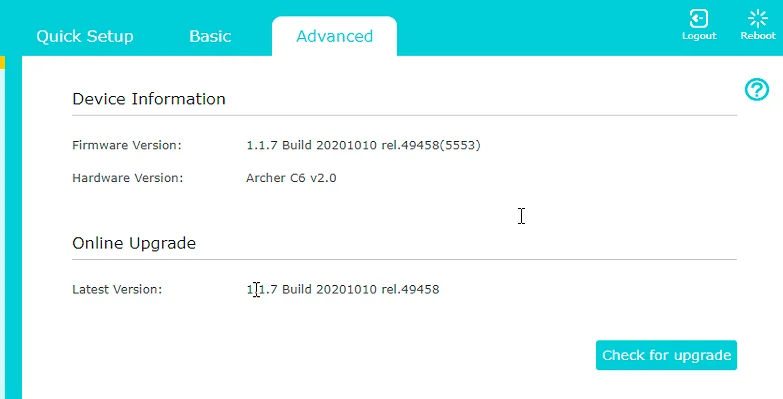
FIRMWARE: LATEST

jKfn5ZD.webp


SYSTEM PARAMETERS:

a5bSsfF.webp
 
Last edited by a moderator:
Upvote 0
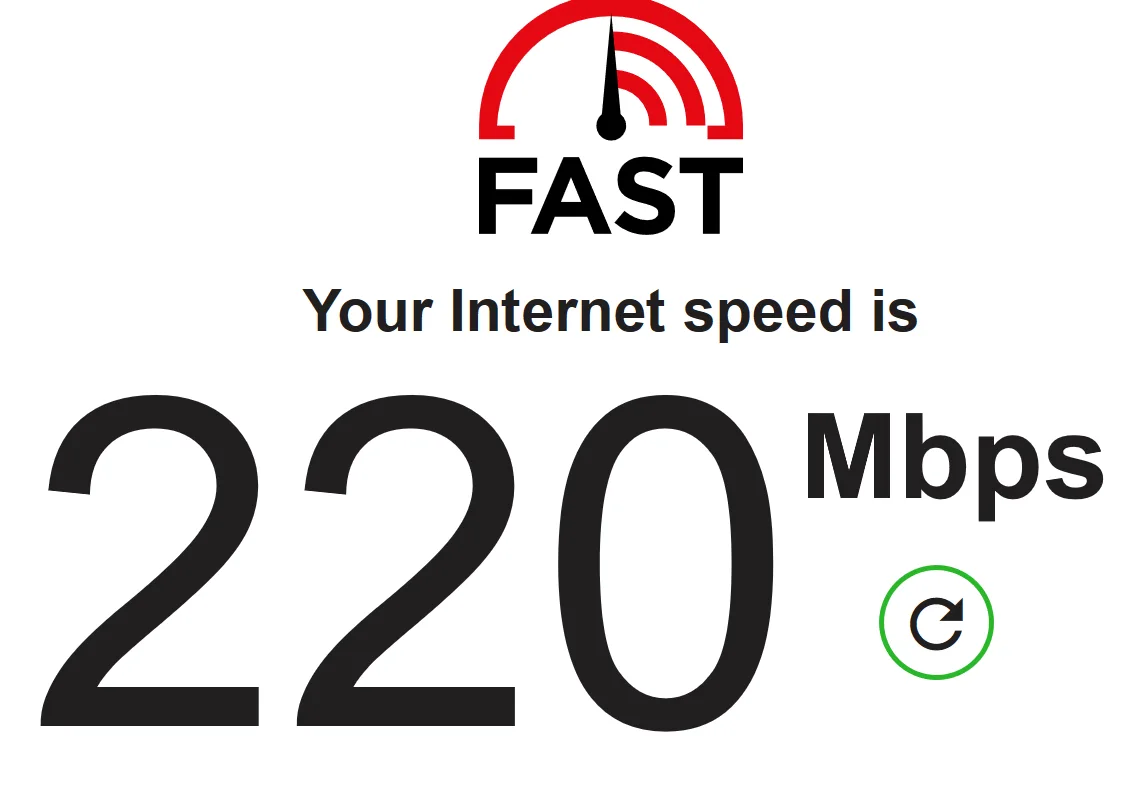
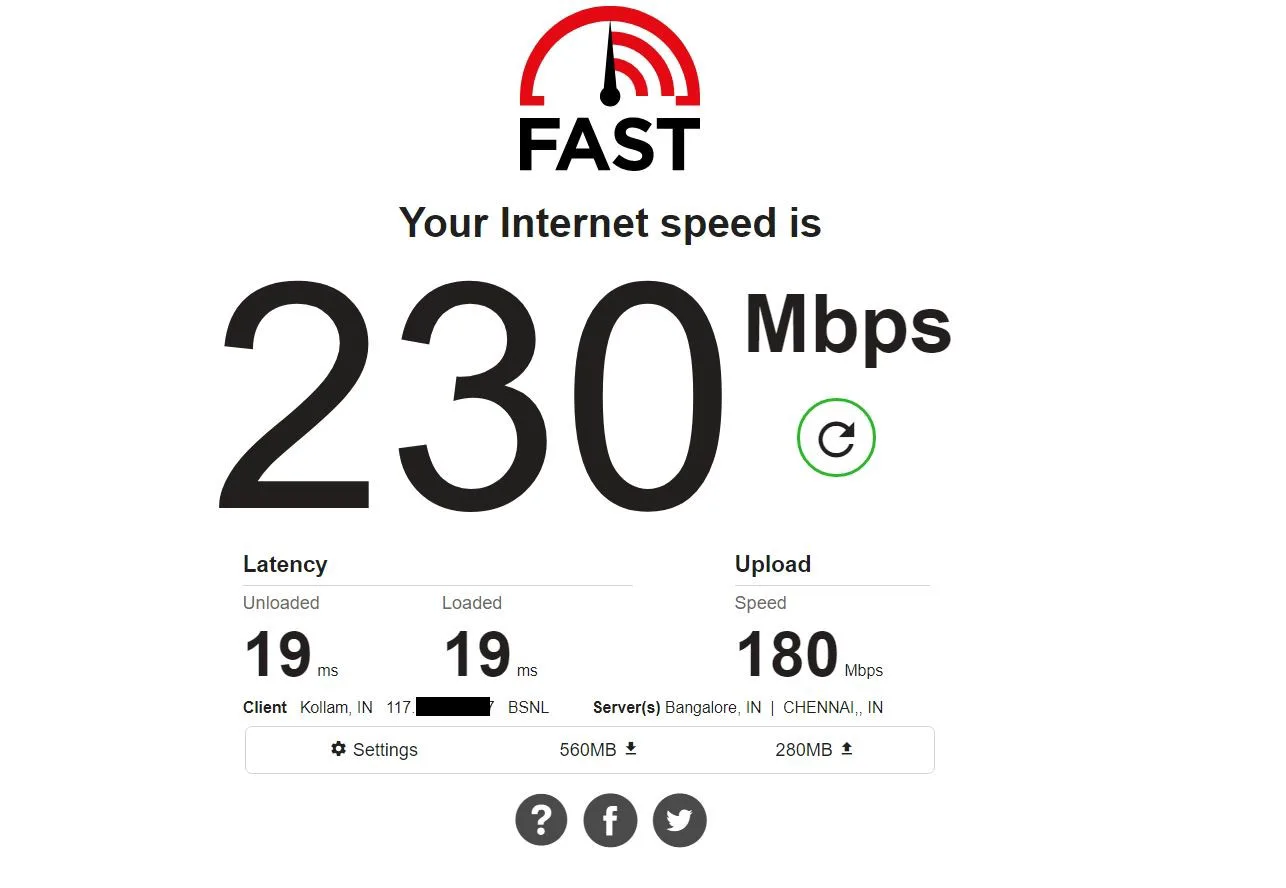
My current plan is - Superstar 2 (150mbps till 2000GB), and this is what I get when I am connected to the router through LAN/WLAN.
2LDXvKA.webp


Follow these steps to rectify your problem -
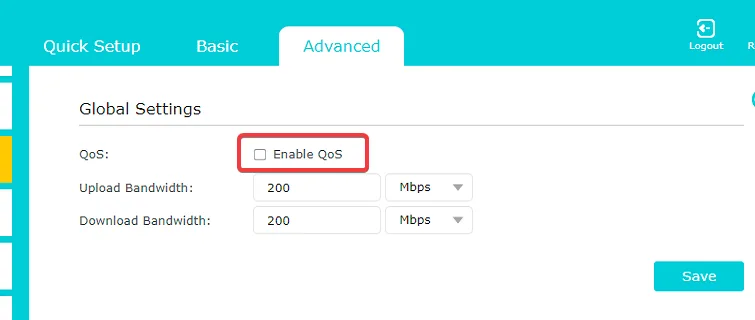
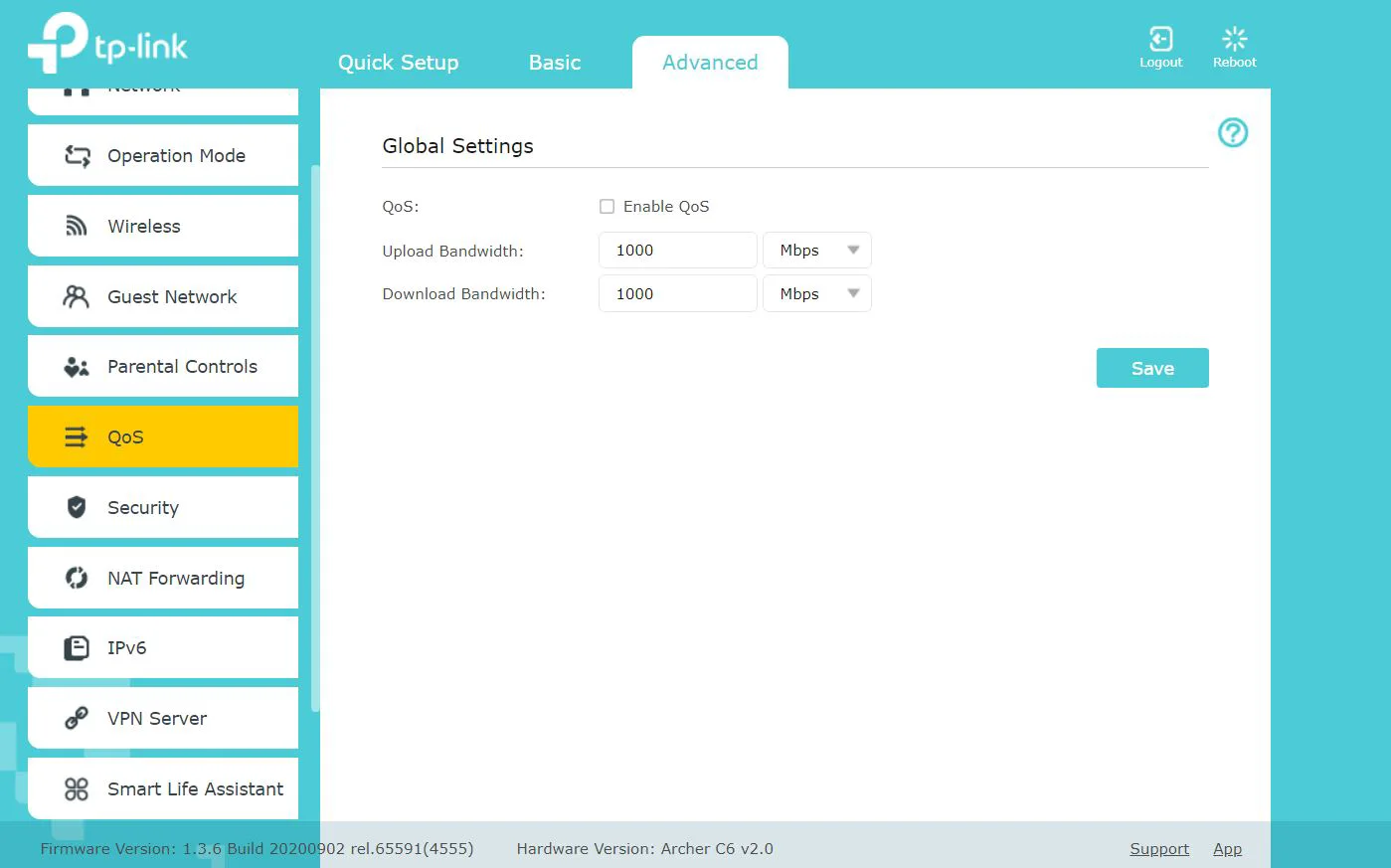
1. Disable QoS and set the bandwidth of both upload and download to 1000mbps.
3SLheoP.webp


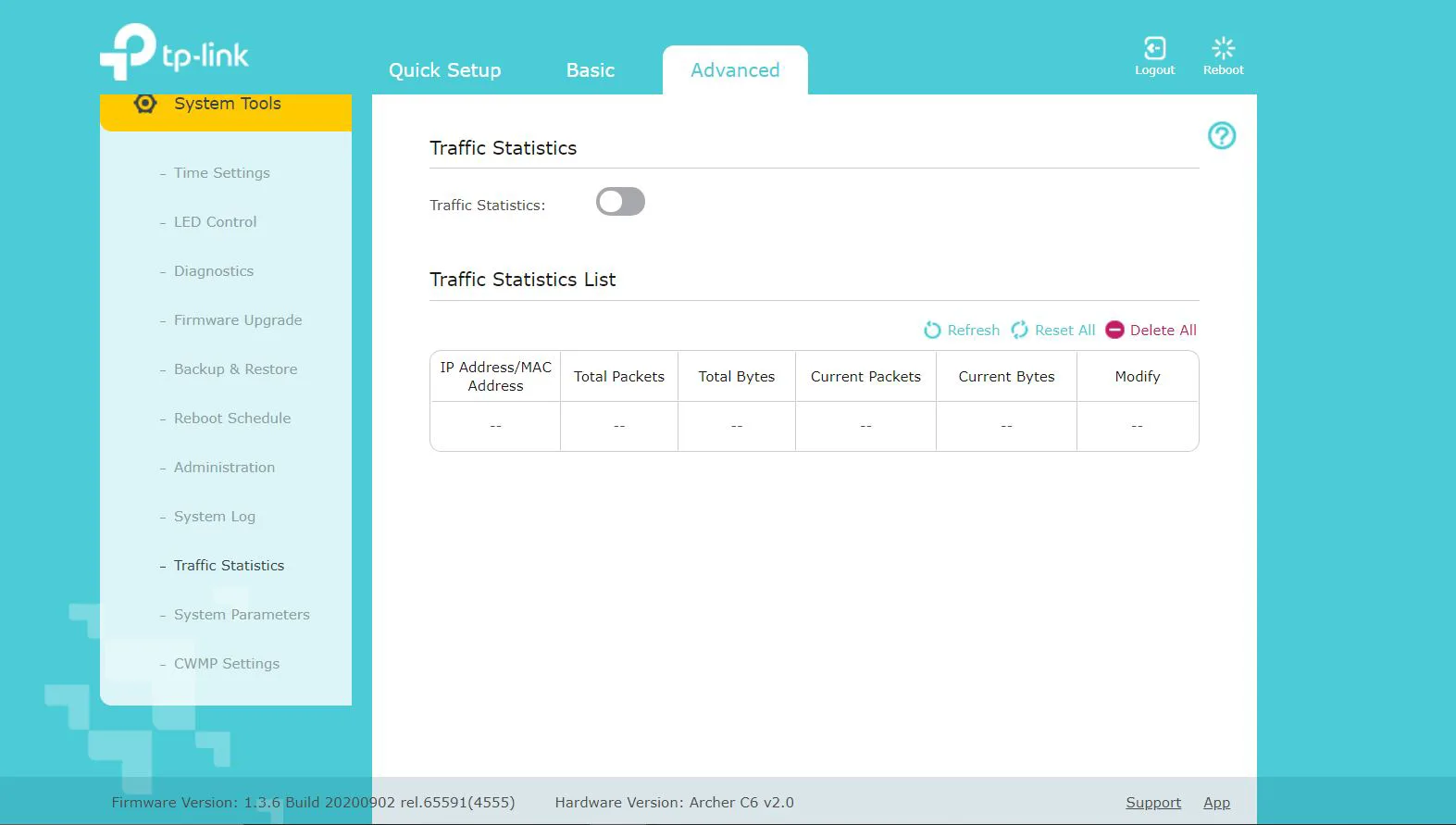
2.Disable traffic statistics.
hS7ePUv.webp


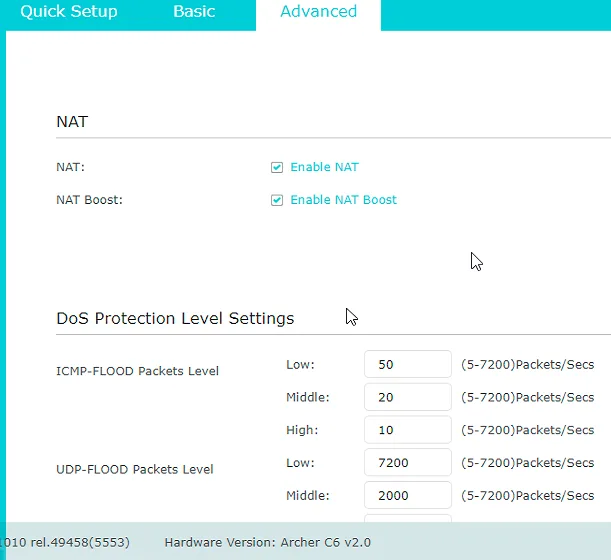
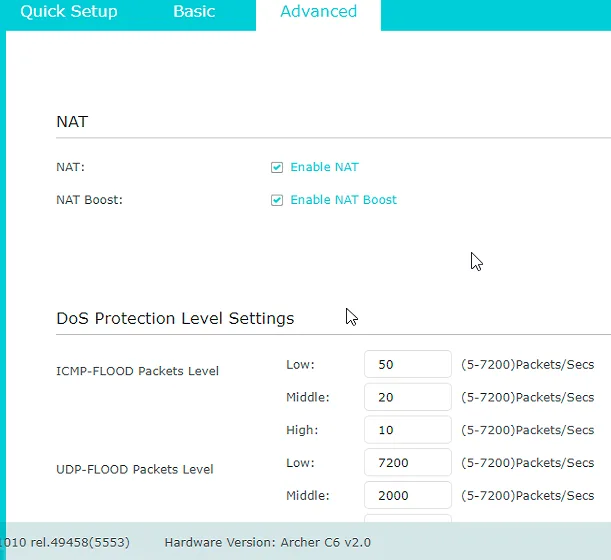
3. Disable-Enable NAT boost, then reboot the router.
Ewqg9aj.webp


If you are still not getting your desired speed, then make the following changes to your router

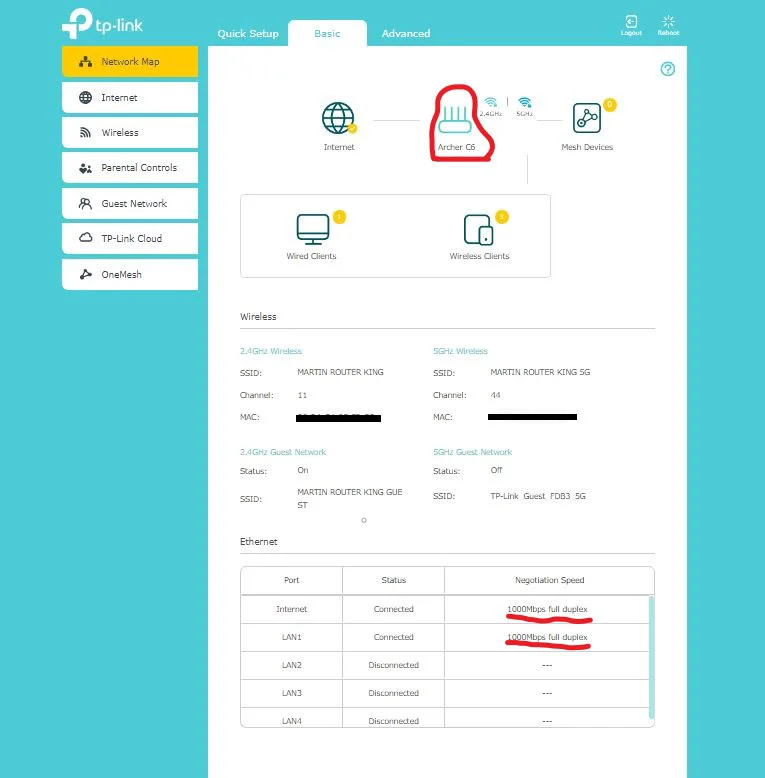
1. Log in to the web UI of the Archer C6 and go to the Basic-Network map page, click the Archer C6 image/icon and scroll down this page, you will see the Ethernet negotiation speed of the LAN ports.
9AqMzhu.webp


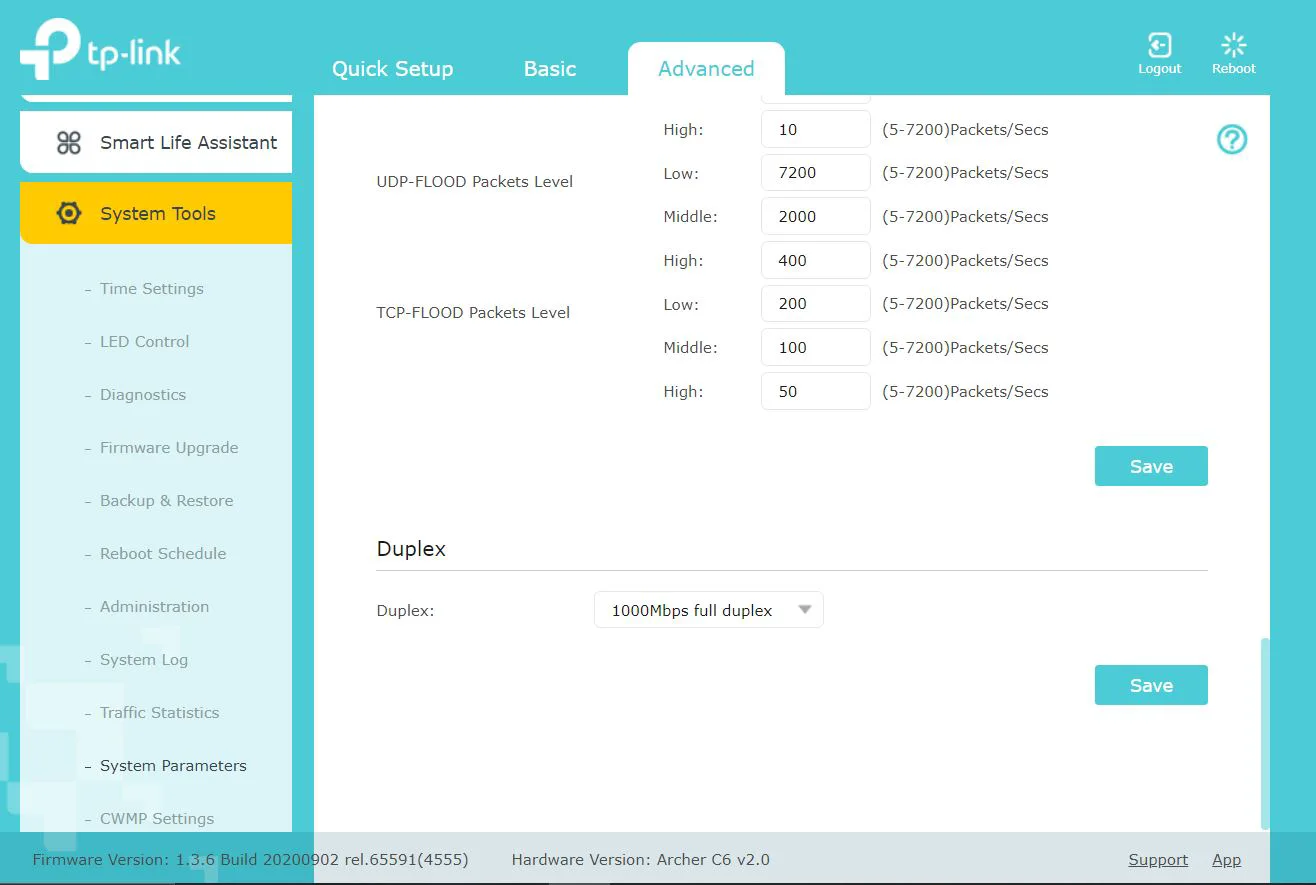
2. Go to Advanced-system tools-system parameters to edit the duplex, change it to 1000Mbps full-duplex if you have a gigabit line, then reboot the router.
rvjdeWk.webp


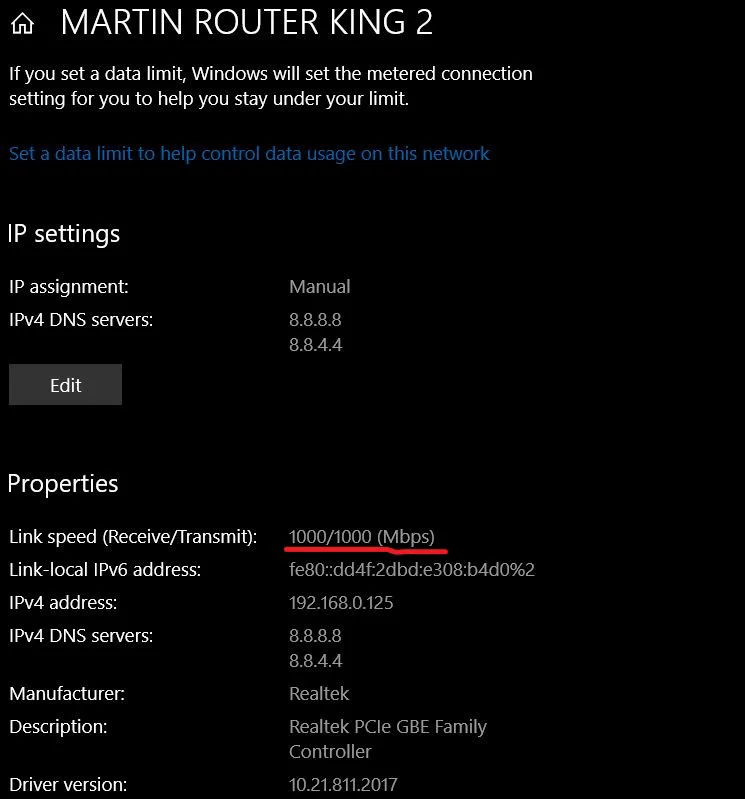
3. After that, try to test the negotiation speed on your PC again. It is strongly suggested changing another cat5e or cat6 cable.
dp1gLbS.webp


4. Check Internet speed again.

Source-Getting slow download speed using ethernet from TP-Link Archer C6 - Home Network Community
 
Last edited by a moderator:
Upvote 0
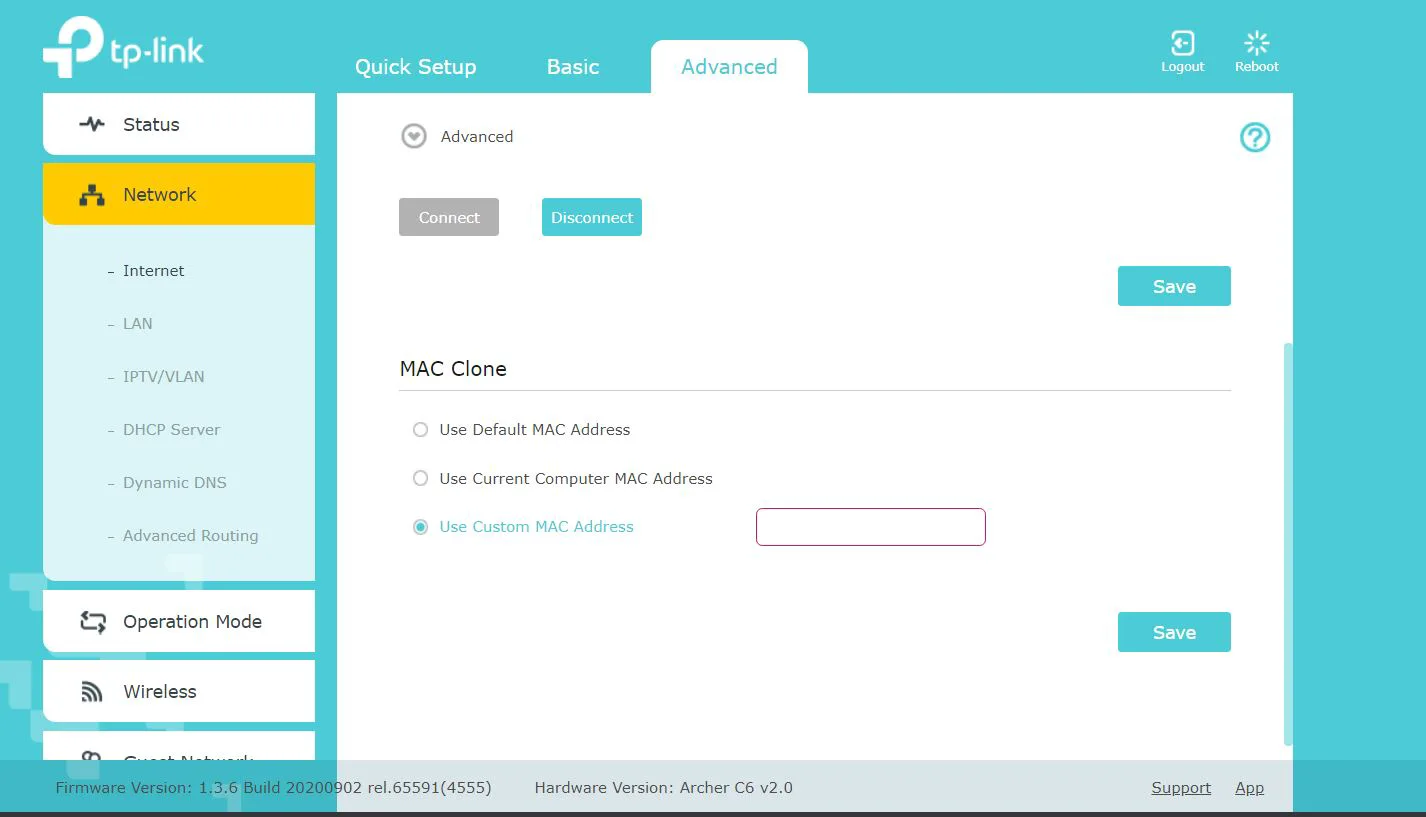
@wapenshaw Try clonning the MAC shown in the self care portal which is displayed in the usage reports. Cause the ONT may have a fiber interface mac and an Ethernet mac which might be slightly different, mostly the last two characters.

@varkey I can't seem to find the option

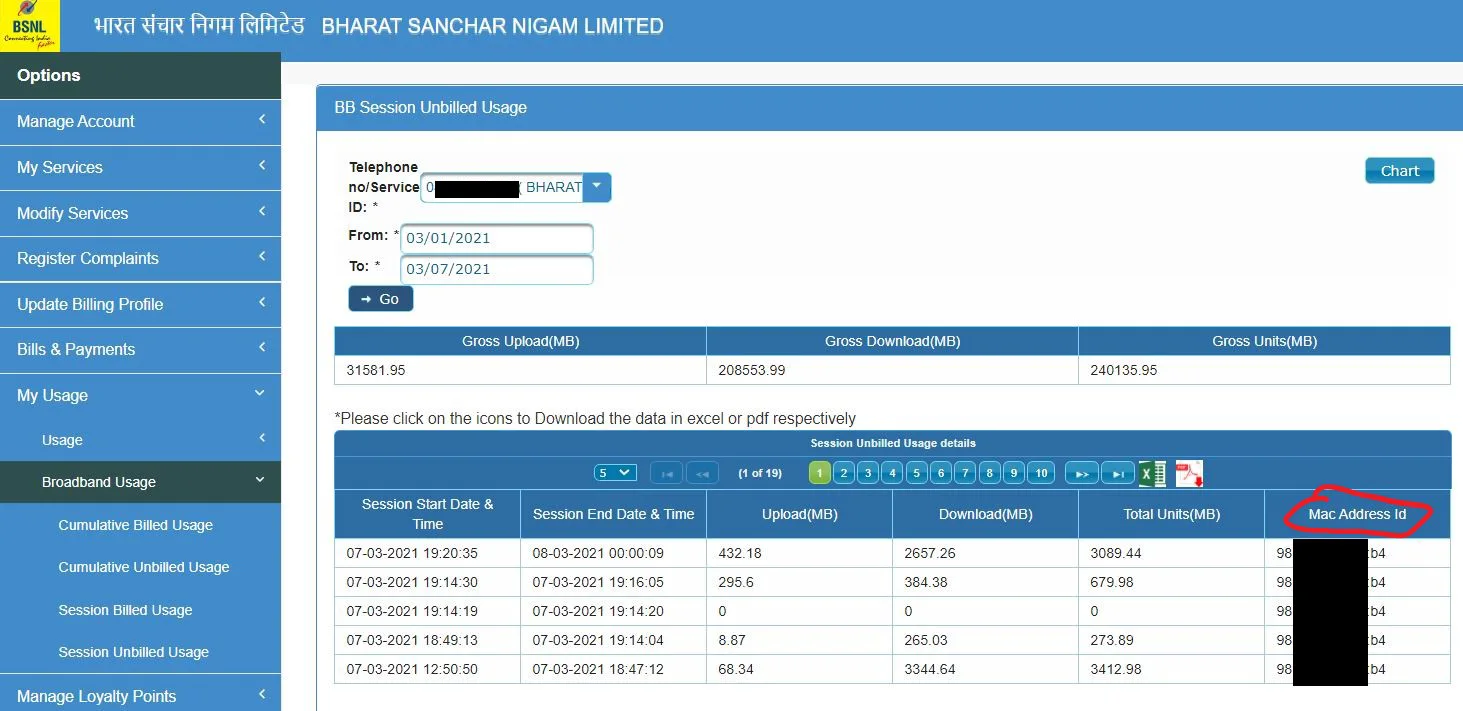
What @varkey is asking you to do is log in to BSNL self-care then click on fiber billing account no - My Usage - Broadband usage - Session unbilled usage ( select date - 01 Mar to 07or 08 Mar)- copy the given Mac address ID.
kquTzJt.webp


and then paste it here
FoMlPg1.webp


You can also copy Mac address ID from BSNL Connect mobile app.

Then try to Dial the PPPoE connection from your router.
 
Last edited by a moderator:
Upvote 0
Back