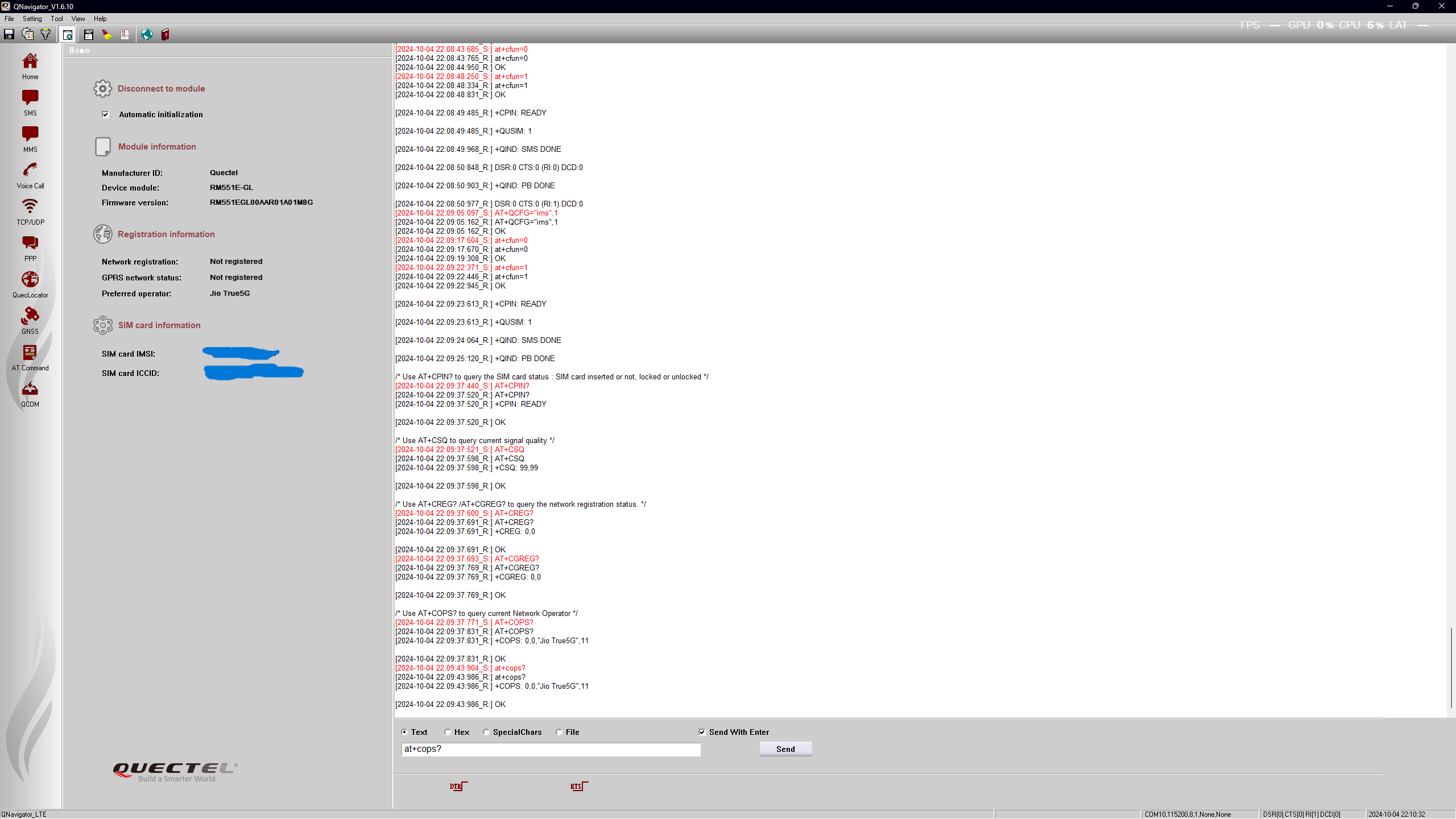
[2024-10-04 18:26:27:177_S:] AT+QCFG="ims"
[2024-10-04 18:26:27:254_R:] AT+QCFG="ims"
[2024-10-04 18:26:27:254_R:] +QCFG: "ims",0,1
[2024-10-04 18:26:52:257_S:] at+cfun=1
[2024-10-04 18:26:52:338_R:] at+cfun=1
[2024-10-04 18:26:52:837_R:] OK
[2024-10-04 18:26:53:521_R:] +CPIN: READY
[2024-10-04 18:26:53:521_R:] +QUSIM: 1
[2024-10-04 18:26:53:582_R:] DSR:0 CTS:0 (RI:0) DCD:0
[2024-10-04 18:26:53:647_R:] +CREG: 2
[2024-10-04 18:26:53:716_R:] DSR:0 CTS:0 (RI:1) DCD:0
[2024-10-04 18:26:53:962_R:] +QIND: SMS DONE
[2024-10-04 18:26:54:995_R:] +QIND: PB DONE
[2024-10-04 18:26:55:594_R:] +CREG: 0
also sim is visible to the device and it gives 2,0 as creg output even after 5 minutes of testing
[2024-10-04 18:26:27:254_R:] AT+QCFG="ims"
[2024-10-04 18:26:27:254_R:] +QCFG: "ims",0,1
[2024-10-04 18:26:52:257_S:] at+cfun=1
[2024-10-04 18:26:52:338_R:] at+cfun=1
[2024-10-04 18:26:52:837_R:] OK
[2024-10-04 18:26:53:521_R:] +CPIN: READY
[2024-10-04 18:26:53:521_R:] +QUSIM: 1
[2024-10-04 18:26:53:582_R:] DSR:0 CTS:0 (RI:0) DCD:0
[2024-10-04 18:26:53:647_R:] +CREG: 2
[2024-10-04 18:26:53:716_R:] DSR:0 CTS:0 (RI:1) DCD:0
[2024-10-04 18:26:53:962_R:] +QIND: SMS DONE
[2024-10-04 18:26:54:995_R:] +QIND: PB DONE
[2024-10-04 18:26:55:594_R:] +CREG: 0
also sim is visible to the device and it gives 2,0 as creg output even after 5 minutes of testing