Reliance Jio Fiber Routers and ONTs

@vishalrao I'm getting as below:

Wired:
between 80-92 down, 90+ Up

Built in wireless & with my own wireless setup:
between 80-92 down, 50+ Up
Hi,

Can you please tell me how much speed you are getting on seedr, mega, link-removed type of direct download sites. Because I have the 100Mbps plan and I'm getting only 1-2MBps on these sites otherwise on speedtest and on google drive downloads I'm getting 95+Mbps.

Also check your speed on testmy.net
 
I am not able to find the option to change the Wifi Channel on the 2500 Single (2.4) Router. The settings seem to be missing. With many Jio connections in the Apartment block, need to change it to reduce interference.

Anyone able to do this?
 
Hi Guys,

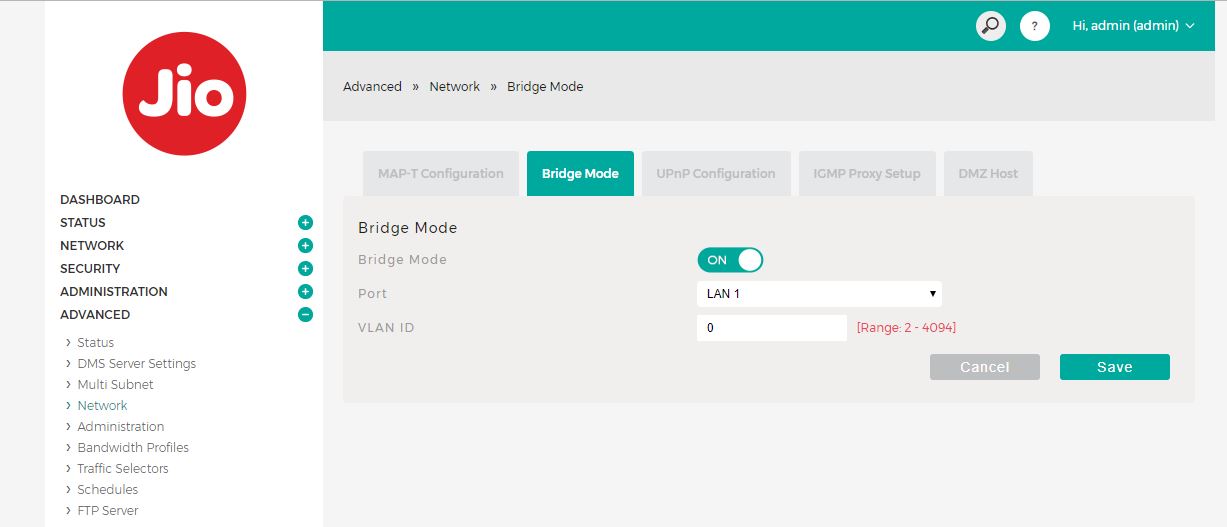
I just got thee 2500 Jio connection installed with below details:


Firmware Version
ARCTF1_JCO110_R1.63

Hardware Version
01

Model Name
JCO110

If you see the picture attached, it is letting me turn on the BRIDGE mode, have anyone tried this earlier ?

EDIT: Maybe its just bridging LAN ports.


GNiQX36.jpg

hey did you find a way to enable bridge? I have not tried it yet.
 
There are ONT priced just 1300rs with 1gbps port. So having 1gbps port in 2500rs ONT is not a big deal.

Here is another guy getting up to 300mbps in 2500rs ONT.
He has also told how to upgrade your speed to 1gbps in same video.

Source

Here in this video you can see his 2500rs ONT.

Source

Its 100 mbps ethernet port, checked in its user manual and Jio representatives were told its gigabit in their training.


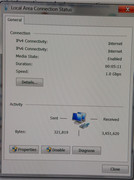
I would like to confirm that the Rs 2500 ONT having 2.4 Ghz wifi does infact have Gbps ports. Here is a click of the lan properties of my HTPC attached directly via ethernet cable to the Jio ONT.

 
I have the JCO110 2.4 Ghz ONT. I am unable to login to the router page using Jiocentrum or 12345678 or my registered number. The dumb Jiofiber CC has no idea about usernames and passwords of the router.
Does anyone know any other way to login to the router page?
 
Has anyone able to disable NAT and enable bridge mode on ONT 2.4 ghz ? I just wanna use full potential of my Asus router.

Hi Guys,

I just got thee 2500 Jio connection installed with below details:


Firmware Version
ARCTF1_JCO110_R1.63

Hardware Version
01

Model Name
JCO110

If you see the picture attached, it is letting me turn on the BRIDGE mode, have anyone tried this earlier ?

EDIT: Maybe its just bridging LAN ports.


GNiQX36.jpg
what happened after this ? did bridge mode work?
 
everyone check their myjio app, i think Jio has changed validity for all recharges my every recharge is valid till 4 September 2019. earlier they were valid till 28 Aug and 17 September.
 
Back