
-
Amazon Deals - ToS - Like us?
You are using an out of date browser. It may not display this or other websites correctly.
You should upgrade or use an alternative browser.
You should upgrade or use an alternative browser.
Bsnl FTTH (Bharat Fiber) local infrastructure of fiber cable from outside poles to inside home installtion with pics.
- Thread starter SG_curiosity
- Start date
- Replies 101
- Views 29,485


True That@Rahul Kalani These BSNL guys act like they are providing service for free.
SG_curiosity
I got banned!
1. 30-35 Mbps on 2.4Ghz WiFi of TP-link archer C6 gigabyte router? Why speed is so less on 2.4Ghz WiFi of this gigabit router? It should atleast 45-55 Mbps on 2.4Ghz WiFi if you are around 8-10 ft away from the router without any wall.
How far were you from router? Try again with 10 to 12 feet distance. And also which devices are you using?
Charges incurred:-
Security deposit:- 849 had to pay after the cable installation for starting the connection.
2. First security deposit of Rs849 only was as a plan security. Right?
And one another Rs849 + 18%Gst = Rs1002 (can be adjusted according to number of days used since the day of activation of new connection till first month bill generated), you also had to paid as normal monthly usage charge of plan in your first bill? Right!
Then in first bill I was taken the following charges:-
Voice activation charges:- 250
3. Isn't Rs 250 a one time installation charge? Where you see "voice activation charges" mentioned?
In bsnl website there is only Rs250 installation charge mentioned.
And the rent for TYPE A ont is not being charged by bsnl if you are new customer.
4. So now, new first time customers in any state would never have to pay Rs90 for non-WiFi ONT monthly rental charges or it is only a limit period offer (6 months maximum)? Any information?
5. Can you please share the pic of your bsnl ftth first bill?
(Hide all private details like name, phone number, account number and address).
6. Can you share some pics of bsnl ftth cable coming from outside to complete inside? I want to see how bsnl guys do Installtion compared to private player like Jio and have they used plastic wall clips or not etc.
Last edited:

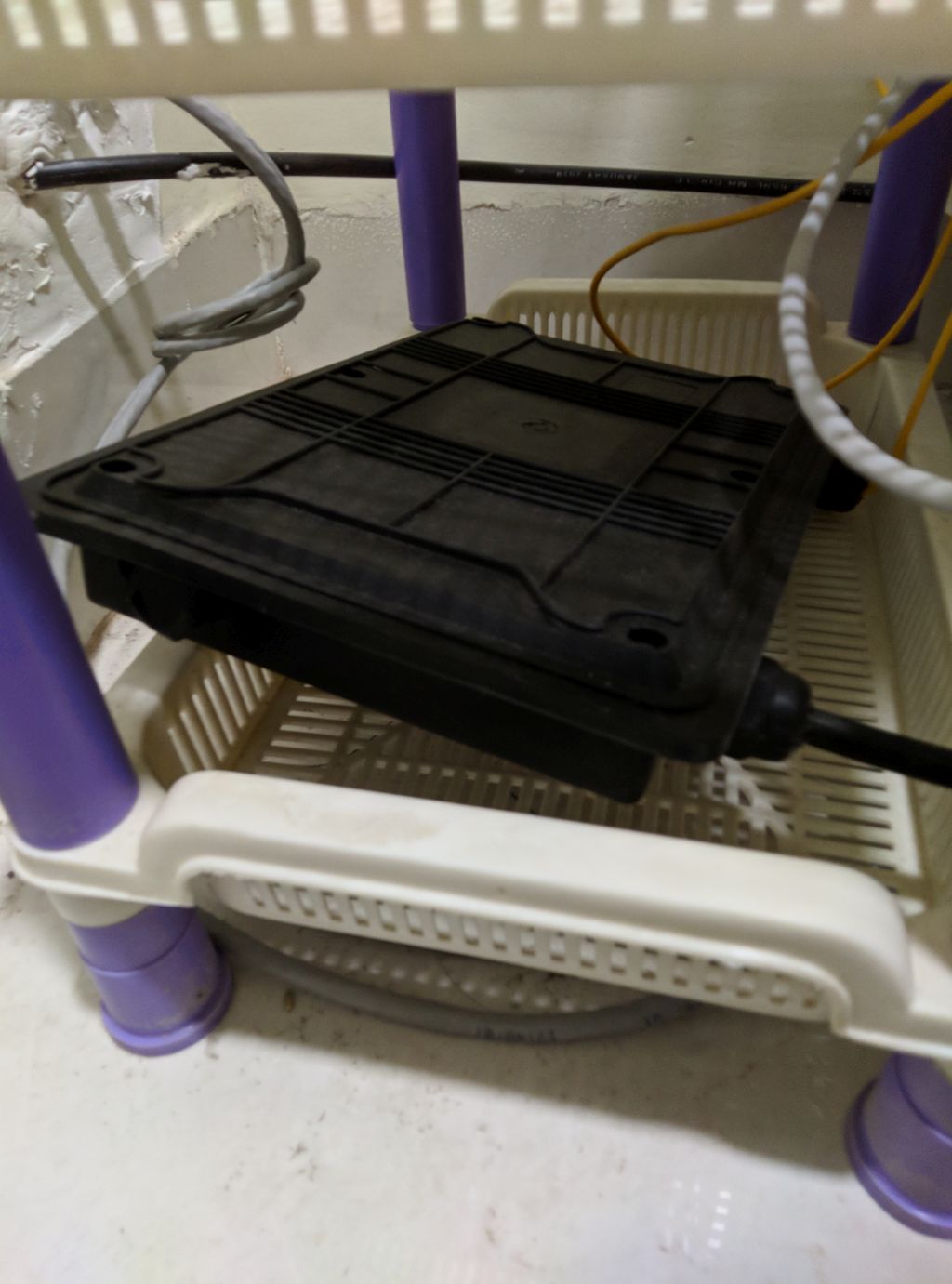
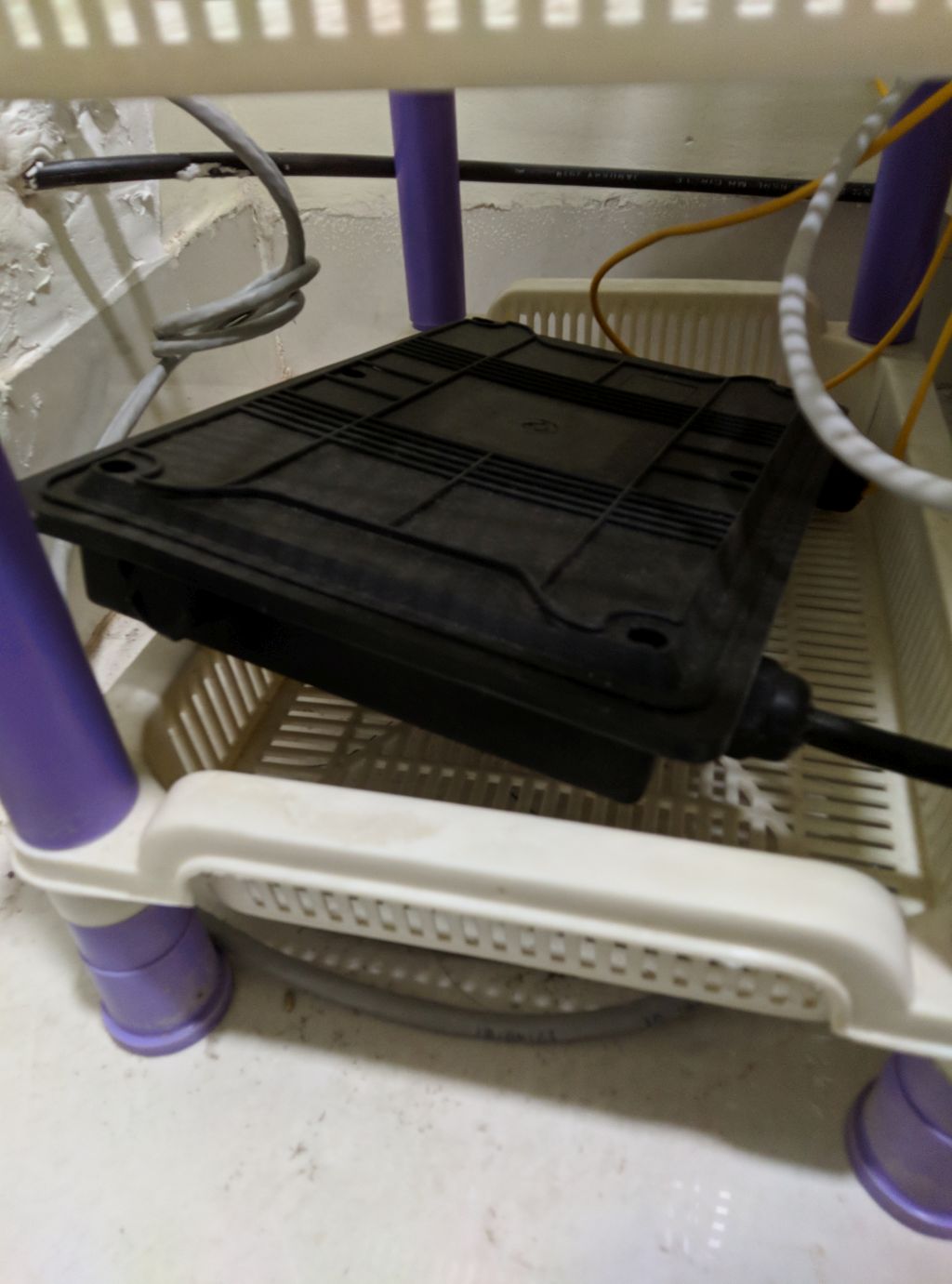
How big and ugly looking Junction box they are using in customer's homes! Can't they use any small junction boxes like JioFiber's junction box!
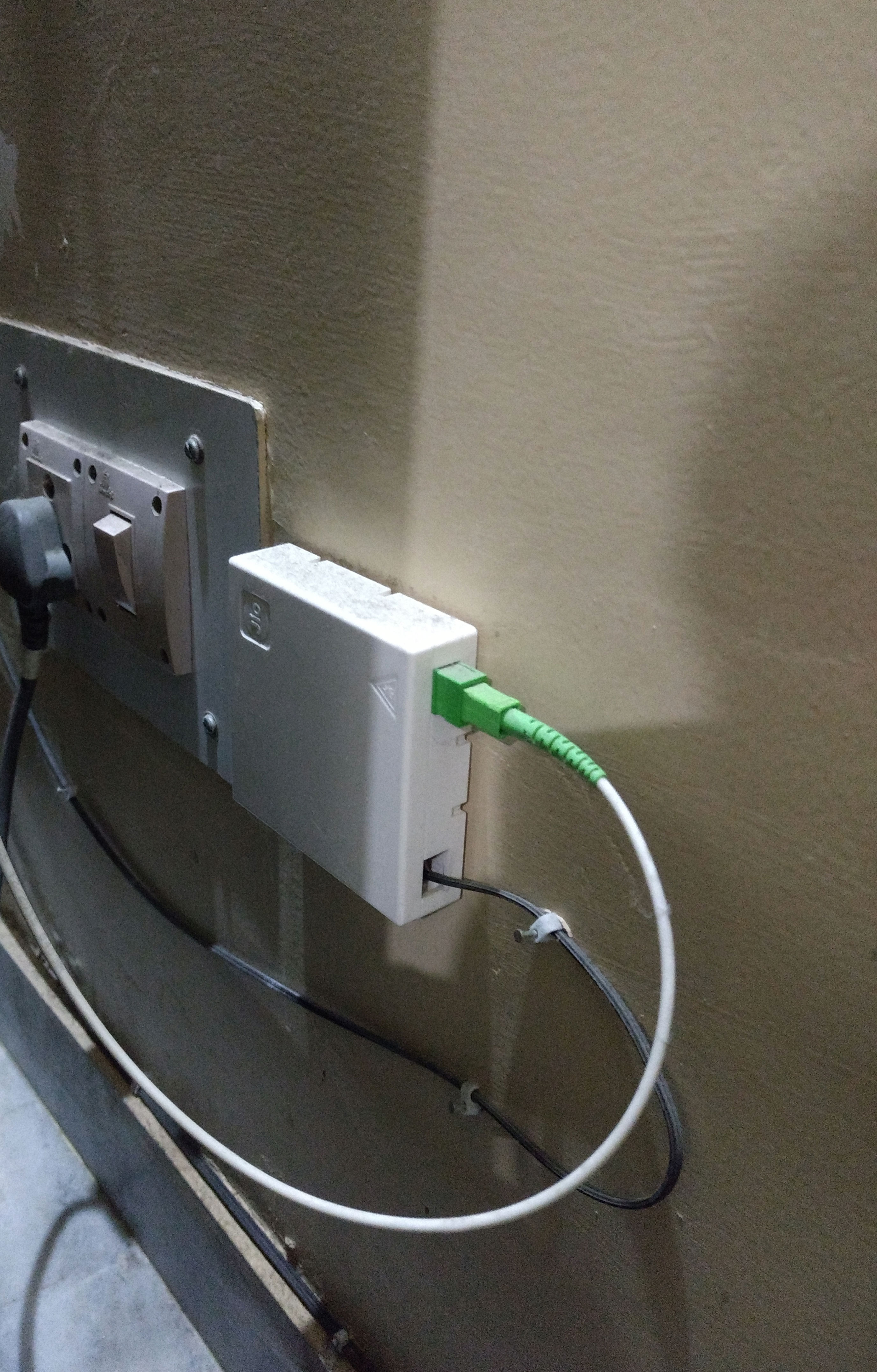
(I) @Rahul Kalani How much long that thin yellow fiber wire (coming out from black junction box) can bsnl provide to new customers free?
(II) Can they installed this big black junction box outside the home or on the pole and then take the yellow cable directly from outside pole box to inside Router?
Last edited:
SG_curiosity
I got banned!
Q1. Can anybody provide the latest updated information about the full selling Price of different types of FTTH Modems/ ONTs (WiFi-ONTs & Non-WiFi ONTs) along with their Model Numbers & Brand names, decided by BSNL department for selling to their FTTH broadband customers at time of providing connection?
(Only one bsnl customer care agent told me that the price of WiFi ONT is Rs3250 but he haven't other information like it's model number and brand name. Bsnl customer care is actually sucks. They never help for ftth queries and always says to visit exchange of all information).
Q2. Also anybody have updated information regarding the One Time Security Deposit and Monthly Rental Charge for WiFi-ONTs and Non-WiFi ONTs decided by BSNL department?
(On bsnl website, monthly rental charge of non-WiFi ONT is Rs90 and WiFi ONT is Rs200. But i am not sure if it is a updated information or not, specially for Rs200).
Q3. Also any information regarding the BSNL FTTH Refund Policy related to these Monthly Rental Charge for FTTH ONT?
Actually i want to know, How much percent of total sum of deposited rental amount which is paid by a customer in every month bill as ONT's monthly rental charge would be refundable after disconnection of FTTH service?
(Only one bsnl customer care agent told me that the price of WiFi ONT is Rs3250 but he haven't other information like it's model number and brand name. Bsnl customer care is actually sucks. They never help for ftth queries and always says to visit exchange of all information).
Q2. Also anybody have updated information regarding the One Time Security Deposit and Monthly Rental Charge for WiFi-ONTs and Non-WiFi ONTs decided by BSNL department?
(On bsnl website, monthly rental charge of non-WiFi ONT is Rs90 and WiFi ONT is Rs200. But i am not sure if it is a updated information or not, specially for Rs200).
Q3. Also any information regarding the BSNL FTTH Refund Policy related to these Monthly Rental Charge for FTTH ONT?
Actually i want to know, How much percent of total sum of deposited rental amount which is paid by a customer in every month bill as ONT's monthly rental charge would be refundable after disconnection of FTTH service?
Last edited:
eriek_halenx
I got banned!
(II) Can they installed this big black junction box outside the home or on the pole and then take the yellow cable directly from outside pole box to inside Router?
That's unlikely. The thin yellow cable is one thread of fiber. It's fragile and prone to damage.
Q1. Can anybody provide the latest updated information about the full selling Price of different types of FTTH Modems/ ONTs (WiFi-ONTs & Non-WiFi ONTs) along with their Model Numbers & Brand names, decided by BSNL department for selling to their FTTH broadband customers at time of providing connection?
(Only one bsnl customer care agent told me that the price of WiFi ONT is Rs3250 but he haven't other information like it's model number and brand name. Bsnl customer care is actually sucks. They never help for ftth queries and always says to visit exchange of all information).
Q2. Also anybody have updated information regarding the One Time Security Deposit and Monthly Rental Charge for WiFi-ONTs and Non-WiFi ONTs decided by BSNL department?
(On bsnl website, monthly rental charge of non-WiFi ONT is Rs90 and WiFi ONT is Rs200. But i am not sure if it is a updated information or not, specially for Rs200).
Q3. Also any information regarding the BSNL FTTH Refund Policy related to these Monthly Rental Charge for FTTH ONT?
Actually i want to know, How much percent of total sum of deposited rental amount which is paid by a customer in every month bill as ONT's monthly rental charge would be refundable after disconnection of FTTH service?
Most people here from kerala do report having used Netlink modems.
It's around ₹1.8k
The model number is hg323rgw.
Its wifi +ont model along with rj port for Landline.
Last edited:
By the way why is your speed around 30-35mbps on 2.4ghz.? I'm getting the speed of 50-75mbps(keeps fluctuating) on my Netlink which is just 2.4Ghz.I have recently installed BSNL FTTH directly from BSNL. (No TIP involved).
Well I had to take much efforts convincing the BSNL officer for installation at my place. It almost took me 6-7 months or may be more for convincing them to install at my place. In that period I tried complaining at twitter, consumer forum etc. I actually had DSL connection earlier and it was not at all running properly. So I started visiting the broadband officer's cabin every 3-4 days and use to tell him either repair my DSL connection or provide me with FTTH. That officer was good though. He told the estimated repair cost to repair the underground telephone cable till my home is 10 Lakhs around. So I told him to tell the FTTH officer to provide me with FTTH connection. This I did almost 4-5 times in the last month and then finally he convinced the FTTH officer to pull cable near my home. And the irritating thing here is they only had to pull the cable from 300 metres. Because there was already an FTTH connection. But for that also they were not willing to do it. So finally before a month they pulled the cable. The cable is overhead.
Then after the cable was brought till my place I was told to go to commercial officer for creating a demand order. The officer gave me a choice for number selection. Then I was told to pay security deposit at the counter. And then after 3 days of payment the FTTH officer bought the ONT and installed it and provided me with ID and Password and the internet started. I have applied for TYPE A ONT.
I was provided Alphion AONT 100 C.
I get approx 52 to 60 Mbps download speed and 58 to 70 Mbps upload speed. Ping is between 20-30ms
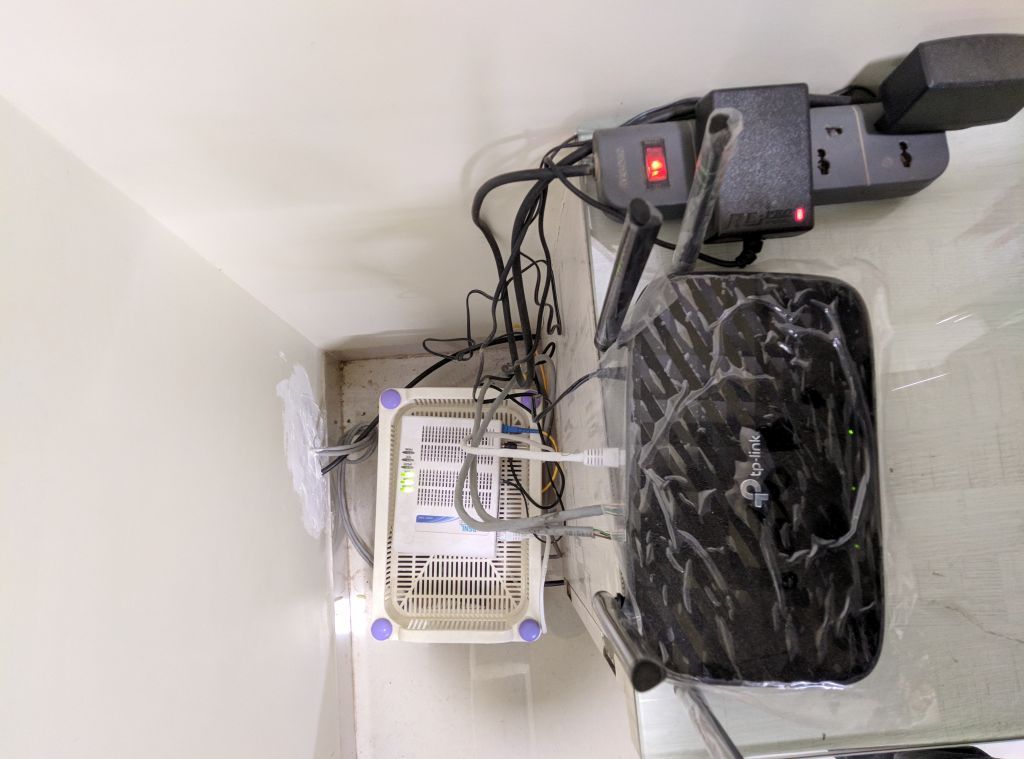
I have installed TP-Link archer C6 gigabyte router. On wifi I get approx 30-35 Mbps (2.4Ghz) and 52 to 60 Mbps (5Ghz).
I have installed LAN cable of D-Link (CAT 6) from router to my room. Length is approx 45 Metres. It costed me 21 or 22 Per metre (I dont remember the exact rate). There was a cheaper option available for 12 per metre.
Charges incurred:-
Security deposit:- 849 had to pay after the cable installation for starting the connection.
Router:- 2500 Rs (Offline purchase)
LAN cable:- Approx 1000 Rs
Adapter for running the ONT:- 100Rs (I was told to purchase the adapter, it wasnt provided with ONT)
Then in first bill I was taken the following charges:-
Voice activation charges:- 250
ONT Security deposit:- 500
And the rent for TYPE A ont is not being charged by bsnl if you are new customer. I was informed about this by @varkeyin Has BSNL stopped charging rent for ONT? | BSNL FTTH Bharat Fiber Broadband this thread.
Images:-
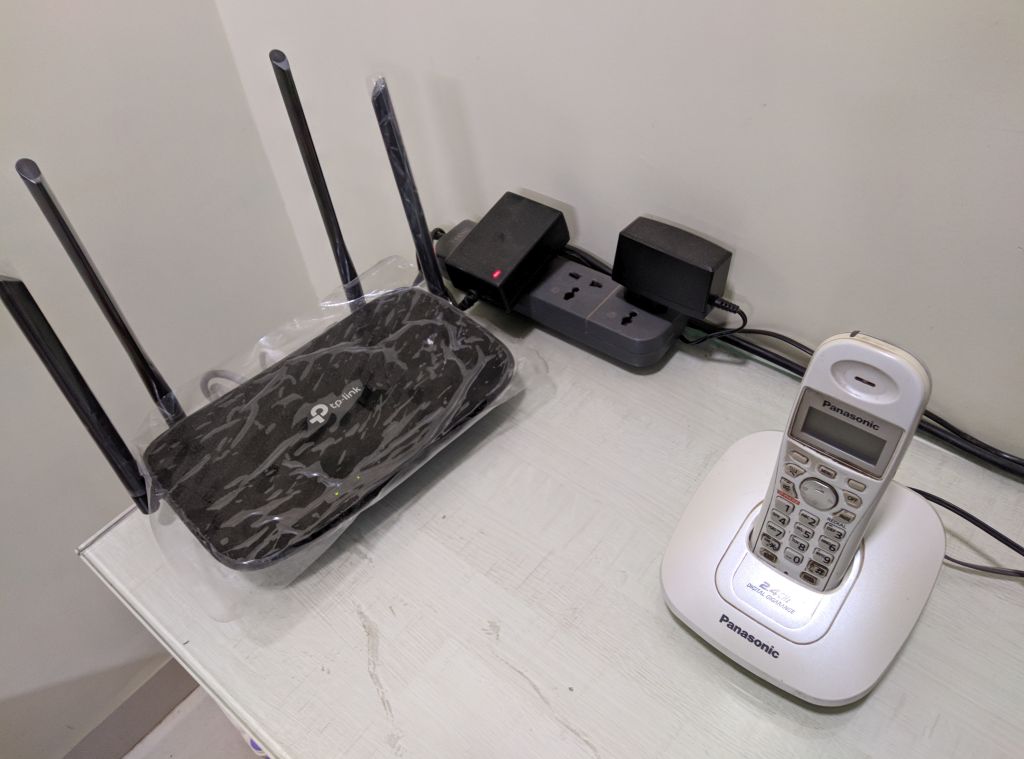
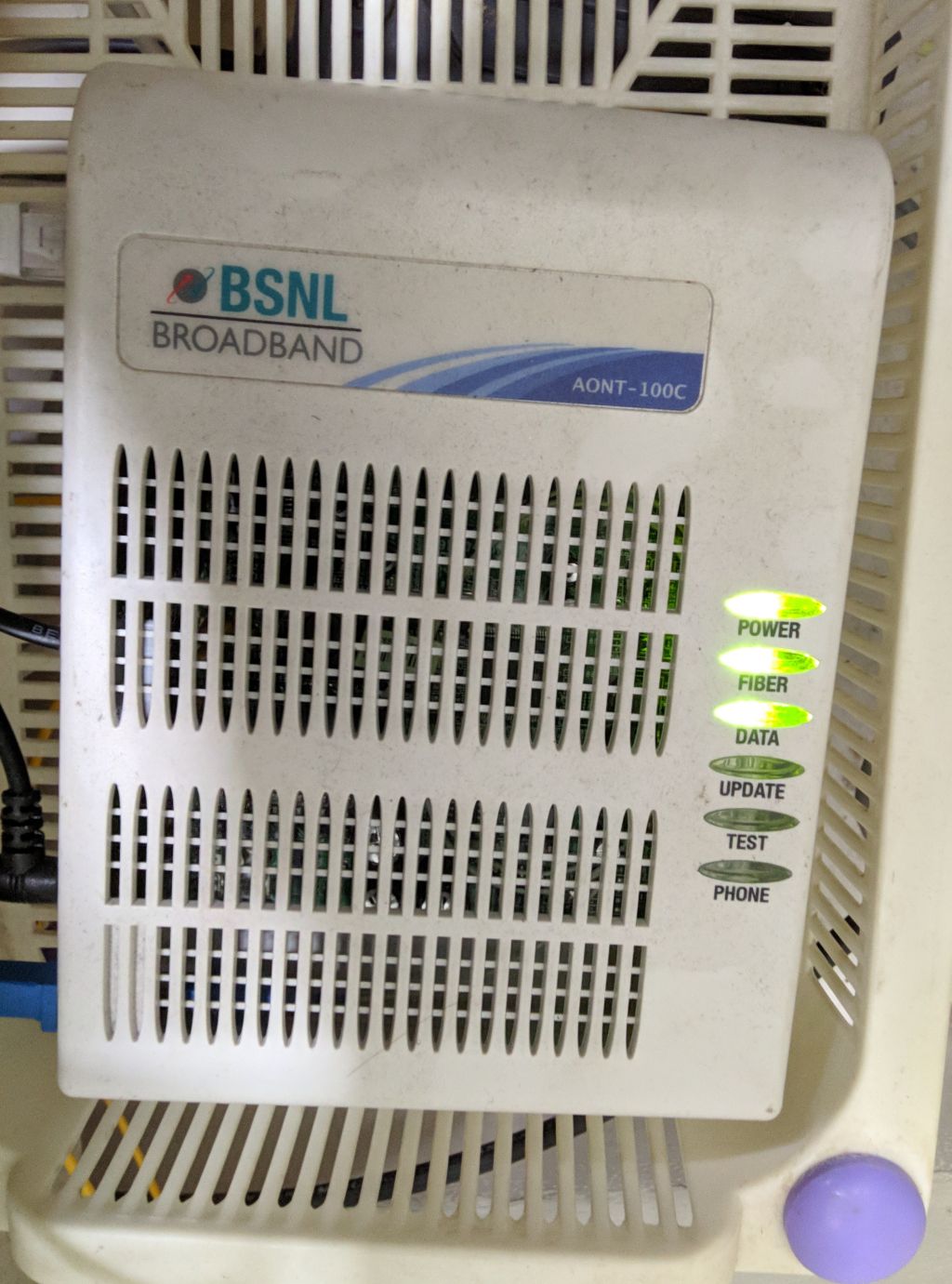
Can you do speed test from close by as mentioned
@SG_curiosity