
First, I want to thank @varkey for this ONT(HG8120C).
This configuration thread is mainly for Huawei ONT with TP-Link routers.
For configuring other ONT brands like DBC, Syrotech, Netlink and for more details you can view @sloj's thread -FTTH VOIP SIP Softphone configuration with ONT/ONU. (Now works on some more apps) | BSNL Bharat Fiber Broadband
Configuration for Ont and Router
For configuring you need to get the following details from Bsnl/LCO.
Log in to ONT's Web Interface
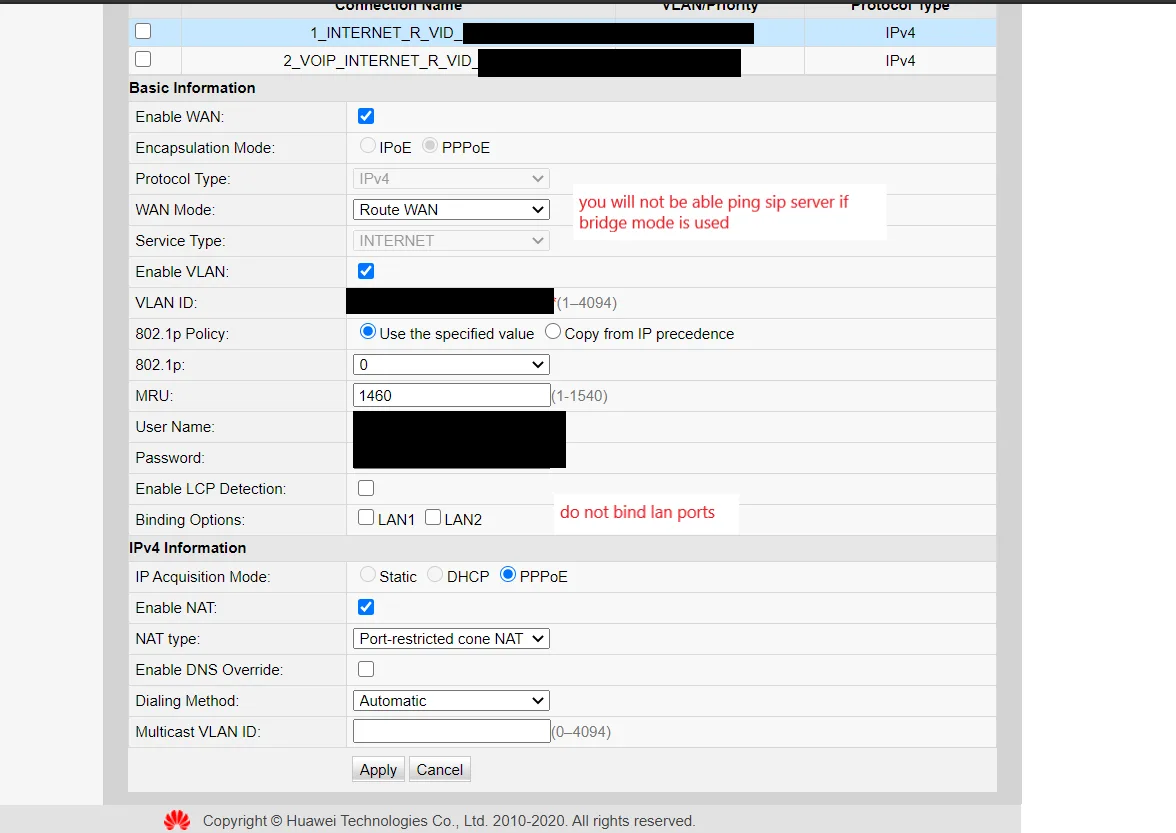
1.Create a wan profile for internet using the credentials provided by Bsnl. ( Wan - WAN Configuration - click on NEW)
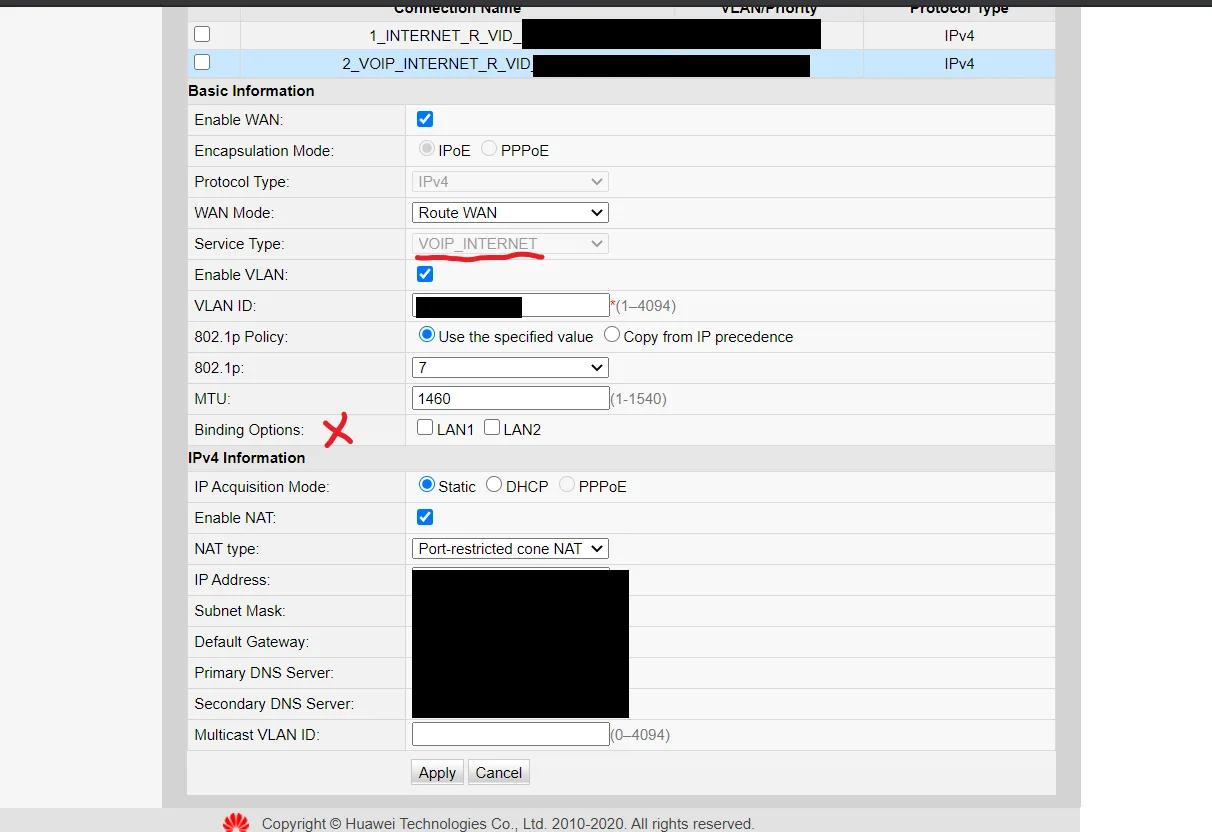
2. Create another wan profile for VOIP-Internet.
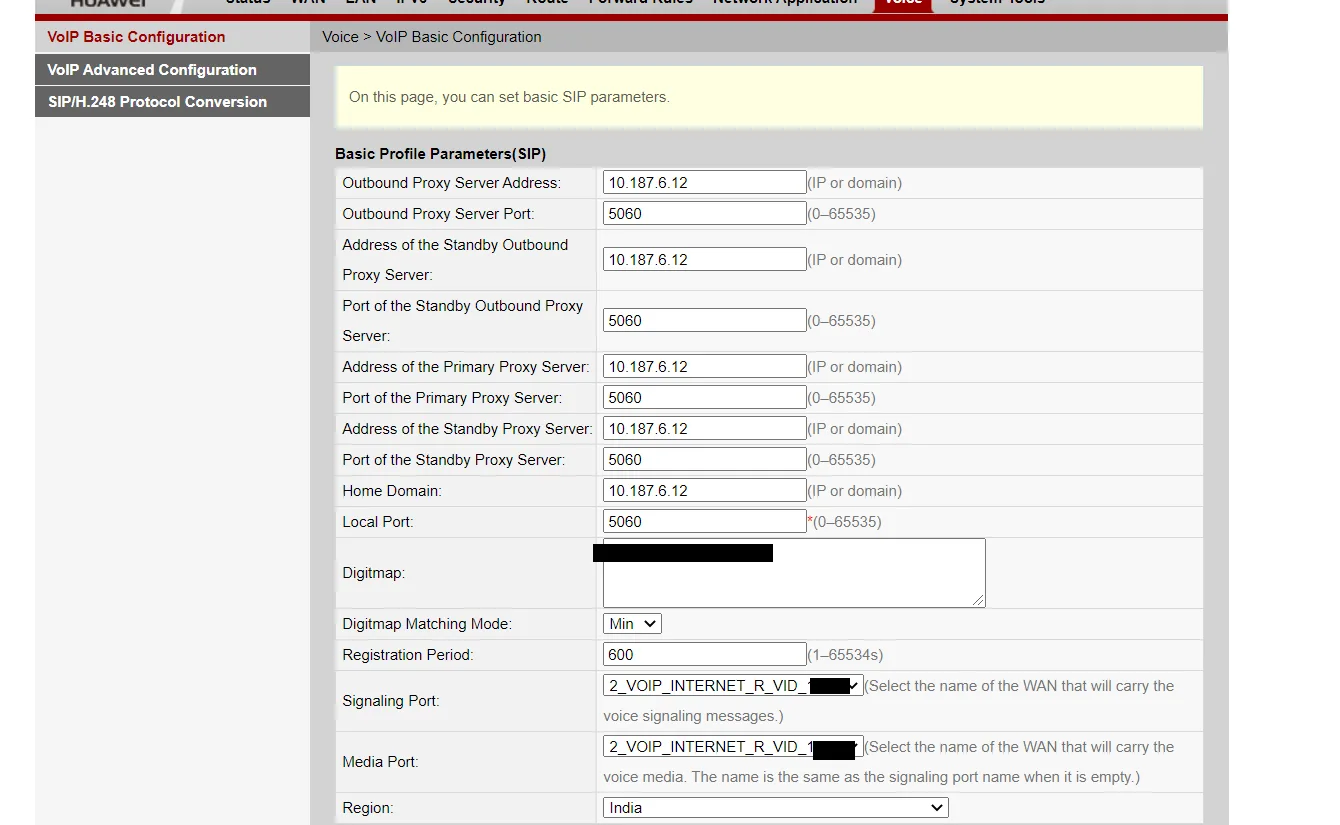
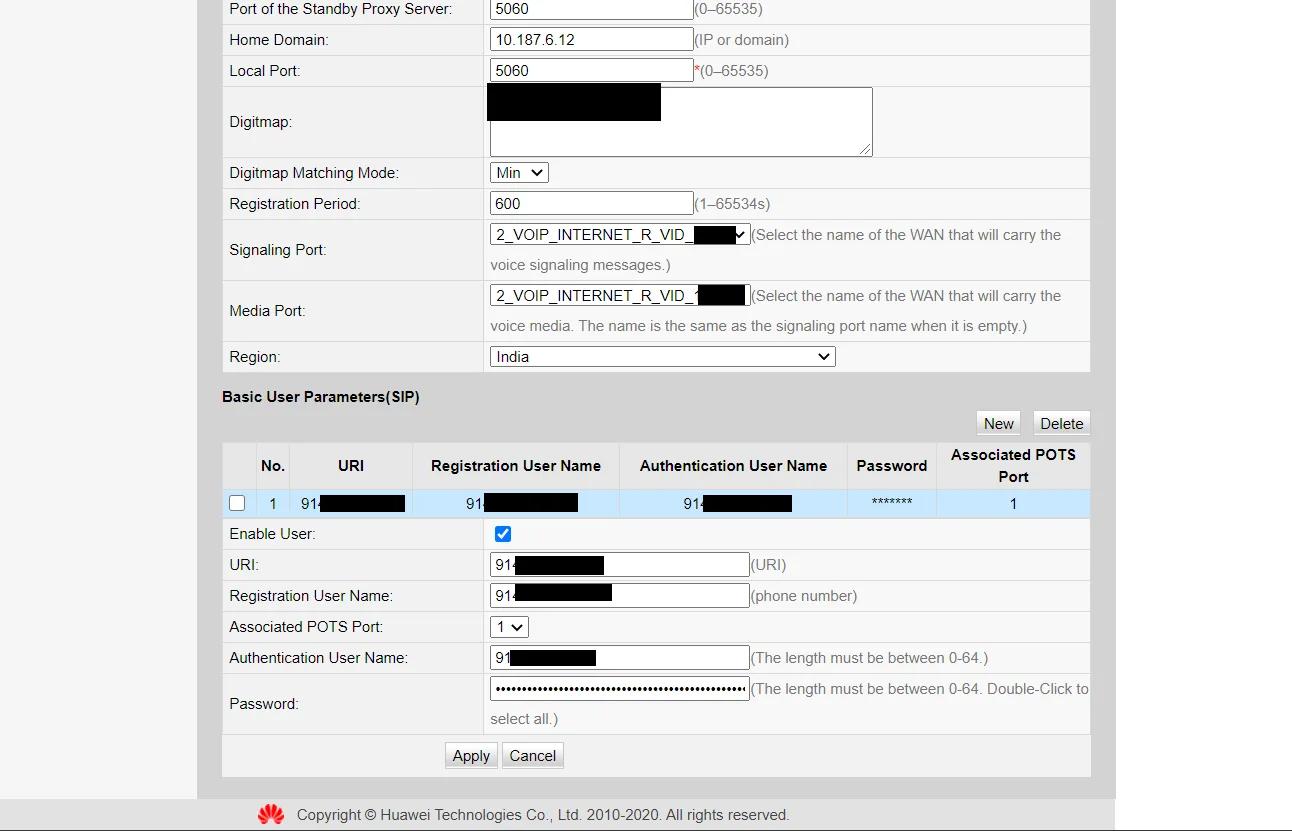
3. Configure VoIP details. ( Voice - VoIP Basic Configuration)
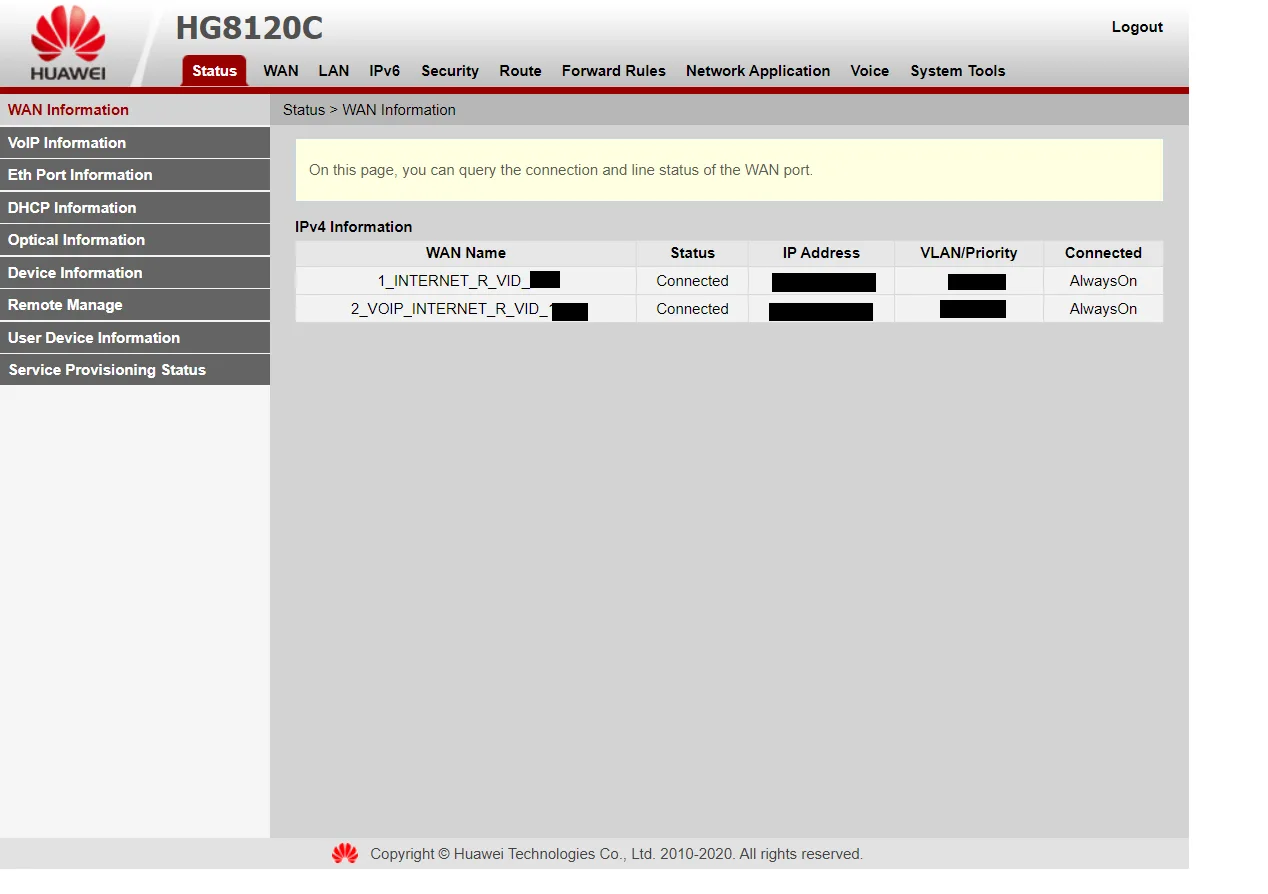
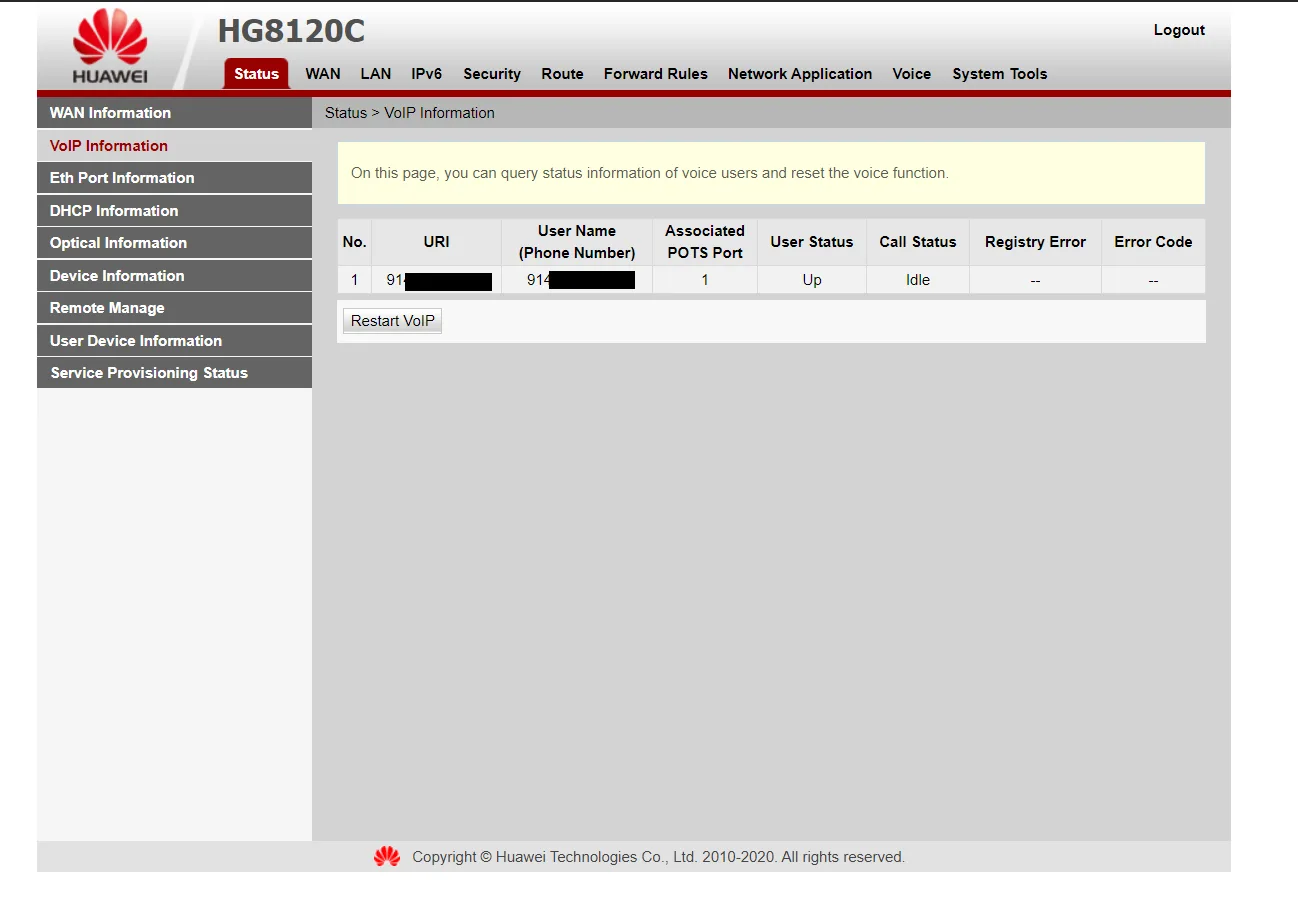
4. Check the status of Wan profiles and VOIP. ( Status - WAN Information - VoIP Information)
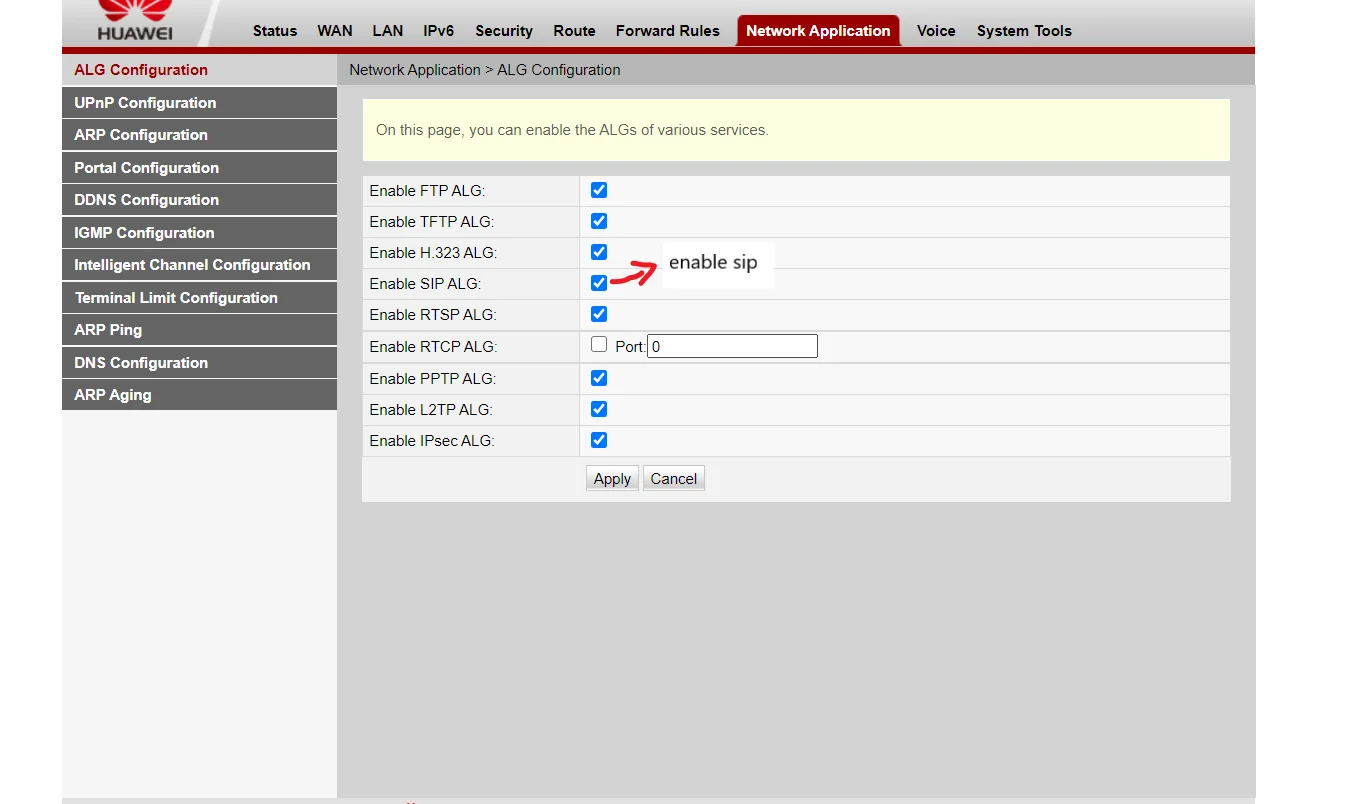
5. Enable SIP. ( Network Application - ALG Configuration)
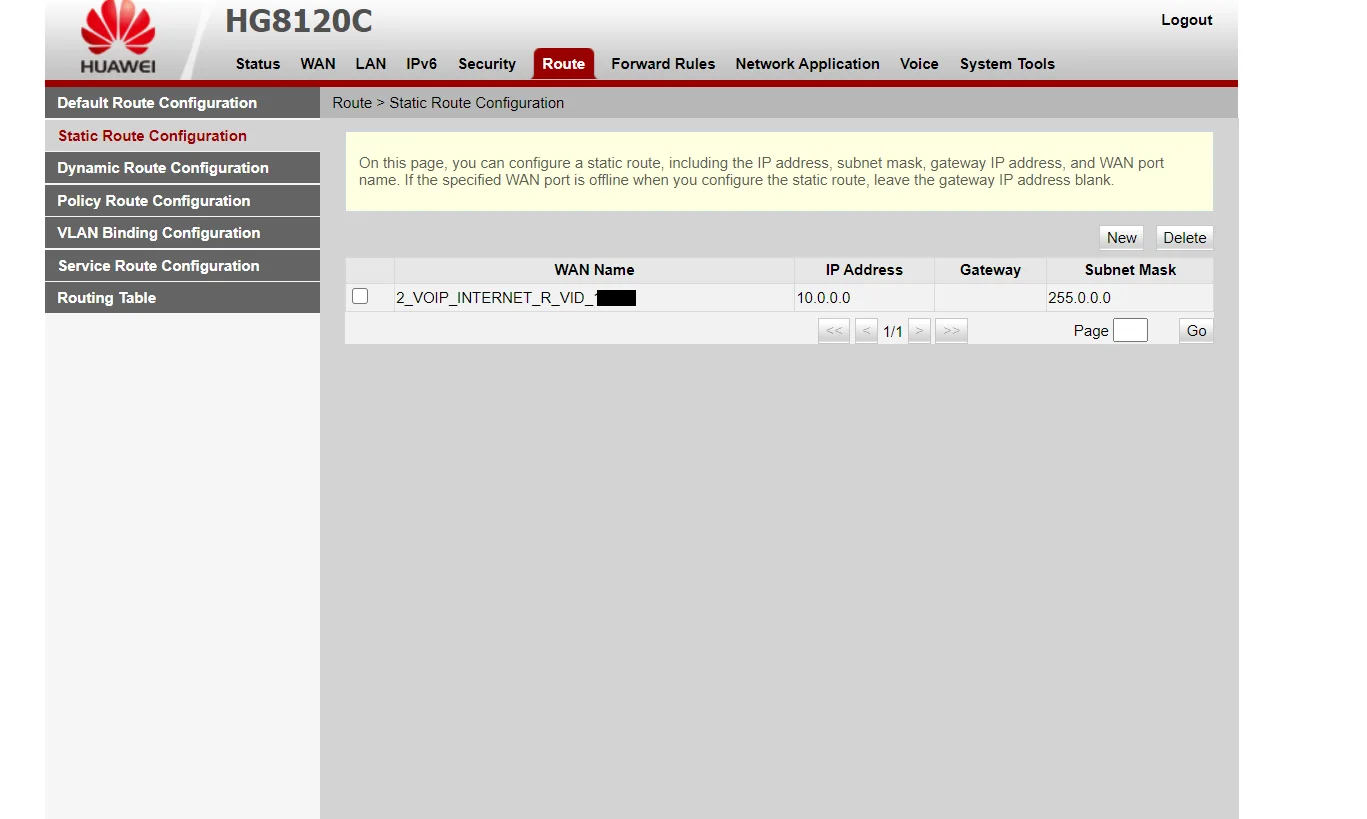
6. To ping the sip server, we have to create a Static Route. ( Route - Static Route Configuration - Click on new )
Note- 1. Gateway is the same Default Gateway asked in Voip wan profile.
2. Do not enable Default Route.
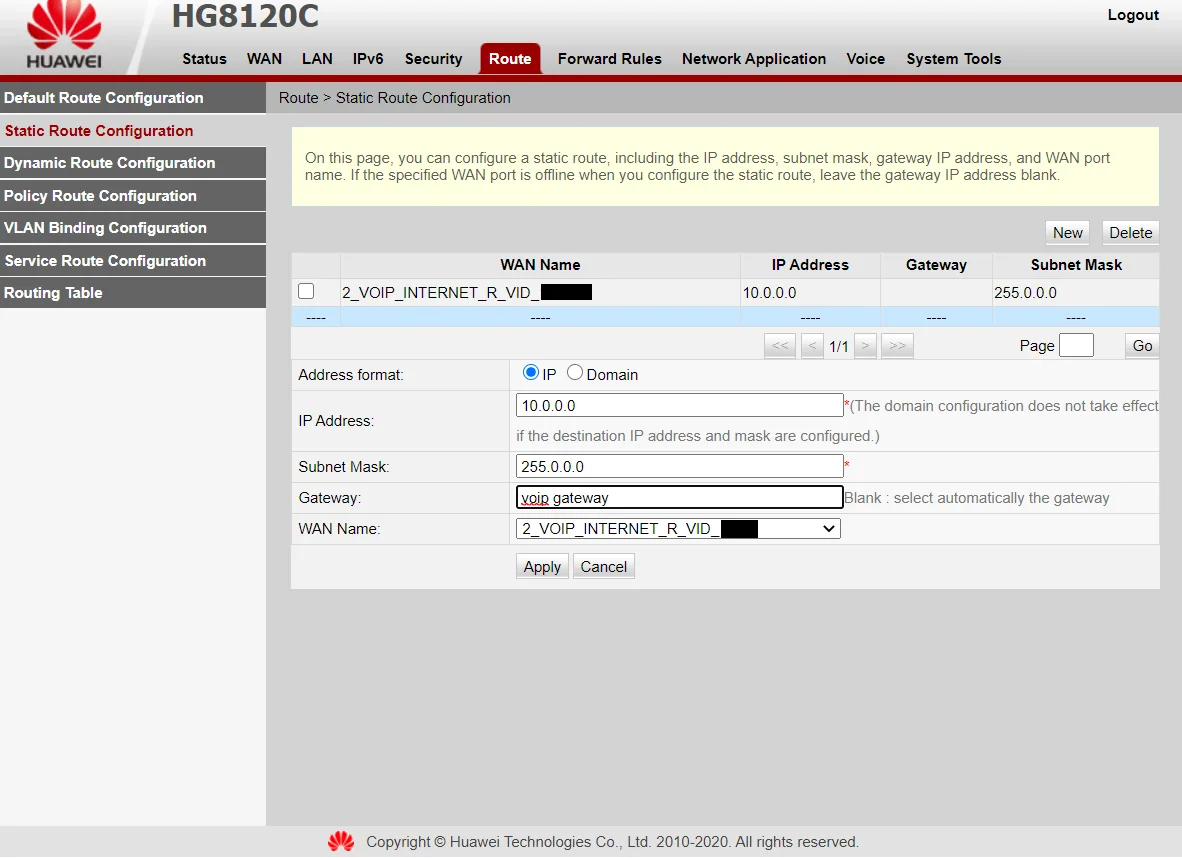
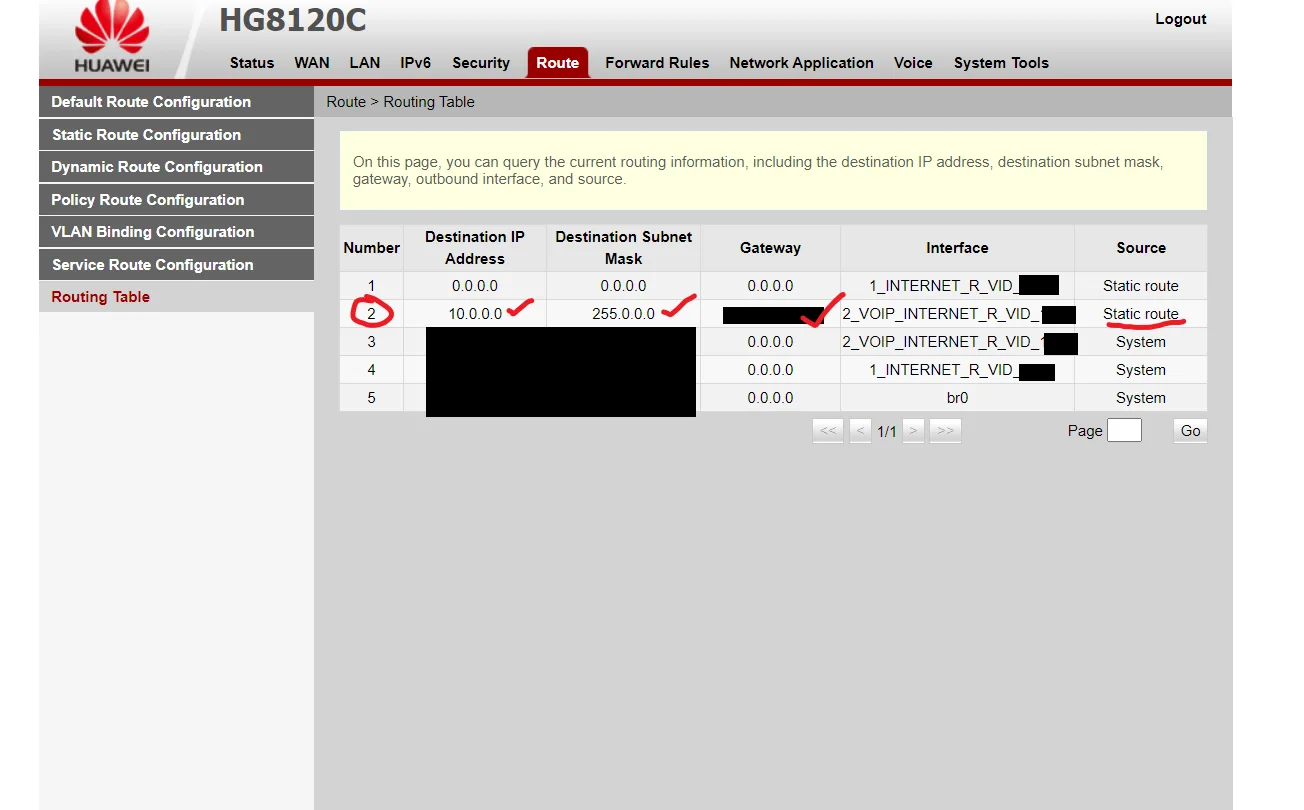
Go to Routing Table, to check the new Static route.
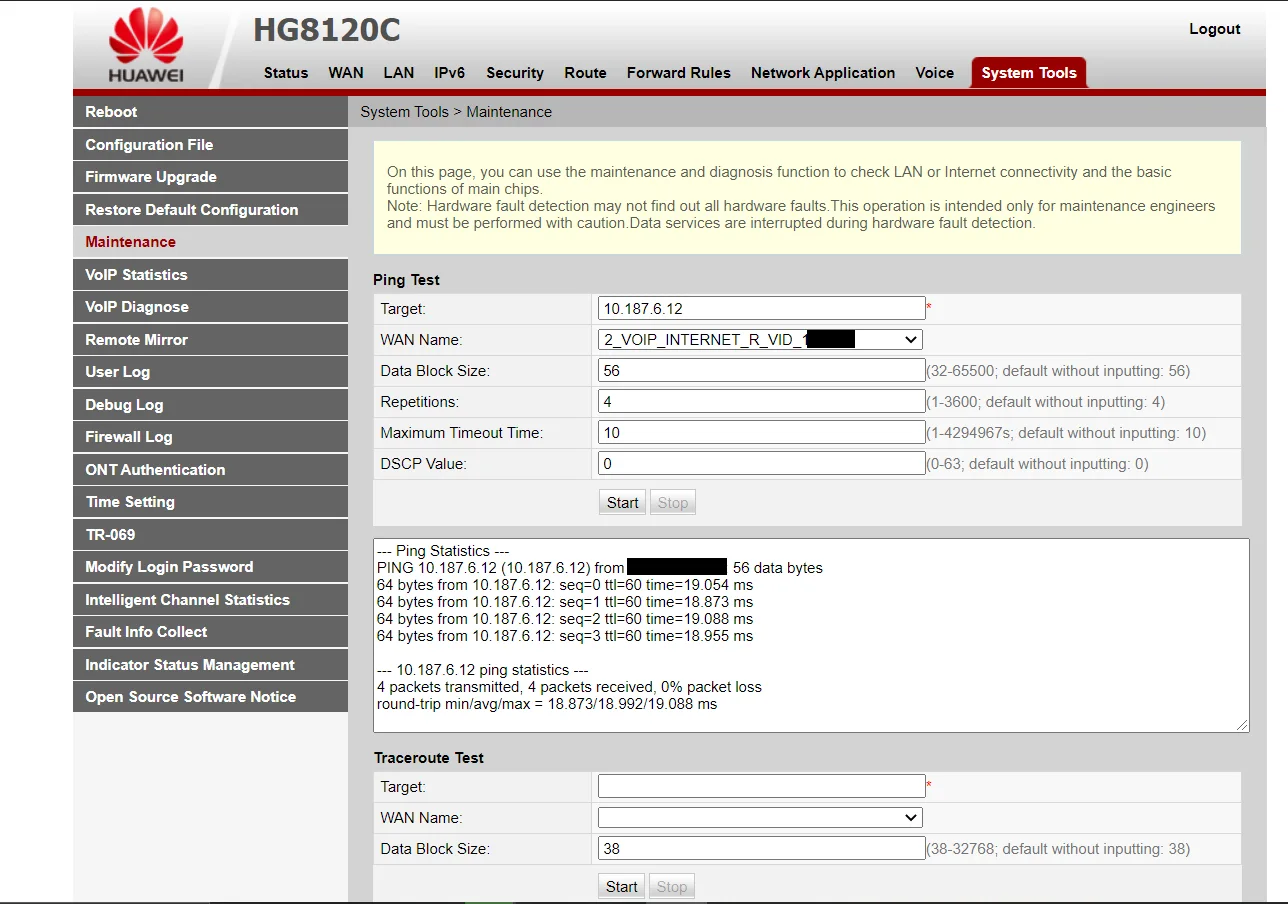
7. Ping Sip Server using Ping Test from Ont. ( System Tools - Maintenance)
8. Log in to your TP-link router ( archer c6) and enable Sip. ( Advanced - Nat Forwarding - ALG)
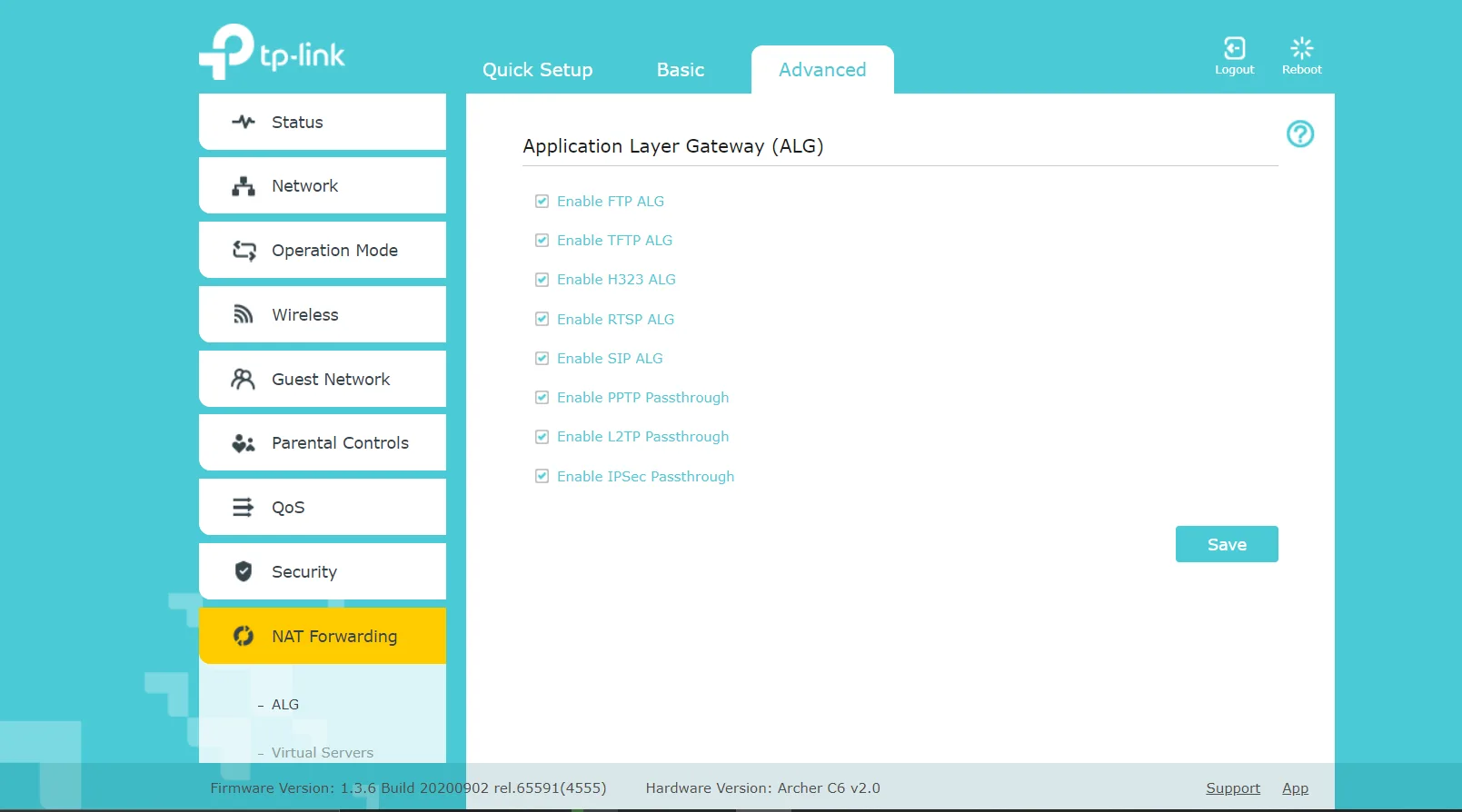
Note - Those who have D-Link routers might have to disable sip in order ping the sip server- Why won’t my VoIP device work with my router?
9. Ping Sip server from your PC/Laptop.
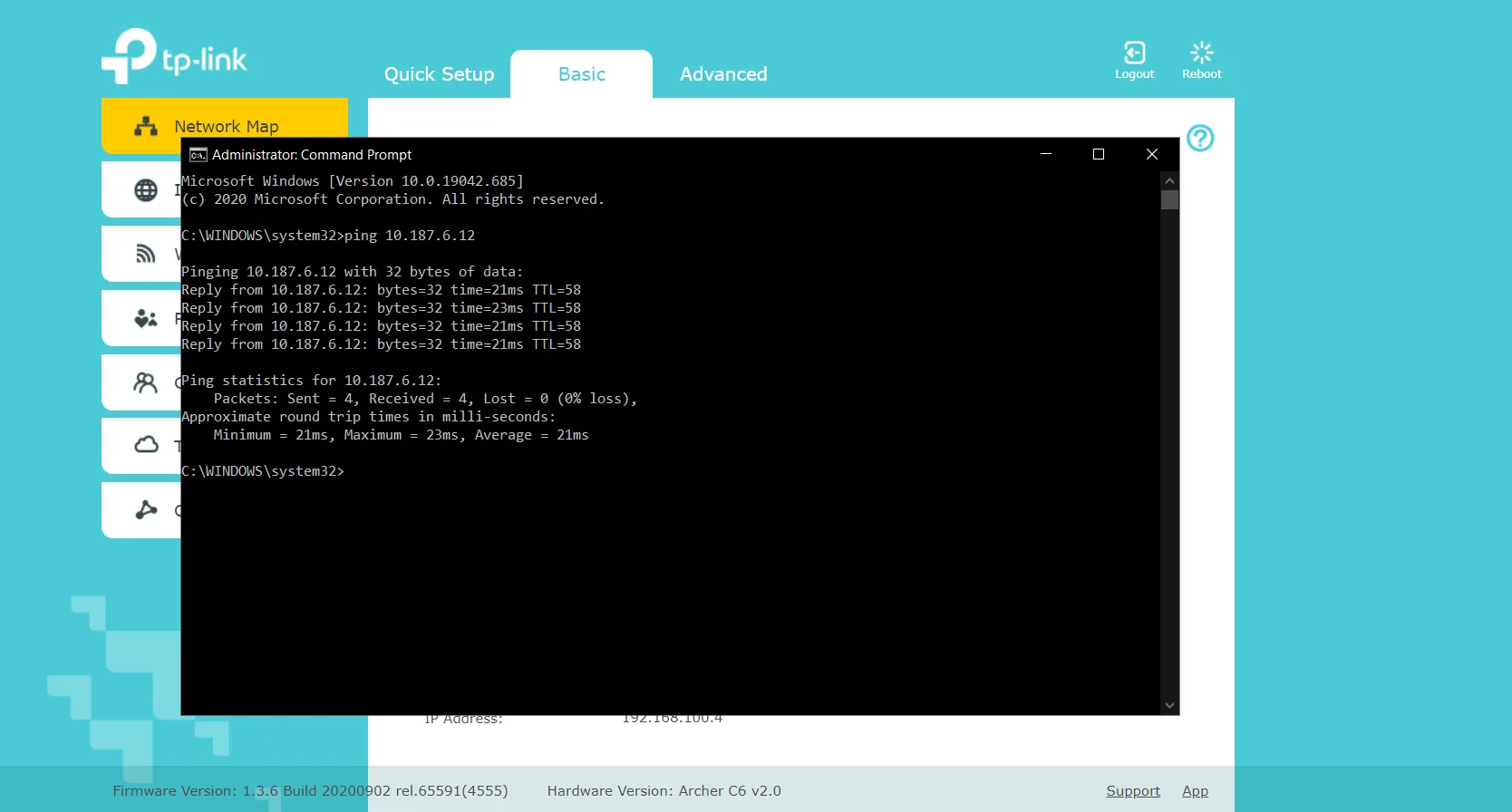
Configuring Zoiper 5 on PC/Laptop using Windows 10.
1. Add Username/login - 91<stdcode><telphone number>
Password - 0000 or last four digits of the telephone number
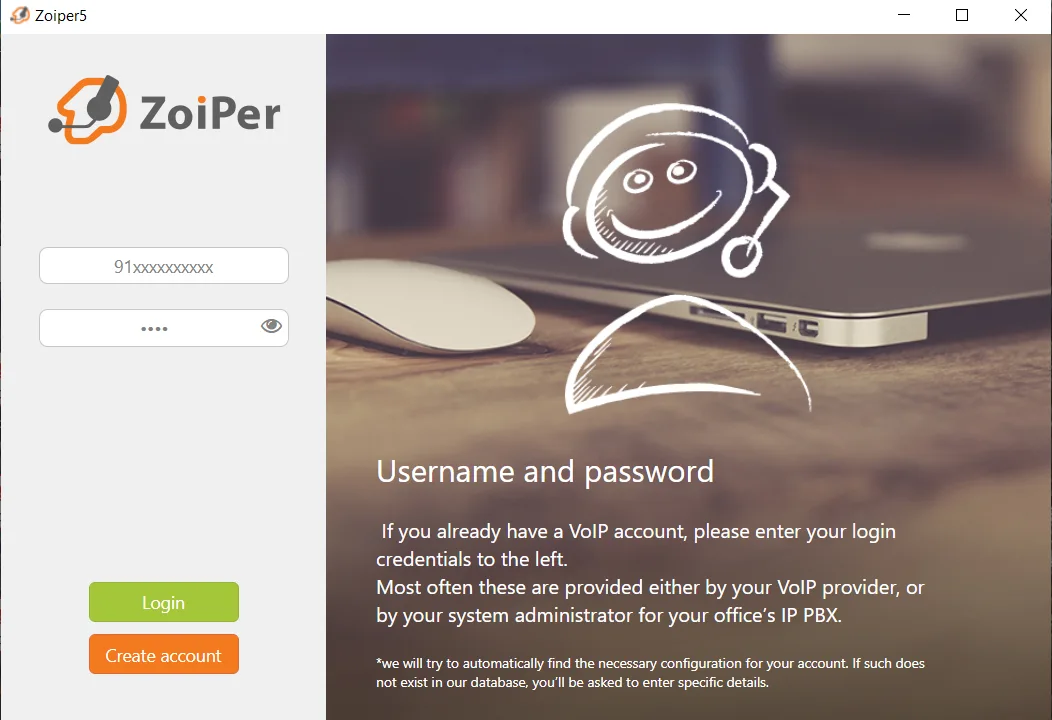
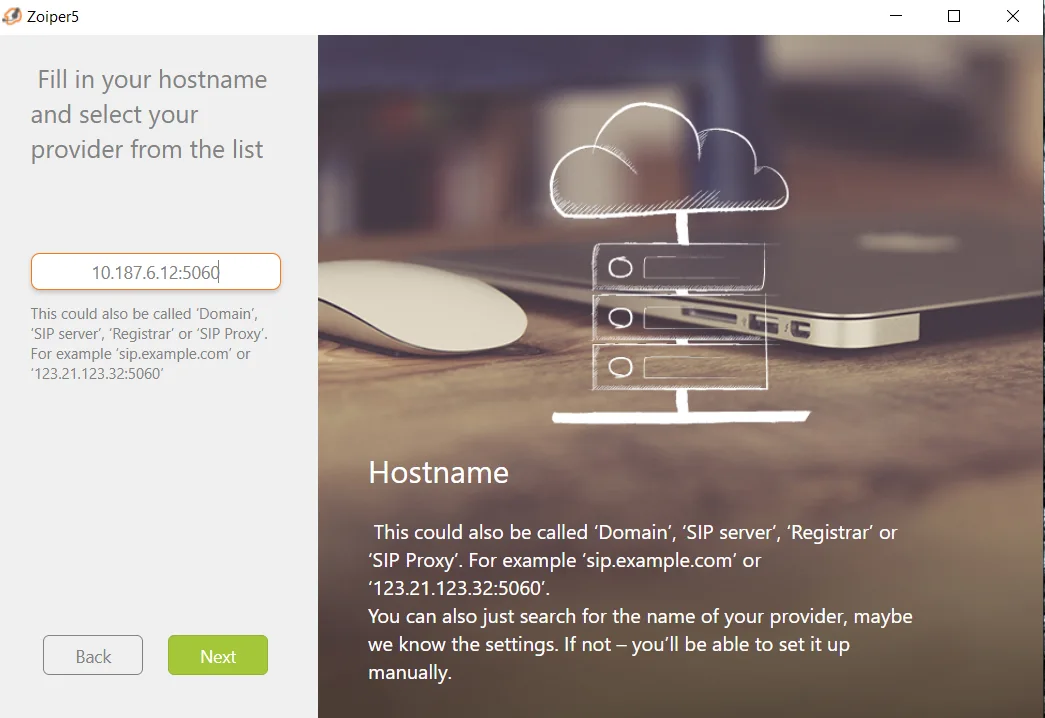
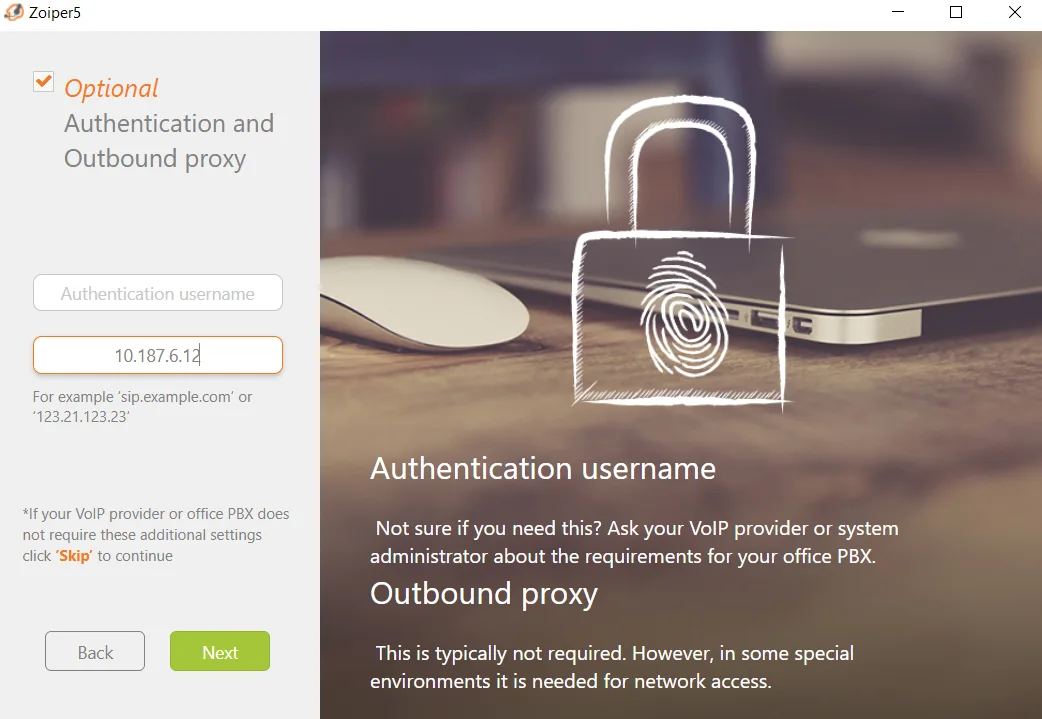
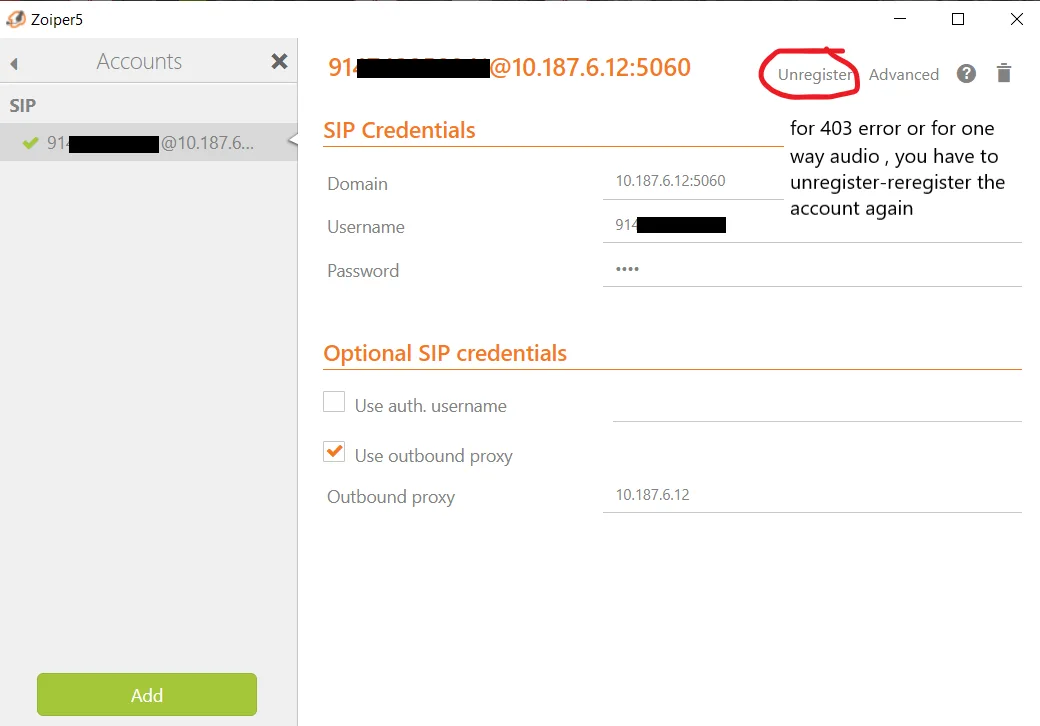
2. Add Sip server, port no and also add outbound proxy( same as sip server).
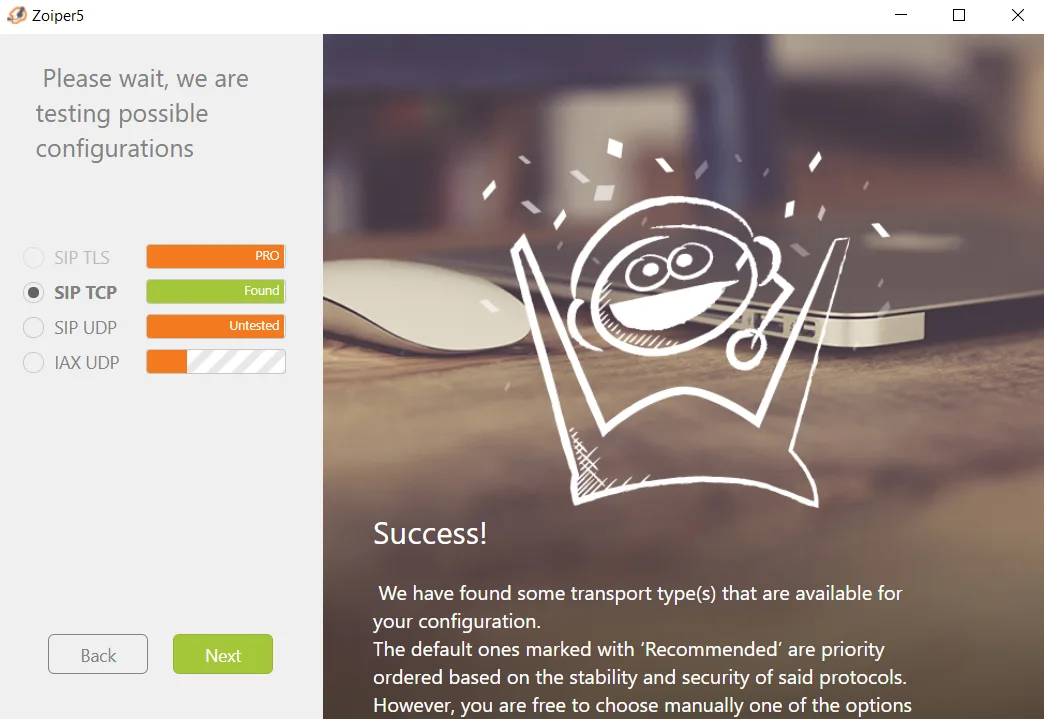
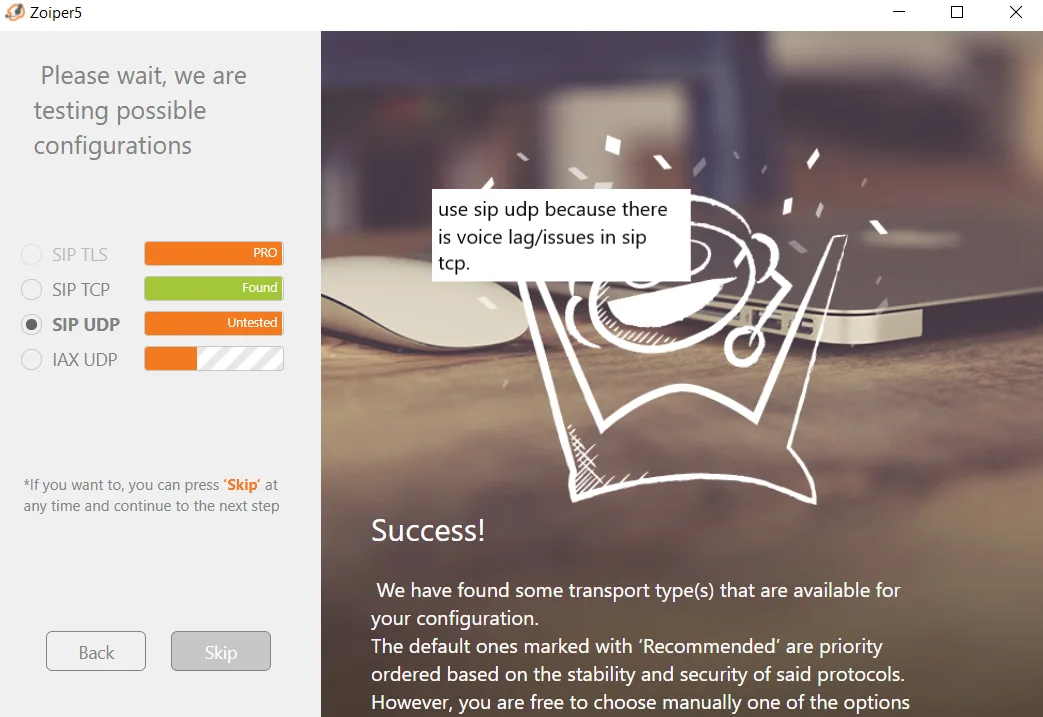
3. After testing configuration, choose UDP even when TCP is found.
4. Try calling a number and do the following

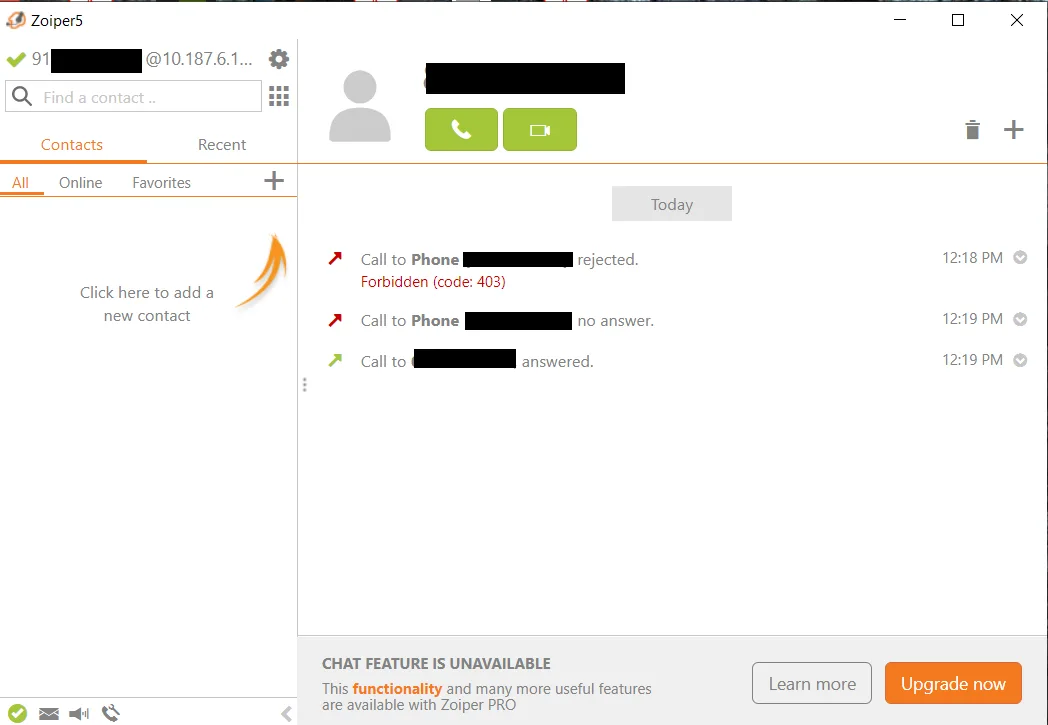
Note - 403 error or one-way audio error mainly occurs when network is changed from wireless to wired or to another wireless network( Range Extender) or due to double nat. My connection is stable when I am not switching between wired/wireless networks. Do the following to solve it every time you switch network or when you encounter some errors.
5. Try calling a number again.
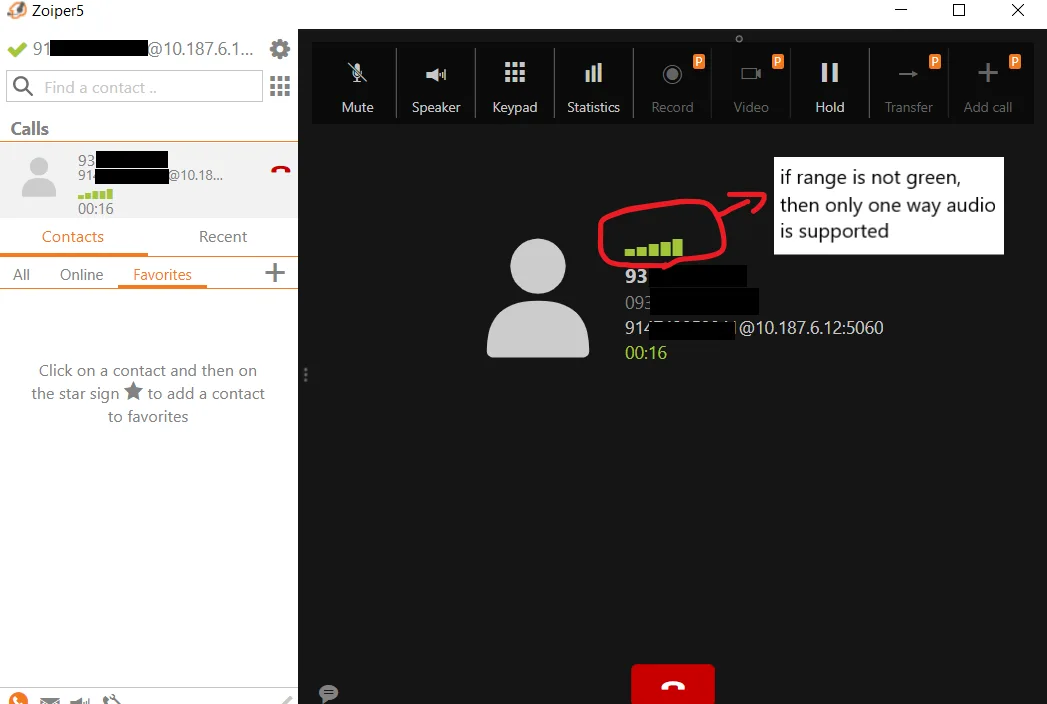
Configuring GS Wave app on android. ( you can also configure Zoiper app too )
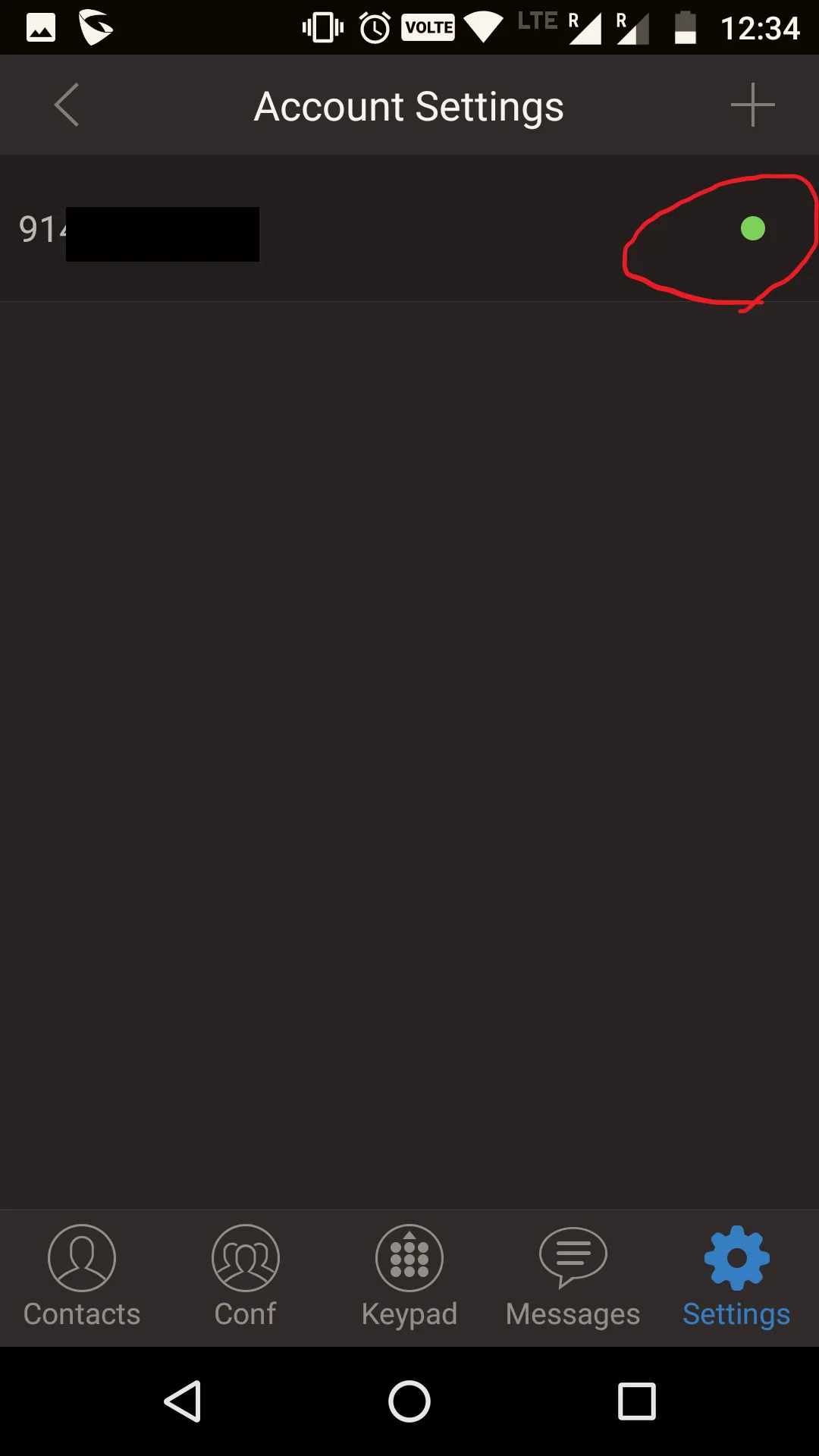
1. Adding an account. ( Settings - Account Settings - Click on + - Sip Account - fill the details)
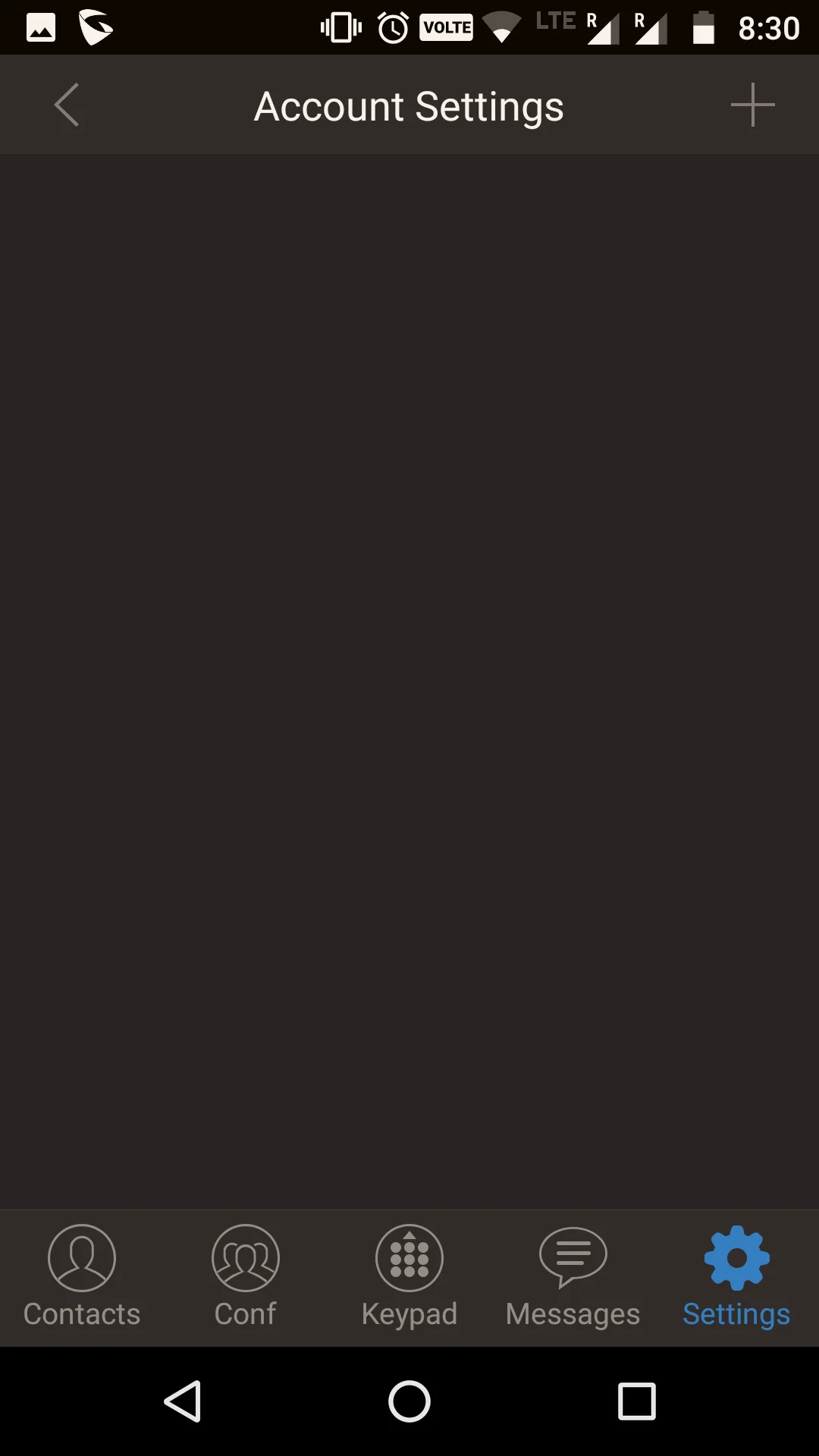
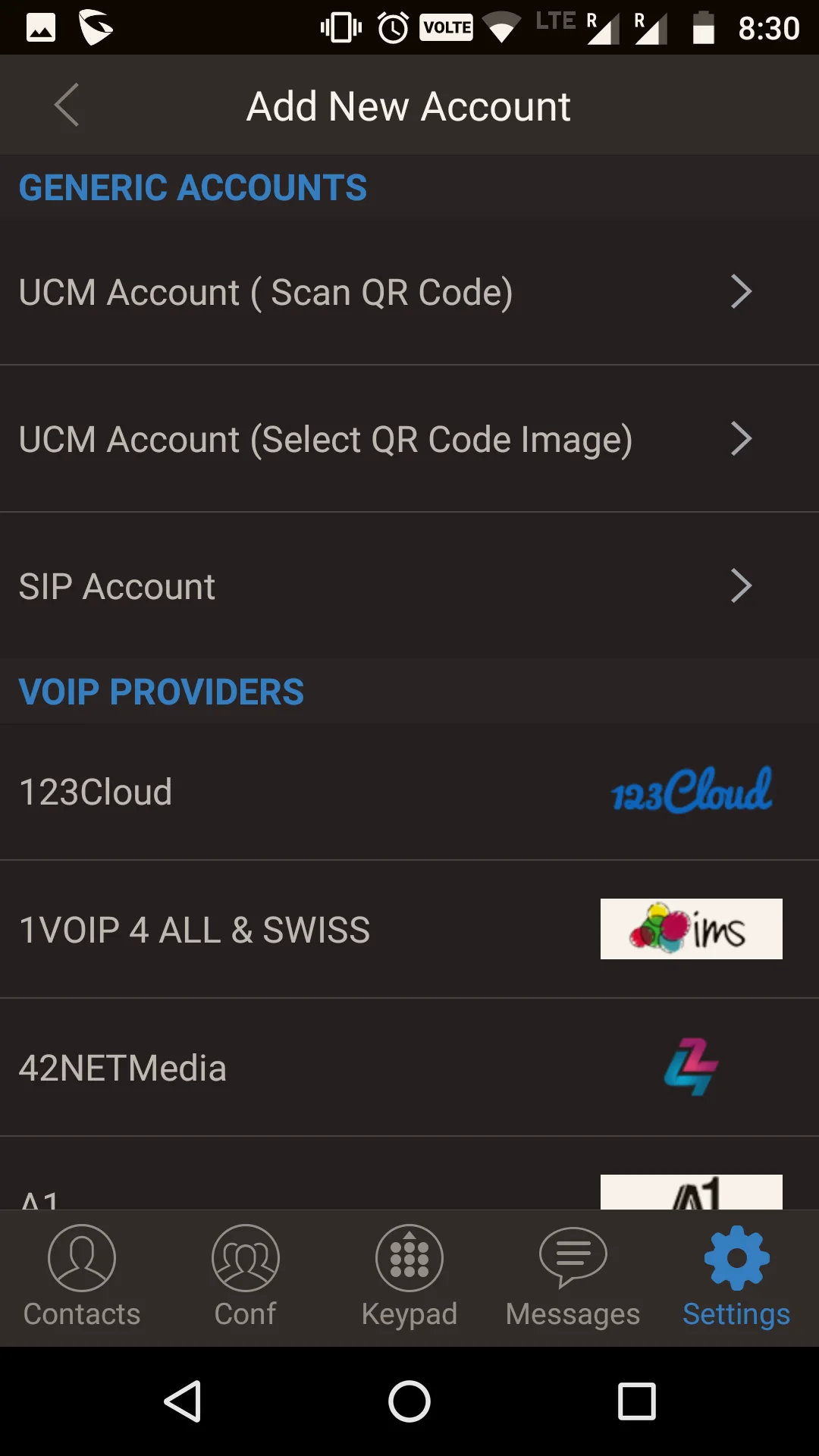
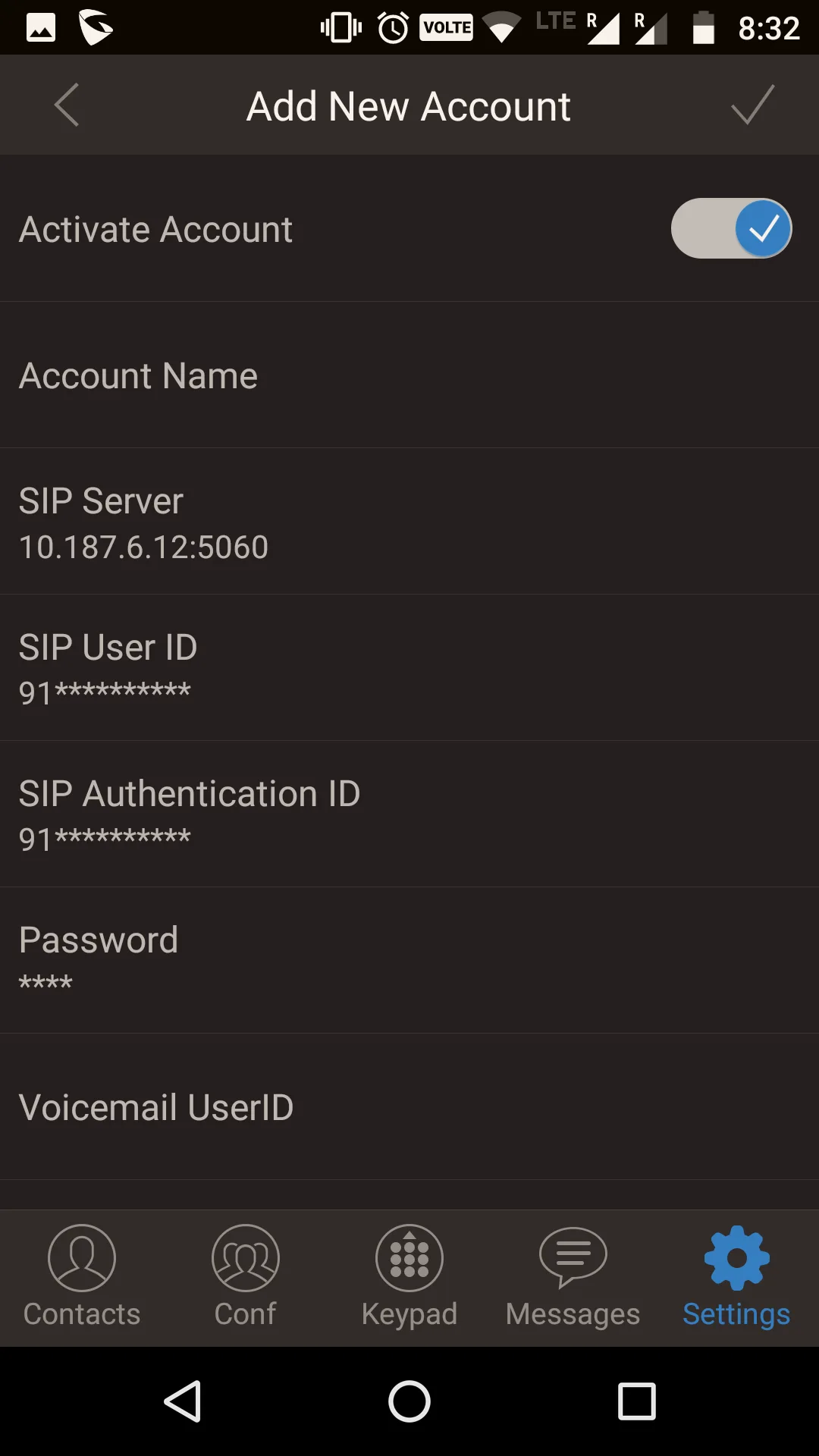
2. Check, If the account is registered or not.
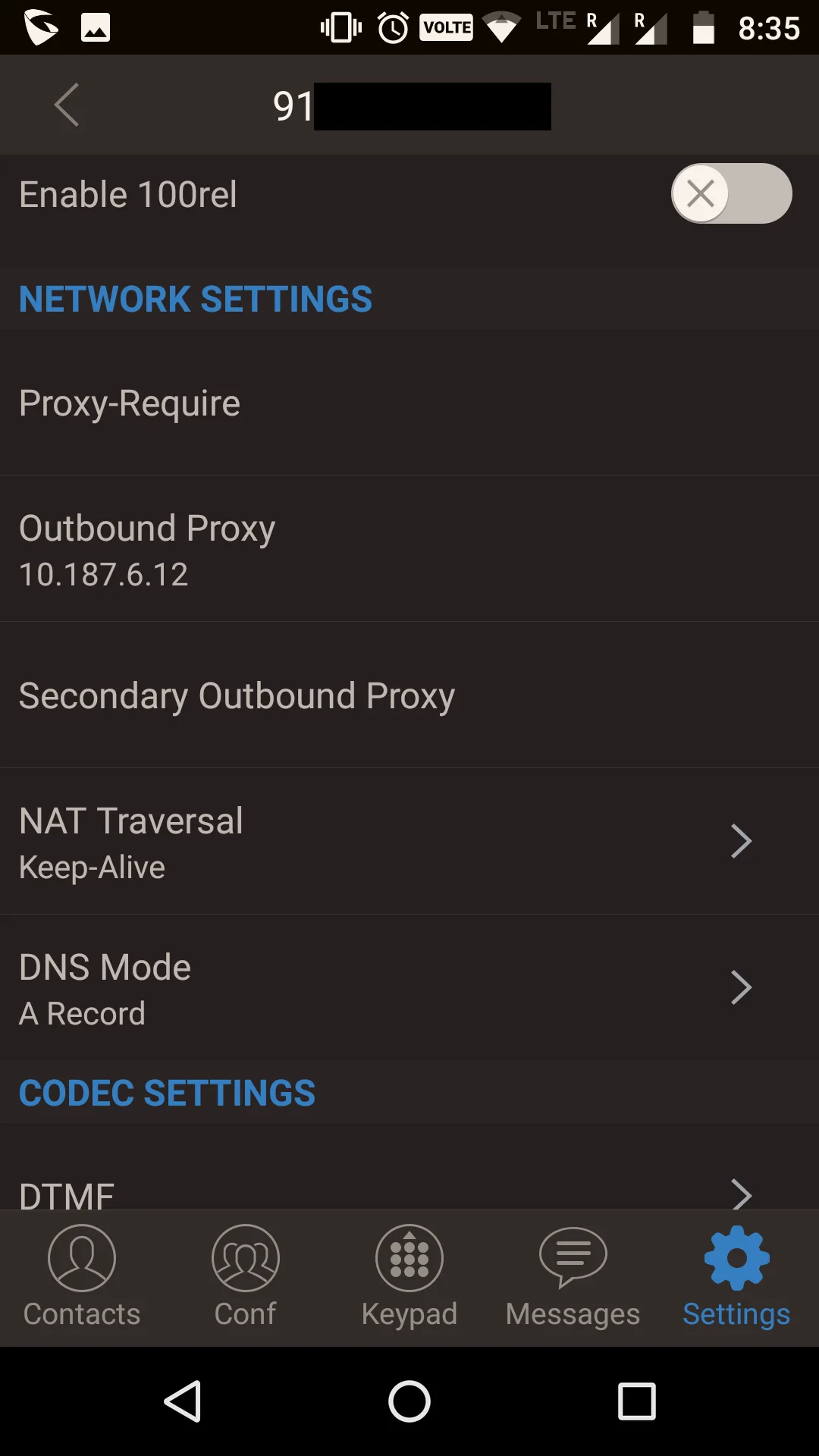
3. Add outbound proxy. (Settings - Account Settings - Tel no - Network Settings - Outbound proxy)
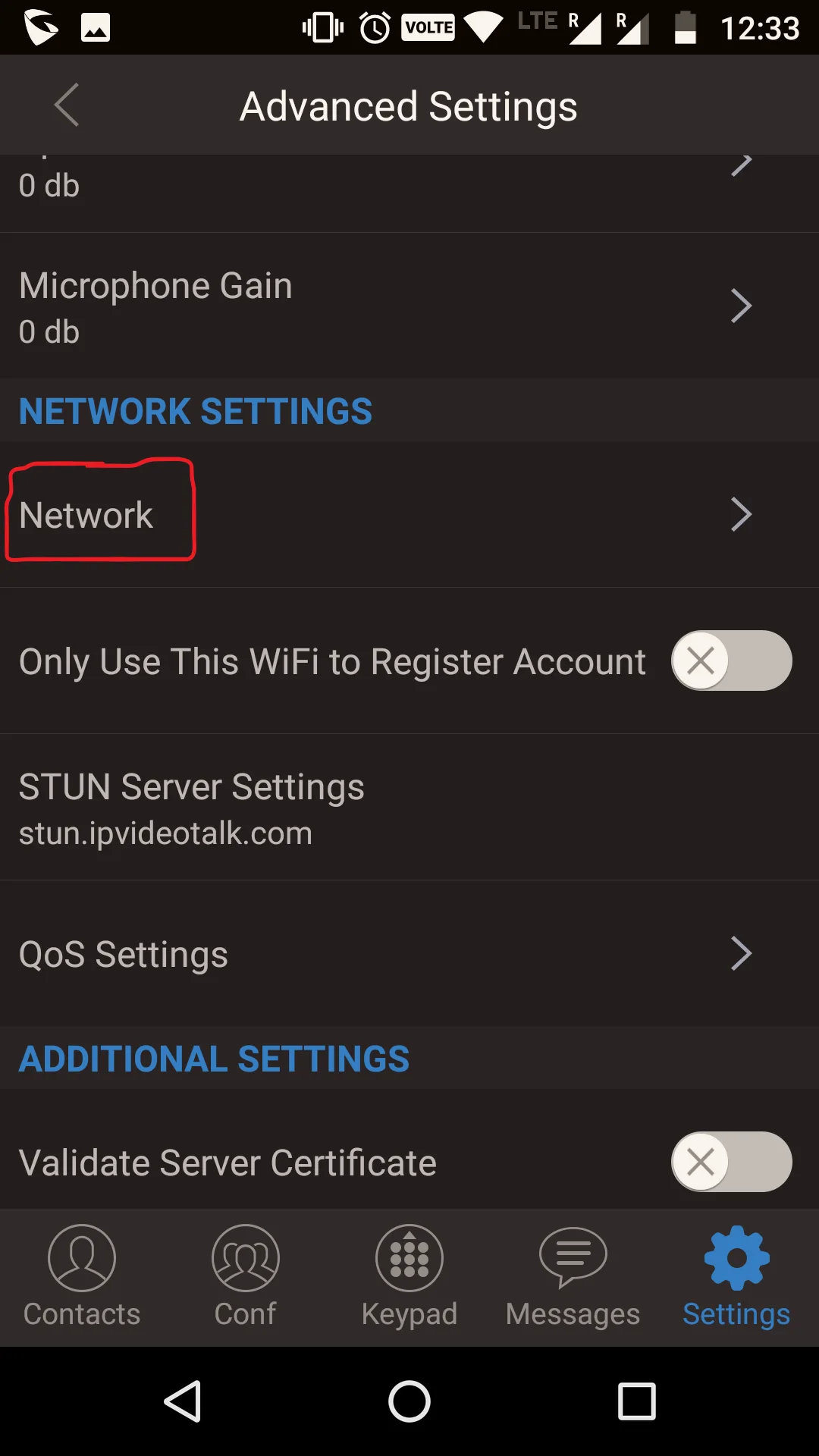
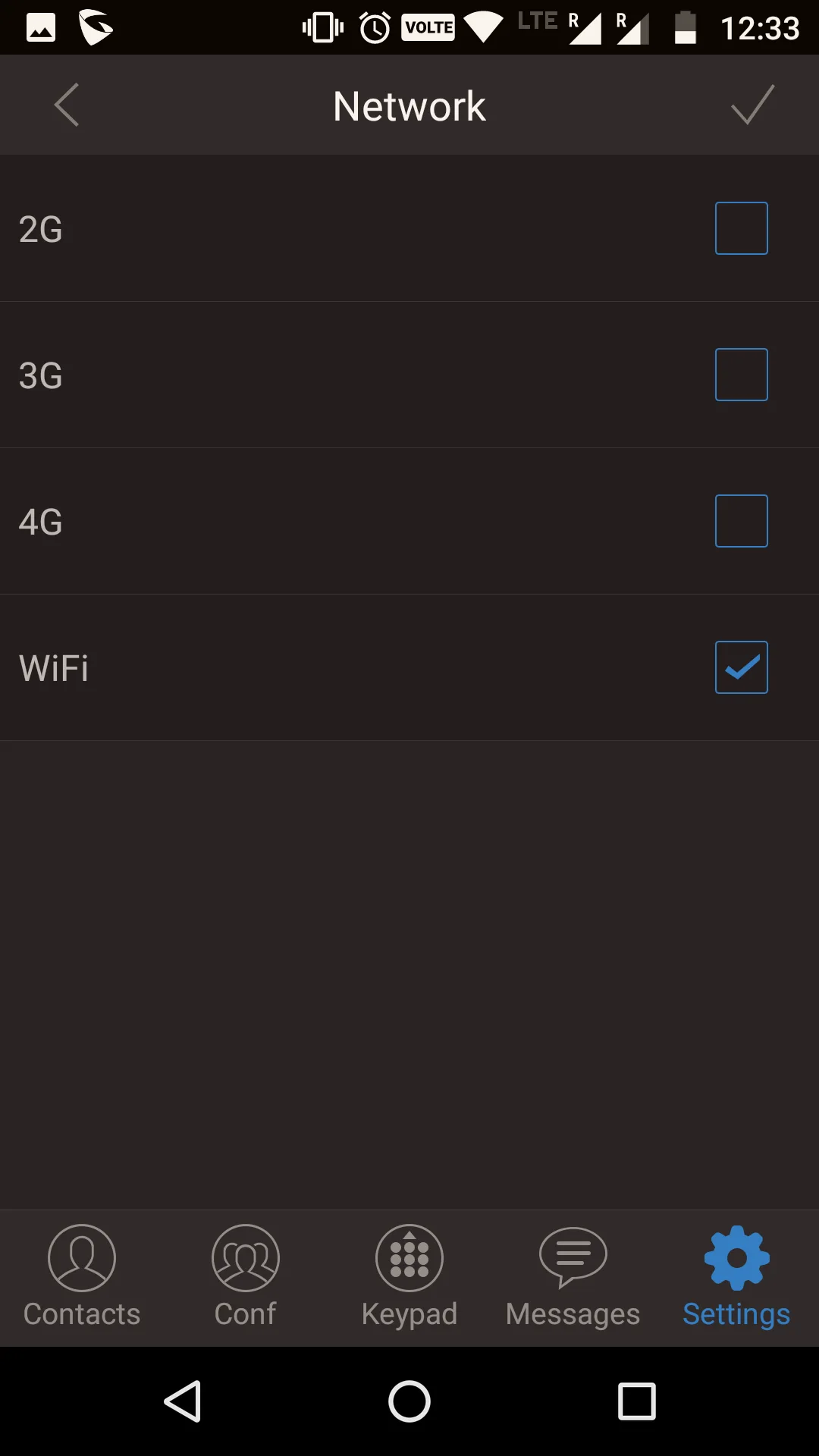
4. Connection mode - wifi. (Settings - Advance Settings - Network Settings - Network - Check wifi only)
5. Try calling a number.
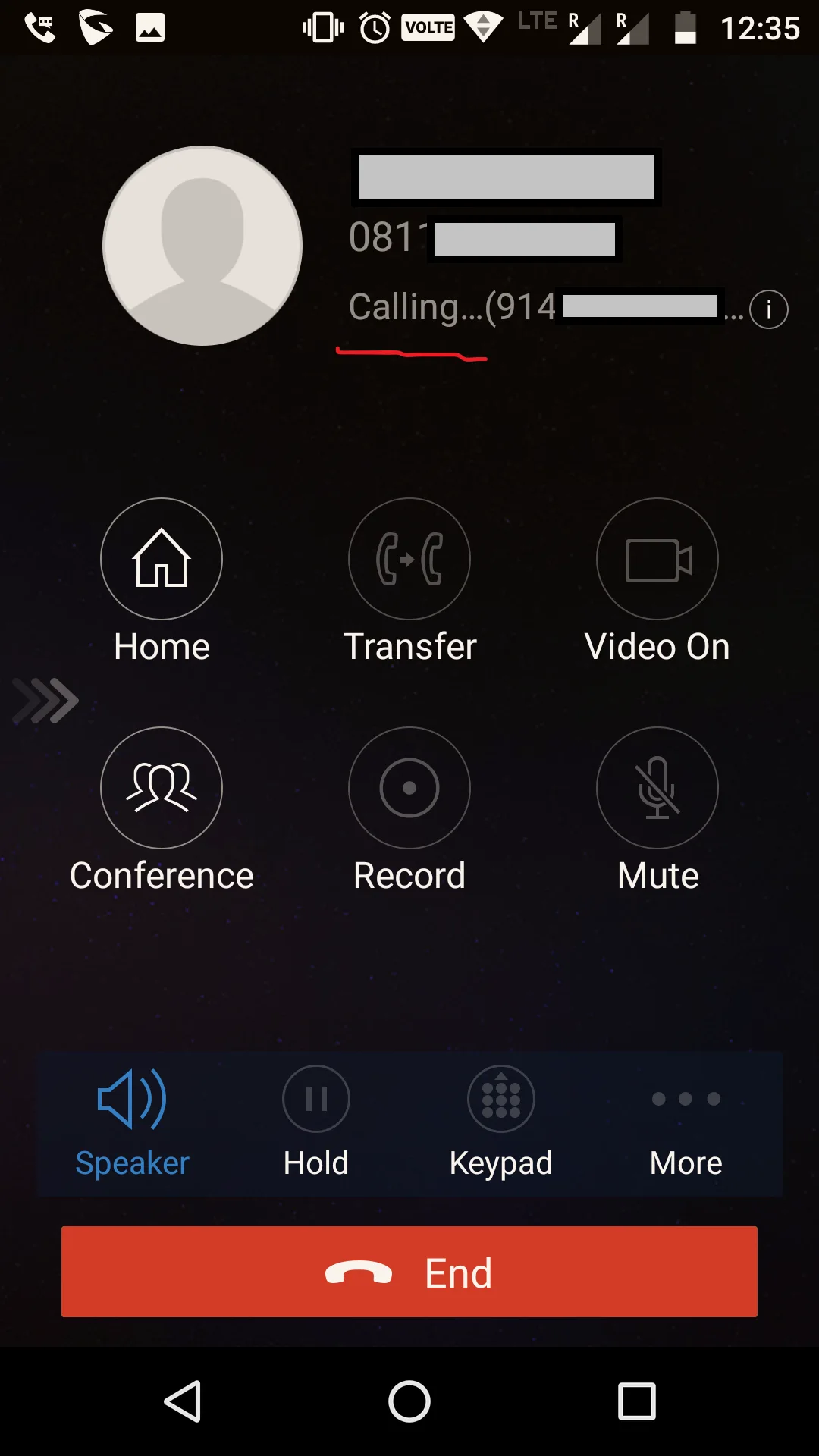
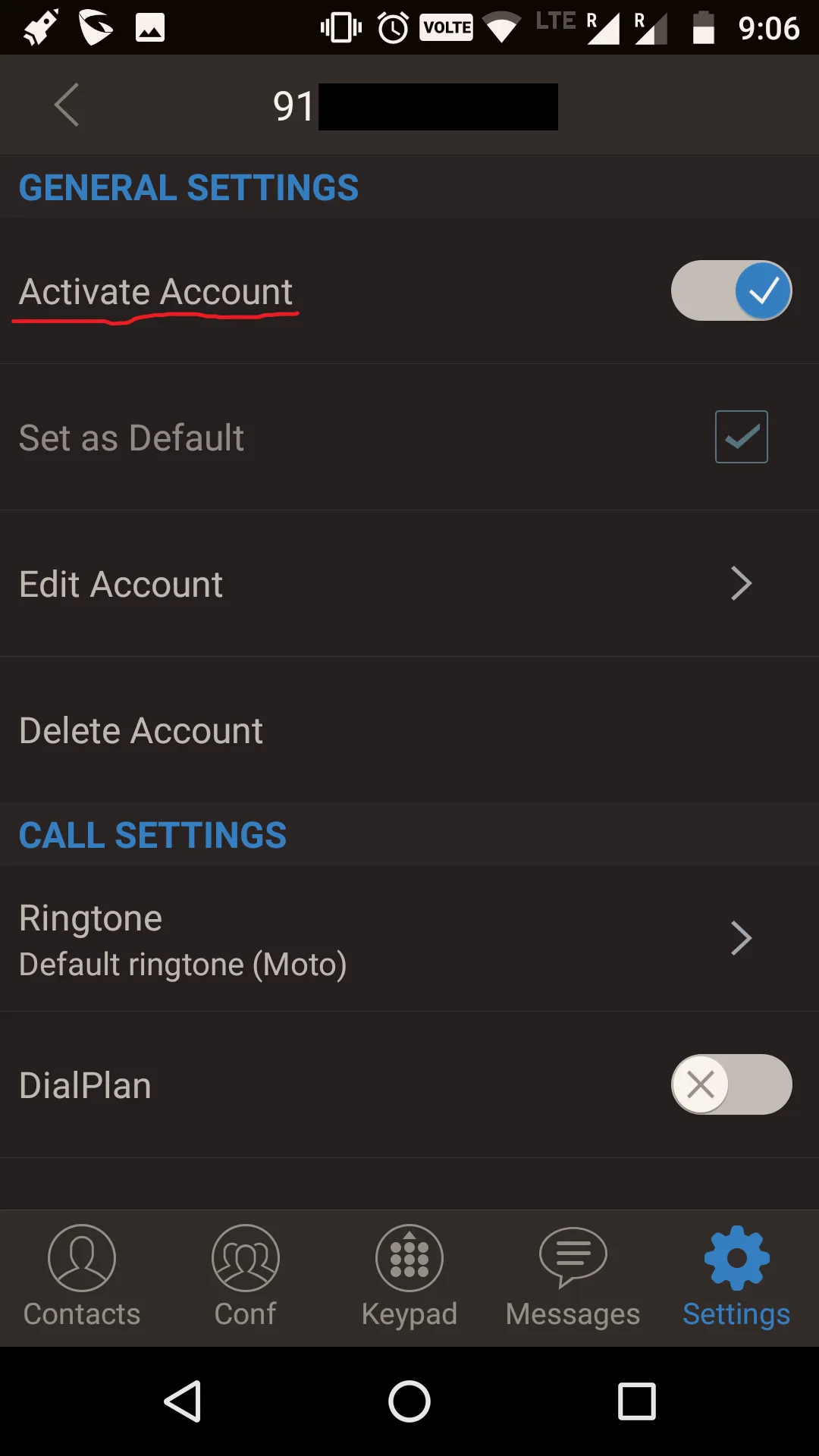
6. If the abovesaid 403 error occurs, just deactivate-activate the account again.
Sorry for the long thread.
This configuration thread is mainly for Huawei ONT with TP-Link routers.
For configuring other ONT brands like DBC, Syrotech, Netlink and for more details you can view @sloj's thread -FTTH VOIP SIP Softphone configuration with ONT/ONU. (Now works on some more apps) | BSNL Bharat Fiber Broadband
Configuration for Ont and Router
For configuring you need to get the following details from Bsnl/LCO.
- For Internet
- VLAN ID
- Username
- Password
- For VOIP(static)
- FOR SIP ACCOUNT
- Regist/Auth User Name- 91<stdcode><telphone number>
- Password- 0000 or last four digits of the telephone number
- Sip Server- 10.187.6.12 (kerala)
Log in to ONT's Web Interface
1.Create a wan profile for internet using the credentials provided by Bsnl. ( Wan - WAN Configuration - click on NEW)
2. Create another wan profile for VOIP-Internet.
3. Configure VoIP details. ( Voice - VoIP Basic Configuration)
4. Check the status of Wan profiles and VOIP. ( Status - WAN Information - VoIP Information)
5. Enable SIP. ( Network Application - ALG Configuration)
6. To ping the sip server, we have to create a Static Route. ( Route - Static Route Configuration - Click on new )
Note- 1. Gateway is the same Default Gateway asked in Voip wan profile.
2. Do not enable Default Route.
Go to Routing Table, to check the new Static route.
7. Ping Sip Server using Ping Test from Ont. ( System Tools - Maintenance)
8. Log in to your TP-link router ( archer c6) and enable Sip. ( Advanced - Nat Forwarding - ALG)
Note - Those who have D-Link routers might have to disable sip in order ping the sip server- Why won’t my VoIP device work with my router?
9. Ping Sip server from your PC/Laptop.
Configuring Zoiper 5 on PC/Laptop using Windows 10.
1. Add Username/login - 91<stdcode><telphone number>
Password - 0000 or last four digits of the telephone number
2. Add Sip server, port no and also add outbound proxy( same as sip server).
3. After testing configuration, choose UDP even when TCP is found.
4. Try calling a number and do the following
Note - 403 error or one-way audio error mainly occurs when network is changed from wireless to wired or to another wireless network( Range Extender) or due to double nat. My connection is stable when I am not switching between wired/wireless networks. Do the following to solve it every time you switch network or when you encounter some errors.
5. Try calling a number again.
Configuring GS Wave app on android. ( you can also configure Zoiper app too )
1. Adding an account. ( Settings - Account Settings - Click on + - Sip Account - fill the details)
2. Check, If the account is registered or not.
3. Add outbound proxy. (Settings - Account Settings - Tel no - Network Settings - Outbound proxy)
4. Connection mode - wifi. (Settings - Advance Settings - Network Settings - Network - Check wifi only)
5. Try calling a number.
6. If the abovesaid 403 error occurs, just deactivate-activate the account again.
Sorry for the long thread.
Last edited by a moderator:


