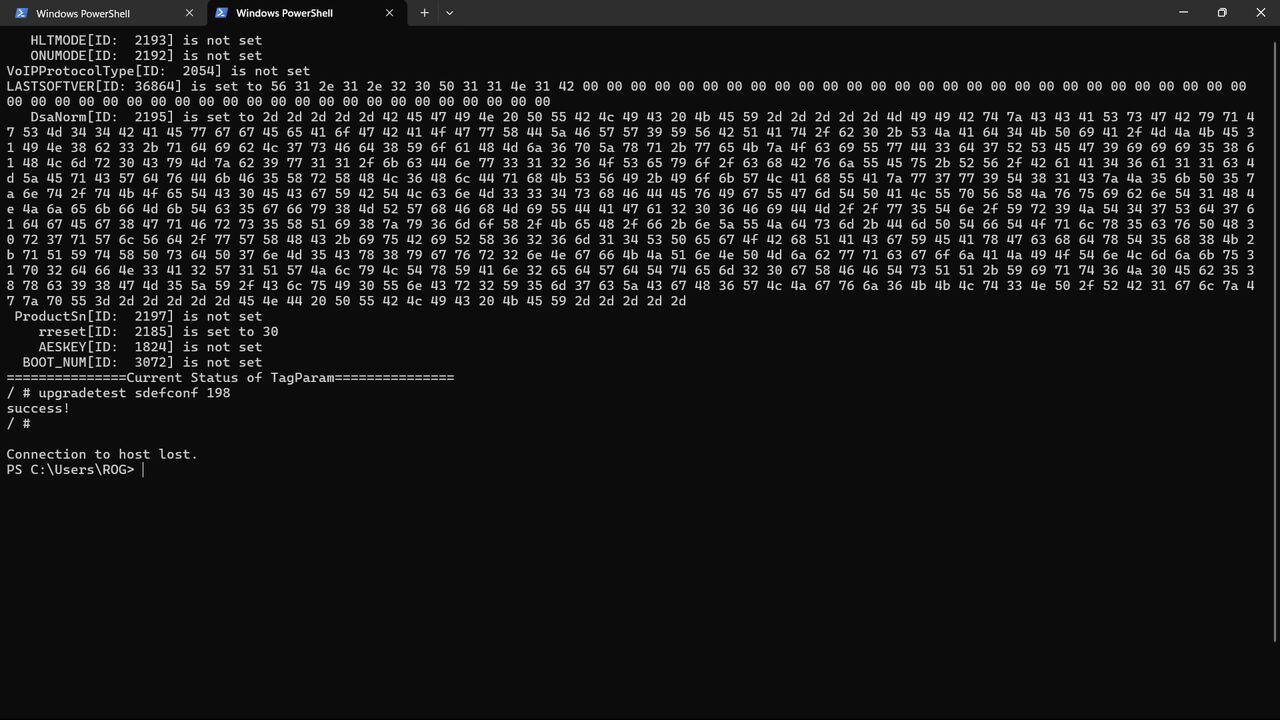
here's how you unlock router and gain access to admin account,unlocking the router's firmware (router-ZTE f660 or ZTE f670l)
1.Access Telnet (you might need additional stuff to get telnet creds,msg below if you want guide on that)
2.after accessing telnet,enter this command - upgradetest sdefconf 198
after that,country code of router may change and you may get message of success or nothing but router will restart
if it restart that means it got unlocked
Now you can access admin account,
username will be admin
password will be admin or Web@0063
this worked for me and i hope it does for you too
Note you have unlocked ont so that does mean you can use ur ont with any other provider by just going to telnet and using
setmac show -command to change the values
setmac 1 <id> <value> to add
setmac 3 <id> to delete
(i personally tested this with netplus and airtel router and this works by changing GPON sn,gpon password and mac address)
Please note i have no intention to promote any bad stuff or anything like that,i am just normal consumer who wanted access to all router but company rejected it by ignoring me,for which i paid 2500 for connection and still had to buy rs.4000 additional router to get control over settings and i dont want any other person to struggle on this.
1.Access Telnet (you might need additional stuff to get telnet creds,msg below if you want guide on that)
2.after accessing telnet,enter this command - upgradetest sdefconf 198
after that,country code of router may change and you may get message of success or nothing but router will restart
if it restart that means it got unlocked
Now you can access admin account,
username will be admin
password will be admin or Web@0063
this worked for me and i hope it does for you too
Note you have unlocked ont so that does mean you can use ur ont with any other provider by just going to telnet and using
setmac show -command to change the values
setmac 1 <id> <value> to add
setmac 3 <id> to delete
(i personally tested this with netplus and airtel router and this works by changing GPON sn,gpon password and mac address)
Please note i have no intention to promote any bad stuff or anything like that,i am just normal consumer who wanted access to all router but company rejected it by ignoring me,for which i paid 2500 for connection and still had to buy rs.4000 additional router to get control over settings and i dont want any other person to struggle on this.