TP-Link Archer C6 PPOE issue with BSNL FTTH

  • Thread starter Thread starter Kick933
  • Start date Start date
  • Replies Replies 104
  • Views Views 21,548

Kick933

Still Learning
Messages
517
Location
Haryana
ISP
BSNL FTTH
I have just received the much awaited C6 from Amazon.
But it got a wired issue.
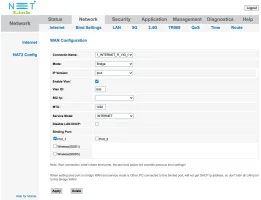
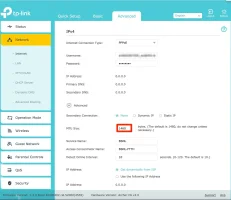
I have set the dumb ONT into transparent bridge mode and router usually work great after setting up my BSNL FTTH profile.

But,as soon as their is a LOS,the C6 won't initiate auto-connect.I have to go to the management page and click on connect.
It seems that I am missing something.Can I hope to get some help as it has got very frustrating since signal drop is common at my place,albeit for 2 minutes every 5 hours.
 
Ok,so the issue was with the router....
Just for clarification,VLAN tagging is needed for BSNL to connect.
I had tried everything but the router refused to tag the packets with mentioned VLAN.
So,I had to set VLAN tag from my ONT which reset after each restart.
Got replacement,it is working like charm....
@Kick933 Could you please elaborate little more about it. I am having TP-Link C6 and Netlink ONU, I tried almost every combination mentioned on other threads by @varkey and @pothi. I having intermitted connectivity issues, so I would like to move the PPPoE to C6.

@varkey / @Kick933 could you please help me configuring it?

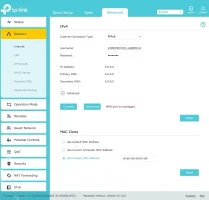
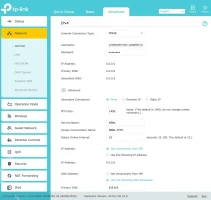
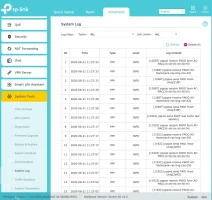
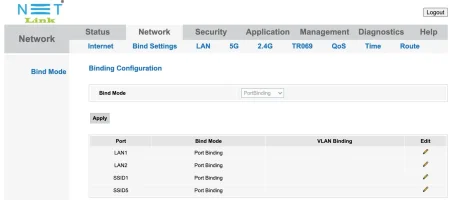
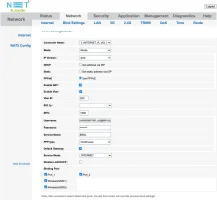
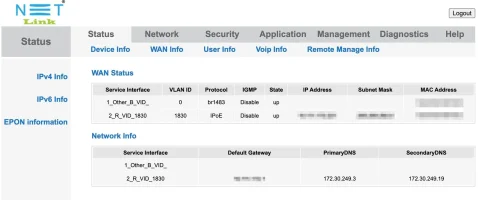
I am attaching my configurations
 

Attachments

  • Archer_C6-cutom-mac.webp
    Archer_C6-cutom-mac.webp
    48.3 KB · Views: 418
  • Archer_C6-internet.webp
    Archer_C6-internet.webp
    60.9 KB · Views: 346
  • Archer_C6-logs.webp
    Archer_C6-logs.webp
    103.8 KB · Views: 310
  • bind-setting.webp
    bind-setting.webp
    35.6 KB · Views: 345
  • bridge-mode.webp
    bridge-mode.webp
    61.1 KB · Views: 343
  • epon-info-aftr-bridge-settings.webp
    epon-info-aftr-bridge-settings.webp
    57.3 KB · Views: 328
  • EPON-Info.webp
    EPON-Info.webp
    62.7 KB · Views: 305
  • Internet-Working.webp
    Internet-Working.webp
    54.2 KB · Views: 332
Upvote 0
The PPPoE auth logs from the Archer C6 looks like auth is happening. What kind of issues are you seeing when in bridge mode?

Also, when using it in bridge mode, try with the Service Mode as Other

And try with a lower MTU, 1492 would mostly likely cause issues.

@svr
 
Upvote 0
@varkey I tried the following scenarios

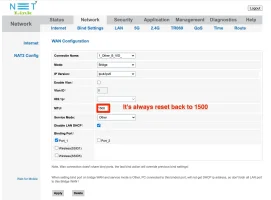
  • Tried with MTU 1460 on bridge mode, but it seems the router resetting it to 1500. Result was same, I can see th PPP logs on the C6 system log.
  • Changed to Other on Service Mode, result was same. PPP logs are showing on system logs
  • Disabled VLAN tag on ONU and enabled on C6, PPP send requests are there but no data getting back.

@Kick933 can you please share your configuration?
 

Attachments

  • A6MTU.webp
    A6MTU.webp
    60.7 KB · Views: 274
  • Archer_C6-VLANenabled.webp
    Archer_C6-VLANenabled.webp
    54.8 KB · Views: 302
  • onu-mtu.webp
    onu-mtu.webp
    67.3 KB · Views: 297
  • VLANdisabled.webp
    VLANdisabled.webp
    50.5 KB · Views: 326
Upvote 0
Hey there,sorry for late reply.
Please check the following checkpoints-:
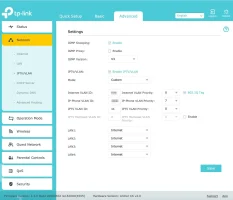
1. LAN DHCP should be disabled,unless absolutely necessary.
2. Oh,please check there is an RA service available.It should not be,but still to be sure.
3. DHCOV6 should be disabled.Rhese are precautions as they interfere with link performance of RA service.
I did the following-:
Reset my ONT.
DISABLE DHCP for both IPV4 and IPV6.
Create a WAN bridge profile and perform port binding.(I have ZTE based ONT which have only one port,so no port binding required)
I suggest using VLAN tag since It needs more processing power from C6 which is not really having a strong processor and high TDP.So,I suggest using VLAN tagging in ONT.
Oh.,can you tell me if BSNL is using MAC BINDING for PPPOE Auth.
It appears to be such issue.

Nothing much needed here.
 
Upvote 0
@svr Are you on the latest available firmware? Some older firmware versions did have a broken PPP client causing intermittent issues.

However, does it not establish a PPPoE connection at all?
 
Upvote 0
Back