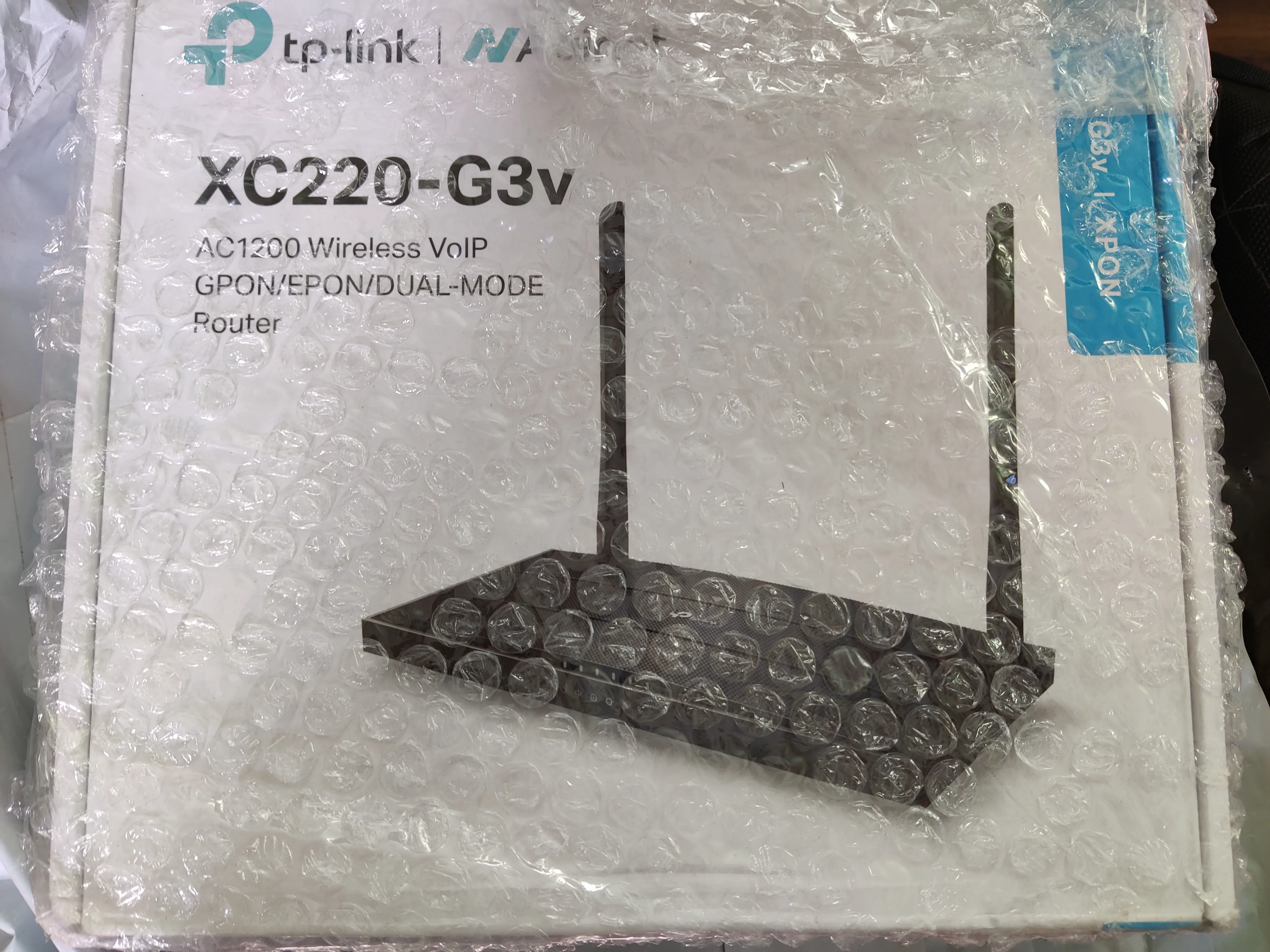
@IfranAli @ashu2023 @gautam6999 sorry for late reply but answer to everybody's problem is already provided by
@sloj in this thread so you can check his old comments or continue with this one. I am attaching the firmware file that worked for me and in start I used the file provided by sloj he was very fast to address my concern and
TP-Link official support kind of took a week to send me the file which was same as sloj but I had missed a step that even sloj had mentioned. So I will write down everything in detailed in this single message. So it could be referred to by new people who land here with similar issues mostly "all the new customers of xc220-g3v who want to use both internet and voip together" or who want to use their landline.
For those asking for firmware: This is the firmware file link:
SendGB | Send Large Files | Free file transfer valid 60 days
Size of the data package: 15.01 MB. Free transfer of up to 6 GB of photos, videos and documents. Send large files via email or a link to share. No registration, no ads, just simple file sharing!

filetransfer.io
i dont know how many days.
You can also request for this firmware to tp-link customer care support number mentioned on your
router's packaging they will ask for your email and mail it to you. As of today tplink has not uploaded the firmware to its website for this router but on contacting customer support they will provide you with firmware which are not official release and will have names like "XC220-G3v_UP_BOOT(datecode)_2023-03-13_15.51.06.bin" which are kind of under development firmware and will disable auto-update feature in router and trust me its to much of work for customers to go through all this flashing firmware and stuff. So if you are someone who just came here to see reviews and possible issues don't buy this router just go for some other brand when it comes to xpon/
GPON/
EPON routers because they don't have such bugs and are truly hassle free and plug and play products. For rest who have purchased this router there are the steps to be followed while flashing the firmware for which link is attached above:
Step 1: Download Firmware form above link or from tplink (the main model number should be XC220-G3v rest your version can be any for best advice contact tp-link as you dont want to brick it even though they will replace it if you take it as dead at arrival to service centre ) my device Model number is like this : XC220-G3v(IN) Ver: 2.8 (After using the file i am attaching in firmware/login page bottom footer it will say "Hardware Version:XC220-G3v v2.30 00000000") which is the only way to get it working properly and will not affect your warranty.
Step 2: go to admin login when inside click on
advanced tab and then
system tools on left side under which you will find
firmware upgrade option click on it and select the file for
local upgrade (*its downgrade for us but it helps us) and
click on upgrade and wait for everything to happen (
router reboots make sure power doesn't interrupt else it will be dead and you will need to visit service centre)
Step 3: Login again this time navigate to
Advanced>System Tools>Backup and Restore>Factory Default Restore section:
"This is Very Important step without this you wont get this router working properly so don't skip"
Remove/unplug you fibre cord/patch cable from your tplink router
Tick/Check Mark "Restore GPON settings to factory default" Option and then click on Factory Restore Button and let it do its thing but do not plug in your fibre cable else you will have to repeat this step.
Step 4: Now it will ask you to make admin login password just like it did on 1st boot so make one and proceed with login. A
fter login Click Advanced Tab and then
Network >Xpon Settings: This is the place where you set the gpon password which is provided by local exchange and it helps the local olt to authenticate with your onu router after entering that click on Internet in same path: There will be Internet connection delete that and then click on "
+ADD" Now 1st add your internet connection and select only
"Internet" in service type do not select anything else unless you need it after entering all credentials provided by ISP and necessary stuff like vlan id etc and in end binding all lan and wifi port
but keeping the voip option untick/unchecked you can proceed with creation of another internet connection which will be for your VOIP/landline purpose.
Same as before but in service type only select voip and nothing else then enter all stuff provided by telephone exchange/ISP and in end tick mark only voip and hit save.
Step 5: Now Last step you need to navigate to Advanced>Telephony>Telephone Number: Click add and enter all the details like
Telephony Provider: which should be set to other providers
Phone Number: should start with +91
Registrar Address: mh.ftth.ims.bsnl.in (this address if for Maharashtra bsnl only you can ask your state details to local telephone exchange it can also be a ip address but this is mentioned on their site u can
google)
Authentication ID: +91your telephone number
Password: it comes via SMS to your registered phone number when you buy connection
Then there is one arrow for advanced toggle it and it will ask for:
Registrar Port: 5060
stays same for everyone
SIP Proxy: mh.ftth.ims.bsnl.in
SIP Proxy Port: 5060
stays same for everyone
Outbound Proxy: mh.ftth.ims.bsnl.in
Outbound Proxy Port: 5060
stays same for everyone
Tick mark "Register via Outbound Proxy"
now click ok and the status tick will become blue and your telephone and internet will work together.
If you miss any step and go back trying to edit anything that u had missed you have to format the router without that restore gpon settings ticked mark and repeat as told in steps else things might not work for you.
Thank you to
@sloj once again hope no one goes through all this i was pretty scared as i had purchased this from local market with no refund policy and very less knowledge about things.
Some more info about step no.4: if you had your fibre cable plugged in this router will automatically authenticate with the olt and since this router is a xpon that means it works with both epon and gpon olt networks and that bsnl mainly uses epon but still requires this gpon passowrd to be entered by some local exchanges is just funny and confusing for newbies like me and depending on local exchange settings it can cause issue to you and some operators mainly franchise owners do this trick and tell you that this is not officially supported equipment/router so it will not work and that you have to purchase one from them only which will most likely be Syrotech or optlink etc. No hate to anyone those are really plug and play because they are official vendors of bsnl and have this option of entering gpon or epon password available for all times unlike this tplink router which locks and hides this option after it authenticates for the 1st time forcing people to reset gpon settings to change this passowrd.
Hope all this information helps people and for those looking to purchase this educates about the ongoing challenges faced by customers.
Thank you